
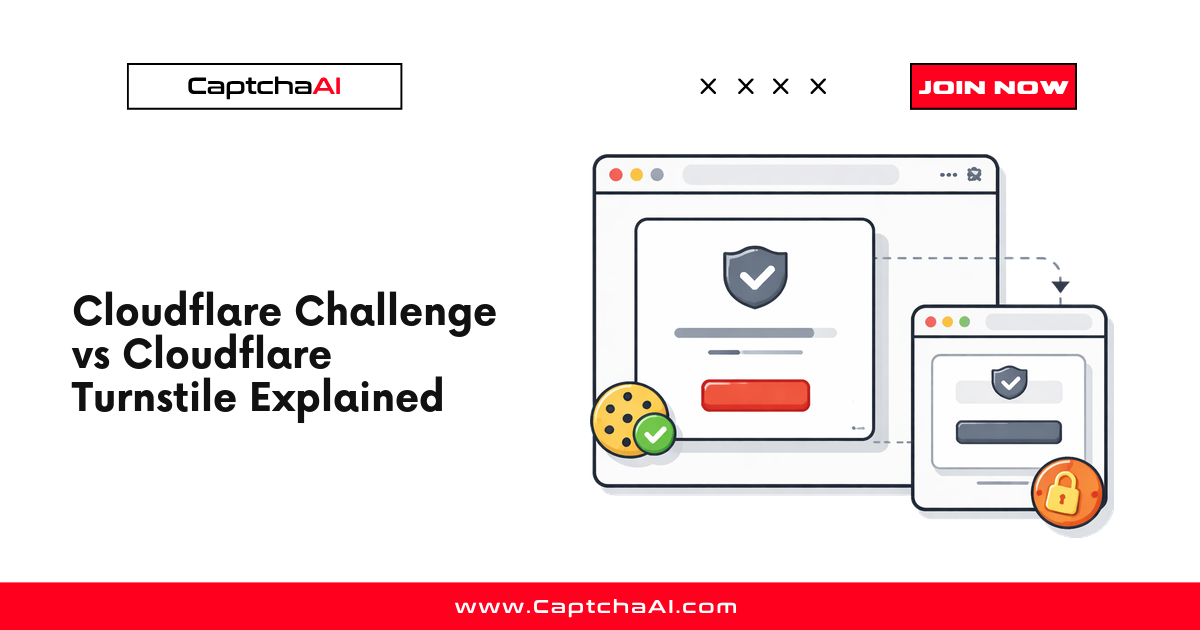
When Cloudflare suspects a visitor is a bot, it shows a full-page interstitial with the message "Checking your browser before accessing..." or "Verify you are human." This is called a Cloudflare Challenge — not to be confused with Turnstile, which is a widget embedded within a page.
The challenge blocks access to the entire page until the browser passes verification. Once passed, Cloudflare sets a cf_clearance cookie that grants access to subsequent requests.
How the challenge flow works
Request → Cloudflare proxy → Suspicious? → Challenge page
                                              ↓
                                    Browser verification
                                              ↓
                                    cf_clearance cookie set
                                              ↓
                                    Original page loads
- Request intercepted — Cloudflare's reverse proxy evaluates the incoming request
- Risk assessment — IP reputation, request headers, TLS fingerprint, and behavior are analyzed
- Challenge served — If suspicious, a challenge page replaces the intended response
- Browser verification — JavaScript challenges run in the browser
- Cookie set — On success,
cf_clearancecookie is set with a configurable TTL - Access granted — The browser reloads and receives the original page content
What triggers a Cloudflare Challenge
| Trigger | Description |
|---|---|
| Datacenter IP | Request from known hosting providers |
| Missing headers | Missing or unusual HTTP headers |
| TLS fingerprint | JA3/JA4 fingerprint matches known bot signatures |
| High request rate | Too many requests from the same IP |
| Security level setting | Site owner sets challenge threshold to high |
| Country-based rules | Geographic blocking or challenge rules |
| Bot score | Cloudflare's ML bot score is too low |
| Known threat | IP appears on threat intelligence lists |
The cf_clearance cookie
After passing the challenge, the browser receives:
cf_clearance=abc123...; path=/; domain=.example.com; secure; HttpOnly; SameSite=None
Key properties:
- Duration: 15 minutes to 24 hours (configurable by site owner)
- Scope: Tied to the specific domain
- Binding: Bound to the user agent and IP address used during verification
- Usage: Must be included in all subsequent requests to avoid re-challenge
Important: The cf_clearance cookie is bound to the specific User-Agent and IP address used during verification. Changing either will invalidate the cookie.
Cloudflare Challenge vs Turnstile vs JS Challenge
| Feature | CF Challenge | Turnstile | JS Challenge |
|---|---|---|---|
| Type | Full-page interstitial | In-page widget | Silent check |
| User sees | "Checking your browser" page | Checkbox or nothing | Nothing |
| Blocks page access | Yes | No | Briefly |
| Sets cf_clearance | Yes | Sometimes | Yes |
| Requires proxy to solve | Yes | No | N/A |
| Site uses Cloudflare CDN | Required | Optional | Required |
Solving Cloudflare Challenge with CaptchaAI
Cloudflare Challenge solving requires a proxy because the cf_clearance cookie is bound to the IP address.
Python
import requests
import time

API_KEY = "YOUR_API_KEY"

# Submit task — proxy is REQUIRED
response = requests.get("https://ocr.captchaai.com/in.php", params={
    "key": API_KEY,
    "method": "cloudflare_challenge",
    "pageurl": "https://example.com/protected-page",
    "proxy": "username:[email protected]:8080",
    "proxytype": "HTTP",
    "json": 1
})

task_id = response.json()["request"]

# Poll for result
for _ in range(60):
    time.sleep(5)
    result = requests.get("https://ocr.captchaai.com/res.php", params={
        "key": API_KEY, "action": "get", "id": task_id, "json": 1
    }).json()

    if result.get("status") == 1:
        solution = result["request"]
        # solution contains cf_clearance cookie + user_agent
        print(f"cf_clearance: {solution}")
        break
Node.js
const axios = require('axios');

async function solveCloudflareChallenge(pageurl, proxy) {
  const { data } = await axios.get('https://ocr.captchaai.com/in.php', {
    params: {
      key: 'YOUR_API_KEY',
      method: 'cloudflare_challenge',
      pageurl,
      proxy,
      proxytype: 'HTTP',
      json: 1
    }
  });

  const taskId = data.request;

  for (let i = 0; i < 60; i++) {
    await new Promise(r => setTimeout(r, 5000));
    const res = await axios.get('https://ocr.captchaai.com/res.php', {
      params: { key: 'YOUR_API_KEY', action: 'get', id: taskId, json: 1 }
    });
    if (res.data.status === 1) return res.data.request;
  }
  throw new Error('Timeout');
}
Using the cf_clearance cookie
# After getting the solution
cf_clearance = solution["cf_clearance"]
user_agent = solution["user_agent"]

# Use the SAME proxy and user agent for subsequent requests
session = requests.Session()
session.cookies.set("cf_clearance", cf_clearance, domain=".example.com")
session.headers["User-Agent"] = user_agent
session.proxies = {"https": "http://username:[email protected]:8080"}

# Now access the protected page
page = session.get("https://example.com/protected-page")
print(f"Status: {page.status_code}")
Why proxy is required
The cf_clearance cookie is cryptographically bound to:
- IP address — The solve must happen from the same IP you will use
- User-Agent — The solve user agent must match your requests
- TLS fingerprint — Some configurations also check TLS characteristics
If any of these differ between the solve and your subsequent requests, the cookie is invalid.
FAQ
How long does cf_clearance last?
Site owners configure the duration, typically 15 minutes to 24 hours. After expiry, a new challenge must be solved.
Can I reuse cf_clearance across different IPs?
No. The cookie is bound to the IP used during verification. Changing IPs requires a new solve.
What is the difference between Cloudflare Challenge and Turnstile?
Cloudflare Challenge is a full-page interstitial that blocks page access. Turnstile is a widget embedded within the page, similar to reCAPTCHA. Challenge requires the site to use Cloudflare as a proxy; Turnstile can be used on any site.
How long does solving take?
Cloudflare Challenge solving takes 20–60 seconds, longer than Turnstile or reCAPTCHA because of the full browser verification.
What if the page has both Cloudflare and reCAPTCHA?
Solve the Cloudflare Challenge first to access the page, then solve the reCAPTCHA on the loaded page.


Discussions (0)
Join the conversation
Sign in to share your opinion.
Sign InNo comments yet.