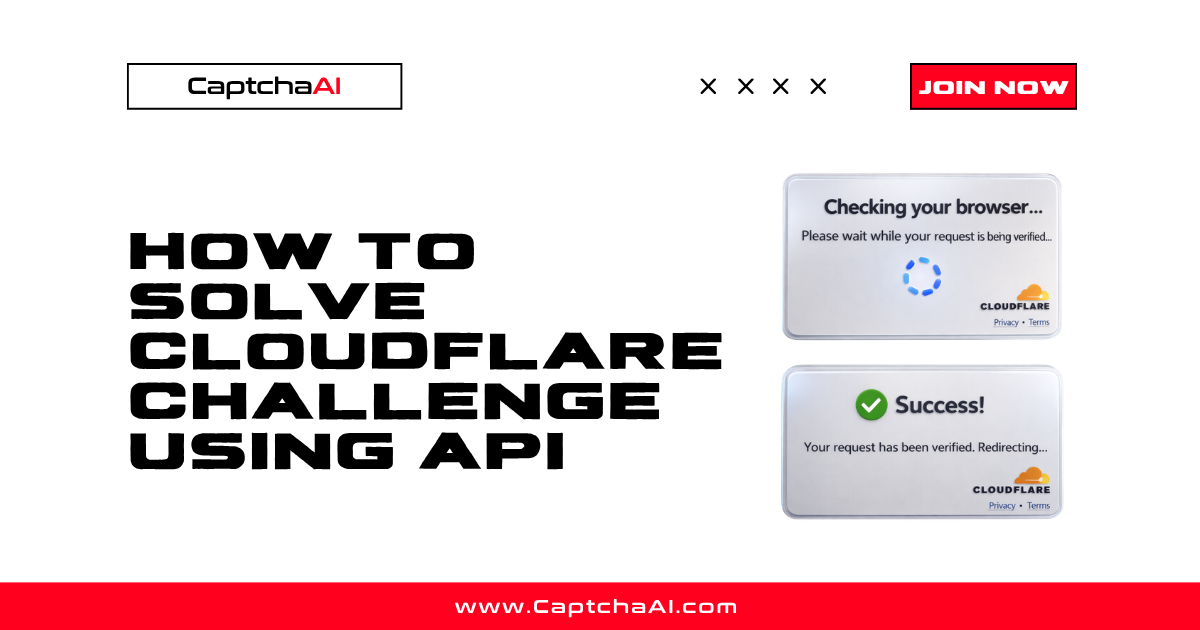
The Cloudflare Challenge is the full-page interstitial that says "Checking your browser…" before letting you access a protected site. Unlike Cloudflare Turnstile (an embeddable widget), the Challenge page blocks the entire request until you pass it. CaptchaAI solves it and returns a cf_clearance cookie that grants access to the protected resource.
There are three critical requirements that make Cloudflare Challenge different from every other CAPTCHA type CaptchaAI supports:
- Proxy is mandatory — the solver must use your proxy so the
cf_clearancecookie is bound to an IP you control. - User-Agent is returned — the cookie is tied to a specific User-Agent string. You must use the exact User-Agent from the response.
- IP + User-Agent must match — all subsequent requests to the protected site must use the same proxy and the same User-Agent.
This guide covers the full flow with working Python, Node.js, and PHP code.
Looking for Cloudflare Turnstile instead? That is a different CAPTCHA type with a different method. Read How to Solve Cloudflare Turnstile Using API.
What you need before you start
| Requirement | Details |
|---|---|
| CaptchaAI API key | Get one from captchaai.com/api.php. 32-character string. |
| Target page URL | The full URL of the Cloudflare-protected page. |
| A working proxy | HTTP, HTTPS, SOCKS4, or SOCKS5. The proxy must be able to reach the target site. |
| Proxy enabled on your CaptchaAI account | Proxy usage is disabled by default. Contact CaptchaAI support to enable it before your first request. |
| Runtime environment | Python 3.7+ with requests, or Node.js 18+ with built-in fetch. |
Important: Proxy support must be enabled on your account before you can use
method=cloudflare_challenge. If you have not done this, open a support ticket at CaptchaAI first.
How to identify a Cloudflare Challenge page
Cloudflare Challenge appears as a full-page interstitial, not an embedded widget. Signs you are facing it:
- The page shows "Checking your browser…" or "Just a moment…" before any content loads.
- The URL briefly shows the target path but redirects to a challenge page.
- Response headers include
cf-mitigated: challengeor the response status is 403 with a Cloudflare Ray ID. - The HTML body contains
<div id="challenge-body-text">or references to/cdn-cgi/challenge-platform/. - After passing the challenge, a
cf_clearancecookie appears in your browser.
If instead you see a small widget embedded in a form with a checkbox or spinner, that is Cloudflare Turnstile — a different CAPTCHA type with a different solving method.
Solving flow
Identify Cloudflare Challenge page
              ↓
  POST to in.php
    method=cloudflare_challenge
    pageurl + proxy + proxytype
              ↓
       receive captcha ID
              ↓
     wait 20 seconds
              ↓
  GET res.php (action=get, id=…, json=1)
      ↓                      ↓
 CAPCHA_NOT_READY       status=1
  (wait 5s, retry)           ↓
                  extract cf_clearance + user_agent
                             ↓
              set cookie + User-Agent + same proxy
                             ↓
                   access protected page
Python implementation
import time
import requests

API_KEY = "YOUR_CAPTCHAAI_API_KEY"
PAGE_URL = "https://example.com/protected-page"
PROXY = "user:[email protected]:8080"
PROXY_TYPE = "HTTP"

SUBMIT_URL = "https://ocr.captchaai.com/in.php"
RESULT_URL = "https://ocr.captchaai.com/res.php"


def solve_cloudflare_challenge(api_key, pageurl, proxy, proxytype):
    """Solve a Cloudflare Challenge and return cf_clearance cookie + User-Agent."""

    # Step 1: Submit the task
    submit_resp = requests.post(
        SUBMIT_URL,
        data={
            "key": api_key,
            "method": "cloudflare_challenge",
            "pageurl": pageurl,
            "proxy": proxy,
            "proxytype": proxytype,
            "json": 1,
        },
        timeout=30,
    )
    submit_resp.raise_for_status()
    submit_data = submit_resp.json()

    if submit_data.get("status") != 1:
        raise RuntimeError(f"Submit failed: {submit_data}")

    captcha_id = submit_data["request"]
    print(f"Task created — captcha ID: {captcha_id}")

    # Step 2: Wait before first poll (Cloudflare Challenge takes longer)
    time.sleep(20)

    # Step 3: Poll for result
    for _ in range(60):
        result_resp = requests.get(
            RESULT_URL,
            params={
                "key": api_key,
                "action": "get",
                "id": captcha_id,
                "json": 1,
            },
            timeout=30,
        )
        result_resp.raise_for_status()
        result_data = result_resp.json()

        if result_data.get("request") == "CAPCHA_NOT_READY":
            time.sleep(5)
            continue

        if result_data.get("status") == 1:
            return {
                "cf_clearance": result_data["result"],
                "user_agent": result_data["user_agent"],
            }

        raise RuntimeError(f"Polling error: {result_data}")

    raise TimeoutError("Cloudflare Challenge solve timed out")


# Solve the challenge
solution = solve_cloudflare_challenge(API_KEY, PAGE_URL, PROXY, PROXY_TYPE)
print(f"cf_clearance: {solution['cf_clearance']}")
print(f"User-Agent: {solution['user_agent']}")

# Step 4: Access the protected page using the SAME proxy and User-Agent
session = requests.Session()
session.headers.update({"User-Agent": solution["user_agent"]})
session.cookies.set("cf_clearance", solution["cf_clearance"], domain="example.com")

proxies = {
    "http": f"http://{PROXY}",
    "https": f"http://{PROXY}",
}

response = session.get(PAGE_URL, proxies=proxies, timeout=30)
print(f"Status: {response.status_code}")
print(f"Content length: {len(response.text)} chars")
What this does:
- Submits the challenge to
in.phpwithmethod=cloudflare_challenge, the page URL, and your proxy. - Waits 20 seconds, then polls
res.phpevery 5 seconds. - Receives the
cf_clearancecookie value and the solver's User-Agent string. - Makes a request to the protected page using the same proxy, cookie, and User-Agent.
Critical: The
cf_clearancecookie is bound to both the proxy IP and the User-Agent. If either one changes, Cloudflare rejects the request and shows the challenge again.
Node.js implementation
const API_KEY = "YOUR_CAPTCHAAI_API_KEY";
const PAGE_URL = "https://example.com/protected-page";
const PROXY = "user:[email protected]:8080";
const PROXY_TYPE = "HTTP";

const SUBMIT_URL = "https://ocr.captchaai.com/in.php";
const RESULT_URL = "https://ocr.captchaai.com/res.php";

function sleep(ms) {
  return new Promise((resolve) => setTimeout(resolve, ms));
}

async function solveCloudflareChallenge(apiKey, pageurl, proxy, proxytype) {
  // Step 1: Submit the task
  const submitResp = await fetch(SUBMIT_URL, {
    method: "POST",
    headers: { "Content-Type": "application/x-www-form-urlencoded" },
    body: new URLSearchParams({
      key: apiKey,
      method: "cloudflare_challenge",
      pageurl: pageurl,
      proxy: proxy,
      proxytype: proxytype,
      json: "1",
    }),
  });

  const submitData = await submitResp.json();
  if (submitData.status !== 1) {
    throw new Error(`Submit failed: ${JSON.stringify(submitData)}`);
  }

  const captchaId = submitData.request;
  console.log(`Task created — captcha ID: ${captchaId}`);

  // Step 2: Wait before first poll
  await sleep(20_000);

  // Step 3: Poll for result
  for (let i = 0; i < 60; i++) {
    const resultResp = await fetch(
      `${RESULT_URL}?${new URLSearchParams({
        key: apiKey,
        action: "get",
        id: captchaId,
        json: "1",
      })}`
    );

    const resultData = await resultResp.json();

    if (resultData.request === "CAPCHA_NOT_READY") {
      await sleep(5_000);
      continue;
    }

    if (resultData.status === 1) {
      return {
        cfClearance: resultData.result,
        userAgent: resultData.user_agent,
      };
    }

    throw new Error(`Polling error: ${JSON.stringify(resultData)}`);
  }

  throw new Error("Cloudflare Challenge solve timed out");
}

(async () => {
  const solution = await solveCloudflareChallenge(
    API_KEY,
    PAGE_URL,
    PROXY,
    PROXY_TYPE
  );
  console.log(`cf_clearance: ${solution.cfClearance}`);
  console.log(`User-Agent: ${solution.userAgent}`);

  // Step 4: Access protected page with cookie, User-Agent, and same proxy
  // Note: Node.js fetch does not natively support proxies.
  // Use a proxy agent library like undici, https-proxy-agent, or node-fetch with proxy.
  // Example with undici:
  //
  // import { ProxyAgent } from 'undici';
  // const proxyAgent = new ProxyAgent(`http://${PROXY}`);
  //
  // const response = await fetch(PAGE_URL, {
  //   headers: {
  //     'User-Agent': solution.userAgent,
  //     'Cookie': `cf_clearance=${solution.cfClearance}`,
  //   },
  //   dispatcher: proxyAgent,
  // });

  console.log("Use the cf_clearance cookie and User-Agent with the same proxy for all subsequent requests.");
})();
PHP implementation
<?php
$apiKey    = "YOUR_CAPTCHAAI_API_KEY";
$pageUrl   = "https://example.com/protected-page";
$proxy     = "user:[email protected]:8080";
$proxyType = "HTTP";

// Step 1: Submit the task
$submit = file_get_contents("https://ocr.captchaai.com/in.php?" . http_build_query([
    "key"       => $apiKey,
    "method"    => "cloudflare_challenge",
    "pageurl"   => $pageUrl,
    "proxy"     => $proxy,
    "proxytype" => $proxyType,
    "json"      => 1,
]));

$submitData = json_decode($submit, true);
if ($submitData["status"] !== 1) {
    die("Submit failed: " . $submit);
}

$captchaId = $submitData["request"];
echo "Task created — captcha ID: $captchaId\n";

// Step 2: Wait and poll
sleep(20);

$cfClearance = null;
$userAgent   = null;

for ($i = 0; $i < 60; $i++) {
    $result = file_get_contents("https://ocr.captchaai.com/res.php?" . http_build_query([
        "key"    => $apiKey,
        "action" => "get",
        "id"     => $captchaId,
        "json"   => 1,
    ]));

    $resultData = json_decode($result, true);

    if ($resultData["request"] === "CAPCHA_NOT_READY") {
        sleep(5);
        continue;
    }

    if ($resultData["status"] === 1) {
        $cfClearance = $resultData["result"];
        $userAgent   = $resultData["user_agent"];
        echo "cf_clearance: $cfClearance\n";
        echo "User-Agent: $userAgent\n";
        break;
    }

    die("Polling error: " . $result);
}

if (!$cfClearance) {
    die("Solve timed out");
}

// Step 3: Access the protected page
$ch = curl_init($pageUrl);
curl_setopt_array($ch, [
    CURLOPT_RETURNTRANSFER => true,
    CURLOPT_PROXY          => "123.123.123.123:8080",
    CURLOPT_PROXYUSERPWD   => "user:password",
    CURLOPT_HTTPHEADER     => ["User-Agent: $userAgent"],
    CURLOPT_COOKIE         => "cf_clearance=$cfClearance",
]);

$response = curl_exec($ch);
$httpCode = curl_getinfo($ch, CURLINFO_HTTP_CODE);
curl_close($ch);

echo "Status: $httpCode\n";
echo "Content length: " . strlen($response) . " chars\n";
Cloudflare Challenge vs Cloudflare Turnstile
These are two different Cloudflare protections that require different solving methods:
| Cloudflare Challenge | Cloudflare Turnstile | |
|---|---|---|
| What it looks like | Full-page interstitial ("Checking your browser…") | Embedded widget on a form (checkbox or spinner) |
| API method | cloudflare_challenge |
turnstile |
| Proxy required? | Yes — mandatory | No — optional |
| What you get back | cf_clearance cookie + User-Agent |
Turnstile token |
| How to use the result | Set cookie + User-Agent + same proxy on all requests | Inject token into form field and submit |
| IP binding | Cookie is bound to the proxy IP | Token is not IP-bound |
| Typical use case | Bypass DDoS protection gate to scrape content | Submit a protected form (login, signup, checkout) |
If you see a small widget embedded in a form, use the Turnstile solving guide instead.
Common mistakes
| # | Mistake | What happens | Fix |
|---|---|---|---|
| 1 | No proxy provided | API rejects the request | Add proxy and proxytype to your request. Proxy is mandatory for Cloudflare Challenge. |
| 2 | Using a different proxy for subsequent requests | Cloudflare rejects the cf_clearance cookie |
Use the exact same proxy for solving and for accessing the protected page. |
| 3 | Using a different User-Agent | Cloudflare rejects the request | Use the user_agent value from the API response, not your own User-Agent. |
| 4 | Not using json=1 |
Response does not include user_agent field |
Always pass json=1 so the response includes both result (cf_clearance) and user_agent. |
| 5 | Proxy not enabled on account | API returns an error | Contact CaptchaAI support to enable proxy usage on your account before making requests. |
| 6 | Cookie expired | Access blocked again after some time | cf_clearance cookies expire. Re-solve when requests start getting blocked. Typical lifetime is 15–30 minutes. |
| 7 | Confusing Challenge with Turnstile | Wrong method sent, solve fails | Challenge = full-page interstitial = cloudflare_challenge. Turnstile = embedded widget = turnstile. |
Troubleshooting
ERROR_BAD_PROXY
The proxy you submitted is unreachable or marked as bad. Fix:
- Test the proxy independently — can it reach the target site?
- Try a different proxy.
- Make sure the format is
login:password@IP:PORTorIP:PORTfor IP-authenticated proxies.
ERROR_PROXY_CONNECTION_FAILED
CaptchaAI could not load the challenge page through your proxy. The proxy may be temporarily down or the target site is blocking it. Try a different proxy.
ERROR_CAPTCHA_UNSOLVABLE
The challenge could not be solved. Common causes:
- The proxy is too slow or unreliable.
- The target site has additional protections beyond Cloudflare.
- Retry with a fresh request and a different proxy.
cf_clearance cookie works once but then stops
The cookie has expired, or Cloudflare has rotated its challenge. Re-solve the challenge to get a fresh cookie. Monitor your success rate and re-solve proactively before expiry.
Response is missing user_agent field
You did not include json=1 in your request. Without json=1, the response is plain text and does not include the User-Agent. Always use json=1 for Cloudflare Challenge.
403 status even with the cookie set
Check all three requirements:
- Same proxy as the solver used.
- Same User-Agent from the
user_agentresponse field. - Cookie domain matches the target site.
If all three are correct and you still get 403, the cookie may have expired. Re-solve.
For all CaptchaAI error codes, see the error handling reference (coming soon) or the API docs at docs.captchaai.com.
Why CaptchaAI works for Cloudflare Challenge
| Factor | Detail |
|---|---|
| Full browser solving | CaptchaAI uses real browser instances to pass the Cloudflare JavaScript challenge |
| Returns everything you need | cf_clearance cookie + User-Agent in a single response |
| Proxy support | Works with HTTP, HTTPS, SOCKS4, and SOCKS5 proxies |
| Same API pattern | Submit → poll → result flow identical to all other CaptchaAI-supported types |
| Pricing | Thread-based plans starting at $15/month |
FAQ
What is the Cloudflare Challenge page?
It is a full-page interstitial shown by websites that use Cloudflare's anti-bot protection. The page displays "Checking your browser…" or "Just a moment…" and blocks access until the browser passes a JavaScript challenge, fingerprinting check, or Turnstile widget.
What does the API return for Cloudflare Challenge?
Two values: (1) cf_clearance — a cookie that grants access to the protected site, and (2) user_agent — the exact User-Agent string the solver used. Both must be included in your subsequent requests.
Why is a proxy required?
Cloudflare binds the cf_clearance cookie to the IP address that solved the challenge. If you solve from CaptchaAI's IP but then access the site from your own IP, the cookie is rejected. By providing your own proxy, the solver uses your IP, and the cookie works for all your requests through that proxy.
How long does cf_clearance last?
Typically 15–30 minutes, but it varies by site. Some sites set longer expiration times. Monitor your requests and re-solve when you start getting 403 responses again.
Can I solve Cloudflare Challenge without a proxy?
No. Proxy is mandatory for this CAPTCHA type. CaptchaAI requires it because Cloudflare enforces IP consistency between the solver and subsequent requests.
What is the difference between Cloudflare Challenge and Turnstile?
Challenge is a full-page interstitial that blocks all access. Turnstile is an embedded widget on a specific form. They use different API methods (cloudflare_challenge vs turnstile), and Challenge requires a proxy while Turnstile does not. See the comparison table above.
Start solving Cloudflare Challenge
- Enable proxy support — contact CaptchaAI support if not already enabled
- Get your API key — captchaai.com/api.php
- Prepare a proxy — HTTP/HTTPS/SOCKS4/SOCKS5, must be able to reach the target site
- Copy the Python, Node.js, or PHP code above — replace placeholders with your key, URL, and proxy
- Use the returned
cf_clearance+ User-Agent + same proxy for all subsequent requests
If you run into issues, check the troubleshooting section above or the full Cloudflare Challenge Errors and Fixes guide.
Related Articles
- How To Solve Recaptcha V2 Callback Using Api
- Cloudflare Challenge Vs Turnstile Detecting
- Cloudflare Managed Vs Interactive Challenge
Full Working Code
Complete runnable examples for this article in Python, Node.js, PHP, Go, Java, C#, Ruby, Rust, Kotlin & Bash.
View on GitHub →



Discussions (0)
Join the conversation
Sign in to share your opinion.
Sign InNo comments yet.