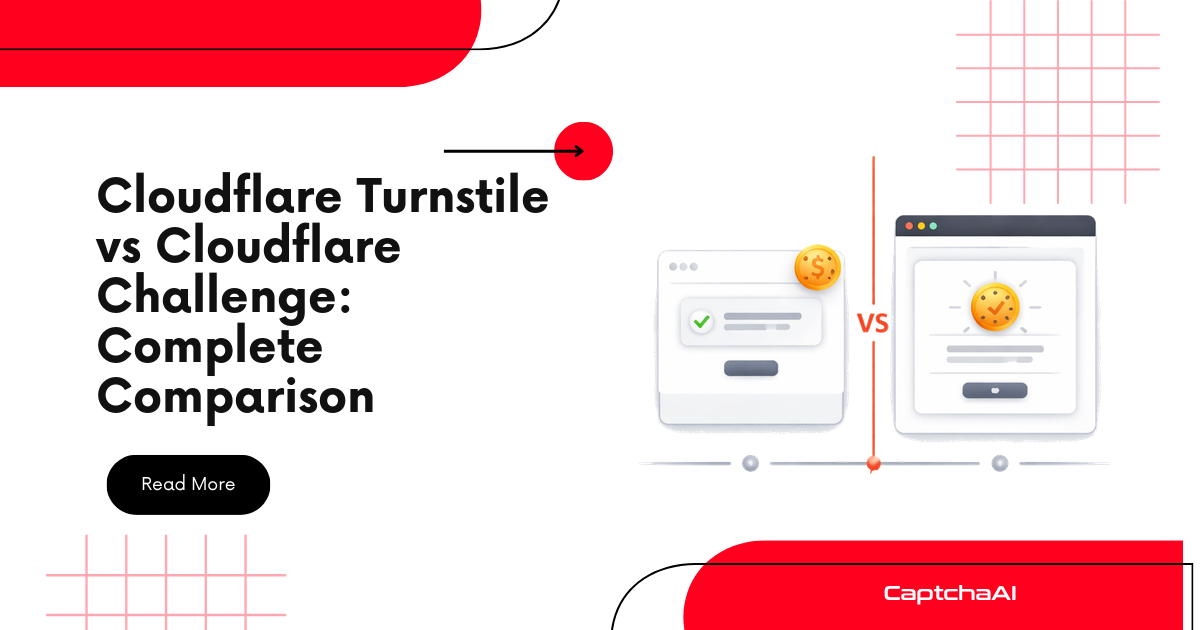
Cloudflare offers two challenge actions that site operators can configure in WAF rules: Managed Challenge and Interactive Challenge. Managed Challenge is the modern, adaptive approach — Cloudflare decides the difficulty per visitor. Interactive Challenge is the legacy option, always presenting a visible CAPTCHA. Understanding the difference determines which CaptchaAI method to use and what to expect during automation.
Quick comparison
| Feature | Managed Challenge | Interactive Challenge |
|---|---|---|
| Introduced | 2021 | Legacy (pre-2021) |
| Adaptive? | Yes (Cloudflare decides per visitor) | No (always interactive) |
| Invisible pass possible? | Yes (~90% of visitors pass invisibly) | No (always shows CAPTCHA) |
| Challenge types used | Invisible → Turnstile → JS challenge | Always visible CAPTCHA |
| Recommended by Cloudflare? | Yes (default for new rules) | No (maintained for backward compatibility) |
| User friction | Low (most pass without seeing anything) | High (always requires interaction) |
| HTTP status | 503 | 403 |
| CaptchaAI method | turnstile or cloudflare_challenge |
turnstile |
Managed Challenge (modern)
Managed Challenge is Cloudflare's recommended challenge action. It uses a decision framework to present the least disruptive challenge possible:
Decision flow
WAF rule triggers Managed Challenge
    ↓
Cloudflare evaluates visitor signals:
  ├─ Browser fingerprint quality
  ├─ IP reputation score
  ├─ TLS fingerprint (JA3/JA4)
  ├─ Request history
  ├─ Behavioral signals
  └─ Device capabilities
    ↓
Risk assessment → Challenge level selected:
  ├─ LOW risk → Invisible pass (no visible UI)
  ├─ MEDIUM risk → Non-interactive Turnstile (background PoW)
  ├─ HIGH risk → Interactive Turnstile (checkbox/widget)
  └─ VERY HIGH risk → JavaScript challenge page (5s wait)
    ↓
Challenge completed
    ↓
cf_clearance cookie issued
What visitors experience
| Visitor type | What they see | Percentage |
|---|---|---|
| Regular browser, good IP | Nothing (invisible pass) | ~90% |
| New browser, neutral IP | Brief spinner | ~5% |
| Suspicious signals | Turnstile checkbox | ~4% |
| High-risk signals | "Checking your browser..." page | ~1% |
HTML output
Managed Challenge pages use Cloudflare's challenge platform:
<!-- Managed Challenge page (when visible) -->
<body>
    <div id="challenge-stage">
        <div id="challenge-body-text">
            Verifying you are human. This may take a few seconds.
        </div>

        <!-- Turnstile widget (when rendered) -->
        <div class="cf-turnstile"
             data-sitekey="0x4AAAAAAAC3DHQhMMQ_Rxrg">
        </div>
    </div>

    <!-- Challenge platform script -->
    <script src="/cdn-cgi/challenge-platform/h/g/orchestrate/managed/v1?ray=...">
    </script>
</body>
Interactive Challenge (legacy)
Interactive Challenge always presents a visible CAPTCHA that the visitor must interact with. There's no invisible pass — every visitor sees and must complete the challenge.
How it works
WAF rule triggers Interactive Challenge
    ↓
Full-page CAPTCHA served (HTTP 403)
    ↓
Visitor must interact with CAPTCHA widget
    ↓
CAPTCHA solved
    ↓
cf_clearance cookie issued
What visitors experience
Every visitor sees a full-page challenge with a Turnstile-like widget:
<!-- Interactive Challenge page -->
<body>
    <div id="challenge-running">
        <div class="main-wrapper">
            <h2>Please verify you are human</h2>

            <!-- Always-visible challenge widget -->
            <div class="challenge-widget">
                <!-- Checkbox + verification -->
            </div>
        </div>
    </div>
</body>
Why Cloudflare discourages it
| Issue | Impact |
|---|---|
| Always visible | 100% of visitors see the challenge |
| Higher friction | Every visitor must interact |
| Higher bounce rate | Users leave rather than complete |
| No risk adaptation | Known-good visitors get challenged too |
| Accessibility concerns | Every visitor must complete interaction |
Detection: Which challenge am I facing?
import requests
import re

def identify_challenge_type(url):
    """Determine if a URL uses Managed or Interactive Challenge."""
    headers = {
        "User-Agent": "Mozilla/5.0 (Windows NT 10.0; Win64; x64) "
                      "AppleWebKit/537.36 Chrome/120.0.0.0",
        "Accept": "text/html,*/*;q=0.8",
        "Accept-Language": "en-US,en;q=0.9",
    }

    response = requests.get(url, headers=headers, timeout=15, allow_redirects=False)
    html = response.text
    status = response.status_code

    result = {
        "url": url,
        "status": status,
        "challenge_type": None,
        "cf_ray": response.headers.get("cf-ray", ""),
        "solve_method": None,
    }

    if status == 200:
        # Check for inline Turnstile widget (not a challenge page)
        if "cf-turnstile" in html:
            result["challenge_type"] = "turnstile_widget"
            result["solve_method"] = "turnstile"
        else:
            result["challenge_type"] = "none"
        return result

    if status == 503:
        # 503 indicates Managed Challenge or IUAM
        if "managed" in html or "challenge-platform" in html:
            result["challenge_type"] = "managed_challenge"
            result["solve_method"] = "turnstile"  # Managed renders as Turnstile
        elif "jschl" in html:
            result["challenge_type"] = "iuam_js_challenge"
            result["solve_method"] = "cloudflare_challenge"
        else:
            result["challenge_type"] = "unknown_503"
        return result

    if status == 403:
        if "challenge" in html.lower():
            result["challenge_type"] = "interactive_challenge"
            result["solve_method"] = "turnstile"
        else:
            result["challenge_type"] = "waf_block"
            result["solve_method"] = None  # Hard block, not solvable
        return result

    return result


# Usage
info = identify_challenge_type("https://protected-site.com/login")
print(f"Challenge: {info['challenge_type']}")
print(f"Solve with: {info['solve_method']}")
Detection table
| Signal | Managed Challenge | Interactive Challenge | IUAM | WAF Block |
|---|---|---|---|---|
| HTTP status | 503 | 403 | 503 | 403 |
challenge-platform in HTML |
✅ | ✅ | ❌ | ❌ |
managed path in script |
✅ | ❌ | ❌ | ❌ |
jschl in HTML |
❌ | ❌ | ✅ | ❌ |
| Always shows widget | ❌ | ✅ | ❌ | ❌ |
| Invisible pass possible | ✅ | ❌ | ❌ | ❌ |
Solving each challenge type
Solving Managed Challenge
Managed Challenges typically render as Turnstile widgets. Use CaptchaAI's turnstile method:
import requests
import time

API_KEY = "YOUR_API_KEY"

def solve_managed_challenge(url, sitekey=None):
    """Solve Cloudflare Managed Challenge."""
    # If sitekey not provided, extract from page
    if not sitekey:
        import re
        headers = {
            "User-Agent": "Mozilla/5.0 (Windows NT 10.0; Win64; x64) "
                          "AppleWebKit/537.36 Chrome/120.0.0.0",
        }
        page = requests.get(url, headers=headers, timeout=15)
        match = re.search(
            r'data-sitekey=["\']([0-9x][A-Za-z0-9_-]+)["\']', page.text
        )
        sitekey = match.group(1) if match else None

    if not sitekey:
        # No visible Turnstile — try cloudflare_challenge method
        return solve_js_challenge(url)

    submit = requests.post("https://ocr.captchaai.com/in.php", data={
        "key": API_KEY,
        "method": "turnstile",
        "sitekey": sitekey,
        "pageurl": url,
        "json": 1,
    })

    task_id = submit.json()["request"]

    for _ in range(60):
        time.sleep(5)
        result = requests.get("https://ocr.captchaai.com/res.php", params={
            "key": API_KEY,
            "action": "get",
            "id": task_id,
            "json": 1,
        }).json()

        if result.get("status") == 1:
            return result["request"]

    raise TimeoutError("Solve timed out")


def solve_js_challenge(url):
    """Fallback to cloudflare_challenge method."""
    submit = requests.post("https://ocr.captchaai.com/in.php", data={
        "key": API_KEY,
        "method": "cloudflare_challenge",
        "sitekey": "managed",
        "pageurl": url,
        "json": 1,
    })

    task_id = submit.json()["request"]

    for _ in range(60):
        time.sleep(5)
        result = requests.get("https://ocr.captchaai.com/res.php", params={
            "key": API_KEY,
            "action": "get",
            "id": task_id,
            "json": 1,
        }).json()

        if result.get("status") == 1:
            return result["request"]

    raise TimeoutError("Solve timed out")
Solving Interactive Challenge
Interactive Challenge always shows a visible widget. Use the same turnstile method:
def solve_interactive_challenge(url, sitekey):
    """Solve Cloudflare Interactive Challenge (legacy)."""
    submit = requests.post("https://ocr.captchaai.com/in.php", data={
        "key": API_KEY,
        "method": "turnstile",
        "sitekey": sitekey,
        "pageurl": url,
        "json": 1,
    })

    task_id = submit.json()["request"]

    for _ in range(60):
        time.sleep(5)
        result = requests.get("https://ocr.captchaai.com/res.php", params={
            "key": API_KEY,
            "action": "get",
            "id": task_id,
            "json": 1,
        }).json()

        if result.get("status") == 1:
            return result["request"]

    raise TimeoutError("Solve timed out")
Node.js (both types)
const axios = require("axios");

const API_KEY = "YOUR_API_KEY";

async function solveCloudflareChallenge(url, type = "managed") {
  const method = type === "js_challenge" ? "cloudflare_challenge" : "turnstile";
  const sitekey =
    type === "js_challenge" ? "managed" : await extractSitekey(url);

  const submit = await axios.post("https://ocr.captchaai.com/in.php", null, {
    params: {
      key: API_KEY,
      method,
      sitekey: sitekey || "managed",
      pageurl: url,
      json: 1,
    },
  });

  const taskId = submit.data.request;

  for (let i = 0; i < 60; i++) {
    await new Promise((r) => setTimeout(r, 5000));

    const result = await axios.get("https://ocr.captchaai.com/res.php", {
      params: { key: API_KEY, action: "get", id: taskId, json: 1 },
    });

    if (result.data.status === 1) {
      return result.data.request;
    }
  }

  throw new Error("Solve timed out");
}

async function extractSitekey(url) {
  try {
    const response = await axios.get(url, {
      headers: { "User-Agent": "Mozilla/5.0 Chrome/120.0.0.0" },
      validateStatus: () => true,
    });
    const match = response.data.match(
      /data-sitekey=["']([0-9x][A-Za-z0-9_-]+)["']/
    );
    return match ? match[1] : null;
  } catch {
    return null;
  }
}
Migration from Interactive to Managed
Cloudflare recommends migrating from Interactive to Managed Challenge. If a site you're automating switches:
| Change | Effect on automation |
|---|---|
| Interactive → Managed | May start passing invisibly (~90% chance) |
| HTTP 403 → 503 | Update status code checks |
| Always-visible → adaptive | Widget may not be in HTML |
| Same sitekey | CaptchaAI solve code stays the same |
| Same cf_clearance output | Cookie handling stays the same |
Troubleshooting
| Symptom | Cause | Fix |
|---|---|---|
| 503 with no visible widget | Managed Challenge passed invisibly | No action needed — you passed |
| 503 with "Checking your browser" | Managed elevated to JS challenge | Use cloudflare_challenge method |
| 403 with visible CAPTCHA | Interactive Challenge (legacy) | Use turnstile method |
| 403 with no challenge | WAF block, not a challenge | Change IP or request pattern |
| Challenge type changes randomly | Managed Challenge adapting to signals | Handle both Turnstile and JS challenge |
| cf_clearance from one type rejected for other | Different challenge flows, same domain | Solve whichever challenge is presented |
Frequently asked questions
Should I always try Managed Challenge first?
Yes. Most sites use Managed Challenge now. Start with the turnstile method, and fall back to cloudflare_challenge if the page shows a JavaScript challenge (503 with "Checking your browser").
Can a site use both types on different pages?
Yes, but it's uncommon. Each WAF rule can have a different action. One rule might use Managed Challenge for /login and Interactive Challenge for /api/.
Does Managed Challenge still need a cf_clearance cookie?
Yes. Both challenge types produce the same cf_clearance cookie. The cookie handling is identical regardless of challenge type.
What if Managed Challenge passes me invisibly?
If Managed Challenge decides your request is low-risk, it passes the request through without a visible challenge. Your response will be a normal 200 with the page content. No CaptchaAI solve is needed in this case.
Is Interactive Challenge being deprecated?
Cloudflare hasn't officially deprecated it, but they recommend Managed Challenge for all new rules. Interactive Challenge remains for backward compatibility. Sites may migrate at any time.
Summary
Cloudflare's Managed Challenge adaptively selects the challenge difficulty per visitor (invisible to full JS challenge), while Interactive Challenge always presents a visible CAPTCHA. Both produce the same cf_clearance cookie and are solved with CaptchaAI — use turnstile for most challenges and cloudflare_challenge for JavaScript challenge pages. Managed Challenge is the modern default; Interactive Challenge is legacy.
Discussions (0)
Join the conversation
Sign in to share your opinion.
Sign InNo comments yet.