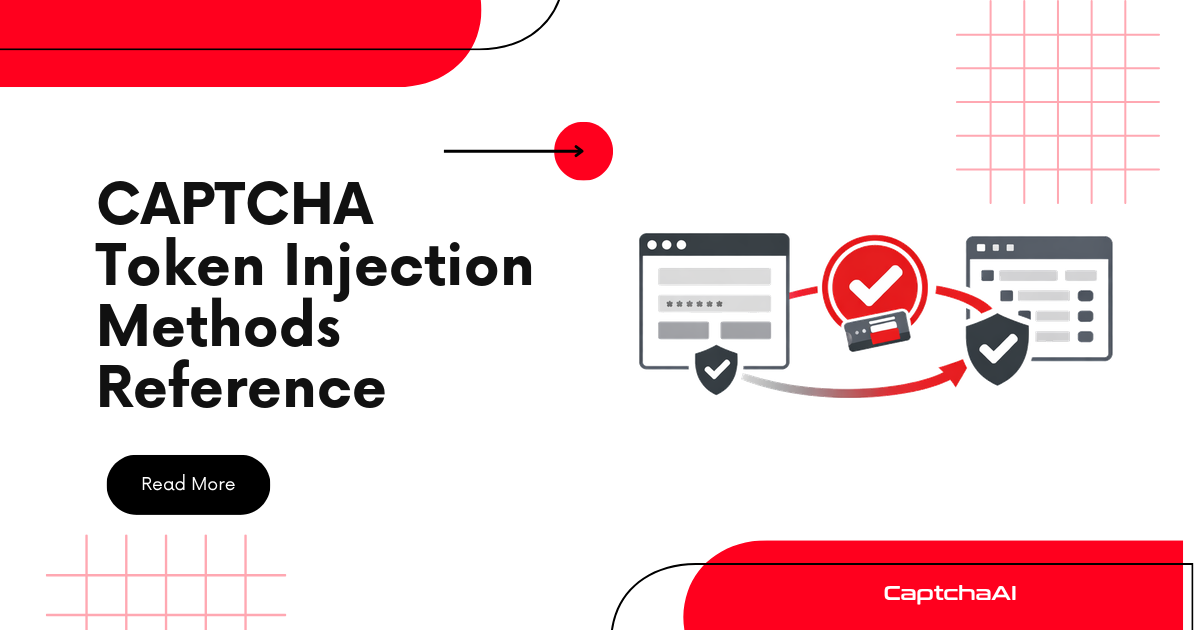
Solving a CAPTCHA with CaptchaAI gives you a token or cookie. The next step — injecting that result into the page so the form submission works — depends on the CAPTCHA type and your automation framework. This reference covers every injection method.
Injection by CAPTCHA type
| CAPTCHA type | What you get | Where to inject | Method |
|---|---|---|---|
| reCAPTCHA v2 | Token string | g-recaptcha-response textarea |
Hidden field |
| reCAPTCHA v2 Invisible | Token string | g-recaptcha-response textarea + callback |
Hidden field + JS |
| reCAPTCHA v3 | Token string | g-recaptcha-response textarea + callback |
Hidden field + JS |
| reCAPTCHA Enterprise | Token string | g-recaptcha-response textarea |
Hidden field |
| Cloudflare Turnstile | Token string | cf-turnstile-response field |
Hidden field |
| Cloudflare Challenge | cf_clearance cookie |
Session cookies | Cookie jar |
reCAPTCHA v2 — Standard injection
reCAPTCHA v2 creates a hidden textarea named g-recaptcha-response. Set its value to the solved token.
JavaScript (browser console / Selenium execute_script)
// Set the token
document.getElementById("g-recaptcha-response").value = "SOLVED_TOKEN";

// Make it visible if needed (some sites validate display)
document.getElementById("g-recaptcha-response").style.display = "block";
Selenium (Python)
from selenium import webdriver

driver = webdriver.Chrome()
driver.get("https://example.com/login")

# After solving with CaptchaAI
token = "SOLVED_TOKEN"

# Inject the token
driver.execute_script(f'''
    document.getElementById("g-recaptcha-response").value = "{token}";
''')

# Submit the form
driver.find_element("css selector", "form").submit()
Puppeteer (Node.js)
const puppeteer = require("puppeteer");

const browser = await puppeteer.launch();
const page = await browser.newPage();
await page.goto("https://example.com/login");

const token = "SOLVED_TOKEN";

await page.evaluate((t) => {
  document.getElementById("g-recaptcha-response").value = t;
}, token);

await page.click('button[type="submit"]');
HTTP request (no browser)
import requests

token = "SOLVED_TOKEN"

resp = requests.post("https://example.com/login", data={
    "username": "user",
    "password": "pass",
    "g-recaptcha-response": token
})
reCAPTCHA v2 Invisible / v3 — Callback injection
Invisible reCAPTCHA and v3 often use a JavaScript callback. Setting the textarea is not enough — you must trigger the callback function.
Finding the callback
// Check for data-callback attribute
document.querySelector("[data-callback]")?.getAttribute("data-callback");

// Or search for the callback in reCAPTCHA's internal state
___grecaptcha_cfg.clients[0]?.aa?.l?.callback;
Injecting with callback
// Set the token
document.getElementById("g-recaptcha-response").value = "SOLVED_TOKEN";

// Trigger the callback
// Method 1: If callback name is known
onSubmit("SOLVED_TOKEN");

// Method 2: Find and call the callback automatically
const callback = document.querySelector("[data-callback]")?.getAttribute("data-callback");
if (callback && window[callback]) {
    window[callback]("SOLVED_TOKEN");
}
Selenium (Python) with callback
token = "SOLVED_TOKEN"

driver.execute_script(f'''
    document.getElementById("g-recaptcha-response").value = "{token}";

    // Try to find and trigger callback
    var callback = document.querySelector("[data-callback]");
    if (callback) {{
        var fn = callback.getAttribute("data-callback");
        if (window[fn]) window[fn]("{token}");
    }}
''')
reCAPTCHA — Multiple widgets on one page
Some pages have multiple reCAPTCHA widgets. Each has its own g-recaptcha-response textarea.
// Find all response textareas
const textareas = document.querySelectorAll("[id^='g-recaptcha-response']");
console.log(`Found ${textareas.length} reCAPTCHA widgets`);

// Set the token on the correct widget (usually index 0)
textareas[0].value = "SOLVED_TOKEN";
Or find by parent form:
// Find the textarea inside a specific form
const form = document.querySelector("#login-form");
const textarea = form.querySelector("[name='g-recaptcha-response']");
textarea.value = "SOLVED_TOKEN";
Cloudflare Turnstile — Token injection
Turnstile uses cf-turnstile-response as the field name.
JavaScript
// Set Turnstile token
const input = document.querySelector("[name='cf-turnstile-response']");
if (input) {
    input.value = "SOLVED_TOKEN";
}
Selenium (Python)
token = "SOLVED_TOKEN"

driver.execute_script(f'''
    var input = document.querySelector("[name='cf-turnstile-response']");
    if (input) input.value = "{token}";
''')
driver.find_element("css selector", "form").submit()
HTTP request (no browser)
resp = requests.post("https://example.com/login", data={
    "username": "user",
    "password": "pass",
    "cf-turnstile-response": token
})
Cloudflare Challenge — Cookie injection
Cloudflare Challenge returns a cf_clearance cookie, not a token. Set it in your session cookies.
requests (Python)
import requests

session = requests.Session()

# Set the cookie
session.cookies.set("cf_clearance", "COOKIE_VALUE", domain=".example.com")

# MUST use same User-Agent and proxy as the solve
session.headers["User-Agent"] = "Mozilla/5.0 ..."
session.proxies = {"http": "http://user:pass@host:port", "https": "http://user:pass@host:port"}

# Now access the site
resp = session.get("https://example.com")
Selenium (Python)
driver.get("https://example.com")

# Add the cookie
driver.add_cookie({
    "name": "cf_clearance",
    "value": "COOKIE_VALUE",
    "domain": ".example.com",
    "path": "/"
})

# Reload the page — should bypass the challenge
driver.refresh()
Common injection mistakes
| Mistake | Result | Fix |
|---|---|---|
Wrong field name (g-recaptcha-response for Turnstile) |
Token ignored | Use cf-turnstile-response for Turnstile |
| Token injected but form not submitted | Nothing happens | Submit the form after injection |
| Invisible reCAPTCHA without callback | Token set but not processed | Find and trigger the callback function |
| Cookie domain without dot prefix | Cookie not sent for subdomains | Use .example.com with dot |
| Delay between injection and submission | Token expires | Submit immediately after injection |
Timing guidelines
| CAPTCHA type | Inject and submit within |
|---|---|
| reCAPTCHA v2 | 120 seconds |
| reCAPTCHA v3 | 120 seconds |
| Cloudflare Turnstile | 300 seconds (5 minutes) |
| Cloudflare Challenge cookie | 15–30 minutes |
FAQ
How do I know which field name to use?
Inspect the form HTML. Look for hidden inputs or textareas with names containing recaptcha, turnstile, or captcha. The standard names are g-recaptcha-response and cf-turnstile-response.
Can I inject tokens without a browser?
Yes, for HTTP-based forms. Send the token as a POST field in your requests call. No browser needed. Browser-only injection is required for JavaScript-heavy SPAs where form submission happens via JavaScript.
Why does my token work with Selenium but not with requests?
The site may require additional cookies or headers that Selenium's session has from loading the page. Use session.get() to load the page first, then submit the token.
Get your CaptchaAI API key
Inject solved CAPTCHA tokens reliably at captchaai.com.


Discussions (0)
Join the conversation
Sign in to share your opinion.
Sign InNo comments yet.