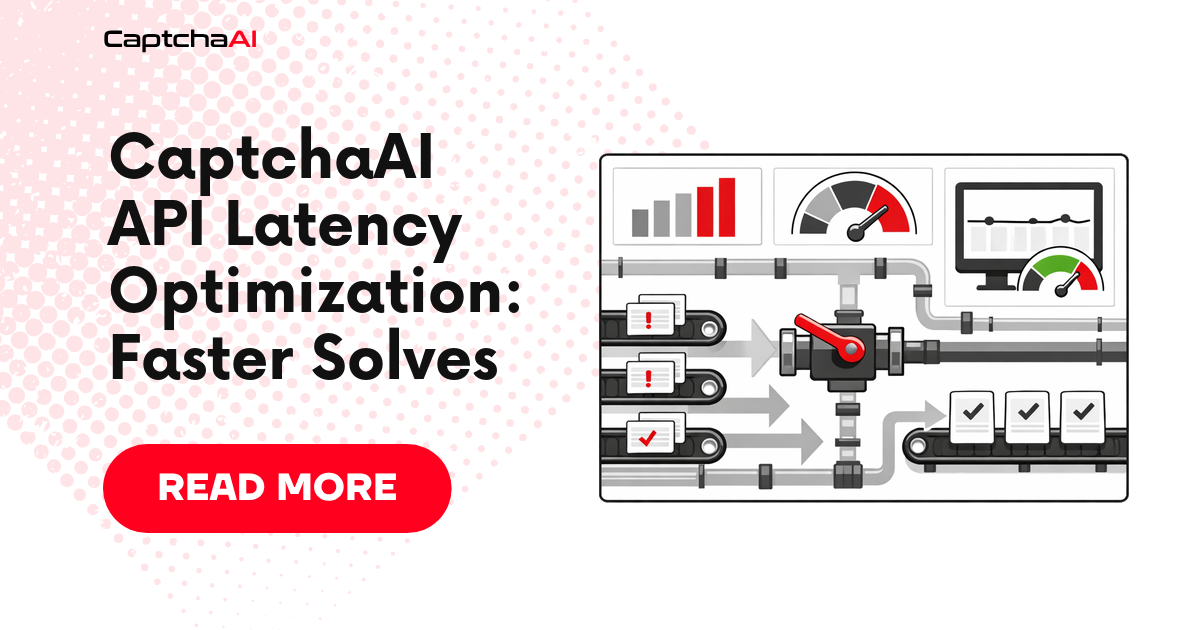
A CAPTCHA solve has four latency components: submit request, queue wait, solver execution, and poll retrieval. You can't control solver execution time, but you can optimize everything else.
Baseline latency by CAPTCHA type
| CAPTCHA type | Spec ceiling | Best achievable |
|---|---|---|
| Image/OCR | <0.5s | 0.2–0.4s |
| reCAPTCHA v2 | <60s | 10–20s |
| reCAPTCHA v3 | <4s | 1–3s |
| Cloudflare Turnstile | <10s | 4–8s |
| GeeTest v3 | <12s | 6–10s |
The "best achievable" column reflects what you get after applying the optimizations below.
1. Optimize poll intervals
The default 5-second poll interval wastes time when the solve completes between polls. Use adaptive polling — start fast, then back off:
Python
import time
import requests

API_KEY = "YOUR_API_KEY"
RESULT_URL = "https://ocr.captchaai.com/res.php"

def adaptive_poll(task_id, timeout=120):
    """Start polling at 3s, increase to 5s after 4 polls."""
    start = time.time()
    interval = 3  # start aggressive
    polls = 0

    while time.time() - start < timeout:
        time.sleep(interval)
        polls += 1

        resp = requests.get(RESULT_URL, params={
            "key": API_KEY, "action": "get",
            "id": task_id, "json": "1"
        }).json()

        if resp["status"] == 1:
            elapsed = time.time() - start
            print(f"Solved in {elapsed:.1f}s ({polls} polls)")
            return resp["request"]

        if resp["request"] != "CAPCHA_NOT_READY":
            raise Exception(resp["request"])

        # Back off after initial fast polls
        if polls >= 4:
            interval = 5

    raise TimeoutError(f"Task {task_id} timed out")
JavaScript
async function adaptivePoll(taskId, apiKey, timeout = 120000) {
  const start = Date.now();
  let interval = 3000;
  let polls = 0;

  while (Date.now() - start < timeout) {
    await new Promise(r => setTimeout(r, interval));
    polls++;

    const resp = await fetch(
      `https://ocr.captchaai.com/res.php?key=${apiKey}&action=get&id=${taskId}&json=1`
    );
    const data = await resp.json();

    if (data.status === 1) {
      console.log(`Solved in ${((Date.now() - start) / 1000).toFixed(1)}s (${polls} polls)`);
      return data.request;
    }
    if (data.request !== 'CAPCHA_NOT_READY') {
      throw new Error(data.request);
    }

    if (polls >= 4) interval = 5000;
  }
  throw new Error(`Task ${taskId} timed out`);
}
Saves 1-4 seconds on average compared to a fixed 5-second interval.
2. Connection pooling
Reuse HTTP connections instead of opening new ones for each poll:
Python
session = requests.Session()
# Use session.get() and session.post() instead of requests.get/post
# The session reuses TCP connections automatically
JavaScript (Node.js)
const { Agent } = require('http');
const axios = require('axios');

const client = axios.create({
  httpAgent: new Agent({ keepAlive: true, maxSockets: 10 }),
  timeout: 10000,
});
// Use client.get() and client.post() for all API calls
Saves ~50-100ms per request by skipping TCP/TLS handshakes.
3. Prefetch CAPTCHAs
Submit CAPTCHA tasks before you need the tokens. While your scraper processes page N, submit the CAPTCHA for page N+1:
from concurrent.futures import ThreadPoolExecutor

SUBMIT_URL = "https://ocr.captchaai.com/in.php"

def prefetch_submit(sitekey, page_url):
    resp = session.post(SUBMIT_URL, data={
        "key": API_KEY,
        "method": "userrecaptcha",
        "googlekey": sitekey,
        "pageurl": page_url,
        "json": "1",
    })
    data = resp.json()
    if data["status"] == 1:
        return data["request"]
    raise Exception(data["request"])

# Submit next page's CAPTCHA while processing current page
with ThreadPoolExecutor(max_workers=2) as pool:
    # Submit CAPTCHA for page 2 while processing page 1
    future_task = pool.submit(prefetch_submit, "6Le-SITEKEY", "https://example.com/page/2")

    # Process page 1...
    process_page(current_data)

    # Now get the pre-submitted task ID and poll
    task_id = future_task.result()
    token = adaptive_poll(task_id)
Eliminates the full wait time by overlapping solving with processing.
4. Use the right CAPTCHA method
CaptchaAI sometimes supports faster methods for specific scenarios:
| Scenario | Slow method | Faster alternative |
|---|---|---|
| reCAPTCHA v2 with known callback | userrecaptcha + poll |
userrecaptcha with pingback (callback URL) |
| Image text CAPTCHA | base64 with high resolution |
base64 with numeric=1 if digits only |
5. Skip the proxy when not needed
Proxy routing adds latency. Only send proxy parameters when the target site requires requests from specific IPs:
# Without proxy — faster for most use cases
data = {
    "key": API_KEY,
    "method": "userrecaptcha",
    "googlekey": sitekey,
    "pageurl": page_url,
    "json": "1",
}

# With proxy — only when required
data["proxy"] = "user:[email protected]:8080"
data["proxytype"] = "HTTP"
6. Use callback URLs instead of polling
Eliminate polling entirely with the pingback parameter:
resp = session.post(SUBMIT_URL, data={
    "key": API_KEY,
    "method": "userrecaptcha",
    "googlekey": sitekey,
    "pageurl": page_url,
    "json": "1",
    "pingback": "https://your-server.com/captcha-callback",
})
CaptchaAI sends the result to your URL when the solve completes. No polling loop needed. This is the fastest retrieval method.
7. Benchmark your optimizations
import statistics

def benchmark(solve_func, iterations=20):
    times = []
    for i in range(iterations):
        start = time.time()
        try:
            solve_func()
            times.append(time.time() - start)
        except Exception:
            pass

    if times:
        print(f"Samples: {len(times)}/{iterations}")
        print(f"Mean:    {statistics.mean(times):.1f}s")
        print(f"Median:  {statistics.median(times):.1f}s")
        print(f"P95:     {sorted(times)[int(len(times)*0.95)]:.1f}s")
        print(f"Min:     {min(times):.1f}s")
        print(f"Max:     {max(times):.1f}s")
Troubleshooting
| Problem | Cause | Fix |
|---|---|---|
| Poll latency unchanged | Still using requests.get() without session |
Switch to session.get() |
| Prefetch tokens expire before use | Processing takes too long | Reduce prefetch window or submit closer to usage |
| Callback URL never receives data | Server not reachable from CaptchaAI | Ensure public URL, correct firewall rules |
| Faster polling causes rate limits | Polling too aggressively (< 2s) | Keep minimum interval at 3 seconds |
FAQ
What's the biggest single optimization?
Prefetching. It overlaps solve time with processing time, effectively reducing perceived latency to near zero for sequential workflows.
Does adaptive polling help for image CAPTCHAs?
Less so. image CAPTCHAs solve in under 0.5 seconds, so the first poll at 3 seconds often catches them. The improvement is more noticeable for reCAPTCHA (15-30 seconds).
Get the fastest CAPTCHA solving with CaptchaAI
Get your API key at captchaai.com.