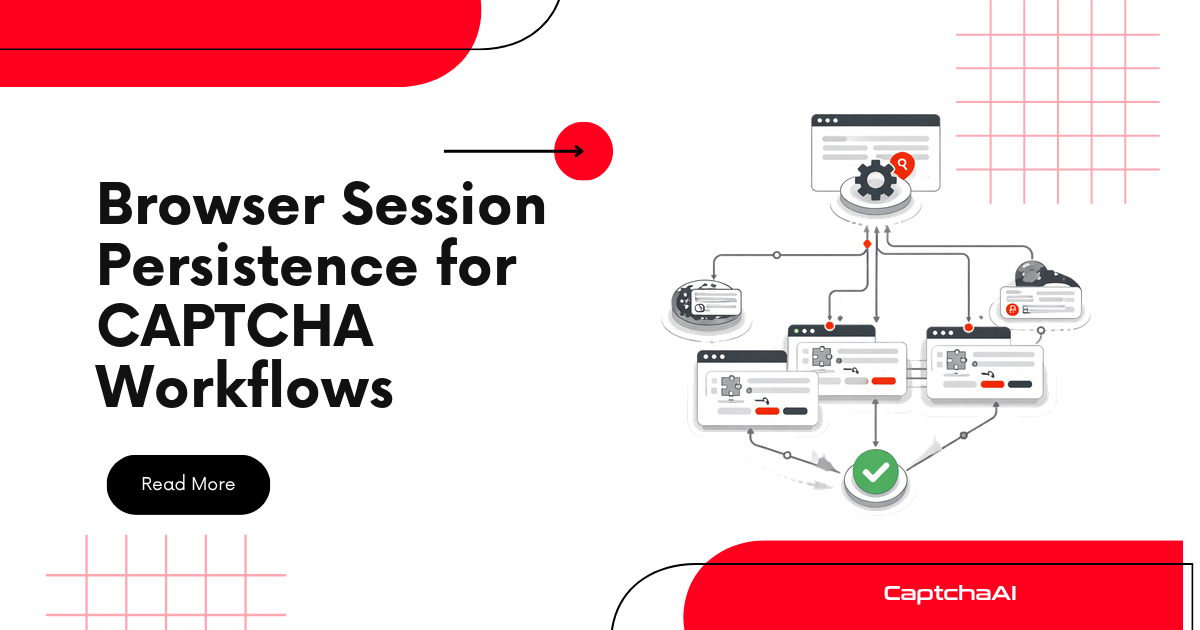
Every new browser session starts from zero — no cookies, no history, no trust. CAPTCHA systems see fresh sessions as risky and trigger challenges more frequently. Persisting sessions between runs builds trust, reduces CAPTCHA frequency, and avoids solving the same challenge repeatedly.
Why Session Persistence Reduces CAPTCHAs
| Session State | CAPTCHA Frequency | Why |
|---|---|---|
| Fresh session (no cookies) | High | No trust history, unknown user |
| Session with Google cookies | Medium | reCAPTCHA recognizes Google login |
| Warmed session (browsing history) | Low | Organic behavior signals |
| Persistent profile (days old) | Very low | Established trust score |
Cookie Persistence (Selenium/Python)
Save and Restore Cookies
import json
import os
import time
from selenium import webdriver


class PersistentSession:
    def __init__(self, profile_name="default", cookie_dir="./sessions"):
        self.profile_name = profile_name
        self.cookie_dir = cookie_dir
        self.cookie_file = os.path.join(cookie_dir, f"{profile_name}_cookies.json")
        os.makedirs(cookie_dir, exist_ok=True)

    def create_driver(self):
        options = webdriver.ChromeOptions()
        options.add_argument("--disable-blink-features=AutomationControlled")
        options.add_argument("--window-size=1920,1080")
        return webdriver.Chrome(options=options)

    def save_cookies(self, driver):
        """Save all cookies to disk."""
        cookies = driver.get_cookies()
        with open(self.cookie_file, "w") as f:
            json.dump(cookies, f, indent=2)
        print(f"Saved {len(cookies)} cookies to {self.cookie_file}")

    def load_cookies(self, driver, domain=None):
        """Restore cookies from disk."""
        if not os.path.exists(self.cookie_file):
            print("No saved cookies found")
            return False

        with open(self.cookie_file) as f:
            cookies = json.load(f)

        loaded = 0
        for cookie in cookies:
            # Filter by domain if specified
            if domain and domain not in cookie.get("domain", ""):
                continue

            # Remove problematic fields
            cookie.pop("sameSite", None)
            cookie.pop("storeId", None)

            try:
                driver.add_cookie(cookie)
                loaded += 1
            except Exception as e:
                print(f"Skip cookie {cookie.get('name')}: {e}")

        print(f"Loaded {loaded}/{len(cookies)} cookies")
        return loaded > 0

    def run_with_session(self, url, callback):
        """Run a task with persistent session."""
        driver = self.create_driver()

        try:
            # Navigate to domain first (required for cookie loading)
            driver.get(url)
            time.sleep(1)

            # Load saved cookies
            self.load_cookies(driver)

            # Refresh to apply cookies
            driver.get(url)
            time.sleep(2)

            # Execute task
            result = callback(driver)

            # Save updated cookies
            self.save_cookies(driver)

            return result

        finally:
            driver.quit()


# Usage
session = PersistentSession("target-site")

def my_task(driver):
    # Check if already logged in
    if "dashboard" in driver.current_url:
        print("Session restored — no login needed")
        return driver.page_source
    else:
        print("Need to login + solve CAPTCHA")
        # Solve CAPTCHA with CaptchaAI...
        return None

result = session.run_with_session("https://example.com", my_task)
Chrome User Data Directory (Full Profile Persistence)
The most complete persistence — saves cookies, localStorage, cache, history, and browser state:
import os
from selenium import webdriver

PROFILE_DIR = os.path.abspath("./chrome-profiles/profile-1")


def create_persistent_driver():
    options = webdriver.ChromeOptions()
    options.add_argument(f"--user-data-dir={PROFILE_DIR}")
    options.add_argument("--profile-directory=Default")
    options.add_argument("--disable-blink-features=AutomationControlled")
    options.add_argument("--no-sandbox")
    return webdriver.Chrome(options=options)


# First run: builds fresh profile
driver = create_persistent_driver()
driver.get("https://example.com")
# ... solve CAPTCHA, login, etc.
driver.quit()

# Second run: same profile, cookies and state preserved
driver = create_persistent_driver()
driver.get("https://example.com")
# Often skips CAPTCHA because session is recognized
driver.quit()
Benefits of User Data Directory
| What's Preserved | Impact on CAPTCHAs |
|---|---|
| Cookies | Session tokens, Google NID cookie |
| localStorage | Site-specific trust tokens |
| IndexedDB | reCAPTCHA internal state |
| Cache | Faster page loads |
| History | Browsing pattern signals |
| Service workers | Background CAPTCHA checks |
Puppeteer Persistent Context
const puppeteer = require("puppeteer-extra");
const StealthPlugin = require("puppeteer-extra-plugin-stealth");
const path = require("path");

puppeteer.use(StealthPlugin());

const USER_DATA_DIR = path.resolve("./chrome-profiles/profile-1");

async function runWithPersistentProfile() {
  const browser = await puppeteer.launch({
    headless: false,
    userDataDir: USER_DATA_DIR,
    args: [
      "--no-sandbox",
      "--window-size=1920,1080",
    ],
  });

  const page = await browser.newPage();
  await page.goto("https://example.com", { waitUntil: "networkidle0" });

  // Check if session is active
  const isLoggedIn = await page.evaluate(() =>
    document.querySelector(".user-menu") !== null
  );

  if (isLoggedIn) {
    console.log("Session active — no CAPTCHA needed");
  } else {
    console.log("Session expired — solving CAPTCHA");
    // Solve with CaptchaAI...
  }

  await browser.close();
}
localStorage and sessionStorage
def save_storage(driver, filepath):
    """Save localStorage and sessionStorage."""
    storage = driver.execute_script("""
        return {
            localStorage: Object.fromEntries(
                Object.entries(localStorage)
            ),
            sessionStorage: Object.fromEntries(
                Object.entries(sessionStorage)
            ),
        };
    """)

    with open(filepath, "w") as f:
        json.dump(storage, f, indent=2)


def restore_storage(driver, filepath):
    """Restore localStorage and sessionStorage."""
    if not os.path.exists(filepath):
        return

    with open(filepath) as f:
        storage = json.load(f)

    for key, value in storage.get("localStorage", {}).items():
        driver.execute_script(
            f"localStorage.setItem('{key}', '{value}')"
        )

    for key, value in storage.get("sessionStorage", {}).items():
        driver.execute_script(
            f"sessionStorage.setItem('{key}', '{value}')"
        )
Session Warming Strategy
New sessions trigger more CAPTCHAs. "Warming" a session with organic behavior builds trust:
import random
import time

def warm_session(driver, warm_urls=None):
    """Simulate organic browsing to build session trust."""
    default_urls = [
        "https://www.google.com",
        "https://www.google.com/search?q=weather",
        "https://www.wikipedia.org",
    ]

    urls = warm_urls or default_urls

    for url in urls:
        driver.get(url)
        time.sleep(random.uniform(2, 5))

        # Simulate scroll
        driver.execute_script(
            f"window.scrollTo(0, {random.randint(200, 800)})"
        )
        time.sleep(random.uniform(1, 3))

    print(f"Session warmed with {len(urls)} pages")


# Usage
driver = create_persistent_driver()
warm_session(driver)

# Now navigate to target — lower CAPTCHA chance
driver.get("https://target-site.com/form")
Multi-Profile Session Manager
import os
import json
import time
from datetime import datetime


class SessionManager:
    """Manage multiple persistent browser profiles."""

    def __init__(self, base_dir="./sessions"):
        self.base_dir = base_dir
        self.meta_file = os.path.join(base_dir, "profiles.json")
        os.makedirs(base_dir, exist_ok=True)

        if os.path.exists(self.meta_file):
            with open(self.meta_file) as f:
                self.profiles = json.load(f)
        else:
            self.profiles = {}

    def _save_meta(self):
        with open(self.meta_file, "w") as f:
            json.dump(self.profiles, f, indent=2)

    def get_profile_dir(self, name):
        return os.path.join(self.base_dir, f"profile-{name}")

    def create_profile(self, name, proxy=None):
        """Create a new browser profile."""
        profile_dir = self.get_profile_dir(name)
        os.makedirs(profile_dir, exist_ok=True)

        self.profiles[name] = {
            "created": datetime.now().isoformat(),
            "last_used": None,
            "use_count": 0,
            "proxy": proxy,
            "captcha_solves": 0,
        }
        self._save_meta()
        return profile_dir

    def get_least_used_profile(self):
        """Get the profile used least recently."""
        if not self.profiles:
            return None

        return min(
            self.profiles.items(),
            key=lambda x: x[1].get("last_used") or ""
        )[0]

    def record_use(self, name, solved_captcha=False):
        """Record profile usage."""
        if name in self.profiles:
            self.profiles[name]["last_used"] = datetime.now().isoformat()
            self.profiles[name]["use_count"] += 1
            if solved_captcha:
                self.profiles[name]["captcha_solves"] += 1
            self._save_meta()

    def get_stats(self):
        """Print profile statistics."""
        for name, meta in self.profiles.items():
            print(f"Profile: {name}")
            print(f"  Uses: {meta['use_count']}")
            print(f"  CAPTCHAs: {meta['captcha_solves']}")
            print(f"  Last used: {meta.get('last_used', 'never')}")
            print()


# Usage
manager = SessionManager()

# Create 5 rotating profiles
for i in range(5):
    manager.create_profile(f"worker-{i}")

# Get next profile to use
profile_name = manager.get_least_used_profile()
profile_dir = manager.get_profile_dir(profile_name)

# Use with Selenium
options = webdriver.ChromeOptions()
options.add_argument(f"--user-data-dir={os.path.abspath(profile_dir)}")
driver = webdriver.Chrome(options=options)

# After task
manager.record_use(profile_name, solved_captcha=True)
manager.get_stats()
Cookie Rotation and Expiry
from datetime import datetime, timezone


def clean_expired_cookies(cookie_file):
    """Remove expired cookies from saved file."""
    if not os.path.exists(cookie_file):
        return

    with open(cookie_file) as f:
        cookies = json.load(f)

    now = datetime.now(timezone.utc).timestamp()
    valid = [c for c in cookies if c.get("expiry", float("inf")) > now]

    removed = len(cookies) - len(valid)
    if removed > 0:
        with open(cookie_file, "w") as f:
            json.dump(valid, f, indent=2)
        print(f"Removed {removed} expired cookies")


def merge_cookies(existing_file, new_cookies):
    """Merge new cookies with existing, preferring newer values."""
    existing = []
    if os.path.exists(existing_file):
        with open(existing_file) as f:
            existing = json.load(f)

    # Index by (name, domain)
    cookie_map = {}
    for c in existing:
        key = (c["name"], c.get("domain", ""))
        cookie_map[key] = c

    for c in new_cookies:
        key = (c["name"], c.get("domain", ""))
        cookie_map[key] = c  # Newer overwrites

    merged = list(cookie_map.values())
    with open(existing_file, "w") as f:
        json.dump(merged, f, indent=2)

    return len(merged)
Troubleshooting
| Issue | Cause | Fix |
|---|---|---|
| Cookies not loading | Haven't navigated to domain first | Call driver.get(url) before add_cookie |
| Profile locked error | Previous Chrome didn't close | Kill Chrome processes, remove SingletonLock |
| Session still expired | Cookie sameSite mismatch |
Remove sameSite before loading |
| Storage blocked | CORS/security context | Load storage after navigating to correct origin |
| Higher CAPTCHA rate over time | IP flagged | Rotate proxies per profile |
FAQ
How long do browser sessions reduce CAPTCHA frequency?
Google's NID cookie lasts 6 months. Cloudflare's cf_clearance typically lasts 15 minutes to 1 hour. Persist and refresh regularly.
Can I share sessions between machines?
Yes — export cookie files and user-data-dir folders. Match the timezone and proxy to the original session for best results.
Does session persistence work with headless Chrome?
Yes. User data directories and cookie files work identically in headless mode. The stored cookies carry the same trust signals.
How many profiles should I maintain?
For rotating use, maintain 5-10 profiles per target site. Rotate usage to avoid rate-limiting any single profile.
Does CaptchaAI benefit from session persistence?
Indirectly — session persistence reduces CAPTCHA frequency, lowering the number of CaptchaAI calls needed (saving cost). When CAPTCHAs do appear, CaptchaAI solves them as usual.
Related Guides
- Stealth-Configured Browsers + CaptchaAI
- Browser Fingerprinting and CAPTCHA
- Puppeteer Stealth + CaptchaAI
Build persistent browser sessions that reduce CAPTCHA challenges — get your CaptchaAI key for when challenges still appear.




Discussions (0)
Join the conversation
Sign in to share your opinion.
Sign InNo comments yet.