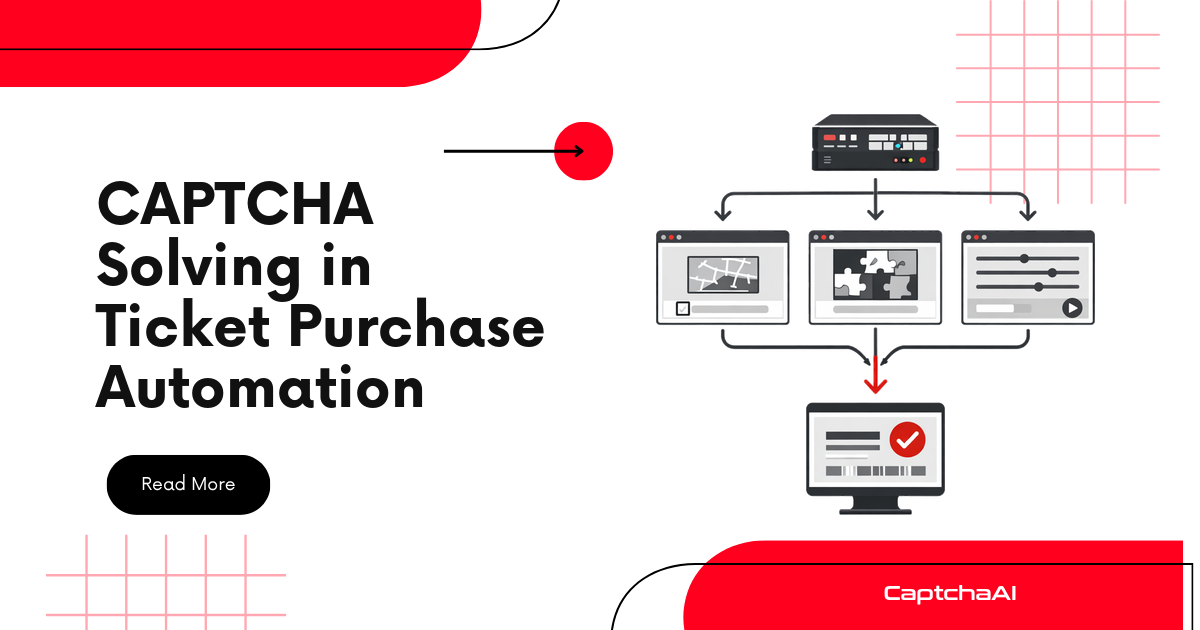
Ticketing platforms deploy aggressive CAPTCHA challenges to protect high-demand events. When thousands of users compete for limited inventory, automated workflows need instant CAPTCHA solving to complete purchases before tickets sell out. CaptchaAI integrates into ticket purchasing flows for reliable token delivery.
CAPTCHAs on Major Ticketing Platforms
| Platform | CAPTCHA Type | Trigger Point | Challenge Level |
|---|---|---|---|
| Ticketmaster | reCAPTCHA v3 + queue | Entry, checkout | Very high |
| AXS | reCAPTCHA v2 | Seat selection, checkout | High |
| Eventbrite | reCAPTCHA v2 Invisible | Checkout | Medium |
| SeatGeek | Cloudflare Turnstile | Page access | Medium |
| StubHub | reCAPTCHA v3 | Login, purchase | High |
| Live Nation | Queue + reCAPTCHA v2 | Queue entry | Very high |
Two-Phase Architecture
Ticket purchases have two distinct phases with different CAPTCHA strategies:
Phase 1: QUEUE ENTRY
┌────────────┠┌────────────┠┌────────────â”
│ Join queue │───▶│ Solve │───▶│ Wait for │
│ │ │ CAPTCHA │ │ turn │
└────────────┘ └────────────┘ └────────────┘
(Pre-solve tokens ready before on-sale time)
Phase 2: PURCHASE
┌────────────┠┌────────────┠┌────────────â”
│ Select │───▶│ Solve │───▶│ Complete │
│ seats │ │ CAPTCHA │ │ checkout │
└────────────┘ └────────────┘ └────────────┘
(Must solve in real-time — can't pre-solve)
Queue Entry with CAPTCHA
import requests
import time

CAPTCHAAI_KEY = "YOUR_API_KEY"
CAPTCHAAI_URL = "https://ocr.captchaai.com"

def solve_captcha(method, sitekey, pageurl, **kwargs):
    """Generic CAPTCHA solver for ticketing flows."""
    data = {
        "key": CAPTCHAAI_KEY,
        "method": method,
        "googlekey": sitekey,
        "pageurl": pageurl,
        "json": 1,
    }
    data.update(kwargs)

    resp = requests.post(f"{CAPTCHAAI_URL}/in.php", data=data)
    task_id = resp.json()["request"]

    for _ in range(60):
        time.sleep(5)
        result = requests.get(f"{CAPTCHAAI_URL}/res.php", params={
            "key": CAPTCHAAI_KEY, "action": "get",
            "id": task_id, "json": 1,
        })
        data = result.json()
        if data["request"] != "CAPCHA_NOT_READY":
            return data["request"]

    raise TimeoutError("Solve timeout")

class TicketPurchaser:
    def __init__(self, proxy=None):
        self.session = requests.Session()
        if proxy:
            self.session.proxies = {
                "http": proxy,
                "https": proxy,
            }
        self.session.headers.update({
            "User-Agent": "Mozilla/5.0 (Windows NT 10.0; Win64; x64) "
            "AppleWebKit/537.36 Chrome/126.0.0.0 Safari/537.36",
        })

    def join_queue(self, queue_url, sitekey):
        """Enter the ticket queue with CAPTCHA."""
        # Load queue page
        resp = self.session.get(queue_url)

        # Solve queue CAPTCHA
        token = solve_captcha(
            method="userrecaptcha",
            sitekey=sitekey,
            pageurl=queue_url,
        )

        # Submit queue entry
        resp = self.session.post(queue_url, data={
            "g-recaptcha-response": token,
        })
        return resp.status_code == 200

    def wait_for_turn(self, status_url, timeout=600):
        """Poll queue status until it's our turn."""
        start = time.time()
        while time.time() - start < timeout:
            resp = self.session.get(status_url)
            data = resp.json()
            if data.get("status") == "ready":
                return data.get("redirect_url")
            time.sleep(2)
        raise TimeoutError("Queue timeout")

    def select_and_checkout(self, event_url, seats, payment, sitekey):
        """Select seats and complete checkout."""
        # Select seats
        resp = self.session.post(f"{event_url}/seats", json={
            "seats": seats,
        })
        if resp.status_code != 200:
            return {"success": False, "reason": "seats_unavailable"}

        # Solve checkout CAPTCHA
        token = solve_captcha(
            method="userrecaptcha",
            sitekey=sitekey,
            pageurl=f"{event_url}/checkout",
        )

        # Complete purchase
        resp = self.session.post(f"{event_url}/checkout", json={
            "payment": payment,
            "captcha_token": token,
        })

        return {
            "success": resp.status_code == 200,
            "confirmation": resp.json().get("confirmation_id"),
        }

# Usage
purchaser = TicketPurchaser(
    proxy="http://user-session-abc:[email protected]:5000"
)

# Phase 1: Queue
purchaser.join_queue(
    "https://tickets.example.com/event/12345/queue",
    sitekey="6LcR_xxxxxxxxxxxx",
)
redirect = purchaser.wait_for_turn(
    "https://tickets.example.com/event/12345/queue/status"
)

# Phase 2: Purchase
result = purchaser.select_and_checkout(
    event_url=redirect,
    seats=["GA-101", "GA-102"],
    payment={"card_token": "tok_xxx"},
    sitekey="6LcR_xxxxxxxxxxxx",
)
print(result)
Handling reCAPTCHA v3 on Ticketing Sites
StubHub and Ticketmaster use reCAPTCHA v3 with high score requirements:
def solve_v3_for_tickets(sitekey, pageurl, action="purchase"):
    return solve_captcha(
        method="userrecaptcha",
        sitekey=sitekey,
        pageurl=pageurl,
        version="v3",
        action=action,
    )
Cloudflare Turnstile on Event Sites
SeatGeek and newer platforms use Turnstile:
def solve_turnstile_ticket_page(sitekey, pageurl):
    return solve_captcha(
        method="turnstile",
        sitekey=sitekey,
        pageurl=pageurl,
    )
Multi-Event Parallel Purchasing
import concurrent.futures

def attempt_purchase(event_config):
    """Run one purchase attempt per event."""
    purchaser = TicketPurchaser(proxy=event_config["proxy"])
    try:
        purchaser.join_queue(
            event_config["queue_url"],
            event_config["sitekey"],
        )
        redirect = purchaser.wait_for_turn(event_config["status_url"])
        result = purchaser.select_and_checkout(
            event_url=redirect,
            seats=event_config["seats"],
            payment=event_config["payment"],
            sitekey=event_config["sitekey"],
        )
        return event_config["event_name"], result
    except Exception as e:
        return event_config["event_name"], {"success": False, "error": str(e)}

events = [
    {
        "event_name": "Concert A",
        "queue_url": "https://tickets.example.com/event/1/queue",
        "status_url": "https://tickets.example.com/event/1/queue/status",
        "sitekey": "6Lc_xxxxxxx1",
        "seats": ["A1", "A2"],
        "payment": {"card_token": "tok_1"},
        "proxy": "http://user-s1:[email protected]:5000",
    },
    {
        "event_name": "Concert B",
        "queue_url": "https://tickets.example.com/event/2/queue",
        "status_url": "https://tickets.example.com/event/2/queue/status",
        "sitekey": "6Lc_xxxxxxx2",
        "seats": ["B5", "B6"],
        "payment": {"card_token": "tok_2"},
        "proxy": "http://user-s2:[email protected]:5000",
    },
]

with concurrent.futures.ThreadPoolExecutor(max_workers=5) as pool:
    results = list(pool.map(attempt_purchase, events))
    for name, result in results:
        print(f"{name}: {result}")
Timing Strategy
| Phase | When to Start | CAPTCHA Strategy |
|---|---|---|
| Token pre-solving | 2 min before on-sale | Bank 3-5 fresh tokens |
| Queue entry | Exactly at on-sale time | Use pre-solved token |
| Waiting in queue | After entry | No CAPTCHA needed |
| Seat selection | When redirected | Solve in real-time |
| Checkout | After seat lock | Solve in real-time or use banked token |
Troubleshooting
| Issue | Cause | Fix |
|---|---|---|
| Queue CAPTCHA fails | Token expired before queue accepted | Pre-solve closer to on-sale |
| Seats disappear during CAPTCHA | Slow solve, seats released | Pre-bank tokens where possible |
| "Session expired" at checkout | IP changed between queue and checkout | Use sticky proxy for entire flow |
| Rate limited during pre-solving | Too many CAPTCHA requests | Stagger submissions over 60s |
| Payment declined after CAPTCHA | Unrelated to CAPTCHA | Verify payment details separately |
FAQ
How many tokens should I pre-solve for a ticket drop?
3-5 tokens per purchase attempt. Tokens expire in ~120 seconds, so time pre-solving to just before the on-sale window.
Can I use datacenter proxies for ticket sites?
Most major platforms (Ticketmaster, AXS) block datacenter IPs. Use residential or ISP proxies.
What's the best CAPTCHA type to handle on ticketing sites?
Turnstile is easiest (near-instant solve). reCAPTCHA v3 with high score thresholds is hardest — use realistic cookies, userAgent, and residential proxy on the CaptchaAI request to push the returned score up.
Does joining the queue early help?
On most platforms, queue position is randomized at on-sale time. Joining early ensures you're in the pool, but position is random.
Related Guides
Secure tickets before they sell out — get your CaptchaAI key for instant CAPTCHA solving.