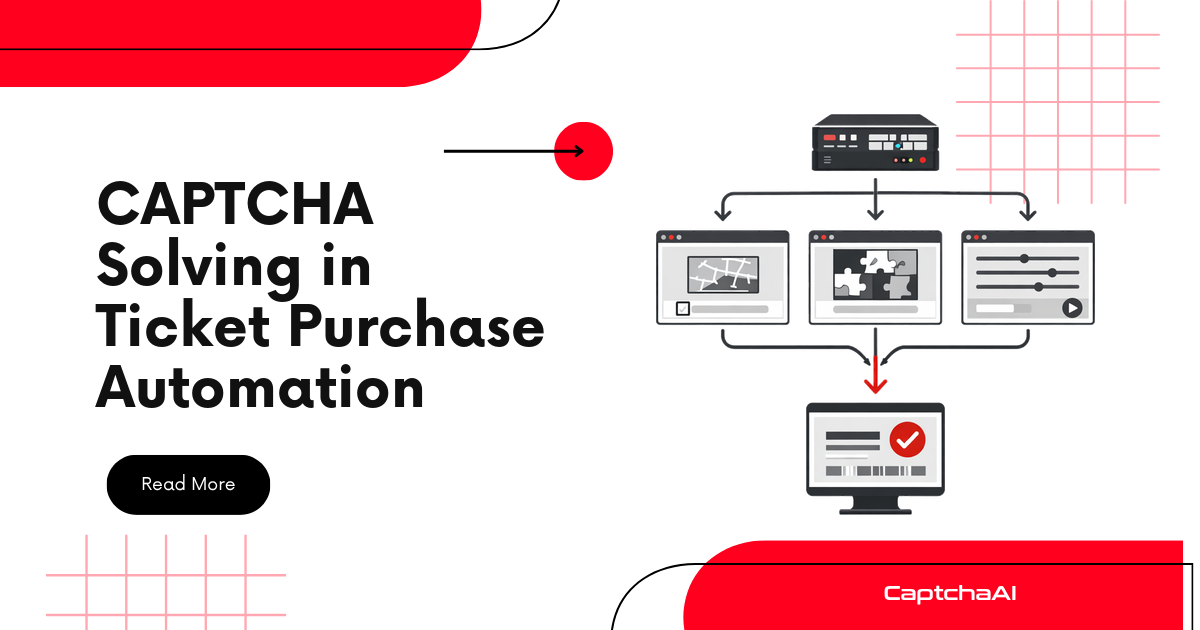
Automate complete checkout flows — cart → shipping → payment → confirmation — handling CAPTCHAs at every stage.
Where CAPTCHAs Appear in Checkout
| Stage | Common CAPTCHA Types | Trigger |
|---|---|---|
| Add to cart | reCAPTCHA v3 (invisible) | Bot prevention |
| Login/guest checkout | reCAPTCHA v2 | Account verification |
| Shipping address | Turnstile | Rate limiting |
| Payment page | reCAPTCHA v2/v3 | Fraud prevention |
| Order confirmation | reCAPTCHA v2 | Final validation |
Architecture
┌────────┠┌───────────┠┌──────────┠┌─────────┠┌──────────â”
│ Cart │───▶│ Shipping │───▶│ Payment │───▶│ Review │───▶│ Confirm │
│ │ │ Address │ │ Info │ │ Order │ │ │
└────────┘ └───────────┘ └──────────┘ └─────────┘ └──────────┘
│ │ │ │ │
â–¼ â–¼ â–¼ â–¼ â–¼
[CAPTCHA?] [CAPTCHA?] [CAPTCHA?] [CAPTCHA?] [CAPTCHA?]
Core Implementation
Checkout Automator
import time
import requests
from selenium import webdriver
from selenium.webdriver.common.by import By
from selenium.webdriver.support.ui import WebDriverWait
from selenium.webdriver.support import expected_conditions as EC

class CaptchaSolver:
    BASE = "https://ocr.captchaai.com"

    def __init__(self, api_key):
        self.api_key = api_key

    def solve(self, params, initial_wait=10):
        params["key"] = self.api_key
        params["json"] = 1
        resp = requests.post(f"{self.BASE}/in.php", data=params).json()
        if resp["status"] != 1:
            raise Exception(resp["request"])
        task_id = resp["request"]
        time.sleep(initial_wait)
        for _ in range(60):
            result = requests.get(
                f"{self.BASE}/res.php",
                params={"key": self.api_key, "action": "get", "id": task_id, "json": 1},
            ).json()
            if result["request"] == "CAPCHA_NOT_READY":
                time.sleep(5)
                continue
            if result["status"] == 1:
                return result["request"]
            raise Exception(result["request"])
        raise TimeoutError("Timed out")

class CheckoutAutomator:
    def __init__(self, api_key):
        self.solver = CaptchaSolver(api_key)
        self.driver = webdriver.Chrome()
        self.wait = WebDriverWait(self.driver, 15)

    def _find(self, selector):
        return self.wait.until(EC.presence_of_element_located((By.CSS_SELECTOR, selector)))

    def _click(self, selector):
        self.wait.until(EC.element_to_be_clickable((By.CSS_SELECTOR, selector))).click()

    def _fill(self, selector, value):
        el = self._find(selector)
        el.clear()
        el.send_keys(value)

    def _solve_if_captcha(self):
        """Check for and solve any CAPTCHA on the current page."""
        html = self.driver.page_source
        page_url = self.driver.current_url

        # Turnstile
        turnstile = self.driver.find_elements(By.CSS_SELECTOR, ".cf-turnstile")
        if turnstile:
            sitekey = turnstile[0].get_attribute("data-sitekey")
            token = self.solver.solve({
                "method": "turnstile",
                "sitekey": sitekey,
                "pageurl": page_url,
            })
            self.driver.execute_script(
                f'document.querySelector("[name=cf-turnstile-response]").value = "{token}";'
            )
            return "turnstile"

        # reCAPTCHA
        recaptcha = self.driver.find_elements(By.CSS_SELECTOR, "[data-sitekey]")
        if recaptcha and "recaptcha" in html.lower():
            sitekey = recaptcha[0].get_attribute("data-sitekey")

            # Check if v3 (invisible)
            if "grecaptcha.execute" in html:
                token = self.solver.solve({
                    "method": "userrecaptcha",
                    "googlekey": sitekey,
                    "pageurl": page_url,
                    "version": "v3",
                    "action": "checkout",
                    "enterprise": 1,
                }, initial_wait=20)
            else:
                token = self.solver.solve({
                    "method": "userrecaptcha",
                    "googlekey": sitekey,
                    "pageurl": page_url,
                })

            self.driver.execute_script(
                f'document.querySelector("[name=g-recaptcha-response]").value = "{token}";'
            )
            return "recaptcha"

        return None

    # --- Checkout Steps ---

    def add_to_cart(self, product_url, quantity=1):
        """Step 1: Navigate to product and add to cart."""
        self.driver.get(product_url)
        time.sleep(2)

        # Set quantity if field exists
        qty_fields = self.driver.find_elements(By.CSS_SELECTOR, "input[name='quantity']")
        if qty_fields:
            qty_fields[0].clear()
            qty_fields[0].send_keys(str(quantity))

        self._solve_if_captcha()
        self._click("[data-action='add-to-cart'], .add-to-cart, #add-to-cart")
        time.sleep(2)
        return True

    def fill_shipping(self, address):
        """Step 2: Fill shipping address."""
        self._solve_if_captcha()

        field_map = {
            "first_name": "#shipping-first-name, [name='firstName']",
            "last_name": "#shipping-last-name, [name='lastName']",
            "address": "#shipping-address, [name='address1']",
            "city": "#shipping-city, [name='city']",
            "state": "#shipping-state, [name='state']",
            "zip": "#shipping-zip, [name='postalCode']",
            "phone": "#shipping-phone, [name='phone']",
        }

        for field, selectors in field_map.items():
            if field in address:
                for selector in selectors.split(", "):
                    elements = self.driver.find_elements(By.CSS_SELECTOR, selector)
                    if elements:
                        elements[0].clear()
                        elements[0].send_keys(address[field])
                        break

        self._solve_if_captcha()
        self._click("[data-step='shipping-submit'], .continue-to-payment")
        time.sleep(2)
        return True

    def fill_payment(self, payment):
        """Step 3: Fill payment information."""
        self._solve_if_captcha()

        # Handle iframe for card fields (common pattern)
        iframes = self.driver.find_elements(By.CSS_SELECTOR, "iframe[name*='card']")
        if iframes:
            self.driver.switch_to.frame(iframes[0])
            self._fill("input[name='cardnumber']", payment["card_number"])
            self.driver.switch_to.default_content()

            if len(iframes) > 1:
                self.driver.switch_to.frame(iframes[1])
                self._fill("input[name='exp-date']", payment["expiry"])
                self.driver.switch_to.default_content()

            if len(iframes) > 2:
                self.driver.switch_to.frame(iframes[2])
                self._fill("input[name='cvc']", payment["cvv"])
                self.driver.switch_to.default_content()
        else:
            # Direct fields
            self._fill("[name='cardNumber'], #card-number", payment["card_number"])
            self._fill("[name='expiry'], #card-expiry", payment["expiry"])
            self._fill("[name='cvv'], #card-cvv", payment["cvv"])

        self._solve_if_captcha()
        self._click("[data-step='payment-submit'], .continue-to-review")
        time.sleep(2)
        return True

    def confirm_order(self):
        """Step 4: Review and confirm order."""
        self._solve_if_captcha()
        self._click("[data-step='confirm'], .place-order, #place-order")
        time.sleep(3)

        # Check for confirmation
        html = self.driver.page_source.lower()
        if "order confirmed" in html or "thank you" in html or "confirmation" in html:
            return True
        return False

    def run_checkout(self, product_url, address, payment, quantity=1):
        """Run complete checkout flow."""
        steps = [
            ("Add to cart", lambda: self.add_to_cart(product_url, quantity)),
            ("Proceed to checkout", lambda: self._click(".checkout-btn, a[href*='checkout']")),
            ("Fill shipping", lambda: self.fill_shipping(address)),
            ("Fill payment", lambda: self.fill_payment(payment)),
            ("Confirm order", lambda: self.confirm_order()),
        ]

        for step_name, step_fn in steps:
            print(f"Step: {step_name}...")
            try:
                result = step_fn()
                print(f"  ✓ {step_name} complete")
            except Exception as e:
                print(f"  ✗ {step_name} failed: {e}")
                return False
        return True

    def close(self):
        self.driver.quit()
Usage
automator = CheckoutAutomator("YOUR_API_KEY")

try:
    success = automator.run_checkout(
        product_url="https://store.example.com/product/widget-pro",
        address={
            "first_name": "Jane",
            "last_name": "Smith",
            "address": "123 Test Street",
            "city": "San Francisco",
            "state": "CA",
            "zip": "94102",
            "phone": "415-555-0100",
        },
        payment={
            "card_number": "4111111111111111",
            "expiry": "12/26",
            "cvv": "123",
        },
        quantity=1,
    )
    print(f"Checkout {'succeeded' if success else 'failed'}")
finally:
    automator.close()
Handling Edge Cases
CAPTCHA Appears After Validation Error
def retry_step_with_captcha(self, step_fn, max_retries=2):
    for attempt in range(max_retries + 1):
        try:
            return step_fn()
        except Exception:
            if attempt < max_retries:
                self._solve_if_captcha()
                continue
            raise
Session-Based CAPTCHAs
Some sites only show CAPTCHAs on the first request per session. Use browser cookies to maintain sessions across steps.
Dynamic Form Fields
def wait_for_step(self, indicator_selector, timeout=15):
    """Wait for a step to fully load before proceeding."""
    WebDriverWait(self.driver, timeout).until(
        EC.presence_of_element_located((By.CSS_SELECTOR, indicator_selector))
    )
Troubleshooting
| Issue | Cause | Fix |
|---|---|---|
| CAPTCHA token rejected at payment | Token expired | Solve CAPTCHA immediately before clicking submit |
| Card fields not filling | Stripe/Braintree iframe | Switch to iframe before filling |
| Checkout redirects to login | Session expired | Add login step before checkout |
| Order fails silently | Missing required fields | Check for error messages after each step |
FAQ
Can I test checkout flows without real payments?
Yes. Most e-commerce platforms have sandbox/test modes with test card numbers. CaptchaAI solves the same CAPTCHAs on test environments.
How do I handle different checkout layouts?
Use the CSS selector fallback pattern (selector1, selector2) to match common variations. Customize selectors for specific sites.
What about one-page checkouts?
Adapt the flow to fill all fields on one page and call _solve_if_captcha() once before the final submit.
Related Guides
Automate checkout testing — handle CAPTCHAs with CaptchaAI.