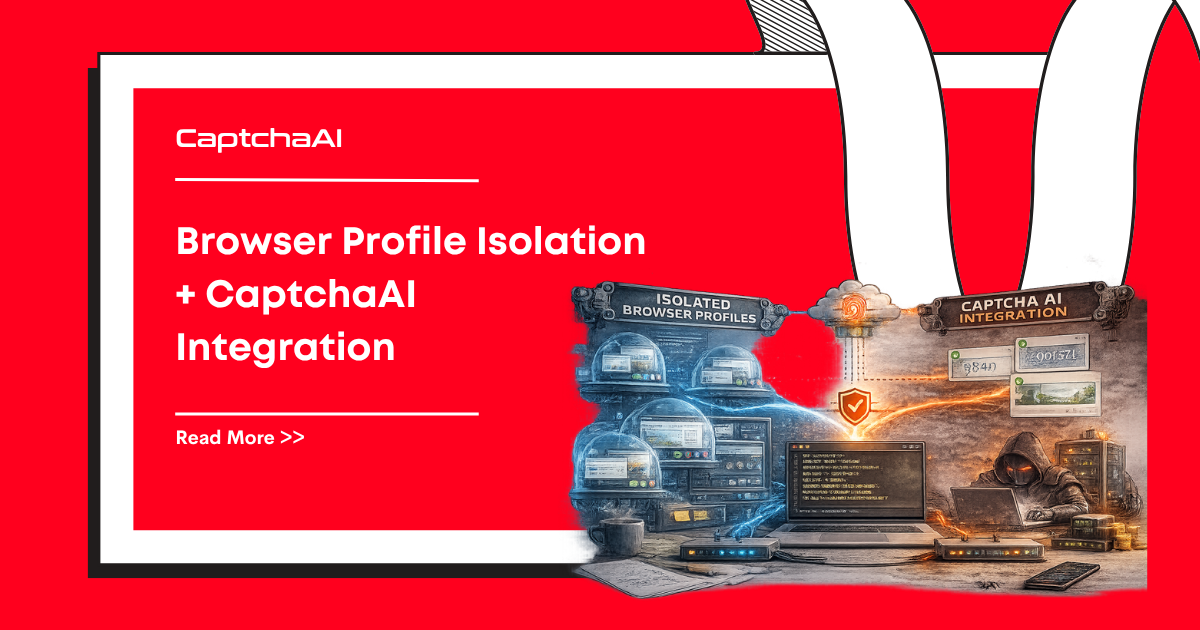
Browser profile isolation tools create distinct browser environments with unique fingerprints per session. Combined with CaptchaAI, each profile gets reliable CAPTCHA solving with session-appropriate fingerprinting.
How Stealth-Configured Browsers Help CAPTCHA Solving
| Feature | Regular Chrome | Stealth-Configured Browser |
|---|---|---|
| Fingerprint | Same every session | Unique per profile |
| WebRTC leak | Exposes real IP | Masked/disabled |
| Canvas hash | Consistent | Randomized per profile |
| Font list | System default | Spoofed set |
| Cookie isolation | Shared by default | Separate per profile |
| Detection risk | High | Very low |
Multilogin + CaptchaAI
Start a Profile via API
import requests
import time
from selenium import webdriver
from selenium.webdriver.common.by import By

MULTILOGIN_TOKEN = "your_multilogin_token"
CAPTCHAAI_KEY = "YOUR_API_KEY"
CAPTCHAAI_URL = "https://ocr.captchaai.com"


def start_multilogin_profile(profile_id):
    """Start a Multilogin browser profile and return WebDriver."""
    # Start profile via Multilogin API
    resp = requests.get(
        f"http://127.0.0.1:35000/api/v1/profile/start"
        f"?automation=true&profileId={profile_id}",
        headers={"Authorization": f"Bearer {MULTILOGIN_TOKEN}"},
    )

    data = resp.json()
    port = data["value"]

    # Connect Selenium to the running profile
    options = webdriver.ChromeOptions()
    options.debugger_address = f"127.0.0.1:{port}"

    driver = webdriver.Chrome(options=options)
    return driver


def solve_recaptcha(site_url, sitekey):
    """Solve via CaptchaAI API."""
    resp = requests.post(f"{CAPTCHAAI_URL}/in.php", data={
        "key": CAPTCHAAI_KEY,
        "method": "userrecaptcha",
        "googlekey": sitekey,
        "pageurl": site_url,
        "json": 1,
    })
    task_id = resp.json()["request"]

    for _ in range(60):
        time.sleep(5)
        resp = requests.get(f"{CAPTCHAAI_URL}/res.php", params={
            "key": CAPTCHAAI_KEY,
            "action": "get",
            "id": task_id,
            "json": 1,
        })
        data = resp.json()
        if data["request"] == "CAPCHA_NOT_READY":
            continue
        if data["status"] == 1:
            return data["request"]

    raise TimeoutError("Solve timeout")


def run_with_multilogin(profile_id, target_url):
    driver = start_multilogin_profile(profile_id)

    try:
        driver.get(target_url)
        time.sleep(3)

        # Detect sitekey
        sitekey = driver.execute_script(
            "return document.querySelector('[data-sitekey]')?.getAttribute('data-sitekey')"
        )

        if sitekey:
            # Solve CAPTCHA
            token = solve_recaptcha(target_url, sitekey)

            # Inject token
            driver.execute_script(f"""
                document.querySelector('#g-recaptcha-response').value = '{token}';
                document.querySelectorAll('[name="g-recaptcha-response"]')
                    .forEach(el => {{ el.value = '{token}'; }});
            """)

            # Submit form
            driver.find_element(By.CSS_SELECTOR, "form").submit()
            time.sleep(3)

        return driver.page_source

    finally:
        driver.quit()


# Run across multiple profiles
profile_ids = [
    "profile-uuid-1",
    "profile-uuid-2",
    "profile-uuid-3",
]

for pid in profile_ids:
    result = run_with_multilogin(pid, "https://target-site.com/form")
    print(f"Profile {pid}: done")
GoLogin + CaptchaAI
Profile Management
import requests
import time
import subprocess
from selenium import webdriver


GOLOGIN_TOKEN = "your_gologin_token"
GOLOGIN_API = "https://api.gologin.com/browser"
CAPTCHAAI_KEY = "YOUR_API_KEY"
CAPTCHAAI_URL = "https://ocr.captchaai.com"


def create_gologin_profile():
    """Create a new GoLogin profile with random fingerprint."""
    resp = requests.post(
        GOLOGIN_API,
        headers={"Authorization": f"Bearer {GOLOGIN_TOKEN}"},
        json={
            "name": f"captcha-profile-{int(time.time())}",
            "os": "win",
            "navigator": {
                "userAgent": "random",
                "resolution": "1920x1080",
                "language": "en-US",
            },
            "proxy": {
                "mode": "none",
            },
            "webRTC": {
                "mode": "altered",
                "enabled": True,
            },
        },
    )
    return resp.json()["id"]


def start_gologin_profile(profile_id):
    """Start GoLogin profile and connect WebDriver."""
    resp = requests.get(
        f"{GOLOGIN_API}/{profile_id}/start",
        headers={"Authorization": f"Bearer {GOLOGIN_TOKEN}"},
    )

    data = resp.json()
    debug_port = data.get("debugPort", 0)
    ws_url = data.get("wsUrl", "")

    options = webdriver.ChromeOptions()
    options.debugger_address = f"127.0.0.1:{debug_port}"

    driver = webdriver.Chrome(options=options)
    return driver


def stop_gologin_profile(profile_id):
    requests.get(
        f"{GOLOGIN_API}/{profile_id}/stop",
        headers={"Authorization": f"Bearer {GOLOGIN_TOKEN}"},
    )


def solve_and_submit(driver, url):
    """Navigate, solve CAPTCHA, submit form."""
    driver.get(url)
    time.sleep(3)

    sitekey = driver.execute_script(
        "return document.querySelector('[data-sitekey]')?.getAttribute('data-sitekey')"
    )

    if not sitekey:
        return {"status": "no_captcha"}

    # Solve via CaptchaAI
    resp = requests.post(f"{CAPTCHAAI_URL}/in.php", data={
        "key": CAPTCHAAI_KEY,
        "method": "userrecaptcha",
        "googlekey": sitekey,
        "pageurl": url,
        "json": 1,
    })
    task_id = resp.json()["request"]

    for _ in range(60):
        time.sleep(5)
        resp = requests.get(f"{CAPTCHAAI_URL}/res.php", params={
            "key": CAPTCHAAI_KEY, "action": "get",
            "id": task_id, "json": 1,
        })
        data = resp.json()
        if data["request"] != "CAPCHA_NOT_READY":
            break

    token = data["request"]

    driver.execute_script(f"""
        document.querySelector('#g-recaptcha-response').value = '{token}';
    """)

    return {"status": "solved", "token": token[:30] + "..."}


# Full pipeline
profile_id = create_gologin_profile()
driver = start_gologin_profile(profile_id)

try:
    result = solve_and_submit(driver, "https://target-site.com/register")
    print(result)
finally:
    driver.quit()
    stop_gologin_profile(profile_id)
Dolphin Anty + CaptchaAI
import requests
import time
from selenium import webdriver

DOLPHIN_API = "http://localhost:3001/v1.0"
CAPTCHAAI_KEY = "YOUR_API_KEY"
CAPTCHAAI_URL = "https://ocr.captchaai.com"


def start_dolphin_profile(profile_id):
    """Start a Dolphin Anty profile."""
    resp = requests.get(
        f"{DOLPHIN_API}/browser_profiles/{profile_id}/start"
        f"?automation=1"
    )
    data = resp.json()

    port = data["automation"]["port"]
    options = webdriver.ChromeOptions()
    options.debugger_address = f"127.0.0.1:{port}"

    return webdriver.Chrome(options=options)


def stop_dolphin_profile(profile_id):
    requests.get(f"{DOLPHIN_API}/browser_profiles/{profile_id}/stop")


def captcha_workflow(driver, url, captchaai_key):
    driver.get(url)
    time.sleep(3)

    sitekey = driver.execute_script(
        "return document.querySelector('[data-sitekey]')?.getAttribute('data-sitekey')"
    )
    if not sitekey:
        return None

    # Submit to CaptchaAI
    resp = requests.post(f"{CAPTCHAAI_URL}/in.php", data={
        "key": captchaai_key,
        "method": "userrecaptcha",
        "googlekey": sitekey,
        "pageurl": url,
        "json": 1,
    })
    task_id = resp.json()["request"]

    # Poll
    for _ in range(60):
        time.sleep(5)
        resp = requests.get(f"{CAPTCHAAI_URL}/res.php", params={
            "key": captchaai_key, "action": "get",
            "id": task_id, "json": 1,
        })
        data = resp.json()
        if data["request"] != "CAPCHA_NOT_READY":
            break

    token = data["request"]
    driver.execute_script(f"""
        document.querySelector('#g-recaptcha-response').value = '{token}';
    """)
    return token
Multi-Profile Parallel Execution
from concurrent.futures import ThreadPoolExecutor, as_completed


def process_profile(profile_config):
    """Run a task on one privacy-focused browser profile."""
    browser = profile_config["browser"]  # "multilogin", "gologin", "dolphin"
    profile_id = profile_config["profile_id"]
    url = profile_config["url"]

    driver = None
    try:
        if browser == "multilogin":
            driver = start_multilogin_profile(profile_id)
        elif browser == "gologin":
            driver = start_gologin_profile(profile_id)
        elif browser == "dolphin":
            driver = start_dolphin_profile(profile_id)

        result = solve_and_submit(driver, url)
        return {"profile": profile_id, **result}

    except Exception as e:
        return {"profile": profile_id, "status": "error", "error": str(e)}

    finally:
        if driver:
            driver.quit()
        if browser == "gologin":
            stop_gologin_profile(profile_id)
        elif browser == "dolphin":
            stop_dolphin_profile(profile_id)


# Run 10 profiles in parallel
profiles = [
    {"browser": "gologin", "profile_id": f"profile-{i}", "url": "https://target.com/form"}
    for i in range(10)
]

with ThreadPoolExecutor(max_workers=5) as executor:
    futures = {executor.submit(process_profile, p): p for p in profiles}

    for future in as_completed(futures):
        result = future.result()
        print(f"[{result['status']}] Profile: {result['profile']}")
Best Practices
| Practice | Why |
|---|---|
| One profile per task | Prevents fingerprint contamination |
| Rotate proxies per profile | Match IP to fingerprint location |
| Warm up profiles | Visit neutral sites before target |
| Space requests 30-60s apart | Avoid rate limiting |
| Clean cookies between runs | Prevent tracking correlation |
| Match timezone to proxy | WebRTC and Date API consistency |
Troubleshooting
| Issue | Cause | Fix |
|---|---|---|
| Profile won't start | Port conflict | Check no other profile using same port |
| WebDriver can't connect | Wrong debug port | Verify API response for correct port |
| CAPTCHA still triggered | Fingerprint inconsistency | Match proxy location to profile timezone |
| Token rejected | Profile detected as bot | Warm up profile with organic browsing |
| Slow profile creation | API rate limit | Add delays between profile creation calls |
FAQ
Which privacy-focused browser works best with CaptchaAI?
All three (Multilogin, GoLogin, Dolphin Anty) work equally well. CaptchaAI is browser-agnostic — it only needs the sitekey and page URL.
Do I need proxies with privacy-focused browsers?
Strongly recommended. Privacy-focused browsers spoof the fingerprint, but the IP still matters for CAPTCHA risk scoring.
How many profiles can I run simultaneously?
Depends on system resources. Each profile uses 200-500 MB RAM. With 16 GB RAM, run 10-20 profiles safely.
Can I reuse profiles across sessions?
Yes. Privacy-focused browsers persist cookies and storage. Reusing profiles builds session history, reducing CAPTCHA frequency.
Related Guides
- Browser Fingerprinting and CAPTCHA
- Puppeteer Stealth + CaptchaAI
- Chrome DevTools Protocol + CaptchaAI
Combine unique browser fingerprints with automated CAPTCHA solving — get your CaptchaAI key and integrate with privacy-focused browsers.

Discussions (0)
Join the conversation
Sign in to share your opinion.
Sign InNo comments yet.