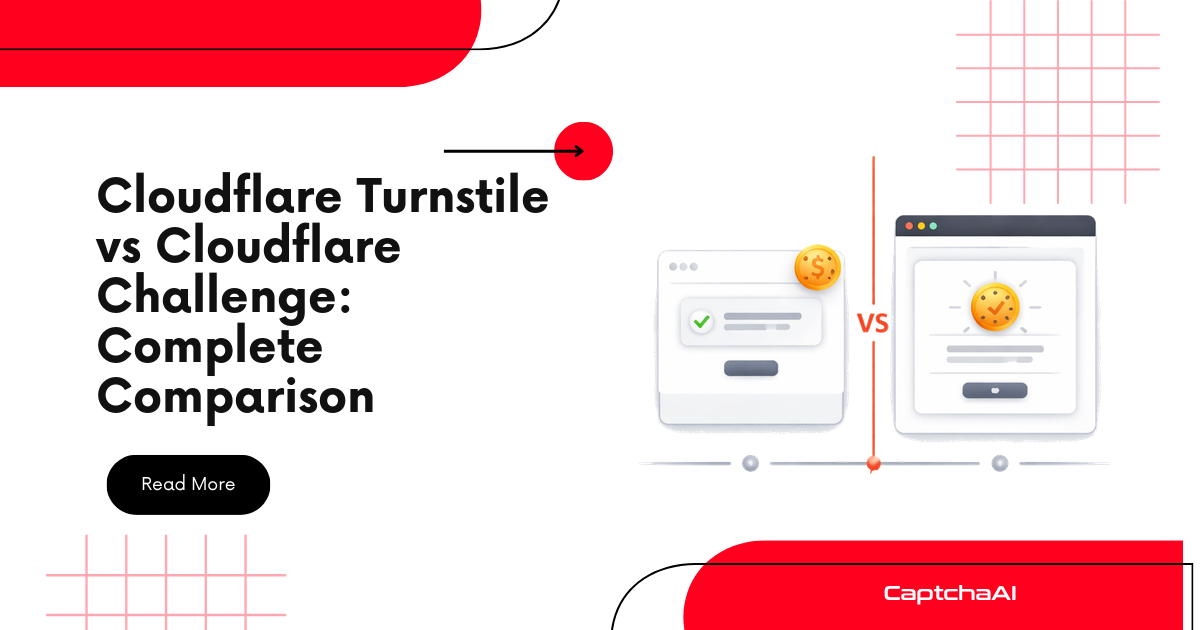
Cloudflare Turnstile and Cloudflare Challenge are often confused because both come from Cloudflare and both are used to stop bots. But for developers, they are not the same problem.
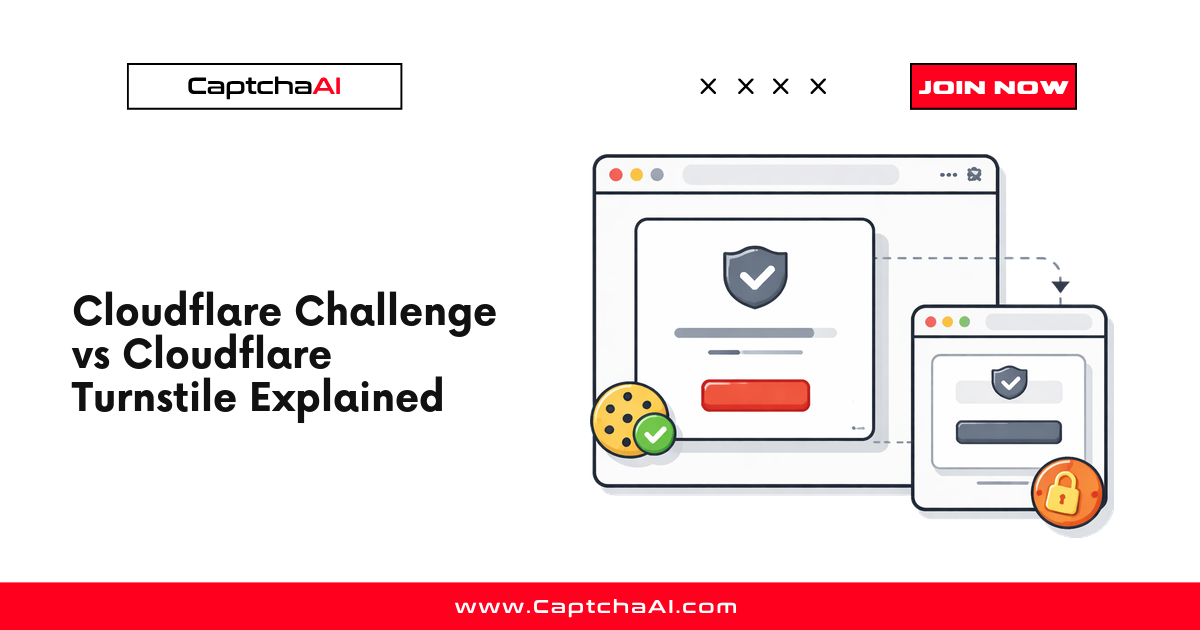
Cloudflare Turnstile is an embedded verification widget. It usually appears inside a form, checkout, login, signup, or protected action. When the challenge is solved, the page receives a token and submits that token to the website backend.
Cloudflare Challenge is a full-page browser verification flow. It appears before the target page loads. When the visitor passes the challenge, Cloudflare issues a cf_clearance cookie that allows the browser session to continue accessing the protected site.
That difference matters because each flow needs a different integration strategy.
If you treat a Cloudflare Challenge page like Turnstile, you will look for a sitekey that may not exist. If you treat a Turnstile widget like a full Challenge page, you will overcomplicate the flow and use the wrong API method.
This guide explains the difference, how to identify which one you are facing, and which CaptchaAI API method to use.
Quick answer: Cloudflare Turnstile vs Cloudflare Challenge
| Feature | Cloudflare Turnstile | Cloudflare Challenge |
|---|---|---|
| Main role | Protects a form or specific action | Protects access to an entire page or site |
| Where it appears | Inside the page | Before the page loads |
| What the user sees | Widget, spinner, checkbox, or nothing | Full-page interstitial such as “Just a moment” |
| Common result | Turnstile token | cf_clearance cookie and user agent |
| CaptchaAI method | turnstile |
cloudflare_challenge |
| Sitekey needed | Yes | Usually no |
| Proxy required | Usually no | Yes |
| How result is used | Submit token as cf-turnstile-response |
Reuse cookie, user agent, and same proxy |
| Best next guide | How to Solve Cloudflare Turnstile Using API | How to Solve Cloudflare Challenge Using API |
The simplest rule:
Turnstile gives you a token. Cloudflare Challenge gives you access.
If the page loads and you see a widget or hidden Turnstile response field, you are probably dealing with Turnstile.
If the real page does not load because Cloudflare shows a full-page verification screen first, you are probably dealing with Cloudflare Challenge.
What is Cloudflare Turnstile?
Cloudflare Turnstile is Cloudflare’s CAPTCHA alternative. It lets websites verify visitors without relying on traditional image puzzles.
A Turnstile widget usually appears in one of three ways.
1. HTML widget
<div class="cf-turnstile" data-sitekey="0x4AAAAAA..."></div>
2. Turnstile script
<script src="https://challenges.cloudflare.com/turnstile/v0/api.js"></script>
3. JavaScript render call
turnstile.render("#captcha-container", {
  sitekey: "0x4AAAAAA...",
  callback: function (token) {
    console.log(token);
  }
});
When Turnstile completes, the page receives a token. The token is commonly submitted through a field named:
cf-turnstile-response
The target site backend then verifies the token with Cloudflare.
For automation developers, the key idea is simple:
Cloudflare Turnstile = sitekey + pageurl -> token -> form submission
That makes Turnstile closer to reCAPTCHA-style token solving than to full-page Cloudflare clearance.
What is Cloudflare Challenge?
Cloudflare Challenge is a browser verification flow that appears before the real page loads.
Common messages include:
Just a moment...
Checking your browser...
Verify you are human
Unlike Turnstile, the challenge is not just a widget inside the page. It is a gate in front of the page.
A typical Cloudflare Challenge flow looks like this:
Request protected page
        ↓
Cloudflare intercepts request
        ↓
Challenge page appears
        ↓
Browser verification runs
        ↓
cf_clearance cookie is issued
        ↓
Original page becomes accessible
After the challenge is passed, Cloudflare sets a cf_clearance cookie. That cookie tells Cloudflare that the visitor has passed a challenge and can continue browsing while the clearance remains valid.
For automation developers, the key idea is:
Cloudflare Challenge = pageurl + proxy -> cf_clearance + user agent -> page access
That makes Cloudflare Challenge a session-access problem, not just a form-token problem.
Cloudflare Challenge vs Cloudflare Turnstile: which one are you facing?
The reversed keyword deserves a direct answer.
Cloudflare Challenge vs Cloudflare Turnstile is not only a naming difference. It is a difference in where the protection happens.
Turnstile protects a specific action. You can usually access the page, but you cannot complete the protected action until the Turnstile token is submitted.
Cloudflare Challenge protects access to the page itself. You may not be able to see the real page until Cloudflare verifies the browser session.
Use this shortcut:
Can you load the real page?
Yes -> likely Turnstile or another in-page CAPTCHA
No -> likely Cloudflare Challenge
And this result-based shortcut:
Need a token? -> Turnstile
Need cf_clearance? -> Cloudflare Challenge
Main difference: token vs clearance cookie
The biggest practical difference is the output.
Turnstile output: token
Turnstile produces a short-lived token. The website backend validates that token with Cloudflare.
Typical field:
cf-turnstile-response
Typical usage:
Submit form + Turnstile token
Cloudflare Challenge output: clearance
Cloudflare Challenge produces browser clearance, usually through a cf_clearance cookie.
Typical cookie:
cf_clearance=...
Typical usage:
Send cf_clearance cookie + same user agent + same proxy
This is why the two flows cannot be swapped. A Turnstile token will not replace a cf_clearance cookie, and a cf_clearance cookie will not replace a Turnstile form token unless the site has specifically configured a combined clearance flow.
How to identify Cloudflare Turnstile
You are probably facing Turnstile if one or more of these signals appear after the page loads.
HTML signals
Search the page source or DevTools Elements panel for:
cf-turnstile
data-sitekey
cf-turnstile-response
turnstile.render
challenges.cloudflare.com/turnstile
Sitekey signal
Turnstile sitekeys commonly start with:
0x4
Example:
<div class="cf-turnstile" data-sitekey="0x4AAAAAA..."></div>
Form submission signal
If the page has a login, signup, checkout, or contact form and a hidden field named cf-turnstile-response, you are almost certainly dealing with Turnstile.
Callback signal
Some sites do not rely only on the hidden field. They pass the token into a callback:
turnstile.render("#container", {
  sitekey: "0x4AAAAAA...",
  callback: onTurnstileSolved
});
If you find these signals, use the Turnstile guide:
How to Solve Cloudflare Turnstile Using API
How to identify Cloudflare Challenge
You are probably facing Cloudflare Challenge if the real page is blocked before it loads.
Page-level signals
Look for text like:
Just a moment...
Checking your browser...
Verify you are human
Network or HTML signals
Look for:
/cdn-cgi/challenge-platform/
cf_clearance
Cloudflare Ray ID
cf-mitigated: challenge
Access signal
If the page content appears only after a browser verification step, you are dealing with a Cloudflare clearance flow.
Cookie signal
After a successful manual pass, inspect browser cookies. If you see:
cf_clearance
then Cloudflare has issued challenge clearance.
If you find these signals, use the Cloudflare Challenge guide:
How to Solve Cloudflare Challenge Using API
API method comparison
Use the correct CaptchaAI method based on what you are solving.
| Protection | CaptchaAI method | Required inputs | Result |
|---|---|---|---|
| Cloudflare Turnstile | turnstile |
API key, sitekey, page URL | Turnstile token |
| Cloudflare Challenge | cloudflare_challenge |
API key, page URL, proxy, proxy type | cf_clearance and user agent |
If you choose the wrong method, the integration may fail even if your code is otherwise correct.
Solving Cloudflare Turnstile: token workflow
Turnstile solving follows the same general submit-and-poll pattern as other token-based CAPTCHA types.
Find sitekey
      ↓
Submit sitekey + pageurl with method=turnstile
      ↓
Poll for result
      ↓
Receive token
      ↓
Submit token as cf-turnstile-response
Minimal request shape:
import requests

response = requests.post(
    "https://ocr.captchaai.com/in.php",
    data={
        "key": "YOUR_API_KEY",
        "method": "turnstile",
        "sitekey": "0x4AAAAAA...",
        "pageurl": "https://example.com/login",
        "json": 1,
    },
    timeout=30,
)

data = response.json()
When the token is ready, submit it through the form or request body:
const token = "TOKEN_FROM_CAPTCHAAI";

const field = document.querySelector('[name="cf-turnstile-response"]');
if (field) {
  field.value = token;
}
If the page uses a callback, call the callback with the token as well.
For the full implementation, use:
How to Solve Cloudflare Turnstile Using API
Solving Cloudflare Challenge: clearance workflow
Cloudflare Challenge solving is different because the goal is not one form token. The goal is to obtain clearance for the browser session.
Detect full-page Cloudflare Challenge
      ↓
Submit pageurl + proxy with method=cloudflare_challenge
      ↓
Poll for result
      ↓
Receive cf_clearance + user agent
      ↓
Use same proxy + user agent + cookie
      ↓
Access protected page
Minimal request shape:
import requests

response = requests.post(
    "https://ocr.captchaai.com/in.php",
    data={
        "key": "YOUR_API_KEY",
        "method": "cloudflare_challenge",
        "pageurl": "https://example.com/protected-page",
        "proxy": "user:[email protected]:8080",
        "proxytype": "HTTP",
        "json": 1,
    },
    timeout=30,
)

data = response.json()
After solving, use the returned clearance values with the same session identity:
import requests

cf_clearance = "CF_CLEARANCE_FROM_CAPTCHAAI"
user_agent = "USER_AGENT_FROM_CAPTCHAAI"
proxy = "user:[email protected]:8080"

session = requests.Session()
session.headers.update({"User-Agent": user_agent})
session.cookies.set("cf_clearance", cf_clearance, domain="example.com")

proxies = {
    "http": f"http://{proxy}",
    "https": f"http://{proxy}",
}

response = session.get(
    "https://example.com/protected-page",
    proxies=proxies,
    timeout=30,
)

print(response.status_code)
For the full implementation, use:
How to Solve Cloudflare Challenge Using API
Why Cloudflare Challenge requires a proxy
Cloudflare Challenge clearance is tied to the browser/session that passed verification. If the solve happens from one network identity and your later request comes from another, the clearance may fail.
For Cloudflare Challenge, keep these consistent:
1. Proxy IP
2. User-Agent
3. cf_clearance cookie
This is why proxy is mandatory for the Challenge solver flow.
Turnstile usually does not require the same clearance workflow because you are submitting a token to a protected action, not reusing a browser clearance cookie across page requests.
Can Turnstile also issue cf_clearance?
Sometimes, yes.
By default, Turnstile issues a one-time token. But Cloudflare also supports Turnstile pre-clearance configurations, where Turnstile can issue a cf_clearance cookie in addition to the default Turnstile token.
This is an advanced configuration and should not be assumed.
For most developer integrations:
Turnstile -> token
Cloudflare Challenge -> cf_clearance
If you see both a Turnstile widget and a cf_clearance cookie, inspect the full flow carefully. The site may be using Turnstile as part of a larger Cloudflare clearance strategy.
Can one website use both?
Yes.
A website can use Cloudflare Challenge at the edge and Turnstile inside the page.
Example:
1. Cloudflare Challenge blocks page access
2. You solve Challenge and receive cf_clearance
3. The real page loads
4. The page contains a Turnstile widget
5. You solve Turnstile and submit cf-turnstile-response
In that case, solve them in order:
Cloudflare Challenge first
Turnstile second
Do not try to solve Turnstile before the real page loads. You may not have access to the correct widget, sitekey, callback, or form context yet.
Decision table for developers
| What you see | Likely protection | Use this CaptchaAI method | Main requirement |
|---|---|---|---|
cf-turnstile element |
Turnstile | turnstile |
Sitekey + page URL |
turnstile.render() |
Turnstile | turnstile |
Sitekey + callback handling |
cf-turnstile-response field |
Turnstile | turnstile |
Token injection |
| Page loads but form submit is blocked | Turnstile | turnstile |
Submit token with form |
| “Just a moment…” before page loads | Cloudflare Challenge | cloudflare_challenge |
Proxy + page URL |
/cdn-cgi/challenge-platform/ |
Cloudflare Challenge | cloudflare_challenge |
Proxy + user-agent consistency |
cf_clearance cookie after manual pass |
Cloudflare Challenge | cloudflare_challenge |
Reuse clearance cookie |
| Page never reaches real content | Cloudflare Challenge | cloudflare_challenge |
Solve access gate first |
| Page loads, then has embedded widget | Both may exist | Solve Challenge first, then Turnstile | Correct order |
Common mistake 1: using Turnstile method for a Challenge page
This happens when developers see Cloudflare scripts and assume the page contains Turnstile.
Wrong approach:
Full-page Cloudflare interstitial
      ↓
Search for sitekey
      ↓
method=turnstile
Correct approach:
Full-page Cloudflare interstitial
      ↓
method=cloudflare_challenge
      ↓
Use proxy
      ↓
Receive cf_clearance
If the real page never loads, do not start by looking for a form token. First solve the access gate.
Common mistake 2: using Challenge method for a Turnstile widget
This happens when developers assume every Cloudflare protection requires cf_clearance.
Wrong approach:
Embedded Turnstile widget
      ↓
method=cloudflare_challenge
      ↓
Look for cf_clearance
Correct approach:
Embedded Turnstile widget
      ↓
Extract sitekey
      ↓
method=turnstile
      ↓
Submit cf-turnstile-response token
If the page loads normally and only a form action is blocked, start with Turnstile.
Common mistake 3: ignoring the callback
Some Turnstile pages do not accept field injection alone. They expect the token to pass through a JavaScript callback.
Look for:
turnstile.render("#container", {
  sitekey: "0x4AAAAAA...",
  callback: onSolved
});
If the token is returned but the page still rejects the action, check whether the callback must be called.
Common mistake 4: changing proxy or user agent after Challenge solving
For Cloudflare Challenge, this is one of the most common reasons clearance fails.
Wrong:
Solve with proxy A
Request with proxy B
Wrong:
Solve with user agent A
Request with user agent B
Correct:
Solve with proxy A
Request with proxy A
Use returned user agent
Use returned cf_clearance
For Challenge flows, consistency is part of the solution.
Troubleshooting comparison
| Problem | Most likely cause | Fix |
|---|---|---|
| No sitekey found | It may be Cloudflare Challenge, not Turnstile | Check for full-page interstitial signals |
No cf_clearance found |
It may be Turnstile, not Challenge | Check for cf-turnstile-response token flow |
| Turnstile token returned but form fails | Token not submitted correctly, callback missing, or token expired | Submit token promptly and handle callback |
| Challenge returns clearance but page still blocks | Proxy, user agent, cookie domain, or expiry problem | Use same proxy, returned user agent, and correct domain |
| Page shows Cloudflare repeatedly | Clearance expired or session identity changed | Re-solve and keep session identity stable |
| API request fails immediately | Wrong method or missing required parameters | Re-check method and required fields |
| Both systems appear | Site uses edge Challenge plus Turnstile form | Solve Challenge first, then Turnstile |
Which CaptchaAI solver should you use?
Use this rule:
If you need a token for a form, use Cloudflare Turnstile.
If you need access to a blocked page, use Cloudflare Challenge.
Use Turnstile when you have:
sitekey
pageurl
cf-turnstile-response
Use Cloudflare Challenge when you have:
pageurl
proxy
proxytype
cf_clearance result
user_agent result
For most developers, this one distinction prevents most failed integrations.
Recommended implementation order
If you are building a scraper, QA automation flow, browser automation workflow, or protected data pipeline, use this order.
Step 1: Request the target page
Check whether the real content loads.
Step 2: Detect Cloudflare Challenge first
If the response is a full-page Cloudflare interstitial, solve Cloudflare Challenge before doing anything else.
Step 3: Reuse clearance state
Use the returned cf_clearance, returned user agent, and same proxy.
Step 4: Load the page again
Now inspect the actual page.
Step 5: Detect Turnstile
Search for cf-turnstile, turnstile.render(), data-sitekey, and cf-turnstile-response.
Step 6: Solve Turnstile if needed
Submit the Turnstile token with the form, request body, or callback.
This sequence handles the common case where a website uses both protections.
FAQ
Is Cloudflare Turnstile the same as Cloudflare Challenge?
No. Cloudflare Turnstile is an embedded widget that generates a token. Cloudflare Challenge is a full-page verification flow that grants access through a cf_clearance cookie.
What is the main difference between Cloudflare Turnstile and Cloudflare Challenge?
Turnstile protects a specific action, such as a form submission. Cloudflare Challenge protects access to the page or site before the real content loads.
What is the difference between Cloudflare Challenge vs Cloudflare Turnstile?
Cloudflare Challenge is clearance-based and usually requires a proxy. Cloudflare Turnstile is token-based and usually requires a sitekey and page URL.
Which one uses cf_clearance?
Cloudflare Challenge normally uses cf_clearance. Turnstile normally uses a token, although some advanced Turnstile pre-clearance configurations can also issue a cf_clearance cookie.
Which one uses cf-turnstile-response?
Cloudflare Turnstile uses cf-turnstile-response. The token is submitted with the protected form or request.
Does Cloudflare Turnstile require a proxy?
Usually no. The standard Turnstile flow requires a sitekey and page URL. A proxy may be useful in some advanced environments, but it is not the core requirement.
Does Cloudflare Challenge require a proxy?
Yes. Cloudflare Challenge solving requires a proxy because the clearance must match the same network identity used later to access the protected page.
Can a site use both Cloudflare Challenge and Turnstile?
Yes. A site can use Cloudflare Challenge before the page loads and Turnstile inside a form after the page loads. In that case, solve Cloudflare Challenge first, then solve Turnstile.
How do I know which one I am facing?
If the real page loads and you see cf-turnstile, data-sitekey, or cf-turnstile-response, it is probably Turnstile. If the page is blocked by “Just a moment” or “Checking your browser,” it is probably Cloudflare Challenge.
Which CaptchaAI guide should I read next?
For embedded Turnstile widgets, read How to Solve Cloudflare Turnstile Using API. For full-page Cloudflare interstitials, read How to Solve Cloudflare Challenge Using API.
Final takeaway
Cloudflare Turnstile and Cloudflare Challenge are related, but they are not interchangeable.
Use Cloudflare Turnstile when the page loads and you need a token for a specific form or action.
Use Cloudflare Challenge when Cloudflare blocks access to the whole page and you need a valid cf_clearance session.
The fastest way to avoid wasted debugging time is to identify the protection type first.
Turnstile = token flow
Challenge = clearance flow
Once you know which one you are facing, the correct CaptchaAI method becomes clear:
Cloudflare Turnstile -> method=turnstile
Cloudflare Challenge -> method=cloudflare_challenge
Next steps: