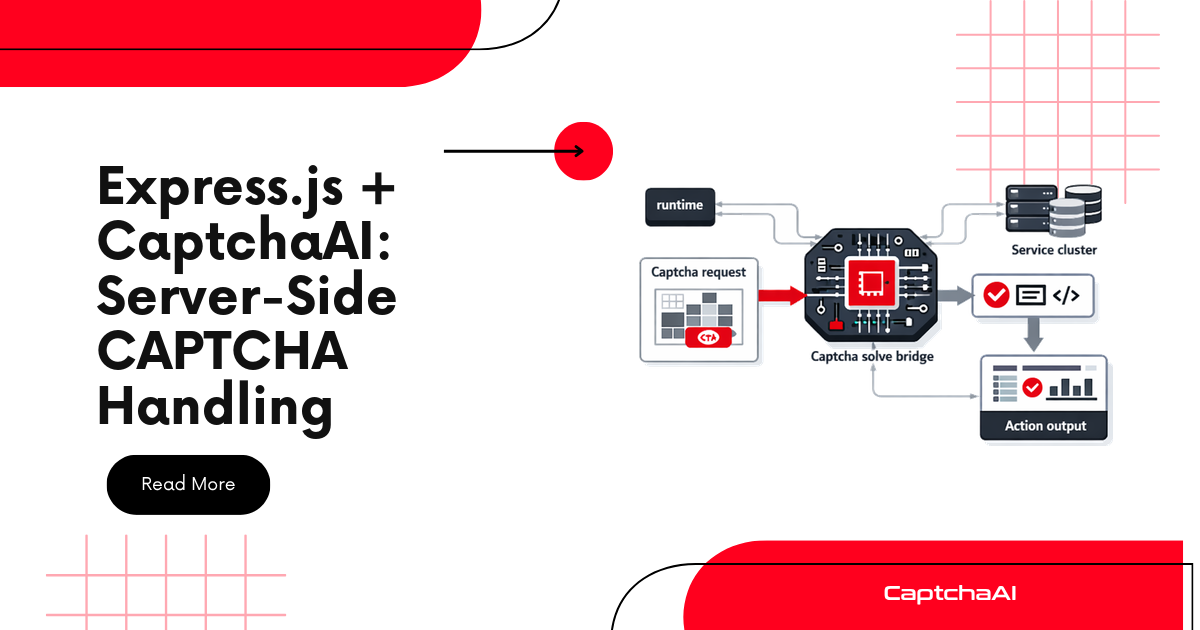
Express.js applications often need CAPTCHA handling in two directions: verifying CAPTCHAs submitted by users (Turnstile/reCAPTCHA) and solving CAPTCHAs when making outbound requests (scraping, API aggregation). This guide covers both.
Prerequisites
npm install express
Pattern 1: Verify Turnstile tokens from your forms
Protect your Express forms with Cloudflare Turnstile and verify tokens server-side:
const express = require("express");
const app = express();
app.use(express.urlencoded({ extended: true }));
app.use(express.json());

const TURNSTILE_SECRET = process.env.TURNSTILE_SECRET;

async function verifyTurnstile(token, remoteIp) {
  const resp = await fetch(
    "https://challenges.cloudflare.com/turnstile/v0/siteverify",
    {
      method: "POST",
      headers: { "Content-Type": "application/x-www-form-urlencoded" },
      body: new URLSearchParams({
        secret: TURNSTILE_SECRET,
        response: token,
        remoteip: remoteIp,
      }),
    }
  );
  const data = await resp.json();
  return data.success;
}

// Login form page
app.get("/login", (req, res) => {
  res.send(`
    <form action="/login" method="POST">
      <input name="email" type="email" required>
      <input name="password" type="password" required>
      <div class="cf-turnstile" data-sitekey="${process.env.TURNSTILE_SITEKEY}"></div>
      <script src="https://challenges.cloudflare.com/turnstile/v0/api.js" async defer></script>
      <button type="submit">Login</button>
    </form>
  `);
});

// Login handler with Turnstile verification
app.post("/login", async (req, res) => {
  const token = req.body["cf-turnstile-response"];

  if (!token) {
    return res.status(400).json({ error: "CAPTCHA response missing" });
  }

  const valid = await verifyTurnstile(token, req.ip);
  if (!valid) {
    return res.status(403).json({ error: "CAPTCHA verification failed" });
  }

  // Proceed with login logic
  const { email, password } = req.body;
  // ... authenticate user
  res.json({ success: true });
});
Pattern 2: CAPTCHA verification middleware
function requireCaptcha(type = "turnstile") {
  return async (req, res, next) => {
    let token;

    if (type === "turnstile") {
      token = req.body["cf-turnstile-response"];
    } else if (type === "recaptcha") {
      token = req.body["g-recaptcha-response"];
    }

    if (!token) {
      return res.status(400).json({ error: "CAPTCHA token required" });
    }

    try {
      let valid = false;

      if (type === "turnstile") {
        valid = await verifyTurnstile(token, req.ip);
      } else if (type === "recaptcha") {
        valid = await verifyRecaptcha(token, req.ip);
      }

      if (!valid) {
        return res.status(403).json({ error: "CAPTCHA verification failed" });
      }

      next();
    } catch (error) {
      console.error("CAPTCHA verification error:", error);
      return res.status(500).json({ error: "CAPTCHA verification error" });
    }
  };
}

async function verifyRecaptcha(token, remoteIp) {
  const resp = await fetch(
    "https://www.google.com/recaptcha/api/siteverify",
    {
      method: "POST",
      headers: { "Content-Type": "application/x-www-form-urlencoded" },
      body: new URLSearchParams({
        secret: process.env.RECAPTCHA_SECRET,
        response: token,
        remoteip: remoteIp,
      }),
    }
  );
  const data = await resp.json();
  return data.success;
}

// Apply to routes
app.post("/register", requireCaptcha("turnstile"), (req, res) => {
  // CAPTCHA already verified
  res.json({ success: true });
});

app.post("/contact", requireCaptcha("recaptcha"), (req, res) => {
  // Process contact form
  res.json({ success: true });
});
Pattern 3: CaptchaAI solving service
For outbound requests where your Express app needs to solve CAPTCHAs on external sites:
const API_KEY = process.env.CAPTCHAAI_KEY;

class CaptchaSolverService {
  #apiKey;

  constructor(apiKey) {
    this.#apiKey = apiKey;
  }

  async solve(method, params) {
    const submitResp = await fetch("https://ocr.captchaai.com/in.php", {
      method: "POST",
      body: new URLSearchParams({
        key: this.#apiKey,
        method,
        json: "1",
        ...params,
      }),
    });
    const submitData = await submitResp.json();
    if (submitData.status !== 1) throw new Error(submitData.request);

    const taskId = submitData.request;

    for (let i = 0; i < 30; i++) {
      await new Promise((r) => setTimeout(r, 5000));
      const pollResp = await fetch(
        `https://ocr.captchaai.com/res.php?${new URLSearchParams({
          key: this.#apiKey,
          action: "get",
          id: taskId,
          json: "1",
        })}`
      );
      const data = await pollResp.json();
      if (data.status === 1) return data.request;
      if (data.request === "ERROR_CAPTCHA_UNSOLVABLE") throw new Error("Unsolvable");
    }
    throw new Error("Timed out");
  }

  async getBalance() {
    const resp = await fetch(
      `https://ocr.captchaai.com/res.php?${new URLSearchParams({
        key: this.#apiKey,
        action: "getbalance",
        json: "1",
      })}`
    );
    const data = await resp.json();
    return parseFloat(data.request);
  }
}

const captchaSolver = new CaptchaSolverService(API_KEY);
Pattern 4: REST API for CAPTCHA solving
Expose CaptchaAI as a microservice:
// POST /api/solve
app.post("/api/solve", async (req, res) => {
  const { method, sitekey, pageurl, ...extra } = req.body;

  if (!method || !sitekey || !pageurl) {
    return res.status(400).json({
      error: "Required: method, sitekey, pageurl",
    });
  }

  try {
    const params = { pageurl };

    if (method === "userrecaptcha") {
      params.googlekey = sitekey;
    } else if (method === "turnstile") {
      params.sitekey = sitekey;
    }

    Object.assign(params, extra);

    const token = await captchaSolver.solve(method, params);

    res.json({
      status: "solved",
      token,
      method,
    });
  } catch (error) {
    res.status(500).json({
      status: "error",
      error: error.message,
    });
  }
});

// GET /api/balance
app.get("/api/balance", async (req, res) => {
  try {
    const balance = await captchaSolver.getBalance();
    res.json({ balance });
  } catch (error) {
    res.status(500).json({ error: error.message });
  }
});
Pattern 5: Background solving with callbacks
For async workflows where solving takes time:
const activeTasks = new Map();

// Submit a solve task
app.post("/api/solve/async", async (req, res) => {
  const { method, sitekey, pageurl } = req.body;
  const taskId = `task_${Date.now()}_${Math.random().toString(36).slice(2)}`;

  activeTasks.set(taskId, { status: "solving", createdAt: Date.now() });

  // Solve in background
  captchaSolver
    .solve(method, {
      [method === "userrecaptcha" ? "googlekey" : "sitekey"]: sitekey,
      pageurl,
    })
    .then((token) => {
      activeTasks.set(taskId, { status: "solved", token, solvedAt: Date.now() });
    })
    .catch((error) => {
      activeTasks.set(taskId, { status: "error", error: error.message });
    });

  res.json({ taskId, status: "solving" });
});

// Check task status
app.get("/api/solve/status/:taskId", (req, res) => {
  const task = activeTasks.get(req.params.taskId);
  if (!task) {
    return res.status(404).json({ error: "Task not found" });
  }
  res.json({ taskId: req.params.taskId, ...task });
});
Pattern 6: Rate limiting with CAPTCHA
const rateLimit = new Map();

function rateLimitMiddleware(maxRequests = 5, windowMs = 60000) {
  return (req, res, next) => {
    const ip = req.ip;
    const now = Date.now();
    const record = rateLimit.get(ip) || { count: 0, resetAt: now + windowMs };

    if (now > record.resetAt) {
      record.count = 0;
      record.resetAt = now + windowMs;
    }

    record.count++;
    rateLimit.set(ip, record);

    if (record.count > maxRequests) {
      // Require CAPTCHA when rate limit hit
      return res.status(429).json({
        error: "Rate limit exceeded",
        requireCaptcha: true,
        captchaType: "turnstile",
        sitekey: process.env.TURNSTILE_SITEKEY,
      });
    }

    next();
  };
}

app.get("/api/data", rateLimitMiddleware(10, 60000), (req, res) => {
  res.json({ data: "..." });
});

// Allow rate-limited users to bypass with CAPTCHA
app.post("/api/data", requireCaptcha("turnstile"), (req, res) => {
  // Reset their rate limit after CAPTCHA solve
  rateLimit.delete(req.ip);
  res.json({ data: "..." });
});
Error handling middleware
class CaptchaVerificationError extends Error {
  constructor(message, code) {
    super(message);
    this.name = "CaptchaVerificationError";
    this.statusCode = code || 403;
  }
}

// Global error handler
app.use((err, req, res, next) => {
  if (err instanceof CaptchaVerificationError) {
    return res.status(err.statusCode).json({
      error: err.message,
      code: "CAPTCHA_FAILED",
    });
  }
  next(err);
});
Complete server
const express = require("express");
const app = express();

app.use(express.urlencoded({ extended: true }));
app.use(express.json());

const captchaSolver = new CaptchaSolverService(process.env.CAPTCHAAI_KEY);

// Health check
app.get("/health", async (req, res) => {
  try {
    const balance = await captchaSolver.getBalance();
    res.json({ status: "ok", balance });
  } catch {
    res.status(503).json({ status: "error" });
  }
});

// Protected form with Turnstile
app.post("/submit", requireCaptcha("turnstile"), (req, res) => {
  res.json({ success: true, data: req.body });
});

// Solve CAPTCHAs on demand
app.post("/solve", async (req, res) => {
  try {
    const token = await captchaSolver.solve(req.body.method, req.body.params);
    res.json({ token });
  } catch (error) {
    res.status(500).json({ error: error.message });
  }
});

app.listen(3000, () => console.log("Running on :3000"));
Troubleshooting
| Symptom | Cause | Fix |
|---|---|---|
| Turnstile token always invalid | Wrong secret key | Use the secret key, not the site key |
| Request body is empty | Missing body parser | Add express.urlencoded() middleware |
| Solve endpoint times out | Express default timeout | Set timeout: req.setTimeout(180000) |
| CORS errors on API calls | Missing CORS headers | Add cors middleware |
| Memory leak with activeTasks | Tasks never cleaned up | Add TTL cleanup with setInterval |
Frequently asked questions
Should I verify CAPTCHAs server-side or client-side?
Always server-side. Client-side verification can be bypassed. The server should validate the token with the CAPTCHA provider's API.
How do I handle the time it takes to solve a CAPTCHA?
Use the async pattern (Pattern 5) — return a task ID immediately and let the client poll for results.
Can I use Express with CaptchaAI to protect my own API?
Yes. Use Turnstile or reCAPTCHA on your frontend and verify tokens server-side with the middleware pattern.
Summary
Express.js + CaptchaAI supports both inbound verification (protecting your forms with Turnstile/reCAPTCHA middleware) and outbound solving (solving CAPTCHAs on external sites). Use the middleware pattern for form protection, the service class for outbound solving.
Related Articles
- Geetest Vs Cloudflare Turnstile Comparison
- Cloudflare Turnstile 403 After Token Fix
- Cloudflare Turnstile Widget Modes Explained
Full Working Code
Complete runnable examples for this article in Python, Node.js, PHP, Go, Java, C#, Ruby, Rust, Kotlin & Bash.
View on GitHub →



Discussions (0)
Join the conversation
Sign in to share your opinion.
Sign InNo comments yet.