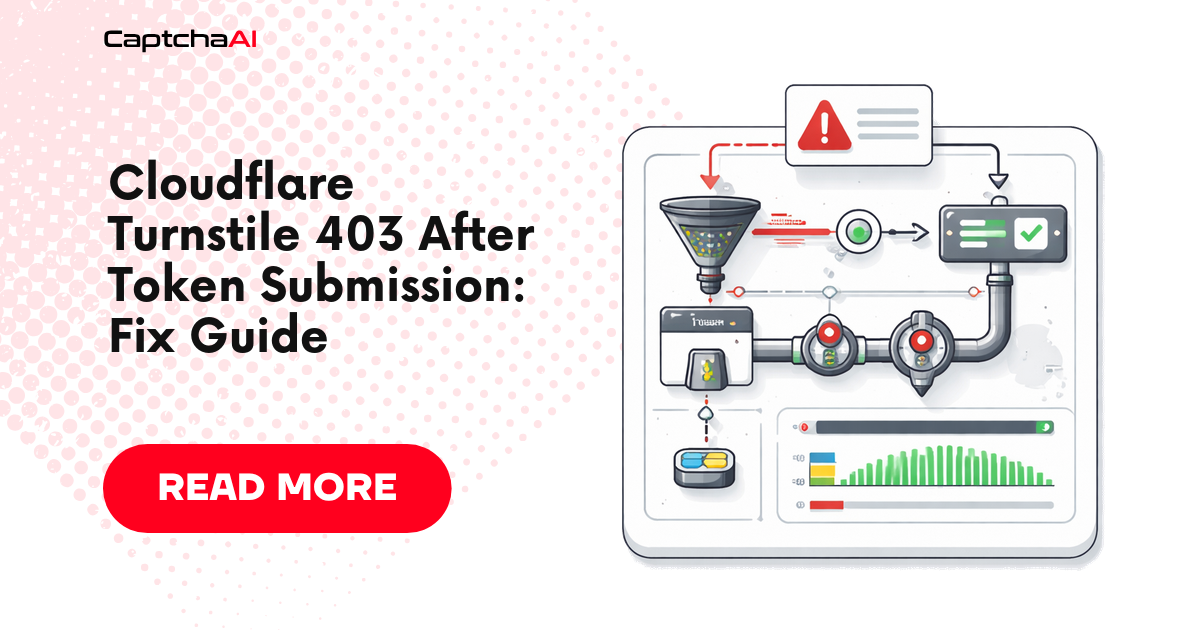
You solved the Turnstile CAPTCHA and got a valid token, but the target site still returns 403 Forbidden. This guide covers every cause and gives you a decision flow to identify which one applies to your integration in under five minutes.
30-second diagnostic flow
flowchart TD
    A[Got 403 after token submit] --> B{Does the response include<br/>Server: cloudflare?}
    B -- No --> C[Application-level rejection.<br/>Check the form field name.]
    B -- Yes --> D{Is there a cf_clearance cookie<br/>in the response Set-Cookie?}
    D -- Yes, but next request 403 --> E[Session reuse problem.<br/>Use the same Session for solve + submit.]
    D -- No, and body shows Turnstile widget again --> F{Solve-to-submit elapsed time?}
    F -- "> 240s" --> G[Token expired.<br/>Re-solve and submit within 240s.]
    F -- "< 240s" --> H{Is the IP / User-Agent the same<br/>between solve and submit?}
    H -- No --> I[IP or UA mismatch.<br/>Pin both end-to-end.]
    H -- Yes --> J{Is the page a full interstitial<br/>(no form, just a spinner)?}
    J -- Yes --> K[This is Cloudflare Challenge,<br/>not Turnstile. Use cloudflare_challenge method.]
    J -- No --> L[Header / Origin mismatch.<br/>Replay browser headers exactly.]
The five most common branches map 1:1 to the five causes below.
Why 403 After Valid Token
| Cause | Likelihood |
|---|---|
| Missing cf_clearance cookie | Very common |
| Token expired | Common |
| Wrong submission endpoint | Common |
| Missing request headers | Moderate |
| IP mismatch between solve and submit | Moderate |
| Cloudflare Challenge (not Turnstile) | Sometimes confused |
Cause 1: Missing cf_clearance Cookie
Turnstile sets cookies during validation. If you don't include these cookies in your subsequent request, Cloudflare blocks you.
import requests

session = requests.Session()

# Step 1: Load the page to get initial cookies
session.get("https://example.com")

# Step 2: Solve Turnstile
token = solve_turnstile(
    api_key="YOUR_API_KEY",
    sitekey="TURNSTILE_SITEKEY",
    pageurl="https://example.com",
)

# Step 3: Submit token to the validation endpoint
# This sets cf_clearance cookie
resp = session.post("https://example.com/api/verify", data={
    "cf-turnstile-response": token,
}, headers={
    "Content-Type": "application/x-www-form-urlencoded",
    "Origin": "https://example.com",
    "Referer": "https://example.com/",
})

# Step 4: Now make your actual request WITH the session cookies
resp = session.get("https://example.com/protected-page")
print(resp.status_code)  # Should be 200 now
Cause 2: Token Expired
Turnstile tokens last ~300 seconds, but use them immediately for best results.
import time

# Solve
start = time.time()
token = solve_turnstile(...)
solve_time = time.time() - start

# Check if token is still fresh
if solve_time > 240:  # > 4 minutes is risky
    print("Token may be too old, solving again...")
    token = solve_turnstile(...)

# Submit immediately
submit_token(token)
Cause 3: Wrong Submission Method
Find how the site submits the Turnstile token:
# Some sites use a hidden form field
data = {
    "cf-turnstile-response": token,
    "username": "user",
    "password": "pass",
}

# Some sites use a custom header
headers = {
    "X-Turnstile-Token": token,
}

# Some sites use JSON body
json_data = {
    "turnstileToken": token,
    "email": "[email protected]",
}
How to find the correct field name:
- Open browser DevTools → Network tab
- Complete the Turnstile challenge manually
- Find the form submission request
- Look at the request body for the token field name
Cause 4: Missing Headers
Cloudflare checks request headers for consistency:
headers = {
    "User-Agent": "Mozilla/5.0 (Windows NT 10.0; Win64; x64) AppleWebKit/537.36 (KHTML, like Gecko) Chrome/120.0.0.0 Safari/537.36",
    "Accept": "text/html,application/xhtml+xml,application/xml;q=0.9,*/*;q=0.8",
    "Accept-Language": "en-US,en;q=0.9",
    "Origin": "https://example.com",
    "Referer": "https://example.com/login",
    "Sec-Fetch-Dest": "document",
    "Sec-Fetch-Mode": "navigate",
    "Sec-Fetch-Site": "same-origin",
}

session.headers.update(headers)
Cause 5: Cloudflare Challenge vs Turnstile
Turnstile and Cloudflare Challenge are different systems:
| Feature | Turnstile | Cloudflare Challenge |
|---|---|---|
| Widget | Visible checkbox on page | Full-page challenge screen |
| CaptchaAI method | turnstile |
cloudflare_challenge |
| Token field | cf-turnstile-response |
N/A (cookie-based) |
If you see a full-page challenge, use method=cloudflare_challenge instead.
Complete Working Example
import requests
import time
import re


def solve_turnstile_and_access(target_url, api_key):
    """Complete flow: solve Turnstile and access protected page."""
    session = requests.Session()
    session.headers.update({
        "User-Agent": "Mozilla/5.0 (Windows NT 10.0; Win64; x64) AppleWebKit/537.36",
    })

    # Load page, get cookies and sitekey
    resp = session.get(target_url)
    match = re.search(r'data-sitekey="([^"]+)"', resp.text)
    if not match:
        raise RuntimeError("Turnstile sitekey not found")

    sitekey = match.group(1)

    # Solve via CaptchaAI
    submit_resp = requests.post("https://ocr.captchaai.com/in.php", data={
        "key": api_key,
        "method": "turnstile",
        "sitekey": sitekey,
        "pageurl": target_url,
        "json": 1,
    }, timeout=30)
    task_id = submit_resp.json()["request"]

    # Poll
    for _ in range(12):
        time.sleep(5)
        poll = requests.get("https://ocr.captchaai.com/res.php", params={
            "key": api_key, "action": "get",
            "id": task_id, "json": 1,
        }, timeout=15)
        data = poll.json()
        if data.get("status") == 1:
            token = data["request"]
            break
    else:
        raise TimeoutError("Solve timeout")

    # Submit token using the same session
    form_resp = session.post(target_url, data={
        "cf-turnstile-response": token,
    }, headers={
        "Origin": f"https://{requests.utils.urlparse(target_url).netloc}",
        "Referer": target_url,
    })

    return session, form_resp


# Usage
session, resp = solve_turnstile_and_access(
    "https://example.com/login",
    "YOUR_API_KEY",
)
# session now has valid cookies for subsequent requests
Troubleshooting
| Issue | Cause | Fix |
|---|---|---|
| 403 despite valid token | Missing session cookies | Use same session for all requests |
| 403 on subsequent pages | cf_clearance not set | Token validation must return cookie |
| Works once, then 403 | Cookie expired | Re-solve for fresh cookie |
| Always 403 | Full-page challenge, not Turnstile | Use cloudflare_challenge method |
FAQ
How long does cf_clearance last?
Typically 30 minutes to 24 hours. If subsequent requests start failing, re-solve the Turnstile.
Do I need a proxy for Turnstile?
Often no — CaptchaAI's consistently high success rate on Turnstile usually works without proxies. Add a proxy only if the site checks IP consistency.
Can I pass cf_clearance to another session?
Yes, but it's tied to the User-Agent and may be tied to the IP. Keep both consistent.
Real support case: 403 only on the second request
Symptom: A scraping pipeline submits the Turnstile token, gets 200 OK on the form post, and the response body shows the protected page. Two minutes later the same session re-requests /api/orders and gets 403. The team blamed token expiration but the token had been thrown away after the first submit.
Root cause: The HTTP client was created per-request inside a helper, not reused. Every new request opened a fresh TCP connection with an empty cookie jar — cf_clearance set on the first response never made it to the second request.
Fix: Hoist requests.Session() out of the helper and pass it in. The same session must be used for every subsequent call against the protected origin. The token itself does not need to be replayed — only the cookie does.
# Wrong
def fetch(url):
    return requests.get(url)  # new session every time

# Right
session = requests.Session()
solve_and_submit(session, "https://example.com")
fetch_protected(session, "https://example.com/api/orders")
Lesson: After a successful Turnstile submit, treat the requests.Session (or Playwright BrowserContext) as the long-lived credential. The token is single-use; the resulting cookies are what carry you forward.
Pre-flight checklist before you blame the solver
Run through this list before opening a support ticket — eight out of ten reported 403s are caught here:
- [ ] Same
User-Agentstring used during solve and submit - [ ] Same outbound IP used during solve and submit (or proxy pinned at session level)
- [ ]
OriginandRefererheaders match the target page URL - [ ] Token submitted within 240 seconds of receiving it
- [ ] Token submitted exactly once (Turnstile tokens are single-use)
- [ ] Form field name verified in DevTools (
cf-turnstile-responsevs custom name) - [ ]
requests.Session()(or persistent browser context) reused across solve → submit → follow-up - [ ]
data-sitekeyre-extracted on each run (sitekeys can rotate) - [ ] Verified the page actually serves Turnstile and not a full Cloudflare Challenge interstitial
- [ ] Server responded with
Set-Cookie: cf_clearance=...after submit
Related articles in this series
Part of the Turnstile Mastery series — nine practical guides covering Turnstile end-to-end:
- Cloudflare Turnstile Widget Modes Explained
- Cloudflare Turnstile Implementation Detection
- Cloudflare Turnstile Sitekey Extraction
- Cloudflare Turnstile Interception Methods
- Cloudflare Turnstile CaptchaAI Solving Guide
- Cloudflare Turnstile Token Handoff with CaptchaAI
- Cloudflare Turnstile Token Expiration and Timing
- Cloudflare Turnstile 403 After Token Fix — you are here
- Cloudflare Turnstile Errors and Troubleshooting