A solved Cloudflare Turnstile token is only useful if the page accepts it.
That sounds obvious, but it is where many real integrations break. CaptchaAI returns a token, logs show the solve succeeded, and yet the form still fails. The problem is usually not the solve. It is the handoff: the token was applied in the wrong browser session, inserted into the wrong place, submitted too late, or disconnected from the page's callback logic.
This guide focuses on that final mile: how to take a Turnstile token returned by CaptchaAI and apply it in the same workflow so the protected form can actually continue.
Use this when you already understand the basic CaptchaAI submit-and-poll flow and need to make the returned Turnstile token work in a browser, test runner, internal workflow, or authorized automation system.
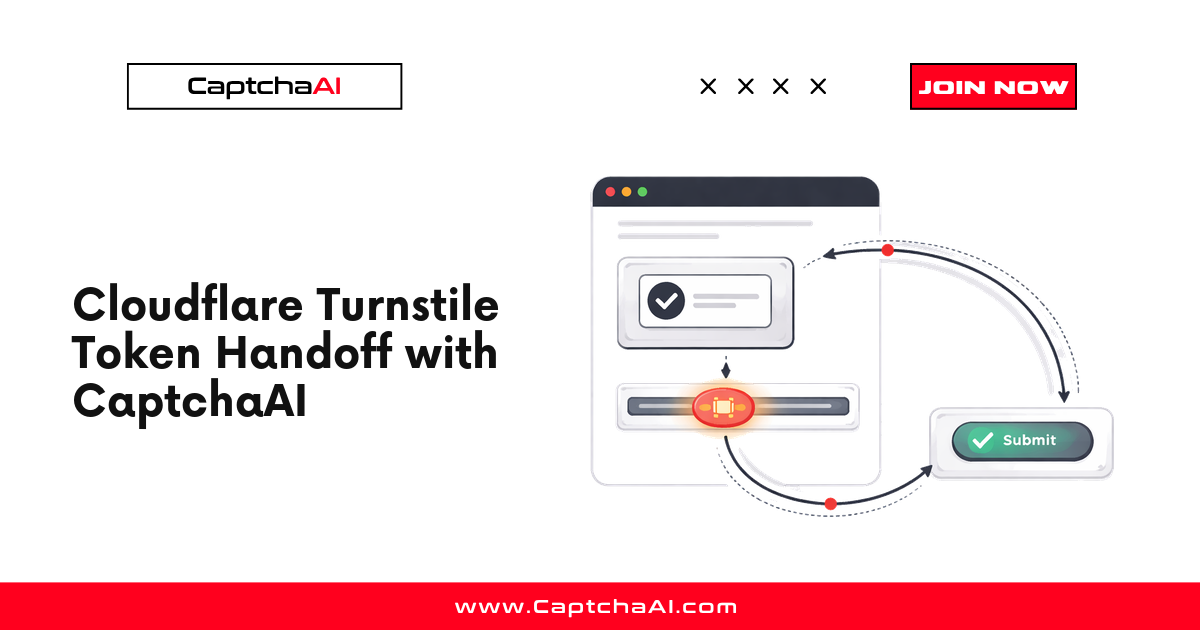
The full token handoff flow
sequenceDiagram
    autonumber
    participant Browser as Browser / Test runner
    participant Page as Protected page<br/>(your authorized target)
    participant CAI as CaptchaAI<br/>res.php
    participant App as Application backend

    Browser->>Page: GET page with Turnstile widget
    Page-->>Browser: HTML + sitekey + Turnstile widget
    Note over Browser: Capture sitekey + pageurl<br/>(see step 1)
    Browser->>CAI: in.php method=turnstile<br/>sitekey + pageurl + json=1
    CAI-->>Browser: request_id
    loop poll until ready (240s budget)
        Browser->>CAI: res.php action=get id=request_id
        CAI-->>Browser: CAPCHA_NOT_READY or token
    end
    Note over Browser,Page: Apply token in same session<br/>(see step 3 & 4)
    Browser->>Page: set cf-turnstile-response<br/>or invoke onSuccess callback
    Browser->>App: submit form with token<br/>+ same cookies / UA / IP
    App-->>Browser: 200 OK = accepted submission
The three failure points highlighted below — solver success, handoff success, and workflow success — map directly onto this diagram. Most production breakage is in the last two arrows, not in the polling loop.
The mistake: treating "token returned" as success
A basic Turnstile integration has five steps:
- Load the page that contains Cloudflare Turnstile.
- Extract the Turnstile
sitekeyand currentpageurl. - Submit the task to CaptchaAI.
- Poll CaptchaAI until a token is returned.
- Apply the token and submit the form.
Most tutorials spend most of their time on steps 2 through 4. Production failures usually happen in step 5.
A token can be valid and still fail if the application does not receive it in the context it expects. That is why you should track three separate outcomes:
| Outcome | What it proves | What it does not prove |
|---|---|---|
| Solver success | CaptchaAI returned a token | The application accepted the token |
| Handoff success | Your page received the token through a field or callback | The backend accepted the form |
| Workflow success | The protected action completed | Nothing else is needed for this attempt |
Your real success metric is not "tokens returned." It is accepted submissions after token handoff.
The correct Turnstile handoff model
A reliable handoff keeps four things aligned.
| Requirement | What it means | Common failure |
|---|---|---|
| Exact page URL | Send the URL where Turnstile rendered | Sending a home page, redirect URL, or stale URL |
| Exact sitekey | Use the widget sitekey connected to the submitted form | Capturing the wrong widget on pages with multiple challenges |
| Same session | Apply the token in the same browser or HTTP session that triggered the challenge | Solving in one context and submitting in another |
| Correct submission path | Use the field or callback expected by the page | Updating value but skipping the page's callback logic |
For many standalone widgets, the expected field is:
<input name="cf-turnstile-response">
or:
<textarea name="cf-turnstile-response"></textarea>
Some pages also use a JavaScript callback from turnstile.render(). In those cases, field injection alone may not update the application state. You may need to call the callback with the returned token.
The principle is simple:
The token must re-enter the same page state that created the challenge.
Safe implementation scope
This guide is for authorized automation, QA, testing, monitoring, and integration workflows where you own the application, have client authorization, or are operating within an approved data workflow.
It is not a guide for unauthorized access, spam, account farming, or evading systems you do not have permission to test. The goal is reliable implementation and clean debugging, not abuse-oriented automation.
Step 1: Capture the real Turnstile values
Before calling CaptchaAI, capture the values from the live page. Do not copy a stale sitekey from old HTML, documentation, screenshots, or a previous run.
For static widgets, the sitekey is often visible in the page markup:
<div class="cf-turnstile" data-sitekey="0x4AAAAAA_example_sitekey"></div>
For explicit JavaScript rendering, the sitekey may appear inside turnstile.render():
turnstile.render("#captcha-container", {
  sitekey: "0x4AAAAAA_example_sitekey",
  callback: function(token) {
    document.querySelector('[name="cf-turnstile-response"]').value = token;
  }
});
On dynamic pages, intercept the render call before the widget initializes:
const waitForTurnstile = setInterval(() => {
  if (window.turnstile && window.turnstile.render) {
    clearInterval(waitForTurnstile);

    const originalRender = window.turnstile.render;

    window.turnstile.render = function(container, options) {
      window.__captchaaiTurnstile = {
        sitekey: options.sitekey,
        action: options.action || null,
        callback: options.callback || null,
        pageurl: window.location.href,
        userAgent: navigator.userAgent
      };

      return originalRender.call(this, container, options);
    };
  }
}, 10);
A good capture gives your automation code the exact values it needs:
{
  "sitekey": "0x4AAAAAA_example_sitekey",
  "pageurl": "https://example.com/protected-form",
  "action": null,
  "userAgent": "Mozilla/5.0 ..."
}
Step 2: Submit the Turnstile task to CaptchaAI
CaptchaAI uses two API endpoints:
| Endpoint | Purpose |
|---|---|
https://ocr.captchaai.com/in.php |
Submit the CAPTCHA task |
https://ocr.captchaai.com/res.php |
Poll for the result |
For Cloudflare Turnstile, submit these core fields:
| Parameter | Value |
|---|---|
key |
Your CaptchaAI API key |
method |
turnstile |
sitekey |
The Turnstile sitekey from the page |
pageurl |
The full URL where Turnstile is active |
json |
1 |
Python: solve Turnstile and return a token
This helper submits the task, waits before the first poll, polls until the token is ready, and raises clear errors for terminal API failures.
import time
import requests


API_KEY = "YOUR_API_KEY"
IN_URL = "https://ocr.captchaai.com/in.php"
RES_URL = "https://ocr.captchaai.com/res.php"


class CaptchaAIError(Exception):
    """Raised when CaptchaAI returns a terminal API error."""


def solve_turnstile(sitekey: str, pageurl: str, timeout_seconds: int = 120) -> str:
    if not API_KEY or API_KEY == "YOUR_API_KEY":
        raise ValueError("Set your CaptchaAI API key before running this script.")

    if not sitekey or "example" in sitekey.lower():
        raise ValueError("Provide the real Turnstile sitekey from the live page.")

    if not pageurl.startswith("http"):
        raise ValueError("pageurl must be the full URL where Turnstile appears.")

    submit_response = requests.post(
        IN_URL,
        data={
            "key": API_KEY,
            "method": "turnstile",
            "sitekey": sitekey,
            "pageurl": pageurl,
            "json": 1,
        },
        timeout=30,
    )
    submit_response.raise_for_status()
    submit_data = submit_response.json()

    if submit_data.get("status") != 1:
        raise CaptchaAIError(f"Submit failed: {submit_data.get('request')}")

    task_id = submit_data["request"]

    time.sleep(15)
    deadline = time.time() + timeout_seconds

    while time.time() < deadline:
        result_response = requests.get(
            RES_URL,
            params={
                "key": API_KEY,
                "action": "get",
                "id": task_id,
                "json": 1,
            },
            timeout=30,
        )
        result_response.raise_for_status()
        result_data = result_response.json()

        if result_data.get("status") == 1:
            return result_data["request"]

        api_message = result_data.get("request")

        if api_message == "CAPCHA_NOT_READY":
            time.sleep(5)
            continue

        terminal_errors = {
            "ERROR_WRONG_USER_KEY",
            "ERROR_KEY_DOES_NOT_EXIST",
            "ERROR_ZERO_BALANCE",
            "ERROR_PAGEURL",
            "ERROR_BAD_PARAMETERS",
            "ERROR_WRONG_ID_FORMAT",
            "ERROR_WRONG_CAPTCHA_ID",
            "ERROR_EMPTY_ACTION",
            "ERROR_CAPTCHA_UNSOLVABLE",
            "ERROR_INTERNAL_SERVER_ERROR",
        }

        if api_message in terminal_errors:
            raise CaptchaAIError(f"Solve failed: {api_message}")

        raise CaptchaAIError(f"Unexpected CaptchaAI response: {result_data}")

    raise TimeoutError("Turnstile solve timed out before a token was returned.")
Expected output:
0.4uMMZZdSfsVM8K...returned_turnstile_token...
Step 3: Apply the token through the hidden field
If the page exposes cf-turnstile-response, apply the token there.
Use this browser-side function:
function applyTurnstileTokenToField(token) {
  const field = document.querySelector('[name="cf-turnstile-response"]');

  if (!field) {
    throw new Error("Could not find cf-turnstile-response on the page.");
  }

  field.value = token;

  field.dispatchEvent(new Event("input", { bubbles: true }));
  field.dispatchEvent(new Event("change", { bubbles: true }));

  return {
    applied: true,
    method: "cf-turnstile-response"
  };
}
The events matter. Modern front-end frameworks may not respond to field.value = token by itself. Dispatching input and change gives the page a chance to update its internal form state.
Step 4: Apply the token through the callback
Some Turnstile widgets use a callback instead of relying only on a hidden field.
Use the callback path when:
cf-turnstile-responseis missing- the form stays disabled after field injection
- the page stores challenge completion in JavaScript state
- the page uses
turnstile.render()with a callback function - the form ignores the hidden field value
If you captured the callback before render, call it after CaptchaAI returns the token:
function applyTurnstileTokenToCallback(token) {
  const state = window.__captchaaiTurnstile;

  if (!state || typeof state.callback !== "function") {
    throw new Error("Turnstile callback was not captured.");
  }

  state.callback(token);

  return {
    applied: true,
    method: "turnstile-callback"
  };
}
Field injection vs callback: the decision table
| Page behavior | Recommended handoff |
|---|---|
Hidden cf-turnstile-response field exists and form submits normally |
Field injection |
| Hidden field exists but form remains disabled | Field injection plus events, then callback if needed |
| Hidden field never appears | Callback |
turnstile.render() includes a callback |
Callback |
| Multiple widgets appear on the page | Match token to the widget connected to the submitted form |
| Backend rejects despite visible field value | Re-check same session, page URL, cookies, and callback path |
A robust integration can try the field first, then fall back to the callback if the field is unavailable.
Node.js + Playwright: solve, inject, and submit
This example keeps the page open while CaptchaAI solves the task. That preserves the same browser session for the handoff.
const { chromium } = require("playwright");
const axios = require("axios");

const API_KEY = "YOUR_API_KEY";
const IN_URL = "https://ocr.captchaai.com/in.php";
const RES_URL = "https://ocr.captchaai.com/res.php";

function sleep(ms) {
  return new Promise((resolve) => setTimeout(resolve, ms));
}

async function solveTurnstile(sitekey, pageurl, timeoutMs = 120000) {
  if (!API_KEY || API_KEY === "YOUR_API_KEY") {
    throw new Error("Set your CaptchaAI API key before running this script.");
  }

  if (!sitekey || sitekey.toLowerCase().includes("example")) {
    throw new Error("Provide the real Turnstile sitekey from the live page.");
  }

  if (!pageurl.startsWith("http")) {
    throw new Error("pageurl must be the full URL where Turnstile appears.");
  }

  const submit = await axios.post(
    IN_URL,
    new URLSearchParams({
      key: API_KEY,
      method: "turnstile",
      sitekey,
      pageurl,
      json: "1",
    }),
    { timeout: 30000 }
  );

  if (submit.data.status !== 1) {
    throw new Error(`Submit failed: ${submit.data.request}`);
  }

  const taskId = submit.data.request;
  const deadline = Date.now() + timeoutMs;

  await sleep(15000);

  while (Date.now() < deadline) {
    const result = await axios.get(RES_URL, {
      params: {
        key: API_KEY,
        action: "get",
        id: taskId,
        json: 1,
      },
      timeout: 30000,
    });

    if (result.data.status === 1) {
      return result.data.request;
    }

    if (result.data.request === "CAPCHA_NOT_READY") {
      await sleep(5000);
      continue;
    }

    throw new Error(`Solve failed: ${result.data.request}`);
  }

  throw new Error("Turnstile solve timed out.");
}

async function run() {
  const browser = await chromium.launch({ headless: false });
  const page = await browser.newPage();

  await page.addInitScript(() => {
    const waitForTurnstile = setInterval(() => {
      if (window.turnstile && window.turnstile.render) {
        clearInterval(waitForTurnstile);

        const originalRender = window.turnstile.render;

        window.turnstile.render = function(container, options) {
          window.__captchaaiTurnstile = {
            sitekey: options.sitekey,
            action: options.action || null,
            callback: options.callback || null,
            pageurl: window.location.href,
            userAgent: navigator.userAgent,
          };

          return originalRender.call(this, container, options);
        };
      }
    }, 10);
  });

  await page.goto("https://example.com/protected-form", {
    waitUntil: "domcontentloaded",
  });

  const detected = await page.evaluate(() => {
    const staticWidget = document.querySelector(".cf-turnstile");

    if (staticWidget && staticWidget.getAttribute("data-sitekey")) {
      return {
        sitekey: staticWidget.getAttribute("data-sitekey"),
        pageurl: window.location.href,
        source: "static-html",
      };
    }

    if (window.__captchaaiTurnstile) {
      return {
        sitekey: window.__captchaaiTurnstile.sitekey,
        pageurl: window.__captchaaiTurnstile.pageurl,
        source: "turnstile-render",
      };
    }

    return null;
  });

  if (!detected || !detected.sitekey) {
    throw new Error("Could not detect Turnstile sitekey.");
  }

  const token = await solveTurnstile(detected.sitekey, detected.pageurl);

  const handoff = await page.evaluate((turnstileToken) => {
    const field = document.querySelector('[name="cf-turnstile-response"]');

    if (field) {
      field.value = turnstileToken;
      field.dispatchEvent(new Event("input", { bubbles: true }));
      field.dispatchEvent(new Event("change", { bubbles: true }));

      return {
        applied: true,
        method: "cf-turnstile-response",
      };
    }

    const state = window.__captchaaiTurnstile;

    if (state && typeof state.callback === "function") {
      state.callback(turnstileToken);

      return {
        applied: true,
        method: "turnstile-callback",
      };
    }

    throw new Error("No Turnstile field or callback was available for handoff.");
  }, token);

  console.log("Turnstile handoff:", handoff);

  await page.click('button[type="submit"]');

  console.log("Submitted form after Turnstile token handoff.");

  await browser.close();
}

run().catch((error) => {
  console.error(error);
  process.exit(1);
});
Expected output:
Turnstile handoff: { applied: true, method: 'cf-turnstile-response' }
Submitted form after Turnstile token handoff.
Python + Selenium: apply the returned token
If your workflow is Python-first, you can solve the task with the helper above and inject the returned token into the active Selenium page.
from selenium import webdriver
from selenium.webdriver.common.by import By
from selenium.webdriver.support.ui import WebDriverWait
from selenium.webdriver.support import expected_conditions as EC


def apply_turnstile_token(driver: webdriver.Chrome, token: str) -> str:
    script = """
    const token = arguments[0];
    const field = document.querySelector('[name="cf-turnstile-response"]');

    if (field) {
      field.value = token;
      field.dispatchEvent(new Event('input', { bubbles: true }));
      field.dispatchEvent(new Event('change', { bubbles: true }));
      return 'cf-turnstile-response';
    }

    const state = window.__captchaaiTurnstile;

    if (state && typeof state.callback === 'function') {
      state.callback(token);
      return 'turnstile-callback';
    }

    throw new Error('No Turnstile field or callback was available for handoff.');
    """
    return driver.execute_script(script, token)


driver = webdriver.Chrome()
driver.get("https://example.com/protected-form")

sitekey = WebDriverWait(driver, 20).until(
    EC.presence_of_element_located((By.CSS_SELECTOR, ".cf-turnstile"))
).get_attribute("data-sitekey")

pageurl = driver.current_url
token = solve_turnstile(sitekey, pageurl)
handoff_method = apply_turnstile_token(driver, token)

print(f"Applied Turnstile token with method: {handoff_method}")

driver.find_element(By.CSS_SELECTOR, 'button[type="submit"]').click()
Expected output:
Applied Turnstile token with method: cf-turnstile-response
How to measure whether the handoff worked
Do not stop logging when CaptchaAI returns a token.
Track the full chain:
{
  "captcha_type": "cloudflare_turnstile",
  "solver_status": "token_returned",
  "handoff_method": "cf-turnstile-response",
  "same_session": true,
  "pageurl_matched": true,
  "form_submit_status": 200,
  "accepted": true
}
Bad logs look like this:
{
  "captcha_type": "cloudflare_turnstile",
  "solver_status": "token_returned",
  "handoff_method": "unknown",
  "same_session": false,
  "pageurl_matched": false,
  "form_submit_status": 403,
  "accepted": false
}
These logs make debugging faster because they show whether the failure happened in the solver, browser handoff, or backend acceptance step.
Troubleshooting rejected Turnstile tokens
| Symptom | Likely cause | Fix |
|---|---|---|
| CaptchaAI returns a token, but the form still fails | Token was applied outside the original browser/session | Keep solve, injection, and submit in the same browser context |
cf-turnstile-response does not exist |
The page uses callback-based Turnstile handling | Capture turnstile.render() before the widget initializes |
| Form button stays disabled | Front-end state did not update after field injection | Dispatch input and change events, or call the callback |
ERROR_BAD_PARAMETERS |
Missing or malformed sitekey or pageurl |
Re-detect values from the live page |
ERROR_PAGEURL |
The page URL sent to CaptchaAI does not match the active challenge URL | Use window.location.href from the active page |
ERROR_ZERO_BALANCE |
CaptchaAI balance is too low | Top up the account before retrying |
ERROR_CAPTCHA_UNSOLVABLE |
The challenge could not be solved reliably | Retry once, then capture page details for debugging |
| Backend returns 403 after token injection | Cookie jar, user agent, callback, or page state changed | Preserve the browser context and verify the expected handoff path |
| Token works sometimes but fails under load | Tokens are being reused or submitted too late | Treat every token as single-use and submit quickly after solve |
| Multiple widgets exist and only one form fails | Token was matched to the wrong widget | Capture the widget container and connect it to the correct form before solving |
Pre-flight checklist before submitting the form
Run this checklist before blaming the solver:
- Did you send
method=turnstile? - Did you send the exact
sitekeyfrom the active widget? - Did you send the exact
pageurlwhere Turnstile rendered? - Did you keep the browser page open while solving?
- Did you apply the token in the same session that triggered the widget?
- Did you use
cf-turnstile-responsewhen the hidden field exists? - Did you call the captured callback when the implementation requires it?
- Did you dispatch
inputandchangeevents after setting the field? - Did you submit the token only once?
- Did you measure backend acceptance, not only solver success?
If every item passes and the backend still rejects the submission, inspect the page's JavaScript flow. The site may connect Turnstile completion to a custom state variable, callback, or submit handler.
Common architecture pattern
For production workflows, keep the solve and handoff responsibilities separate:
| Component | Responsibility |
|---|---|
| Browser/session worker | Loads the page, captures sitekey, keeps cookies and page state alive |
| CaptchaAI client | Submits task, polls result, handles API errors |
| Handoff module | Applies token through field injection or callback |
| Acceptance checker | Confirms backend response, not just local page state |
| Metrics/logging | Tracks solver success, handoff success, and workflow success separately |
This split makes the integration easier to test. If the solver returns a token but the backend rejects the submission, you know to inspect the handoff module and acceptance checker before changing the CaptchaAI client.
FAQ
Is a CaptchaAI Turnstile token enough by itself?
No. A token must be applied through the path the page expects. For many pages, that means setting cf-turnstile-response. For callback-based implementations, it means calling the captured Turnstile callback with the token.
Should I use the current URL or the form action URL as pageurl?
Use the exact URL where Turnstile is active and where the widget context is created. In browser automation, the safest value is usually window.location.href from the page that rendered Turnstile.
Why does CaptchaAI return a token but the page still rejects it?
The most common causes are wrong page URL, wrong sitekey, expired token, different browser session, missing callback execution, or submitting from a different cookie jar than the one that triggered the challenge.
How long should I wait before polling?
A practical default is to wait 15 seconds before the first poll, then poll every 5 seconds with a hard timeout around 120 seconds.
Do I need browser automation for Turnstile handoff?
Not always. Simple server-rendered forms may work with an HTTP client. But if Turnstile is dynamic, callback-based, or tied to browser state, browser automation makes the handoff easier to verify.
Related articles in this series
Part of the Turnstile Mastery series — nine practical guides covering Turnstile end-to-end:
- Cloudflare Turnstile Widget Modes Explained
- Cloudflare Turnstile Implementation Detection
- Cloudflare Turnstile Sitekey Extraction
- Cloudflare Turnstile Interception Methods
- Cloudflare Turnstile CaptchaAI Solving Guide
- Cloudflare Turnstile Token Handoff with CaptchaAI — you are here
- Cloudflare Turnstile Token Expiration and Timing
- Cloudflare Turnstile 403 After Token Fix
- Cloudflare Turnstile Errors and Troubleshooting