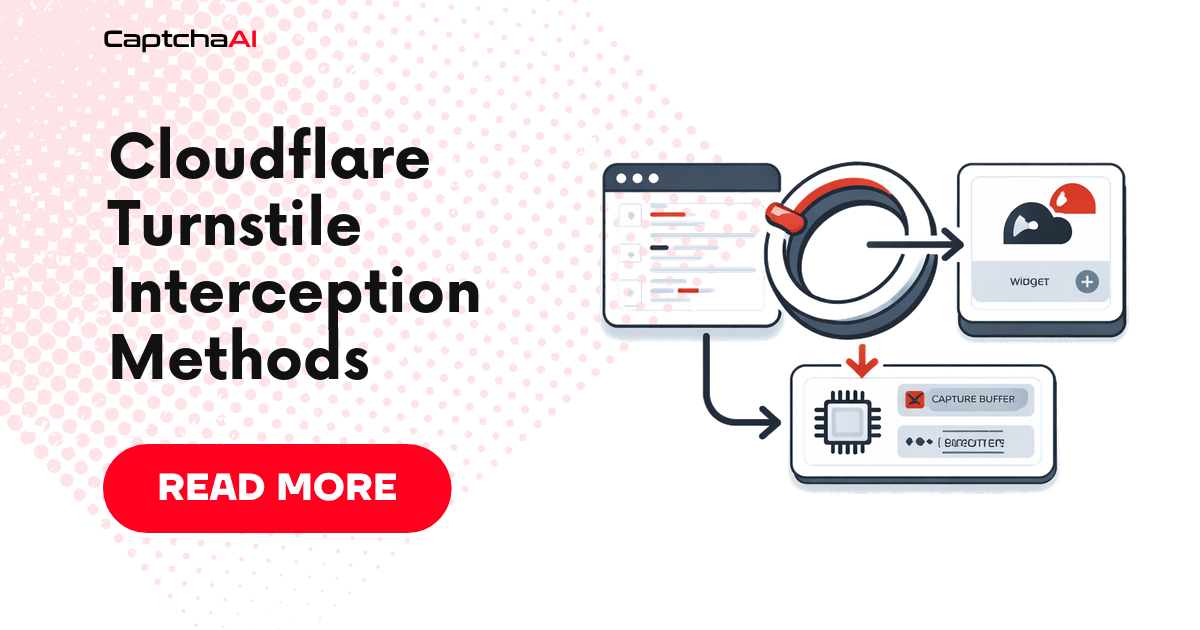
When solving Turnstile programmatically, the first challenge is not the CAPTCHA itself — it is reliably capturing the parameters Turnstile needs from the page before the widget loads and discards them. Some sites inject the sitekey only through JavaScript, never exposing it in a DOM attribute. Others guard the render call with closure scope that blocks simple attribute scraping.
This guide covers five interception techniques, each suited to a different page architecture, along with best practices and common pitfalls.
What Parameters You Need
Before diving into interception, know exactly what you are trying to capture:
| Parameter | Where it appears | Required? |
|---|---|---|
sitekey (websiteKey) |
turnstile.render() params.sitekey |
Yes |
pageurl |
window.location.href |
Yes |
action |
params.action |
Optional |
cData |
params.cData |
Optional |
chlPageData |
params.chlPageData |
Optional |
userAgent |
navigator.userAgent |
Optional |
All of these are available inside the arguments passed to turnstile.render() or turnstile.execute(). Every interception method below hooks into one or both of these calls.
Where each method hooks into the Turnstile lifecycle
sequenceDiagram
    autonumber
    participant Page as Page HTML
    participant Loader as challenges.cloudflare.com<br/>turnstile loader
    participant API as window.turnstile API
    participant Widget as Widget iframe
    participant Solver as CaptchaAI

    Note over Page,API: M3: MutationObserver waits for<br/>turnstile to appear on window
    Page->>Loader: <script src="...api.js">
    Loader-->>API: defines window.turnstile.render
    Note over API: M1 & M2: patch render()<br/>before any call site runs
    Page->>API: turnstile.render(container, params)
    Note over Page,API: M4 (Playwright init script):<br/>same as M1/M2 but injected pre-navigation
    API->>Widget: mount iframe with sitekey
    Note over Widget: M5: network proxy intercepts<br/>POST to /turnstile/v0/api.js
    Widget-->>Page: cf-turnstile-response token
    Page->>Solver: forward sitekey + pageurl to CaptchaAI
    Solver-->>Page: solved token
The five methods below correspond to attaching at different points in this lifecycle. Choose based on whether you control the page (M4), can inject before script load (M1/M2/M3), or need an out-of-process capture (M5).
1. Direct Function Patching
Approach
Replace the render and execute methods on the turnstile object with instrumented versions that log parameters before delegating to the original implementation.
(function () {
  const PREFIX = "TS_INTERCEPT:";

  function buildPayload(params) {
    return {
      type: "TurnstileTaskProxyless",
      websiteKey: params.sitekey,
      websiteURL: window.location.href,
      action: params.action || null,
      data: params.cData || null,
      pagedata: params.chlPageData || null,
      userAgent: navigator.userAgent,
    };
  }

  function patch(ts) {
    const originalRender = ts.render;
    const originalExecute = ts.execute;

    ts.render = function (container, params) {
      const payload = buildPayload(params);
      window.__tsCallback = params.callback;
      window.__tsInterceptData = payload;
      console.log(PREFIX + JSON.stringify(payload));
      if (originalRender) return originalRender.call(ts, container, params);
      return "intercepted_" + Date.now();
    };

    ts.execute = function (container, params) {
      const payload = buildPayload(params);
      window.__tsCallback = params.callback;
      window.__tsInterceptData = payload;
      console.log(PREFIX + JSON.stringify(payload));
      if (originalExecute) return originalExecute.call(ts, container, params);
      return "intercepted_" + Date.now();
    };
  }

  // Patch immediately if already loaded, or poll until it is
  const interval = setInterval(function () {
    if (window.turnstile && (window.turnstile.render || window.turnstile.execute)) {
      clearInterval(interval);
      patch(window.turnstile);
    }
  }, 10);
})();
When to use it
- Pages that load Turnstile synchronously before your init script runs.
- Sites where you can inject script tags before the main page JS executes (e.g. via
page.add_init_scriptin Playwright).
Caveat
If Turnstile is loaded inside a Shadow DOM or an isolated iframe, window.turnstile is not accessible and you need one of the proxy or observer methods below.
2. Proxy-Based Interception
A JavaScript Proxy wraps the original Turnstile object. Every property access is transparently intercepted, so you can log render or execute calls without replacing them.
(function () {
  const PREFIX = "TS_PROXY:";

  const handler = {
    get: function (target, prop) {
      const original = target[prop];

      if ((prop === "render" || prop === "execute") && typeof original === "function") {
        return function (container, params) {
          const payload = {
            type: "TurnstileTaskProxyless",
            websiteKey: params && params.sitekey,
            websiteURL: window.location.href,
            action: (params && params.action) || null,
            data: (params && params.cData) || null,
            pagedata: (params && params.chlPageData) || null,
          };

          window.__tsCallback = params && params.callback;
          console.log(PREFIX + JSON.stringify(payload));

          return original.apply(target, arguments);
        };
      }

      return typeof original === "function" ? original.bind(target) : original;
    },
  };

  const installProxy = function () {
    if (window.turnstile) {
      window.turnstile = new Proxy(window.turnstile, handler);
      return true;
    }
    return false;
  };

  if (!installProxy()) {
    const i = setInterval(function () {
      if (installProxy()) clearInterval(i);
    }, 10);
  }
})();
When to use it
- Pages where you want maximum compatibility — Proxy does not break any existing Turnstile behaviour.
- Sites using a CDN bundle where patching the function directly would cause errors.
3. Pre-load Interception (MutationObserver)
Some pages dynamically inject the Turnstile <script> tag after the initial document load. A MutationObserver watching for script tag insertion lets you install the hook before Turnstile initialises.
(function () {
  const PREFIX = "TS_PRELOAD:";

  function installInterceptor() {
    if (window.__tsInterceptInstalled) return;
    window.__tsInterceptInstalled = true;

    const origRender = window.turnstile && window.turnstile.render;

    Object.defineProperty(window, "turnstile", {
      configurable: true,
      set: function (value) {
        window._turnstile_real = value;

        if (value && value.render) {
          const original = value.render;
          value.render = function (container, params) {
            const payload = {
              type: "TurnstileTaskProxyless",
              websiteKey: params.sitekey,
              websiteURL: window.location.href,
              action: params.action || null,
            };
            window.__tsCallback = params.callback;
            console.log(PREFIX + JSON.stringify(payload));
            return original.call(value, container, params);
          };
        }
      },
      get: function () {
        return window._turnstile_real;
      },
    });
  }

  const observer = new MutationObserver(function (mutations) {
    mutations.forEach(function (mutation) {
      mutation.addedNodes.forEach(function (node) {
        if (
          node.tagName === "SCRIPT" &&
          node.src &&
          (node.src.includes("challenges.cloudflare.com") || node.src.includes("turnstile"))
        ) {
          installInterceptor();
        }
      });
    });
  });

  observer.observe(document.documentElement, { childList: true, subtree: true });
  installInterceptor(); // also try immediately
})();
When to use it
- Single-page applications that lazy-load Turnstile after a user action.
- Sites that conditionally inject Turnstile based on scroll depth or user interaction.
4. Playwright Init Script Integration
The most reliable approach in automated testing is to install your interception script as a Playwright init script — it runs before any page JS, including Turnstile itself.
import asyncio
import json
from playwright.async_api import async_playwright

INTERCEPT_SCRIPT = """
(function () {
  const PREFIX = "TS_INTERCEPT:";

  function buildPayload(params) {
    return {
      type: "TurnstileTaskProxyless",
      websiteKey: params.sitekey,
      websiteURL: window.location.href,
      action: params.action || null,
      data: params.cData || null,
      pagedata: params.chlPageData || null,
      userAgent: navigator.userAgent,
    };
  }

  const tryPatch = function () {
    if (window.turnstile) {
      const originalRender = window.turnstile.render;
      window.turnstile.render = function (container, params) {
        const payload = buildPayload(params);
        window.__tsCallback = params.callback;
        window.__tsInterceptData = payload;
        console.log(PREFIX + JSON.stringify(payload));
        if (originalRender) return originalRender.call(this, container, params);
        return "intercepted_" + Date.now();
      };
      return true;
    }
    return false;
  };

  if (!tryPatch()) {
    const interval = setInterval(function () {
      if (tryPatch()) clearInterval(interval);
    }, 10);
  }
})();
"""

captured_data = {}


async def intercept_turnstile(url: str) -> dict:
    async with async_playwright() as p:
        browser = await p.chromium.launch(headless=True)
        context = await browser.new_context()

        # Install interception script before any page JS executes
        await context.add_init_script(INTERCEPT_SCRIPT)

        page = await context.new_page()

        # Listen to console messages
        def on_console(msg):
            if msg.text.startswith("TS_INTERCEPT:"):
                raw = msg.text[len("TS_INTERCEPT:"):]
                try:
                    captured_data.update(json.loads(raw))
                except json.JSONDecodeError:
                    pass

        page.on("console", on_console)

        await page.goto(url, wait_until="networkidle")
        await page.wait_for_timeout(2000)  # allow lazy init

        await browser.close()
        return captured_data


if __name__ == "__main__":
    result = asyncio.run(intercept_turnstile("https://example.com/protected"))
    print(result)
Why init scripts beat inject scripts
| Approach | Timing | Reliable? |
|---|---|---|
page.evaluate() |
After page load | No — Turnstile may already have run |
page.add_script_tag() |
After navigation | Depends on load order |
context.add_init_script() |
Before any page JS | Yes — guaranteed first |
Always prefer add_init_script at the context level so it applies to every frame and popup the page creates.
5. Console Capture
Once any of the above interception scripts is installed and logging JSON to the console, you need a handler on the Python side to parse those messages.
import json
import logging

logger = logging.getLogger(__name__)

captured: dict = {}


def on_console(msg):
    """Playwright console event handler that extracts Turnstile intercept data."""
    text = msg.text

    if not text.startswith("TS_INTERCEPT:"):
        return

    raw = text[len("TS_INTERCEPT:"):].strip()

    try:
        payload = json.loads(raw)
    except json.JSONDecodeError as exc:
        logger.warning("Failed to parse TS_INTERCEPT payload: %s — %s", raw[:120], exc)
        return

    required = {"websiteKey", "websiteURL"}
    if not required.issubset(payload):
        logger.warning("Incomplete Turnstile intercept payload: %s", payload)
        return

    captured.update(payload)
    logger.info("Captured Turnstile params: websiteKey=%s action=%s", payload.get("websiteKey"), payload.get("action"))
Wire it into your Playwright page with:
page.on("console", on_console)
Common Pitfalls
Sitekey arrives as undefined
If window.__tsInterceptData.websiteKey is undefined, the Turnstile widget may use a DOM attribute rather than the JS params object:
# Fall back to DOM attribute
sitekey = await page.get_attribute("[data-sitekey]", "data-sitekey")
if not sitekey:
    sitekey = await page.evaluate("window.__tsInterceptData?.websiteKey")
Callback never fires after token injection
Turnstile registers its own callback when render() is called. If your interception replaces the call and the callback is never invoked, the form never gets marked as solved. Always trigger the callback manually:
if (window.__tsCallback) {
  window.__tsCallback(solvedToken);
}
Race condition when Turnstile loads in a sub-frame
If Turnstile is inside an <iframe>, your init script must also apply to that frame. Use context.add_init_script() (applies to all frames) rather than page.add_init_script() (applies to main frame only).
Best Practices
- Install scripts before navigation — use
add_init_scriptat the browser context level. - Layer multiple methods — install both the polling patcher and the
Object.definePropertysetter so whichever fires first wins. - Log payloads verbosely during development — once you are confident in the captured data format, add a
--quietflag rather than removing the logging entirely. - Handle dynamic script injection — sites may re-inject Turnstile after soft navigations; keep your
MutationObserverrunning throughout the session. - Store callbacks globally — save
params.callbackaswindow.__tsCallbackso you can invoke it after injection. - Use DOM as a fallback — always check
[data-sitekey]and[data-action]attributes in case the page renders Turnstile declaratively rather than via JS.
Summary
| Method | When to use |
|---|---|
| Direct Patching | Synchronous Turnstile load; replace render/execute in place |
| Proxy-Based | Maximum compatibility; no risk of breaking existing behaviour |
| Pre-load (MutationObserver) | Lazy-loaded Turnstile injected by SPA or user interaction |
| Playwright Init Script | Automated pipelines; guaranteed execution before any page JS |
| Console Capture | Parsing structured JSON payloads emitted by any of the above |
Once you have the websiteKey and websiteURL, pass them to CaptchaAI and receive a solved token in under 10 seconds. See Cloudflare Turnstile Token Handoff with CaptchaAI for the complete solving and injection workflow.
Related articles in this series
Part of the Turnstile Mastery series — nine practical guides covering Turnstile end-to-end:
- Cloudflare Turnstile Widget Modes Explained
- Cloudflare Turnstile Implementation Detection
- Cloudflare Turnstile Sitekey Extraction
- Cloudflare Turnstile Interception Methods — you are here
- Cloudflare Turnstile CaptchaAI Solving Guide
- Cloudflare Turnstile Token Handoff with CaptchaAI
- Cloudflare Turnstile Token Expiration and Timing
- Cloudflare Turnstile 403 After Token Fix
- Cloudflare Turnstile Errors and Troubleshooting