Cloudflare Turnstile is replacing traditional CAPTCHAs on millions of websites. This guide shows you how to solve Turnstile challenges using Python's requests library and CaptchaAI's API — with a 100% success rate.
Prerequisites
pip install requests
You need:
- A CaptchaAI API key from captchaai.com
- The target page URL
- The Turnstile sitekey
Step 1: Extract the Turnstile sitekey
import re
import requests

def extract_turnstile_sitekey(url):
    """Extract Cloudflare Turnstile sitekey from page HTML."""
    headers = {
        "User-Agent": "Mozilla/5.0 (Windows NT 10.0; Win64; x64) "
                      "AppleWebKit/537.36 Chrome/120.0.0.0",
        "Accept": "text/html,*/*;q=0.8",
        "Accept-Language": "en-US,en;q=0.9",
    }
    response = requests.get(url, headers=headers, timeout=15)

    patterns = [
        r'data-sitekey=["\']([0-9x][A-Za-z0-9_-]+)["\']',
        r"sitekey\s*:\s*['\"]([0-9x][A-Za-z0-9_-]+)['\"]",
        r"siteKey\s*[=:]\s*['\"]([0-9x][A-Za-z0-9_-]+)['\"]",
    ]

    for pattern in patterns:
        match = re.search(pattern, response.text)
        if match:
            return match.group(1)

    return None


sitekey = extract_turnstile_sitekey("https://example.com/signup")
print(f"Sitekey: {sitekey}")
Step 2: Submit to CaptchaAI
import requests

API_KEY = "YOUR_API_KEY"

def submit_turnstile(sitekey, page_url):
    """Submit Turnstile solving task to CaptchaAI."""
    response = requests.post("https://ocr.captchaai.com/in.php", data={
        "key": API_KEY,
        "method": "turnstile",
        "sitekey": sitekey,
        "pageurl": page_url,
        "json": 1,
    })

    data = response.json()

    if data.get("status") != 1:
        raise Exception(f"Submit failed: {data.get('request')}")

    return data["request"]


task_id = submit_turnstile("0x4AAAAAAAC3DHQhMMQ_Rxrg", "https://example.com/signup")
print(f"Task ID: {task_id}")
Step 3: Poll for result
import time

def poll_result(task_id, timeout=120):
    """Poll CaptchaAI for the solved Turnstile token."""
    start = time.time()

    while time.time() - start < timeout:
        time.sleep(5)

        result = requests.get("https://ocr.captchaai.com/res.php", params={
            "key": API_KEY,
            "action": "get",
            "id": task_id,
            "json": 1,
        }).json()

        if result.get("status") == 1:
            return result["request"]

        if result.get("request") == "ERROR_CAPTCHA_UNSOLVABLE":
            raise Exception("Turnstile could not be solved")

    raise TimeoutError("Solve timed out")


token = poll_result(task_id)
print(f"Token: {token[:50]}...")
Complete working example
import re
import time
import requests

API_KEY = "YOUR_API_KEY"
TARGET_URL = "https://example.com/signup"


def solve_turnstile(sitekey, page_url):
    """Full Turnstile solve: submit + poll."""
    # Submit
    submit = requests.post("https://ocr.captchaai.com/in.php", data={
        "key": API_KEY,
        "method": "turnstile",
        "sitekey": sitekey,
        "pageurl": page_url,
        "json": 1,
    })

    data = submit.json()
    if data.get("status") != 1:
        raise Exception(f"Submit error: {data.get('request')}")

    task_id = data["request"]
    print(f"Task submitted: {task_id}")

    # Poll
    for _ in range(30):
        time.sleep(5)
        result = requests.get("https://ocr.captchaai.com/res.php", params={
            "key": API_KEY,
            "action": "get",
            "id": task_id,
            "json": 1,
        }).json()

        if result.get("status") == 1:
            return result["request"]

    raise TimeoutError("Solve timed out")


# --- Main flow ---
session = requests.Session()
session.headers.update({
    "User-Agent": "Mozilla/5.0 (Windows NT 10.0; Win64; x64) "
                  "AppleWebKit/537.36 Chrome/120.0.0.0",
    "Accept": "text/html,*/*;q=0.8",
    "Accept-Language": "en-US,en;q=0.9",
})

# 1. Get page and extract sitekey
response = session.get(TARGET_URL, timeout=15)
match = re.search(r'data-sitekey=["\']([0-9x][A-Za-z0-9_-]+)["\']', response.text)
if not match:
    raise ValueError("Turnstile sitekey not found")
sitekey = match.group(1)
print(f"Sitekey: {sitekey}")

# 2. Solve Turnstile
token = solve_turnstile(sitekey, TARGET_URL)
print(f"Token: {token[:50]}...")

# 3. Submit form with token
form_response = session.post(TARGET_URL, data={
    "cf-turnstile-response": token,
    "email": "[email protected]",
    "password": "SecurePass123",
})
print(f"Form status: {form_response.status_code}")
Handling Turnstile with action parameter
Some sites validate the action parameter server-side:
def solve_turnstile_with_action(sitekey, page_url, action):
    """Solve Turnstile that requires an action parameter."""
    submit = requests.post("https://ocr.captchaai.com/in.php", data={
        "key": API_KEY,
        "method": "turnstile",
        "sitekey": sitekey,
        "pageurl": page_url,
        "action": action,  # Include the action from data-action attribute
        "json": 1,
    })

    data = submit.json()
    if data.get("status") != 1:
        raise Exception(f"Submit error: {data.get('request')}")

    task_id = data["request"]

    for _ in range(30):
        time.sleep(5)
        result = requests.get("https://ocr.captchaai.com/res.php", params={
            "key": API_KEY,
            "action": "get",
            "id": task_id,
            "json": 1,
        }).json()

        if result.get("status") == 1:
            return result["request"]

    raise TimeoutError("Solve timed out")
Token submission patterns
Pattern 1: Form POST with cf-turnstile-response
# Most common — Turnstile uses cf-turnstile-response field
response = session.post(form_url, data={
    "cf-turnstile-response": token,
    "email": "[email protected]",
})
Pattern 2: JSON API
response = session.post(api_url, json={
    "turnstileToken": token,
    "email": "[email protected]",
})
Pattern 3: Custom field name
# Some sites rename the field — check the form HTML
response = session.post(form_url, data={
    "cf-turnstile-response": token,
    "captcha_token": token,  # Custom duplicate field
    "action": "signup",
})
Production-ready class
import re
import time
import requests

class TurnstileSolver:
    """Production-ready Turnstile solver with retry logic."""

    API_URL = "https://ocr.captchaai.com"

    def __init__(self, api_key, max_retries=3):
        self.api_key = api_key
        self.max_retries = max_retries

    def extract_sitekey(self, session, url):
        """Extract Turnstile sitekey from page."""
        response = session.get(url, timeout=15)
        match = re.search(
            r'data-sitekey=["\']([0-9x][A-Za-z0-9_-]+)["\']', response.text
        )
        return match.group(1) if match else None

    def solve(self, sitekey, page_url, action=None):
        """Solve Turnstile with retry logic. Returns token string."""
        for attempt in range(1, self.max_retries + 1):
            try:
                token = self._solve_once(sitekey, page_url, action)
                return token
            except TimeoutError:
                print(f"Attempt {attempt} timed out")
            except Exception as e:
                error_str = str(e)
                if "ERROR_ZERO_BALANCE" in error_str:
                    raise  # Don't retry billing errors
                if "ERROR_WRONG_USER_KEY" in error_str:
                    raise
                print(f"Attempt {attempt} failed: {e}")

        raise Exception(f"Failed after {self.max_retries} attempts")

    def _solve_once(self, sitekey, page_url, action=None):
        """Single solve attempt."""
        params = {
            "key": self.api_key,
            "method": "turnstile",
            "sitekey": sitekey,
            "pageurl": page_url,
            "json": 1,
        }
        if action:
            params["action"] = action

        submit = requests.post(f"{self.API_URL}/in.php", data=params, timeout=30)
        submit.raise_for_status()
        data = submit.json()

        if data.get("status") != 1:
            raise Exception(f"Submit error: {data.get('request')}")

        task_id = data["request"]

        for _ in range(30):
            time.sleep(5)
            result = requests.get(f"{self.API_URL}/res.php", params={
                "key": self.api_key,
                "action": "get",
                "id": task_id,
                "json": 1,
            }, timeout=30).json()

            if result.get("status") == 1:
                return result["request"]
            if result.get("request") == "ERROR_CAPTCHA_UNSOLVABLE":
                raise Exception("CAPTCHA unsolvable")

        raise TimeoutError("Poll timed out")


# Usage
solver = TurnstileSolver("YOUR_API_KEY")
token = solver.solve("0x4AAAAAAAC3DHQhMMQ_Rxrg", "https://example.com/signup")
Troubleshooting
| Symptom | Cause | Fix |
|---|---|---|
| Token received but form rejects | Wrong sitekey or missing action | Re-extract sitekey, include action if present |
| "Sitekey not found" | Turnstile loaded via JavaScript | Use Selenium for dynamic pages |
| HTTP 403 before getting page | Cloudflare BIC blocking request | Add proper browser headers |
| Solve takes >60 seconds | Queue congestion | Normal for peak times, wait longer |
| Token works once then fails | Site requires fresh token per attempt | Solve a new token for each submission |
Frequently asked questions
What's the success rate?
CaptchaAI achieves 100% success rate on Cloudflare Turnstile across all widget modes.
How long does solving take?
Typical solve time is 5-15 seconds. Turnstile is generally faster than reCAPTCHA.
Does the Turnstile mode matter?
No. Managed, non-interactive, and invisible modes all use the same API call. CaptchaAI handles mode differences internally.
What if the page has both Turnstile and reCAPTCHA?
Uncommon but possible. Identify which CAPTCHA protects the form you're submitting and solve that one. They use different response field names.
Summary
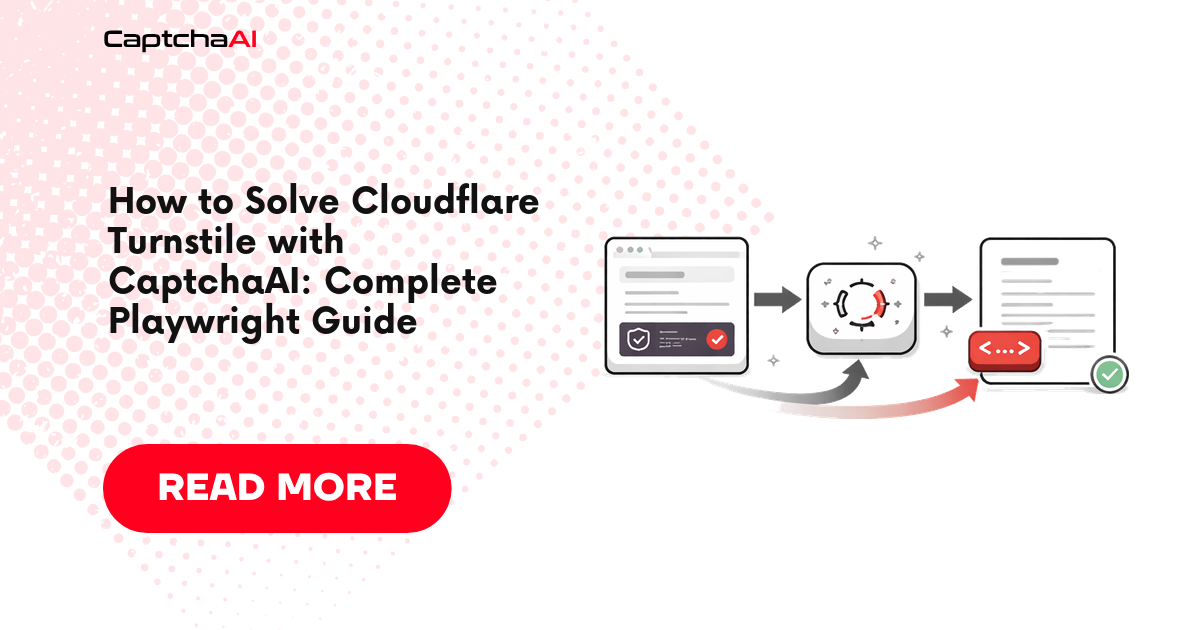
Solving Cloudflare Turnstile with Python requests requires three steps: extract the sitekey from the page HTML, submit to CaptchaAI using method=turnstile, and poll for the token. Submit the token as cf-turnstile-response in your form data. CaptchaAI delivers 100% success rate across all Turnstile modes.
Related Articles
- Cloudflare Challenge Vs Turnstile Detecting
- Geetest Vs Cloudflare Turnstile Comparison
- Python Playwright Captchaai Complete Guide
Full Working Code
Complete runnable examples for this article in Python, Node.js, PHP, Go, Java, C#, Ruby, Rust, Kotlin & Bash.
View on GitHub →



Discussions (0)
Join the conversation
Sign in to share your opinion.
Sign InNo comments yet.