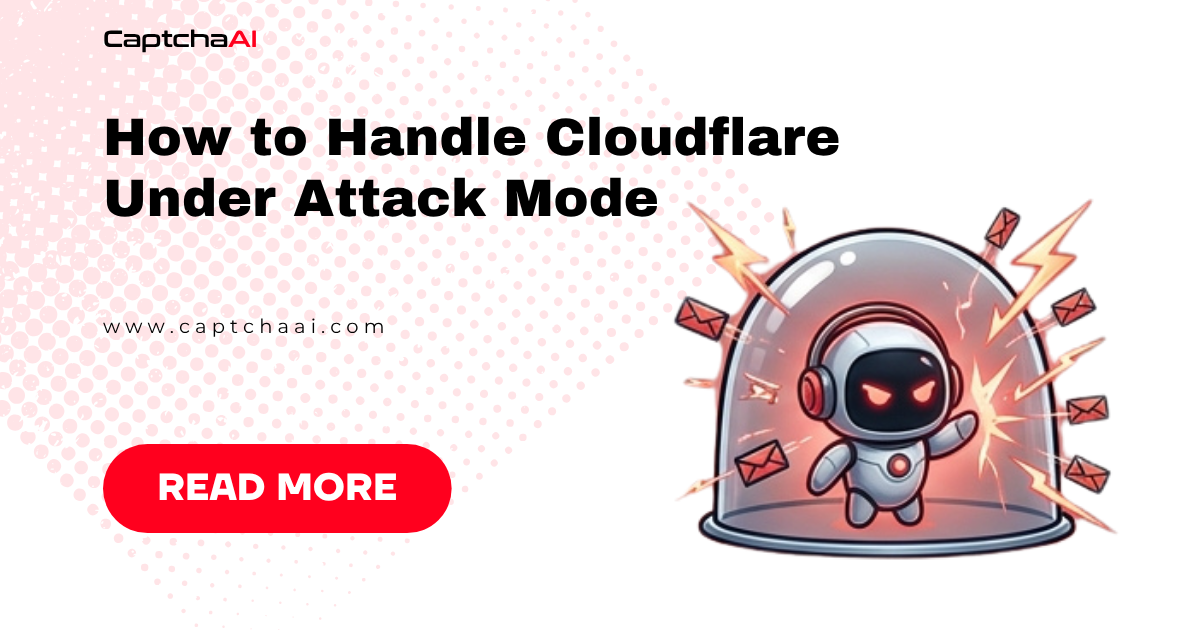
Cloudflare's "I'm Under Attack Mode" (IUAM) is a DDoS defense that forces every visitor through a 5-second JavaScript challenge before accessing the site. It's the most aggressive Cloudflare protection mode, triggered manually by site operators during attacks or enabled permanently on high-risk sites. For automated access, IUAM creates a mandatory JavaScript challenge that traditional HTTP clients cannot pass.
What IUAM does
When a site operator enables "I'm Under Attack Mode" in Cloudflare dashboard:
Every request → Cloudflare edge
    ↓
JavaScript challenge page served (HTTP 503)
    ↓
Browser executes JavaScript challenge (~5 seconds)
    ↓
Challenge answer submitted automatically
    ↓
cf_clearance cookie set
    ↓
Original page loaded with cf_clearance cookie
The IUAM challenge page
The challenge page returns HTTP 503 and contains:
| Element | Purpose |
|---|---|
jschl_vc |
Challenge verification code |
pass |
Timing token (enforces 5-second wait) |
jschl_answer |
JavaScript-computed answer |
cf_chl_opt |
Challenge options |
ray |
Cloudflare Ray ID for the request |
| "Checking your browser before accessing..." | Visible message to users |
Key characteristics
- HTTP 503 status code (NOT 403)
- 5-second mandatory wait before challenge submission
- JavaScript execution required — plain HTTP clients fail
- cf_clearance cookie — valid for ~30 minutes, allows subsequent requests
- Domain-wide — every page on the domain shows the challenge
Identifying IUAM vs other Cloudflare protections
import requests

def identify_cloudflare_protection(url):
    """Distinguish IUAM from other Cloudflare protections."""
    headers = {
        "User-Agent": "Mozilla/5.0 (Windows NT 10.0; Win64; x64) "
                      "AppleWebKit/537.36 Chrome/120.0.0.0",
    }

    response = requests.get(url, headers=headers, timeout=15, allow_redirects=False)
    html = response.text
    status = response.status_code

    if status == 503 and "jschl" in html:
        return "IUAM (I'm Under Attack Mode)"

    if status == 503 and "challenge-platform" in html:
        return "Managed Challenge"

    if status == 403 and "cf-ray" in str(response.headers):
        return "Blocked by WAF/Bot Management"

    if "cf-turnstile" in html:
        return "Turnstile widget"

    if "challenges.cloudflare.com" in html:
        return "Cloudflare challenge (generic)"

    if status == 200:
        return "No challenge (passed)"

    return f"Unknown (status: {status})"
Detection table
| Signal | IUAM | Managed Challenge | Turnstile | WAF Block |
|---|---|---|---|---|
| HTTP status | 503 | 503 | 200 | 403 |
jschl in body |
✅ | ❌ | ❌ | ❌ |
| 5-second wait | ✅ | Sometimes | ❌ | ❌ |
cf_clearance set |
After solve | After solve | ❌ | ❌ |
| Challenge page | Full page | Full page | Widget only | Error page |
| Requires JS | ✅ | ✅ | ✅ | ❌ |
How the JavaScript challenge works
IUAM's JavaScript challenge is designed to verify that the visitor has a real browser:
Challenge flow
- Cloudflare serves challenge page with obfuscated JavaScript
- JavaScript performs computations: - Mathematical operations on strings from the page - DOM measurements - Timing enforcement (minimum 4-5 seconds)
- Answer computed — a numerical value based on the challenge
- Form auto-submitted to Cloudflare with
jschl_vc,pass, andjschl_answer - Cloudflare validates answer and timing
cf_clearancecookie returned — allows access for ~30 minutes
Why HTTP clients fail
# This will ALWAYS get the challenge page:
import requests
response = requests.get("https://iuam-protected-site.com")
# response.status_code == 503
# response.text contains "Checking your browser..."

# Plain HTTP clients cannot:
# - Execute JavaScript
# - Compute the challenge answer
# - Meet the timing requirement
# - Generate the required cookies
Solving IUAM with CaptchaAI
Method 1: Cloudflare Challenge solver (recommended)
CaptchaAI's cloudflare_challenge method handles IUAM challenges directly:
import requests
import time

API_KEY = "YOUR_API_KEY"
TARGET_URL = "https://iuam-protected-site.com/data"

# Step 1: Submit challenge to CaptchaAI
submit = requests.post("https://ocr.captchaai.com/in.php", data={
    "key": API_KEY,
    "method": "cloudflare_challenge",
    "sitekey": "managed",
    "pageurl": TARGET_URL,
    "json": 1,
})

task_id = submit.json()["request"]
print(f"Task submitted: {task_id}")

# Step 2: Poll for result
for attempt in range(60):
    time.sleep(5)
    result = requests.get("https://ocr.captchaai.com/res.php", params={
        "key": API_KEY,
        "action": "get",
        "id": task_id,
        "json": 1,
    }).json()

    if result.get("status") == 1:
        token = result["request"]
        print(f"Challenge solved! Token: {token[:50]}...")
        break
    elif result.get("request") == "ERROR_CAPTCHA_UNSOLVABLE":
        print("Challenge could not be solved")
        break
else:
    print("Timed out waiting for solution")

# Step 3: Use cf_clearance cookie or token
# The response contains the clearance data needed to access the site
Method 2: Browser automation with CaptchaAI
For persistent sessions, combine a headless browser with CaptchaAI:
from selenium import webdriver
from selenium.webdriver.support.ui import WebDriverWait
from selenium.webdriver.support import expected_conditions as EC
import requests
import time

API_KEY = "YOUR_API_KEY"

# Launch browser
options = webdriver.ChromeOptions()
options.add_argument("--disable-blink-features=AutomationControlled")
driver = webdriver.Chrome(options=options)

# Navigate to IUAM page
driver.get("https://iuam-protected-site.com")

# Wait for challenge page to load
time.sleep(3)

# Check if IUAM challenge is present
if "Checking your browser" in driver.page_source or driver.title == "Just a moment...":
    print("IUAM challenge detected")

    # Option A: Wait for browser to solve natively (if not headless)
    try:
        WebDriverWait(driver, 15).until(
            lambda d: "Checking your browser" not in d.page_source
        )
        print("Challenge passed natively")
    except:
        print("Native solve failed — using CaptchaAI")
        # Submit to CaptchaAI for solving
        # Token submission via JavaScript injection

# After challenge is passed, extract cookies for API use
cookies = driver.get_cookies()
cf_clearance = next(
    (c["value"] for c in cookies if c["name"] == "cf_clearance"), None
)

if cf_clearance:
    print(f"cf_clearance obtained: {cf_clearance[:30]}...")

    # Use cookie with requests library
    session = requests.Session()
    for cookie in cookies:
        session.cookies.set(cookie["name"], cookie["value"])
    session.headers.update({
        "User-Agent": driver.execute_script("return navigator.userAgent"),
    })

    # Now make requests with the clearance cookie
    response = session.get("https://iuam-protected-site.com/api/data")
    print(f"Status: {response.status_code}")

driver.quit()
Node.js
const axios = require("axios");

const API_KEY = "YOUR_API_KEY";
const TARGET_URL = "https://iuam-protected-site.com/data";

async function solveIUAM() {
  // Submit challenge
  const submit = await axios.post("https://ocr.captchaai.com/in.php", null, {
    params: {
      key: API_KEY,
      method: "cloudflare_challenge",
      sitekey: "managed",
      pageurl: TARGET_URL,
      json: 1,
    },
  });

  const taskId = submit.data.request;
  console.log(`Task submitted: ${taskId}`);

  // Poll for result
  for (let i = 0; i < 60; i++) {
    await new Promise((r) => setTimeout(r, 5000));

    const result = await axios.get("https://ocr.captchaai.com/res.php", {
      params: { key: API_KEY, action: "get", id: taskId, json: 1 },
    });

    if (result.data.status === 1) {
      console.log("IUAM challenge solved!");
      return result.data.request;
    }
  }

  throw new Error("Timed out");
}

solveIUAM().then((token) => console.log("Token:", token.substring(0, 50)));
Managing cf_clearance cookies
The cf_clearance cookie is the key output of solving an IUAM challenge:
| Property | Value |
|---|---|
| Cookie name | cf_clearance |
| Lifetime | ~30 minutes (site-configurable) |
| Scope | Domain-wide |
| Tied to | IP address + User-Agent |
| Reusable | Yes, for the lifetime |
| Transferable | Only with same IP + UA |
Cookie management strategy
import requests
import time

class IUAMSessionManager:
    """Manage cf_clearance cookies for IUAM-protected sites."""

    def __init__(self, api_key, target_url, user_agent=None):
        self.api_key = api_key
        self.target_url = target_url
        self.user_agent = user_agent or (
            "Mozilla/5.0 (Windows NT 10.0; Win64; x64) "
            "AppleWebKit/537.36 Chrome/120.0.0.0"
        )
        self.session = requests.Session()
        self.session.headers["User-Agent"] = self.user_agent
        self.clearance_time = 0
        self.clearance_lifetime = 1800  # 30 minutes default

    def needs_refresh(self):
        """Check if clearance cookie needs refreshing."""
        return time.time() - self.clearance_time > self.clearance_lifetime - 60

    def solve_challenge(self):
        """Solve IUAM challenge and update session cookies."""
        submit = requests.post("https://ocr.captchaai.com/in.php", data={
            "key": self.api_key,
            "method": "cloudflare_challenge",
            "sitekey": "managed",
            "pageurl": self.target_url,
            "json": 1,
        })

        task_id = submit.json()["request"]

        for _ in range(60):
            time.sleep(5)
            result = requests.get("https://ocr.captchaai.com/res.php", params={
                "key": self.api_key,
                "action": "get",
                "id": task_id,
                "json": 1,
            }).json()

            if result.get("status") == 1:
                # Apply clearance to session
                self.clearance_time = time.time()
                return result["request"]

        raise TimeoutError("IUAM solve timed out")

    def get(self, url, **kwargs):
        """Make a GET request, solving IUAM if needed."""
        if self.needs_refresh():
            self.solve_challenge()
        return self.session.get(url, **kwargs)
Troubleshooting
| Symptom | Cause | Fix |
|---|---|---|
| Challenge loops endlessly | IP changed after getting clearance | Use consistent IP for solve + access |
| cf_clearance rejected | User-Agent mismatch | Use same User-Agent for solve and requests |
| 503 persists after solve | Cookie expired (>30 min) | Refresh clearance before expiry |
| Challenge page different from expected | Site uses Managed Challenge, not IUAM | Switch to Turnstile solver method |
| Multiple challenge pages | First challenge is IUAM, second is Turnstile | Solve both sequentially |
Frequently asked questions
How long does cf_clearance last?
The default is 30 minutes, but site operators can configure it from 15 minutes to 24 hours. Most sites use the 30-minute default. Plan to refresh before expiry.
Can I share cf_clearance between requests?
Yes, but only from the same IP address and with the same User-Agent string. Changing either will invalidate the cookie.
Is Under Attack Mode always enabled?
No. Site operators toggle it manually during attacks. Some sites leave it permanently enabled as an extra security layer. There's no way to predict whether a site will have IUAM active.
What's the difference between IUAM and a Managed Challenge?
IUAM challenges every visitor unconditionally. Managed Challenges use Cloudflare's bot assessment to selectively challenge suspicious traffic. IUAM always returns 503 with a JS challenge. Managed Challenges may returns 503 with a Turnstile widget instead.
Does IUAM affect API endpoints?
Yes. IUAM applies to every request on the domain, including API endpoints. This is why API requests from non-browser clients fail — they can't execute the JavaScript challenge.
Summary
Cloudflare's Under Attack Mode creates a mandatory JavaScript challenge for all visitors, returning HTTP 503 with a 5-second computation requirement. Solve IUAM challenges with CaptchaAI's Cloudflare Challenge solver, then use the cf_clearance cookie for subsequent requests within the 30-minute window. Always match the IP address and User-Agent between solving and usage.

Discussions (0)
Join the conversation
Sign in to share your opinion.
Sign InNo comments yet.