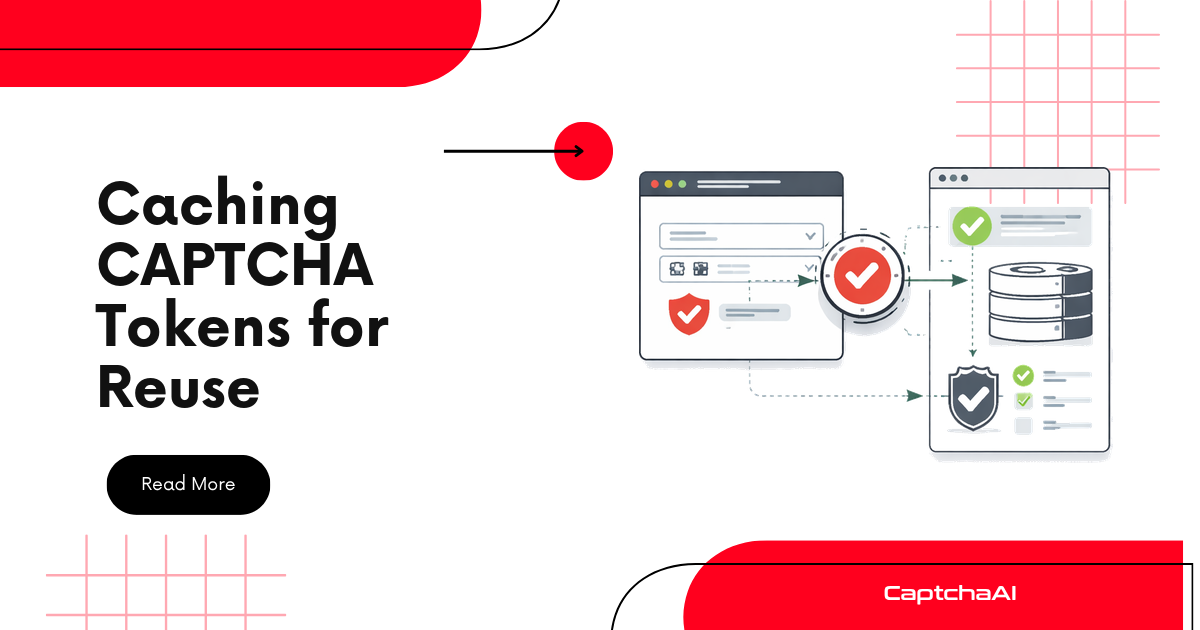
Solving a CAPTCHA costs time and money. If the same token can be reused within its validity window, caching eliminates redundant API calls. This guide covers which tokens are cacheable, how long they last, and how to implement caching safely.
Token lifetimes by CAPTCHA type
| CAPTCHA type | Token lifetime | Cacheable? | Notes |
|---|---|---|---|
| reCAPTCHA v2 | ~120 seconds | Limited | One-time use on most sites |
| reCAPTCHA v3 | ~120 seconds | Limited | Score may vary per request |
| reCAPTCHA Enterprise | ~120 seconds | No | Action-specific, single use |
| Cloudflare Turnstile | ~300 seconds | Yes, within window | Token reusable until expiry |
| Cloudflare Challenge | cf_clearance ~15–30 min |
Yes | Cookie reusable for session |
| Image OCR | N/A (text result) | Yes | Result never expires |
| GeeTest v3 | ~60 seconds | No | Challenge-specific |
Key insight: Cloudflare Challenge (cf_clearance) and Image OCR are the most cacheable. reCAPTCHA tokens have short windows and are often single-use.
When caching works
Caching is effective when:
- Same page, multiple requests — e.g., submitting the same form multiple times
- Cloudflare
cf_clearance— one solve unlocks the entire session - Bulk OCR — same image appears repeatedly (e.g., static CAPTCHA)
- Pre-solving — solve tokens before they are needed
Caching does not work when:
- The site validates each token only once
- The token is bound to a specific action or session
- The token has already expired
Python — in-memory cache
import time
import hashlib
from typing import Optional
import requests

SUBMIT_URL = "https://ocr.captchaai.com/in.php"
RESULT_URL = "https://ocr.captchaai.com/res.php"


class TokenCache:
    def __init__(self):
        self.cache = {}

    def _key(self, method: str, params: dict) -> str:
        # Cache key from method + stable params
        stable = {k: v for k, v in sorted(params.items())
                  if k not in ("key", "json")}
        raw = f"{method}:{stable}"
        return hashlib.sha256(raw.encode()).hexdigest()[:16]

    def get(self, method: str, params: dict) -> Optional[str]:
        key = self._key(method, params)
        entry = self.cache.get(key)
        if entry and entry["expires_at"] > time.time():
            print(f"Cache HIT: {key}")
            return entry["token"]
        if entry:
            del self.cache[key]
        return None

    def set(self, method: str, params: dict, token: str, ttl: int):
        key = self._key(method, params)
        self.cache[key] = {
            "token": token,
            "expires_at": time.time() + ttl,
        }
        print(f"Cached: {key} (TTL: {ttl}s)")

    def invalidate(self, method: str, params: dict):
        key = self._key(method, params)
        self.cache.pop(key, None)

    def cleanup(self):
        now = time.time()
        expired = [k for k, v in self.cache.items() if v["expires_at"] <= now]
        for k in expired:
            del self.cache[k]


# TTL per CAPTCHA type
TTL_MAP = {
    "userrecaptcha": 100,       # 120s lifetime, 20s safety margin
    "turnstile": 240,           # 300s lifetime, 60s margin
    "cloudflare_challenge": 900,# 15min lifetime, 5min margin
    "base64": 86400,            # OCR result never expires — cache 24h
}


class CachedSolver:
    def __init__(self, api_key: str):
        self.api_key = api_key
        self.cache = TokenCache()

    def solve(self, method: str, params: dict) -> str:
        # Check cache first
        cached = self.cache.get(method, params)
        if cached:
            return cached

        # Solve via API
        token = self._api_solve(method, params)
        ttl = TTL_MAP.get(method, 60)
        self.cache.set(method, params, token, ttl)
        return token

    def _api_solve(self, method: str, params: dict) -> str:
        data = {
            "key": self.api_key,
            "method": method,
            "json": 1,
            **params
        }

        resp = requests.post(SUBMIT_URL, data=data, timeout=15)
        result = resp.json()

        if result.get("status") != 1:
            raise Exception(result.get("error_text", result.get("request")))

        task_id = result["request"]
        return self._poll(task_id)

    def _poll(self, task_id: str, max_wait: int = 120) -> str:
        elapsed = 0
        while elapsed < max_wait:
            time.sleep(5)
            elapsed += 5

            resp = requests.get(RESULT_URL, params={
                "key": self.api_key,
                "action": "get",
                "id": task_id,
                "json": 1
            }, timeout=10)
            result = resp.json()

            if result.get("status") == 1:
                return result["request"]
            if result.get("request") == "CAPCHA_NOT_READY":
                continue

            raise Exception(result.get("error_text", result.get("request")))

        raise Exception(f"Timeout: {task_id}")


# Usage
solver = CachedSolver(api_key="YOUR_API_KEY")

# First call — hits API
token1 = solver.solve("turnstile", {
    "sitekey": "0x4AAAA-SITEKEY",
    "pageurl": "https://example.com"
})
print(f"Token 1: {token1[:40]}...")

# Second call within TTL — cache hit, no API call
token2 = solver.solve("turnstile", {
    "sitekey": "0x4AAAA-SITEKEY",
    "pageurl": "https://example.com"
})
print(f"Token 2: {token2[:40]}...")
print(f"Same token: {token1 == token2}")  # True
Node.js — in-memory cache
const axios = require("axios");
const crypto = require("crypto");

const SUBMIT_URL = "https://ocr.captchaai.com/in.php";
const RESULT_URL = "https://ocr.captchaai.com/res.php";

const TTL_MAP = {
  userrecaptcha: 100,
  turnstile: 240,
  cloudflare_challenge: 900,
  base64: 86400,
};

class TokenCache {
  constructor() {
    this.cache = new Map();
  }

  _key(method, params) {
    const stable = Object.entries(params)
      .filter(([k]) => k !== "key" && k !== "json")
      .sort(([a], [b]) => a.localeCompare(b))
      .map(([k, v]) => `${k}=${v}`)
      .join("&");
    return crypto.createHash("sha256").update(`${method}:${stable}`).digest("hex").slice(0, 16);
  }

  get(method, params) {
    const key = this._key(method, params);
    const entry = this.cache.get(key);
    if (entry && entry.expiresAt > Date.now()) {
      console.log(`Cache HIT: ${key}`);
      return entry.token;
    }
    if (entry) this.cache.delete(key);
    return null;
  }

  set(method, params, token, ttlMs) {
    const key = this._key(method, params);
    this.cache.set(key, { token, expiresAt: Date.now() + ttlMs });
    console.log(`Cached: ${key} (TTL: ${ttlMs / 1000}s)`);
  }
}

class CachedSolver {
  constructor(apiKey) {
    this.apiKey = apiKey;
    this.cache = new TokenCache();
  }

  async solve(method, params) {
    const cached = this.cache.get(method, params);
    if (cached) return cached;

    const token = await this._apiSolve(method, params);
    const ttl = (TTL_MAP[method] || 60) * 1000;
    this.cache.set(method, params, token, ttl);
    return token;
  }

  async _apiSolve(method, params) {
    const resp = await axios.post(SUBMIT_URL, null, {
      params: { key: this.apiKey, method, json: 1, ...params },
      timeout: 15000,
    });

    if (resp.data.status !== 1) {
      throw new Error(resp.data.error_text || resp.data.request);
    }

    return this._poll(resp.data.request);
  }

  async _poll(taskId, maxWait = 120000) {
    let elapsed = 0;
    while (elapsed < maxWait) {
      await new Promise((r) => setTimeout(r, 5000));
      elapsed += 5000;

      const resp = await axios.get(RESULT_URL, {
        params: { key: this.apiKey, action: "get", id: taskId, json: 1 },
        timeout: 10000,
      });

      if (resp.data.status === 1) return resp.data.request;
      if (resp.data.request === "CAPCHA_NOT_READY") continue;

      throw new Error(resp.data.error_text || resp.data.request);
    }
    throw new Error("Timeout");
  }
}

// Usage
(async () => {
  const solver = new CachedSolver("YOUR_API_KEY");

  const token1 = await solver.solve("turnstile", {
    sitekey: "0x4AAAA-SITEKEY",
    pageurl: "https://example.com",
  });
  console.log(`Token 1: ${token1.slice(0, 40)}...`);

  const token2 = await solver.solve("turnstile", {
    sitekey: "0x4AAAA-SITEKEY",
    pageurl: "https://example.com",
  });
  console.log(`Token 2: ${token2.slice(0, 40)}...`);
  console.log(`Same token: ${token1 === token2}`);
})();
Redis cache for distributed systems
For multi-worker setups, use Redis instead of in-memory cache:
import redis
import json

r = redis.Redis(host="localhost", port=6379, db=0)

def cache_token(method, params, token, ttl):
    key = f"captcha:{method}:{hash(frozenset(params.items()))}"
    r.setex(key, ttl, token)

def get_cached_token(method, params):
    key = f"captcha:{method}:{hash(frozenset(params.items()))}"
    return r.get(key)
Redis automatically handles TTL expiration and works across multiple processes.
Pre-solving pattern
Solve tokens before they are needed. Keep a buffer of ready tokens:
from collections import deque
from threading import Thread

token_buffer = deque(maxlen=5)

def pre_solve_worker(solver, method, params):
    while True:
        if len(token_buffer) < 3:
            try:
                token = solver._api_solve(method, params)
                ttl = TTL_MAP.get(method, 60)
                token_buffer.append({
                    "token": token,
                    "expires_at": time.time() + ttl
                })
            except Exception as e:
                print(f"Pre-solve failed: {e}")
        time.sleep(2)

# Start pre-solver in background
thread = Thread(
    target=pre_solve_worker,
    args=(solver, "turnstile", {"sitekey": "0x4AAAA-KEY", "pageurl": "https://example.com"}),
    daemon=True
)
thread.start()

# Consume pre-solved tokens
def get_presolved():
    while token_buffer:
        entry = token_buffer.popleft()
        if entry["expires_at"] > time.time():
            return entry["token"]
    return None
Cache invalidation rules
| Trigger | Action |
|---|---|
| Token rejected by target site | Invalidate and re-solve |
| TTL expired | Auto-removed from cache |
| Proxy changed | Invalidate Cloudflare tokens (IP-bound) |
| Site updated CAPTCHA config | Flush all cached tokens for that site |
Troubleshooting
| Problem | Cause | Fix |
|---|---|---|
| Cached token rejected | Token expired or single-use | Reduce TTL or disable caching for that type |
| Cache never hits | Params differ between calls | Normalize params before hashing |
| Stale tokens in Redis | TTL too long | Lower TTL with safety margin |
| Memory growth | No cleanup | Call cleanup() periodically or use Redis with TTL |
FAQ
Can I cache reCAPTCHA v2 tokens?
Sometimes. Many sites accept a token only once. Test by submitting the same token twice — if the second submission succeeds, caching works for that site.
How much can caching save?
For Cloudflare Challenge, one solve can cover an entire 15–30 minute session. That can reduce costs by 90%+ for high-frequency scraping on the same domain.
Is pre-solving worth it?
Yes, if your pipeline has predictable demand. Pre-solving eliminates wait time at the cost of potential token waste if demand drops.
Optimize CAPTCHA costs with CaptchaAI
Start caching tokens at captchaai.com.
Related guides
- Optimizing Speed and Cost
- Custom Timeout Settings
- Token Injection Methods Reference
- Retry Queue with Exponential Backoff
Full Working Code
Complete runnable examples for this article in Python, Node.js, PHP, Go, Java, C#, Ruby, Rust, Kotlin & Bash.
View on GitHub →



Discussions (0)
Join the conversation
Sign in to share your opinion.
Sign InNo comments yet.