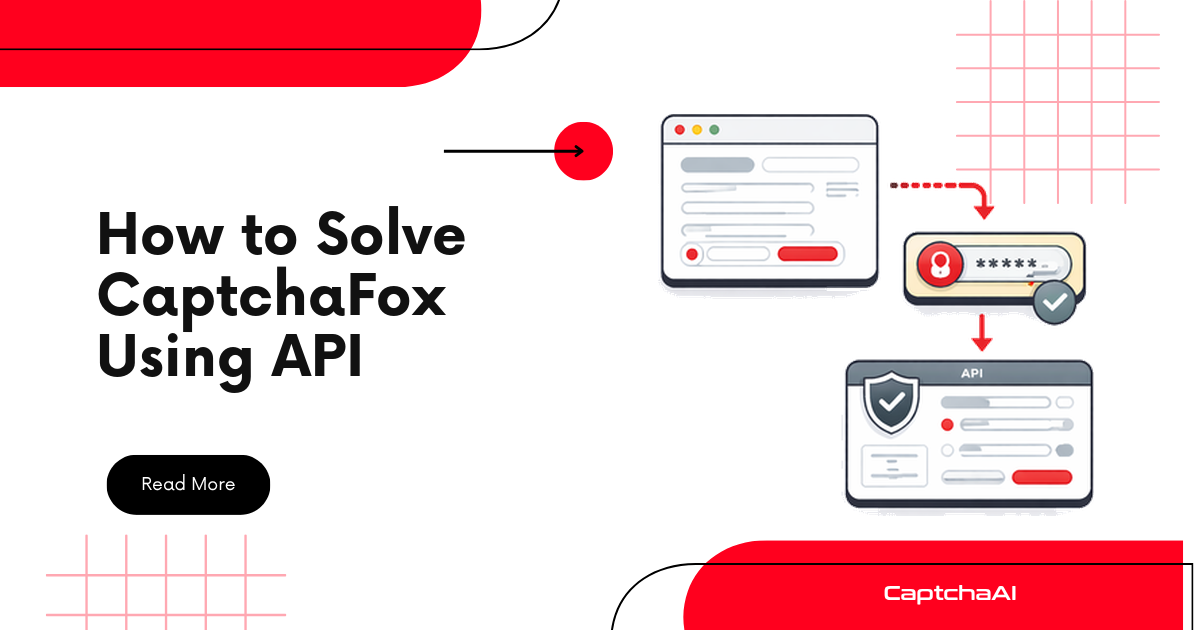
Takeaway up front: CaptchaFox is an interactive challenge that returns a single verification token once solved. CaptchaAI supports CaptchaFox in beta (method=captchafox). You submit the page URL, the sitekey, and your own proxy to in.php, poll res.php until the token is ready, then send that token back to the target site using the exact User-Agent the API returns. This guide walks through detection, extraction, submission, polling, and injection with working CaptchaAI API code in Python and Node.js.
Beta notice. CaptchaFox is supported in beta on CaptchaAI (rolled out mid-2026 alongside Friendly Captcha and Lemin). It works, but treat it as beta: build in generous timeouts, log every response, and expect the occasional retry. CaptchaAI does not publish a solve-speed or success-rate figure for beta types yet, so this guide sets expectations through disciplined polling rather than a promised time.
What you need before you start
| Requirement | Details |
|---|---|
| CaptchaAI API key | 32-character key from captchaai.com/api.php. |
| Target page URL | The full URL where CaptchaFox appears, including query parameters. |
| CaptchaFox sitekey | Extracted from the live network request (see below). Starts with sk_. |
| A working proxy | Required for CaptchaFox. HTTP-style user:password@host:port. |
| Runtime | Python 3.7+ with requests, or Node.js 18+ with built-in fetch. |
Proxy is mandatory for CaptchaFox. The solver must use your proxy, and you should reuse that same proxy when you submit the token back to the target site. If you are new to proxy formats, see the CaptchaAI proxy configuration guide.
Step 1: Detect CaptchaFox on the page
Before you can solve anything, confirm the page really uses CaptchaFox and not another widget. CaptchaFox typically appears as an interactive, browser-rendered verification flow that loads from the CaptchaFox API and hands back a token on success.
Three reliable signals:
- Script or DOM references — the page loads a CaptchaFox widget script and renders a container element referencing
captchafox. - A network request to the CaptchaFox API — when the challenge triggers, the browser calls
https://api.captchafox.com/captcha/<sitekey>/challenge. - A token-based result — on success the widget produces a single token that the site expects back on form submission.
A quick console check you can paste into DevTools to flag CaptchaFox presence:
// Run in the browser console on the target page
const hasFox =
  !!document.querySelector('[class*="captchafox"], [id*="captchafox"]') ||
  [...document.scripts].some((s) => (s.src || '').includes('captchafox'));

console.log(hasFox ? 'CaptchaFox detected on this page' : 'No CaptchaFox found');
If this is the first exotic widget you have met, the discipline is the same across providers — the parameter you need is always sitting in the live page or a network request, not in cached source. The same habit applies to Friendly Captcha, another beta type with a comparable flow.
Step 2: Extract the sitekey
Open the browser Network tab, trigger the CaptchaFox challenge, and look for a request named challenge. The sitekey is the value in the request URL between https://api.captchafox.com/captcha/ and /challenge.
Example request URL:
https://api.captchafox.com/captcha/sk_bo3q016TDv4Jey6fibTVChVS9z-cYdCO/challenge
Here the sitekey is sk_bo3q016TDv4Jey6fibTVChVS9z-cYdCO.
Always read the sitekey from the live network request, not from cached page source. A stale sitekey is the most common reason a submit succeeds but the token is later rejected.
Step 3: Submit the task to CaptchaAI
Send a request to https://ocr.captchaai.com/in.php with method=captchafox, the page URL, the sitekey, and your proxy. Always pass json=1 so the response is structured — CaptchaFox returns a user_agent field you will need later, and that field only comes back in JSON mode.
Python
import requests

SUBMIT_URL = "https://ocr.captchaai.com/in.php"

API_KEY = "YOUR_API_KEY"
PAGE_URL = "https://example.com/login"
SITEKEY = "sk_bo3q016TDv4Jey6fibTVChVS9z-cYdCO"
PROXY = "user:[email protected]:8080"
PROXY_TYPE = "HTTP"


def submit_captchafox():
    resp = requests.get(
        SUBMIT_URL,
        params={
            "key": API_KEY,
            "method": "captchafox",
            "pageurl": PAGE_URL,
            "sitekey": SITEKEY,
            "proxy": PROXY,
            "proxytype": PROXY_TYPE,
            "json": 1,
        },
        timeout=30,
    )
    data = resp.json()
    if data.get("status") != 1:
        raise RuntimeError(f"Submit failed: {data.get('request')}")
    task_id = data["request"]
    print(f"Task submitted — id: {task_id}")
    return task_id
Node.js
const SUBMIT_URL = "https://ocr.captchaai.com/in.php";

const API_KEY = "YOUR_API_KEY";
const PAGE_URL = "https://example.com/login";
const SITEKEY = "sk_bo3q016TDv4Jey6fibTVChVS9z-cYdCO";
const PROXY = "user:[email protected]:8080";
const PROXY_TYPE = "HTTP";

async function submitCaptchaFox() {
  const params = new URLSearchParams({
    key: API_KEY,
    method: "captchafox",
    pageurl: PAGE_URL,
    sitekey: SITEKEY,
    proxy: PROXY,
    proxytype: PROXY_TYPE,
    json: "1",
  });

  const resp = await fetch(`${SUBMIT_URL}?${params}`);
  const data = await resp.json();

  if (data.status !== 1) {
    throw new Error(`Submit failed: ${data.request}`);
  }
  console.log(`Task submitted — id: ${data.request}`);
  return data.request;
}
A successful submit returns { "status": 1, "request": "<task_id>" }. Hold on to that task ID for polling.
Step 4: Poll for the token (polling discipline)
CaptchaFox is interactive, so it is not instant. Use a disciplined poll rather than a tight loop:
- Initial wait: 15 seconds. Give the solver time before the first poll — polling immediately just wastes a request.
- Poll interval: 5 seconds. While the API returns
CAPCHA_NOT_READY, wait 5 seconds and try again. - Timeout: 120 seconds. Stop polling after two minutes and treat the task as failed rather than looping forever.
The response contains two important values: request (the CaptchaFox token) and user_agent (the User-Agent you must reuse when you submit the token).
Python
import time

RESULT_URL = "https://ocr.captchaai.com/res.php"

INITIAL_WAIT = 15   # seconds before first poll
POLL_INTERVAL = 5   # seconds between polls
TIMEOUT = 120       # seconds total budget


def get_solution(task_id):
    time.sleep(INITIAL_WAIT)
    deadline = time.time() + TIMEOUT

    while time.time() < deadline:
        result = requests.get(
            RESULT_URL,
            params={"key": API_KEY, "action": "get", "id": task_id, "json": 1},
            timeout=30,
        ).json()

        if result.get("status") == 1:
            return result["request"], result.get("user_agent")

        if result.get("request") != "CAPCHA_NOT_READY":
            raise RuntimeError(f"Solve error: {result.get('request')}")

        time.sleep(POLL_INTERVAL)

    raise TimeoutError("CaptchaFox solve timed out after 120s")


token, user_agent = get_solution(submit_captchafox())
print(f"Token: {token[:40]}...")
print(f"User-Agent: {user_agent}")
Node.js
const RESULT_URL = "https://ocr.captchaai.com/res.php";

const INITIAL_WAIT = 15_000; // ms before first poll
const POLL_INTERVAL = 5_000; // ms between polls
const TIMEOUT = 120_000;     // ms total budget

const sleep = (ms) => new Promise((r) => setTimeout(r, ms));

async function getSolution(taskId) {
  await sleep(INITIAL_WAIT);
  const deadline = Date.now() + TIMEOUT;

  while (Date.now() < deadline) {
    const params = new URLSearchParams({
      key: API_KEY,
      action: "get",
      id: taskId,
      json: "1",
    });
    const result = await (await fetch(`${RESULT_URL}?${params}`)).json();

    if (result.status === 1) {
      return { token: result.request, userAgent: result.user_agent };
    }
    if (result.request !== "CAPCHA_NOT_READY") {
      throw new Error(`Solve error: ${result.request}`);
    }
    await sleep(POLL_INTERVAL);
  }

  throw new Error("CaptchaFox solve timed out after 120s");
}

(async () => {
  const taskId = await submitCaptchaFox();
  const { token, userAgent } = await getSolution(taskId);
  console.log(`Token: ${token.slice(0, 40)}...`);
  console.log(`User-Agent: ${userAgent}`);
})();
A ready response looks like this:
{
  "status": 1,
  "request": "0cAFcWeA7RO4a8OGOwOQ9...Ew9fQvkJ46JRE8w",
  "user_agent": "Mozilla/5.0 (Windows NT 10.0; Win64; x64) AppleWebKit/537.36 (KHTML, like Gecko) 144.0.7559.96 Safari/537.36"
}
Step 5: Inject the token into the target site
CaptchaFox returns a single token that the target site expects back on submission, commonly in a captchafox_token field. The critical detail: send the token with the same User-Agent the API returned. CaptchaFox ties verification to that User-Agent, so a mismatch will get the token rejected even though it solved cleanly. For a wider view of where solved tokens go, see the token injection methods reference.
Python
headers = {"User-Agent": user_agent}
data = {"captchafox_token": token}

resp = requests.post(
    "https://example.com/api/verify",
    headers=headers,
    data=data,
    timeout=30,
)
print(f"Verify status: {resp.status_code}")
Node.js
const resp = await fetch("https://example.com/api/verify", {
  method: "POST",
  headers: {
    "User-Agent": userAgent,
    "Content-Type": "application/x-www-form-urlencoded",
  },
  body: new URLSearchParams({ captchafox_token: token }),
});
console.log(`Verify status: ${resp.status}`);
If you are driving a real browser instead of posting server-side, set the token into the field the widget writes to and submit the form as usual — the flow mirrors how you would inject a cf_clearance cookie in the Cloudflare Challenge tutorial, where the returned User-Agent must also travel with every follow-up request.
Error handling: six categories
Cover these six categories and you have handled everything CaptchaFox throws at you. Validate what you can before you submit; retry only what is genuinely transient.
| # | Category | Error codes | What to do |
|---|---|---|---|
| 1 | Invalid API key | ERROR_WRONG_USER_KEY, ERROR_KEY_DOES_NOT_EXIST |
Fix the key. Confirm it is the 32-character key from your dashboard. Do not retry blindly. |
| 2 | No balance / threads | ERROR_ZERO_BALANCE |
Top up or lower concurrency. Retrying without funds just fails again. |
| 3 | Missing / bad parameters | ERROR_PAGEURL |
Send the full pageurl (with query string). Fix the request, then resubmit. |
| 4 | Wrong sitekey | ERROR_WRONG_CAPTCHA_ID |
The sitekey is invalid or does not match the challenge. Re-extract it from the live challenge request. |
| 5 | Proxy failure | ERROR_BAD_PROXY, ERROR_PROXY_CONNECTION_FAILED |
Swap to a healthy proxy that can reach the target site. Verify the user:password@host:port format. |
| 6 | Not ready / transient | CAPCHA_NOT_READY, ERROR_CAPTCHA_UNSOLVABLE, ERROR_SERVER_ERROR |
CAPCHA_NOT_READY: keep polling every 5s. Unsolvable/server errors: back off ~10s and resubmit once. |
The rule of thumb: categories 1–5 are your bug — fix the request. Only category 6 warrants an automatic retry, and even then, keep retries bounded so a bad batch does not drain your balance.
Full flow at a glance
Detect CaptchaFox on the page
            ↓
Extract sitekey from the "challenge" network request
            ↓
POST to in.php (method=captchafox, pageurl, sitekey, proxy, proxytype, json=1)
            ↓
     receive task ID
            ↓
   wait 15s, then poll res.php every 5s (120s timeout)
      ↓                         ↓
 CAPCHA_NOT_READY          status=1
  (wait 5s, retry)             ↓
                    extract token + user_agent
                             ↓
        submit captchafox_token with the SAME User-Agent
FAQ
Does CaptchaAI fully support CaptchaFox?
CaptchaFox is supported in beta on CaptchaAI using method=captchafox. The end-to-end flow — submit, poll, receive a token plus User-Agent — works today. Because it is beta, build in generous timeouts and log responses so you can adapt quickly if behavior changes.
How long does CaptchaFox take to solve?
CaptchaAI does not publish a solve-time figure for beta types, so do not hard-code an expectation. Instead, follow the polling discipline in this guide: a 15-second initial wait, 5-second poll interval, and a 120-second timeout after which you treat the task as failed and resubmit.
Why is a proxy required for CaptchaFox?
CaptchaFox is an interactive challenge that must be solved from an IP you control, and the resulting token is tied to that context. You pass your proxy on submit (proxy + proxytype) and should reuse the same proxy — plus the returned User-Agent — when you send the token back to the site.
Why does my valid token get rejected?
The most common cause is a User-Agent mismatch. CaptchaFox binds verification to the User-Agent the solver used, which the API returns in the user_agent field (only when json=1). Always submit the token with that exact User-Agent, and always read the sitekey from the live network request rather than cached source.
Where do I put the token on the target site?
Send it in the field the site expects — commonly captchafox_token — as part of the same request that completes the form or verification call. Include the returned User-Agent as a header on that request.
Start solving CaptchaFox with CaptchaAI
- Get your API key — captchaai.com/api.php
- Prepare a proxy — required for CaptchaFox; test that it can reach the target site
- Copy the Python or Node.js code above — replace the key, page URL, sitekey, and proxy placeholders
- Solve on beta terms — 15s initial wait, 5s poll, 120s timeout, and handle all six error categories
CaptchaAI runs on thread-based plans (unlimited solves per thread) starting at BASIC ($15/month, 5 threads), so scaling CaptchaFox alongside your other CAPTCHA types does not add a per-solve fee. Start solving CAPTCHAs with CaptchaAI today.