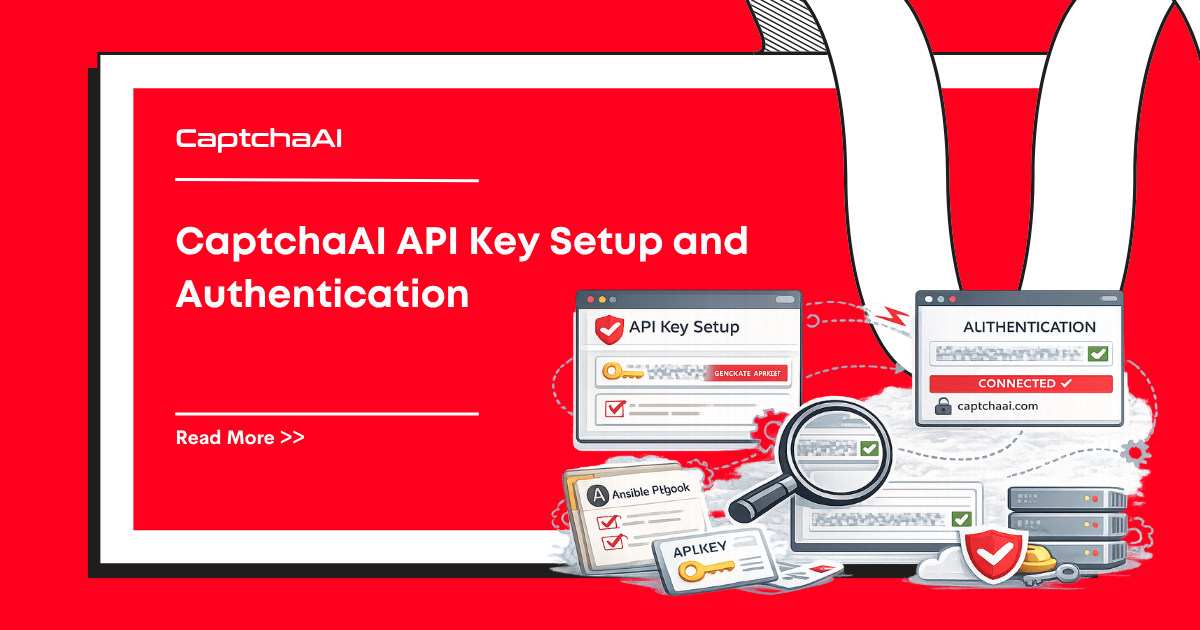
Every CaptchaAI API request requires an API key. This guide covers how to get your key, authenticate requests, check your balance, and keep your credentials secure.
flowchart LR
    A[Sign up at captchaai.com] --> B[Copy 32-char API key<br/>from dashboard]
    B --> C[Store as<br/>CAPTCHAAI_API_KEY env var]
    C --> D{Every request}
    D -->|in.php| E[key=YOUR_KEY<br/>+ method, sitekey, pageurl]
    D -->|res.php| F[key=YOUR_KEY<br/>+ action=get + id]
    D -->|balance| G[key=YOUR_KEY<br/>+ action=getbalance]
    E --> H[Task ID returned]
    F --> I[Token or<br/>CAPCHA_NOT_READY]
    G --> J[Decimal USD<br/>balance]
The key is the only credential the API uses — there are no separate request signatures, no OAuth tokens, and no per-method secrets. Protect it like a database password.
Getting Your API Key
- Create an account at captchaai.com
- Log in to your dashboard
- Navigate to API Settings or Account
- Copy your API key — a 32-character lowercase hex string (for example
1a2b3c4d5e6f7890abcdef1234567890) - Add funds to your balance (starting from $1)
Verify the key works
Before you wire the key into any client, hit the balance endpoint once. It's the cheapest authenticated call and confirms three things at once: the key is correct, your IP can reach the API, and your account is funded.
curl "https://ocr.captchaai.com/res.php?key=YOUR_API_KEY&action=getbalance"
Expected output is a single decimal number (your balance in USD). Anything starting with ERROR_ or IP_BANNED means the key, your network egress, or your account state needs attention before you go any further.
Authentication
Every API call includes your key as a key parameter:
Submit a CAPTCHA
GET https://ocr.captchaai.com/in.php?key=YOUR_API_KEY&method=userrecaptcha&googlekey=SITE_KEY&pageurl=URL
Poll for Results
GET https://ocr.captchaai.com/res.php?key=YOUR_API_KEY&action=get&id=TASK_ID
Check Balance
GET https://ocr.captchaai.com/res.php?key=YOUR_API_KEY&action=getbalance
Code Examples
Python
import requests
import os

# Load from environment variable (recommended)
API_KEY = os.environ.get("CAPTCHAAI_API_KEY")

# Check balance
balance = requests.get("https://ocr.captchaai.com/res.php", params={
    "key": API_KEY,
    "action": "getbalance"
})
print(f"Balance: ${balance.text}")

# Submit a CAPTCHA
resp = requests.get("https://ocr.captchaai.com/in.php", params={
    "key": API_KEY,
    "method": "userrecaptcha",
    "googlekey": "6Le-wvkS...",
    "pageurl": "https://example.com"
})
print(f"Response: {resp.text}")
Node.js
const axios = require("axios");

const API_KEY = process.env.CAPTCHAAI_API_KEY;

// Check balance
const balance = await axios.get("https://ocr.captchaai.com/res.php", {
  params: { key: API_KEY, action: "getbalance" },
});
console.log(`Balance: $${balance.data}`);

// Submit a CAPTCHA
const resp = await axios.get("https://ocr.captchaai.com/in.php", {
  params: {
    key: API_KEY,
    method: "userrecaptcha",
    googlekey: "6Le-wvkS...",
    pageurl: "https://example.com",
  },
});
console.log(`Response: ${resp.data}`);
cURL
# Check balance
curl "https://ocr.captchaai.com/res.php?key=YOUR_API_KEY&action=getbalance"

# Submit reCAPTCHA v2
curl "https://ocr.captchaai.com/in.php?key=YOUR_API_KEY&method=userrecaptcha&googlekey=SITE_KEY&pageurl=https://example.com"
API Key Security
Use Environment Variables
Never hardcode your API key in source code:
# ❌ Bad — key in source code
API_KEY = "abc123def456"

# ✅ Good — key from environment
API_KEY = os.environ["CAPTCHAAI_API_KEY"]
Set the variable:
# Linux/macOS
export CAPTCHAAI_API_KEY="abc123def456"

# Windows PowerShell
$env:CAPTCHAAI_API_KEY = "abc123def456"

# Windows CMD
set CAPTCHAAI_API_KEY=abc123def456
Use .env Files
For development, use a .env file:
# .env
CAPTCHAAI_API_KEY=abc123def456
# Python
from dotenv import load_dotenv
load_dotenv()
API_KEY = os.environ["CAPTCHAAI_API_KEY"]
// Node.js
require("dotenv").config();
const API_KEY = process.env.CAPTCHAAI_API_KEY;
Add .env to your .gitignore to prevent committing credentials:
# .gitignore
.env
Rotate Keys Regularly
If you suspect a key is compromised:
- Log in to your CaptchaAI dashboard
- Generate a new API key
- Update your environment variables
- Revoke the old key
Use a secrets manager for shared deployments
.env files are fine for a single developer, but anything beyond that — CI runners, multiple servers, a team — should pull the key from a secrets manager rather than committing or copying files around.
# AWS Secrets Manager
import boto3, json

def load_api_key():
    client = boto3.client("secretsmanager", region_name="us-east-1")
    resp = client.get_secret_value(SecretId="prod/captchaai/api-key")
    return json.loads(resp["SecretString"])["api_key"]

API_KEY = load_api_key()
# HashiCorp Vault
import hvac

client = hvac.Client(url="https://vault.example.com", token=os.environ["VAULT_TOKEN"])
secret = client.secrets.kv.v2.read_secret_version(path="captchaai")
API_KEY = secret["data"]["data"]["api_key"]
// Google Secret Manager (Node.js)
import { SecretManagerServiceClient } from "@google-cloud/secret-manager";

const client = new SecretManagerServiceClient();
const [version] = await client.accessSecretVersion({
  name: "projects/PROJECT_ID/secrets/captchaai-api-key/versions/latest",
});
const API_KEY = version.payload.data.toString("utf8");
Pair this with IP whitelisting in the CaptchaAI dashboard so the key only authorises requests from your production egress IPs — a leaked key from outside that range is useless.
Tracking key usage in production
The API has no per-key metrics endpoint beyond balance, so wrap every call with light instrumentation. This lets you spot a leaked key (sudden balance burn from an unknown IP), catch retry storms early, and bill teams when one account funds several pipelines.
import logging, time, requests

log = logging.getLogger("captchaai")

def submit(method: str, **params) -> str:
    started = time.monotonic()
    resp = requests.post(
        "https://ocr.captchaai.com/in.php",
        data={"key": API_KEY, "method": method, "json": 1, **params},
        timeout=30,
    )
    duration_ms = int((time.monotonic() - started) * 1000)
    data = resp.json()
    log.info(
        "captchaai.submit",
        extra={
            "method": method,
            "status": data.get("status"),
            "result": data.get("request") if data.get("status") != 1 else "task_id",
            "duration_ms": duration_ms,
        },
    )
    return data["request"] if data.get("status") == 1 else ""
A practical operations baseline:
- Poll
getbalanceonce per minute and emit it as a gauge. Page on a 10x drop in any 5-minute window. - Tag every request log with the calling service, environment, and (if you have several teams sharing a key) a free-form
client_idso you can split usage by team. - Cache failed authentication errors (
ERROR_WRONG_USER_KEY,ERROR_KEY_DOES_NOT_EXIST) for at least 60 seconds so a misconfigured worker cannot hammer the API into anIP_BANNEDstate.
Error Responses
| Response | Meaning | Action |
|---|---|---|
ERROR_WRONG_USER_KEY |
Invalid API key | Check key for typos |
ERROR_KEY_DOES_NOT_EXIST |
Key not found | Verify key from dashboard |
ERROR_ZERO_BALANCE |
No funds | Add balance |
ERROR_IP_NOT_ALLOWED |
IP restriction active | Add your IP to allowed list |
IP_BANNED |
Too many invalid key attempts | Wait 5 minutes; fix your key |
FAQ
Do I need a different key for each CAPTCHA type?
No. One API key works for all CAPTCHA types and all API endpoints.
Is there a rate limit on API calls?
CaptchaAI allows high request rates. For very high volumes (100K+/day), contact support for dedicated capacity.
Can I use the same key across multiple projects?
Yes. One key works across all your projects and servers. For separate billing, create additional accounts.
Related articles in this series
Part of the API Quickstart to Production series — eight practical guides covering CaptchaAI's API end-to-end, from your first request to running it reliably in production:
- CaptchaAI Quickstart: Your First Solve in 5 Minutes
- API Key Setup and Authentication — you are here
- API Response Formats Explained
- Error Codes: Complete Reference and Fixes
- Error Handling: Complete Decision Tree
- Implementing Robust Retry Logic
- Rate Limiting: Handling 429 Responses
- Production Configuration Management