You called CaptchaAI, got a 200, the JSON has a request field, you forwarded the token to your form — and the page still says "please complete the captcha." The solver is almost never the problem.
In our integration support inbox, the large majority of "the solver doesn't work" tickets are actually one of four token-handling constraints failing silently:
- The
(sitekey, page URL)pair must match exactly. - Tokens expire in roughly 120 seconds.
- The token must be in the right hidden field at submit time.
- Some integrations require a JS callback to fire.
This article walks through each constraint, then introduces an open-source companion CLI — the CaptchaAI Workflow Doctor — that drives the full pipeline against a real Chromium browser and prints exactly which constraint broke.
The shape of the bug
You wired up your first integration. The HTTP call to CaptchaAI returns a 200, the JSON has a request field, you forward that token to your form, and the page still says "please complete the captcha." You try again. Same thing. You suspect the solver. You're almost certainly wrong.
The full workflow looks like this:
- Detect the widget (kind, sitekey, page URL).
- Submit to CaptchaAI.
- Poll for the token.
- Inject the token into the right hidden field.
- Trigger the JS callback (when the widget defines one).
- Submit the form before the token expires.
- Verify server-side acceptance.
Every one of those steps can fail silently. The solver succeeds in exactly one of them. The other six are where the bug usually hides.
The four constraints every CAPTCHA token has to satisfy
1. The (sitekey, page URL) pair must match exactly
When you submit to CaptchaAI you tell it two things: the public sitekey and the pageurl. The token the solver computes is only valid when redeemed against that exact pair, because Cloudflare or Google's siteverify will recompute and check both.
The most common bug: passing https://example.com/ when the widget actually lives on https://example.com/login. The solver returns a token, but the verifier checks the page URL the token was issued for, sees it doesn't match the page that submitted the form, and fails the request.
Fix: pass the canonical page URL the widget actually loads on — not the homepage and not a redirect target. If you need help isolating this, the deeper guide on reCAPTCHA v2 sitekey + pageurl debugging covers the same root cause for the v2 family.
2. Tokens expire in roughly 120 seconds
Both Turnstile and reCAPTCHA tokens are single-use and short-lived. If your code:
- queues tokens for batch submission,
- pauses at a debugger,
- retries the form after a long wait,
- or does anything else that lets more than two minutes elapse between
submit_*and the formPOST,
…you'll get a "valid-looking" token that fails verification because the issuer's server has already invalidated it.
Fix: measure end-to-end latency. Track solve_time_ms and token_age_at_injection_ms. The companion deep-dive on tokens that expire before submission covers the timing-window arithmetic in detail.
3. The token must be in the right field at submit time
Both major widgets inject a hidden response field next to themselves:
| Widget | Response field |
|---|---|
| Cloudflare Turnstile | cf-turnstile-response |
| Google reCAPTCHA v2 | g-recaptcha-response |
| Google reCAPTCHA v3 | token passed to your handler — usually a hidden input you populate |
If you submit the form before the token is in the right field — or write to the wrong field — the server-side handler sees an empty response and rejects the request.
Fix: write the token via JavaScript, dispatch input and change events so any framework listeners react, then submit. The cross-widget reference at CAPTCHA token injection methods lists the exact selector and event sequence per widget.
4. Some integrations require a JS callback to fire
Plenty of widgets are configured data-callback="onSuccess", and the submit button stays JS-disabled until that callback fires. Just writing into the response field doesn't invoke the callback — you have to call the named function with the token as the argument.
Fix: detect the callback name from the widget's HTML (data-callback="…"), then call window.<name>(token).
A minimal Python integration that respects all four constraints
The same logic that the doctor automates is straightforward to write by hand. The snippet below uses requests to call CaptchaAI and Playwright to inject the token, fire the callback, and submit before the token expires.
import os
import time

import requests
from playwright.sync_api import sync_playwright

CAPTCHAAI_API_KEY = os.environ["CAPTCHAAI_API_KEY"]  # never hardcode
PAGE_URL = "https://example.com/login"               # the page the widget LOADS on
SITEKEY = "0x4AAAAAAA..."                             # Turnstile sitekey
CALLBACK_NAME = "onTurnstileSuccess"                 # from data-callback=""


def submit_to_captchaai() -> str:
    """Submit a Turnstile job to CaptchaAI and return the request id."""
    response = requests.post(
        "https://ocr.captchaai.com/in.php",
        data={
            "key": CAPTCHAAI_API_KEY,
            "method": "turnstile",
            "sitekey": SITEKEY,
            "pageurl": PAGE_URL,
            "json": 1,
        },
        timeout=30,
    )
    payload = response.json()
    if payload.get("status") != 1:
        raise RuntimeError(f"submit failed: {payload!r}")
    return payload["request"]


def poll_for_token(request_id: str, *, max_wait_s: int = 90) -> str:
    """Poll CaptchaAI until the token is ready or we run out of budget."""
    deadline = time.monotonic() + max_wait_s
    while time.monotonic() < deadline:
        time.sleep(5)
        response = requests.get(
            "https://ocr.captchaai.com/res.php",
            params={
                "key": CAPTCHAAI_API_KEY,
                "action": "get",
                "id": request_id,
                "json": 1,
            },
            timeout=30,
        )
        payload = response.json()
        if payload.get("status") == 1:
            return payload["request"]
        if payload.get("request") != "CAPCHA_NOT_READY":
            raise RuntimeError(f"poll error: {payload!r}")
    raise TimeoutError("token not ready in budget")


def inject_and_submit(token: str) -> None:
    """Inject the token, fire the callback, and submit before expiry."""
    with sync_playwright() as pw:
        browser = pw.chromium.launch()
        page = browser.new_page()
        page.goto(PAGE_URL)
        page.wait_for_selector("[name='cf-turnstile-response']", state="attached")
        page.evaluate(
            """
            (args) => {
                const field = document.querySelector("[name='cf-turnstile-response']");
                field.value = args.token;
                field.dispatchEvent(new Event("input",  { bubbles: true }));
                field.dispatchEvent(new Event("change", { bubbles: true }));
                if (typeof window[args.callback] === "function") {
                    window[args.callback](args.token);
                }
            }
            """,
            {"token": token, "callback": CALLBACK_NAME},
        )
        page.click("button[type='submit']")
        page.wait_for_load_state("networkidle")
        browser.close()


if __name__ == "__main__":
    started = time.monotonic()
    request_id = submit_to_captchaai()
    token = poll_for_token(request_id)
    print(f"token age at injection (s): {time.monotonic() - started:.1f}")
    inject_and_submit(token)
Expected output on success:
token age at injection (s): 18.4
If you see an age above ~110 seconds, you're already on the cliff edge of constraint 2 and should reduce upstream wait time before injection.
All four are easy to get wrong silently
The killer feature of these failures is they all "look like the solver is broken." The HTTP call succeeded, the token came back, you wrote it into the form. Why does it still fail?
Until now the answer was: read network traces, write print statements, swear at the JS console.
The failure space has roughly twelve distinct shapes — each with a different fix. Telling them apart by hand is the whole reason "captcha is broken" tickets take so long.
Doctor: one command, labeled root cause
CaptchaAI Workflow Doctor is an open-source CLI that runs the full workflow end-to-end against a real Chromium browser and prints exactly which of the four (and eight other) things broke:
$ captchaai-doctor run --profile profiles/checkout.yaml --ci
status=failure root_cause=callback_not_invoked duration=4.71s
The HTML report extends the same labeled root cause with a recommendation:
Recommendation: None of the configured callback candidates are defined on the page when injection runs. Inspect the widget's
data-callbackattribute and add that function name todetection.callback_candidatesin your profile.
There are 12 root-cause classes covering everything from captchaai_balance (top up) to sitekey_not_found (the doctor will also tell you which widget kind it did find on the page) to verification_failed (the token went through but server-side rejected it). The full list lives in docs/failure-taxonomy.md inside the doctor's docs directory.
Try it in 60 seconds, no API key required
git clone https://github.com/CaptchaAI/captchaai-workflow-doctor
cd captchaai-workflow-doctor
python -m venv .venv && . .venv/bin/activate
pip install -e ".[dev]"
python -m playwright install chromium

captchaai-doctor demo turnstile         # spins up a local mock + drives it
captchaai-doctor demo recaptcha-v2
captchaai-doctor demo recaptcha-v3
Open run-artifacts/demo-turnstile/report.html. That is what the doctor produces for any profile you point it at.
Real-API evidence
The doctor itself is tested against the production CaptchaAI API. The real-solve test (tests/test_live_solve.py, double-gated behind DOCTOR_ALLOW_REAL_API=1 plus DOCTOR_ALLOW_REAL_SOLVE=1) consumes a solve from Google's documented test sitekey on every release and asserts the token is real. The release evidence log is published as docs/real-e2e-evidence.md in the doctor's docs directory.
Try it on your own integration
cp profiles/turnstile-generic.yaml profiles/my-flow.yaml
$EDITOR profiles/my-flow.yaml         # set target.url, sitekey, etc.
captchaai-doctor validate-profile profiles/my-flow.yaml
captchaai-doctor run --profile profiles/my-flow.yaml \
  --api-key $CAPTCHAAI_API_KEY \
  --artifact-dir run-artifacts/
open run-artifacts/report.html
A few seconds later you'll know what to fix.
Frequently asked questions
My token came back from CaptchaAI within seconds. Why does the page still reject it?
In nearly every case, the token is valid for a (sitekey, page URL) pair that does not match what the verifier expects, or it is being written to a hidden field the form handler does not read. Walk the four constraints in order before assuming the solver is at fault.
How do I know whether my widget needs a JS callback?
Inspect the widget element in DevTools and look for data-callback="…". If that attribute is set, the value is the global function name you must call with the token as its only argument. Without that call, the framework typically leaves the submit button disabled.
My token is fresh — well under 120 seconds — but the verifier still rejects it. What now?
The most common remaining causes are: the page URL is wrong (constraint 1), the response field is empty because injection happened in the wrong frame, or the form serialises the body before your script writes the token. The doctor's report distinguishes those cases with named root causes such as pageurl_mismatch, wrong_frame, and submitted_before_injection.
Can I integrate the doctor into CI?
Yes. The CLI exits non-zero on a failed root cause and prints a single-line summary suitable for log scraping. Run it as a smoke test against your staging widgets after every deploy.
Do I need any changes to my CaptchaAI account?
No. The doctor uses your existing CaptchaAI API key. See the CaptchaAI quickstart if you need to provision one.
Where to go next
- Get a CaptchaAI API key — visit captchaai.com.
- Read the doctor's docs — github.com/CaptchaAI/captchaai-workflow-doctor.
- Send us a redacted report — if the doctor labels something the recommendation does not fix, attach the JSON report to a GitHub issue or email
[email protected]. The labeled root cause makes diagnosis dramatically faster. - Star the repo if it saves you a debugging afternoon.
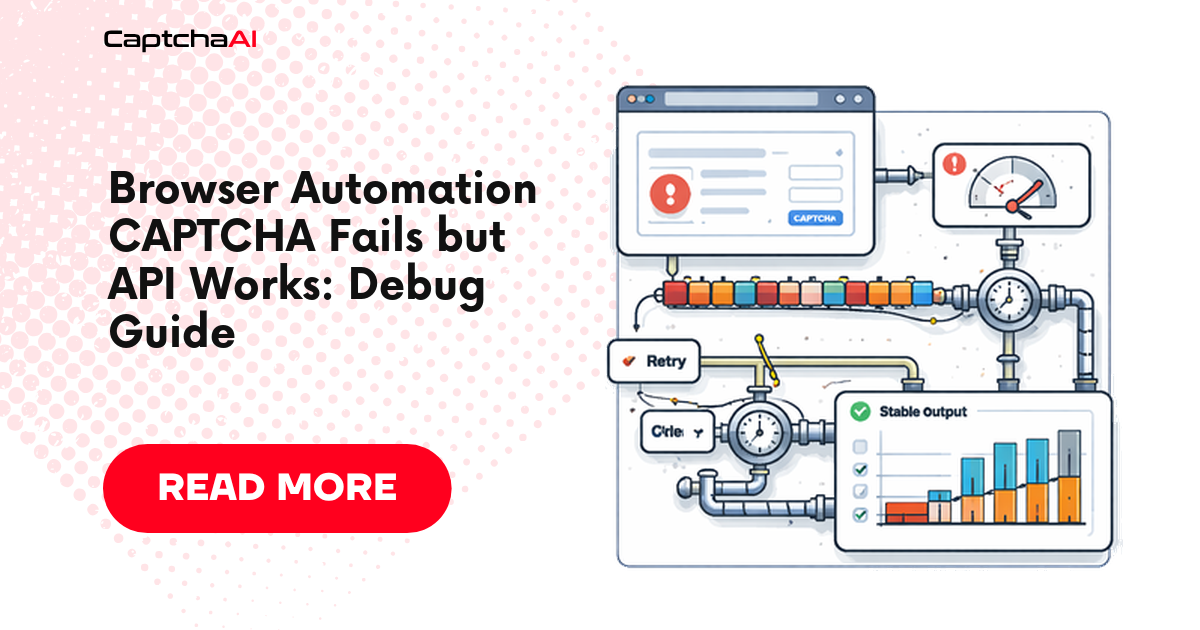
For more on the same family of bugs, see Browser Automation CAPTCHA Fails but API Works and the troubleshooting note on Turnstile token invalid after solving.
Responsible use
The doctor is for systems you own, operate, or are explicitly authorized to test. It is not for bypassing third-party CAPTCHAs. The full statement is published as docs/responsible-use.md in the doctor's docs directory.
The doctor is Apache-2.0 licensed (with a soft attribution request — see the NOTICE file at the repo root) and lives at github.com/CaptchaAI/captchaai-workflow-doctor. PRs welcome — see the contributor guide at the repo root.
Ready to debug your own integration? Get a CaptchaAI API key and run the doctor against your real widget — you'll have a labeled root cause inside a minute.