Most failed reCAPTCHA v2 integrations are not solver failures.
They are input failures.
A developer extracts a value that looks like a sitekey, sends a page URL that looks correct, waits for CaptchaAI to solve the task, and then gets one of these outcomes:
ERROR_WRONG_GOOGLEKEYERROR_PAGEURLERROR_BAD_TOKEN_OR_PAGEURL- a token is returned, but the page rejects the form
- the same code works on a demo page but fails in production
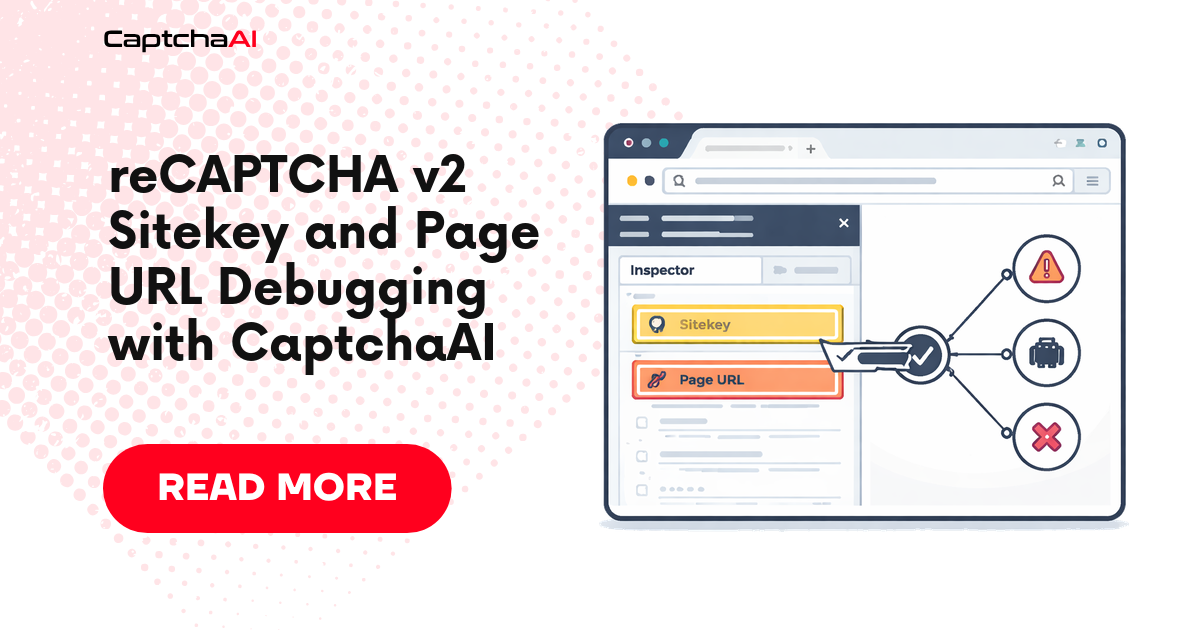
The root cause is usually the same: the googlekey and pageurl pair does not match the actual reCAPTCHA widget that the page verifies.
This guide gives you a debugging workflow for that exact problem.
It is not another general “how to solve reCAPTCHA v2” article. It is a diagnostic guide for the moment when your solve request or token handoff is failing and you need to prove which input is wrong.
The one rule: debug the pair, not each value alone
CaptchaAI’s reCAPTCHA v2 request uses:
| Parameter | Meaning |
|---|---|
method |
userrecaptcha |
googlekey |
The reCAPTCHA v2 sitekey |
pageurl |
The full URL where the reCAPTCHA widget is loaded |
json |
1 for JSON responses |
The common mistake is validating the sitekey and page URL separately.
That is not enough.
A sitekey can look valid and still be wrong for the URL you submitted. A URL can look correct and still be wrong because the widget is inside an iframe, rendered from another path, or attached to an invisible callback flow.
The unit you must validate is the pair:
googlekey + pageurl
If that pair does not match the live widget, retrying the same request will not help.
What each error usually means
| Error or symptom | Most likely meaning |
|---|---|
ERROR_PAGEURL |
The pageurl parameter is missing or malformed. |
ERROR_WRONG_GOOGLEKEY |
The googlekey value is missing, blank, malformed, or not the expected sitekey. |
ERROR_BAD_TOKEN_OR_PAGEURL |
The googlekey and pageurl pair is invalid for the target page. |
| Token returned but backend rejects it | The token was applied in the wrong session, wrong field, wrong callback, or wrong page state. |
| Works locally but fails in production | The production page has a different sitekey, subdomain, iframe, invisible mode, or Enterprise mode. |
The fastest fix is not to add more retries. The fastest fix is to re-detect the live widget and log the exact values your code sends.
Safe scope
This guide is written for authorized automation, QA, monitoring, and integration workflows.
Use it when you own the application, are testing a client-approved workflow, or are debugging an integration you are allowed to operate. Do not use it for unauthorized access, spam, account farming, or systems you do not have permission to test.
Step 1: Identify where the sitekey really comes from
A reCAPTCHA v2 sitekey may appear in several places.
Pattern 1: Static widget markup
<div class="g-recaptcha" data-sitekey="6Le-wvkSAAAAAPBMRTvw0Q4Muexq9bi0DJwx_mJ-"></div>
This is the easiest case. Use the data-sitekey value as googlekey.
Pattern 2: JavaScript render call
grecaptcha.render("captcha-container", {
  sitekey: "6Le-wvkSAAAAAPBMRTvw0Q4Muexq9bi0DJwx_mJ-",
  callback: onRecaptchaSuccess
});
In this case, the key is inside the render configuration.
Pattern 3: Anchor iframe URL
https://www.google.com/recaptcha/api2/anchor?k=6Le-wvkSAAAAAPBMRTvw0Q4Muexq9bi0DJwx_mJ-&co=...
The k parameter is the sitekey.
This is useful when the page renders reCAPTCHA dynamically and the final widget state is easier to inspect through network logs than source HTML.
Pattern 4: Invisible widget
<div
  class="g-recaptcha"
  data-sitekey="6Le-wvkSAAAAAPBMRTvw0Q4Muexq9bi0DJwx_mJ-"
  data-size="invisible"
  data-callback="onSubmit">
</div>
Invisible reCAPTCHA v2 usually requires invisible=1 in the solve request.
If you miss that detail, the solve can look valid while the final page behavior still fails.
Pattern 5: Enterprise script
<script src="https://www.google.com/recaptcha/enterprise.js"></script>
Enterprise reCAPTCHA can look similar to standard reCAPTCHA. If the page loads the Enterprise script, treat the integration as Enterprise and use the correct parameter set for that mode.
Step 2: Decide the correct page URL
The correct pageurl is the URL where the reCAPTCHA widget is loaded and bound to the page workflow.
For simple pages, this is usually:
window.location.href
For iframe-heavy implementations, the parent page may not be the right value. If the widget is loaded inside a nested frame or subdomain, inspect the iframe and network requests.
Use this decision table:
| Situation | Recommended pageurl |
|---|---|
| Widget is rendered directly on the page | Current top-level page URL |
| Widget is inside an application iframe | The frame URL where the widget loads |
Sitekey appears only in api2/anchor request |
The URL context associated with that anchor request |
| Same form exists on multiple subdomains | Use the exact subdomain where the widget is active |
| Login redirects before showing CAPTCHA | Use the final URL after redirect, not the starting URL |
| SPA route changes before reCAPTCHA renders | Use the route where the widget actually rendered |
Do not guess. Log the URL at the moment the widget renders.
Step 3: Run a local diagnostic before solving
Use this Python script to inspect a page and find likely reCAPTCHA v2 inputs.
It checks:
data-sitekeygrecaptcha.render()- reCAPTCHA script type
- invisible mode hints
- iframe anchor
k=values - page URL consistency
import re
from urllib.parse import urlparse, parse_qs
import requests


def diagnose_recaptcha_page(pageurl: str) -> dict:
    if not pageurl.startswith("http"):
        raise ValueError("pageurl must be a full URL starting with http or https.")

    response = requests.get(
        pageurl,
        timeout=20,
        headers={
            "User-Agent": "Mozilla/5.0 CaptchaAI-Diagnostic/1.0"
        },
    )
    response.raise_for_status()

    html = response.text

    findings = {
        "pageurl": pageurl,
        "status_code": response.status_code,
        "sitekeys": [],
        "anchor_sitekeys": [],
        "has_recaptcha_api": "recaptcha/api.js" in html,
        "has_enterprise_script": "recaptcha/enterprise.js" in html,
        "invisible_hints": [],
        "callback_hints": [],
        "warnings": [],
    }

    # Static widget: data-sitekey="..."
    for match in re.finditer(r'data-sitekey=["\']([^"\']+)["\']', html):
        findings["sitekeys"].append({
            "source": "data-sitekey",
            "value": match.group(1),
        })

    # JavaScript render: sitekey: "..."
    render_pattern = r"grecaptcha\.render\([^)]*?sitekey['\"]?\s*:\s*['\"]([^'\"]+)"
    for match in re.finditer(render_pattern, html, flags=re.DOTALL):
        findings["sitekeys"].append({
            "source": "grecaptcha.render",
            "value": match.group(1),
        })

    # Anchor iframe: api2/anchor?...k=...
    anchor_pattern = r'https://www\.google\.com/recaptcha/api2/anchor\?[^"\']+'
    for match in re.finditer(anchor_pattern, html):
        anchor_url = match.group(0).replace("&", "&")
        query = parse_qs(urlparse(anchor_url).query)
        key = query.get("k", [None])[0]

        if key:
            findings["anchor_sitekeys"].append({
                "source": "api2/anchor",
                "value": key,
                "anchor_url": anchor_url,
            })

    if 'data-size="invisible"' in html or "size: 'invisible'" in html or 'size:"invisible"' in html:
        findings["invisible_hints"].append("invisible mode detected")

    for match in re.finditer(r'data-callback=["\']([^"\']+)["\']', html):
        findings["callback_hints"].append({
            "source": "data-callback",
            "value": match.group(1),
        })

    if findings["has_enterprise_script"]:
        findings["warnings"].append(
            "Enterprise script detected. Standard reCAPTCHA v2 parameters may not be sufficient."
        )

    if not findings["sitekeys"] and not findings["anchor_sitekeys"]:
        findings["warnings"].append(
            "No sitekey found in static HTML. The widget may be rendered dynamically; use browser automation."
        )

    if findings["invisible_hints"]:
        findings["warnings"].append(
            "Invisible reCAPTCHA hints found. Include invisible=1 when solving invisible v2."
        )

    return findings


if __name__ == "__main__":
    result = diagnose_recaptcha_page("https://example.com/login")

    print("Page URL:", result["pageurl"])
    print("Status:", result["status_code"])
    print("Standard API script:", result["has_recaptcha_api"])
    print("Enterprise script:", result["has_enterprise_script"])
    print("Sitekeys:", result["sitekeys"])
    print("Anchor sitekeys:", result["anchor_sitekeys"])
    print("Callback hints:", result["callback_hints"])
    print("Warnings:", result["warnings"])
Expected output:
Page URL: https://example.com/login
Status: 200
Standard API script: True
Enterprise script: False
Sitekeys: [{'source': 'data-sitekey', 'value': '6Le-wvkSAAAAAPBMRTvw0Q4Muexq9bi0DJwx_mJ-'}]
Anchor sitekeys: []
Callback hints: [{'source': 'data-callback', 'value': 'onSubmit'}]
Warnings: []
If the output contains no sitekey, do not submit a solve request yet. Switch to browser-based detection.
Step 4: Use browser-based detection for dynamic pages
Static HTTP parsing fails when the widget is rendered after JavaScript execution.
For dynamic pages, use Playwright to detect the widget from the live browser state.
const { chromium } = require("playwright");

async function detectRecaptcha(pageUrl) {
  const browser = await chromium.launch({ headless: false });
  const page = await browser.newPage();

  await page.goto(pageUrl, { waitUntil: "networkidle" });

  const result = await page.evaluate(() => {
    const findings = {
      pageurl: window.location.href,
      sitekeys: [],
      callbackHints: [],
      invisible: false,
      hasResponseField: Boolean(document.querySelector('[name="g-recaptcha-response"]')),
      frames: [],
    };

    document.querySelectorAll("[data-sitekey]").forEach((node) => {
      findings.sitekeys.push({
        source: "data-sitekey",
        value: node.getAttribute("data-sitekey"),
        tag: node.tagName,
        className: node.className || null,
        id: node.id || null,
      });

      if (node.getAttribute("data-size") === "invisible") {
        findings.invisible = true;
      }

      if (node.getAttribute("data-callback")) {
        findings.callbackHints.push({
          source: "data-callback",
          value: node.getAttribute("data-callback"),
        });
      }
    });

    document.querySelectorAll("iframe").forEach((frame) => {
      const src = frame.getAttribute("src") || "";

      if (src.includes("recaptcha/api2/anchor")) {
        findings.frames.push({
          source: "recaptcha-anchor",
          src,
        });
      }
    });

    return findings;
  });

  console.log(JSON.stringify(result, null, 2));

  await browser.close();
}

detectRecaptcha("https://example.com/login").catch((error) => {
  console.error(error);
  process.exit(1);
});
Expected output:
{
  "pageurl": "https://example.com/login",
  "sitekeys": [
    {
      "source": "data-sitekey",
      "value": "6Le-wvkSAAAAAPBMRTvw0Q4Muexq9bi0DJwx_mJ-",
      "tag": "DIV",
      "className": "g-recaptcha",
      "id": null
    }
  ],
  "callbackHints": [
    {
      "source": "data-callback",
      "value": "onSubmit"
    }
  ],
  "invisible": false,
  "hasResponseField": true,
  "frames": []
}
This script gives you stronger evidence than page-source parsing because it sees the final rendered DOM.
Step 5: Submit only after the pair is validated
Once you know the correct sitekey and page URL, submit the task to CaptchaAI.
import time
import requests


API_KEY = "YOUR_API_KEY"
IN_URL = "https://ocr.captchaai.com/in.php"
RES_URL = "https://ocr.captchaai.com/res.php"


class CaptchaAIError(Exception):
    pass


def solve_recaptcha_v2(googlekey: str, pageurl: str, invisible: bool = False) -> str:
    if not API_KEY or API_KEY == "YOUR_API_KEY":
        raise ValueError("Set your CaptchaAI API key.")

    if not googlekey:
        raise ValueError("Missing googlekey/sitekey.")

    if not pageurl.startswith("http"):
        raise ValueError("pageurl must be a full URL.")

    payload = {
        "key": API_KEY,
        "method": "userrecaptcha",
        "googlekey": googlekey,
        "pageurl": pageurl,
        "json": 1,
    }

    if invisible:
        payload["invisible"] = 1

    submit = requests.post(IN_URL, data=payload, timeout=30)
    submit.raise_for_status()
    submit_data = submit.json()

    if submit_data.get("status") != 1:
        raise CaptchaAIError(f"Submit failed: {submit_data.get('request')}")

    captcha_id = submit_data["request"]

    time.sleep(15)

    deadline = time.time() + 120

    while time.time() < deadline:
        result = requests.get(
            RES_URL,
            params={
                "key": API_KEY,
                "action": "get",
                "id": captcha_id,
                "json": 1,
            },
            timeout=30,
        )
        result.raise_for_status()
        result_data = result.json()

        if result_data.get("status") == 1:
            return result_data["request"]

        message = result_data.get("request")

        if message == "CAPCHA_NOT_READY":
            time.sleep(5)
            continue

        raise CaptchaAIError(f"Solve failed: {message}")

    raise TimeoutError("reCAPTCHA v2 solve timed out.")
Expected output:
03AFcWeA6g...recaptcha_response_token...
Step 6: Confirm token handoff separately
After CaptchaAI returns a token, inject it into the page.
For standard reCAPTCHA v2:
function applyRecaptchaToken(token) {
  const field = document.querySelector('[name="g-recaptcha-response"]');

  if (!field) {
    throw new Error("Could not find g-recaptcha-response field.");
  }

  field.value = token;
  field.innerHTML = token;

  field.dispatchEvent(new Event("input", { bubbles: true }));
  field.dispatchEvent(new Event("change", { bubbles: true }));

  return {
    applied: true,
    method: "g-recaptcha-response"
  };
}
For callback-based pages:
function callRecaptchaCallback(callbackName, token) {
  const callback = callbackName
    .split(".")
    .reduce((current, key) => current && current[key], window);

  if (typeof callback !== "function") {
    throw new Error(`Callback not found: ${callbackName}`);
  }

  callback(token);

  return {
    applied: true,
    method: "callback",
    callbackName
  };
}
Do not collapse solve success and handoff success into one log line. They are different failure domains.
Diagnostic logging format
Add structured logs before every solve request.
{
  "captcha_type": "recaptcha_v2",
  "method": "userrecaptcha",
  "googlekey_source": "data-sitekey",
  "googlekey_present": true,
  "pageurl": "https://example.com/login",
  "invisible": false,
  "enterprise_script_detected": false,
  "has_g_recaptcha_response": true,
  "callback_detected": "onSubmit",
  "browser_session_id": "session-123"
}
Then log the outcome:
{
  "captcha_type": "recaptcha_v2",
  "solver_status": "token_returned",
  "handoff_method": "g-recaptcha-response",
  "same_session": true,
  "form_submit_status": 200,
  "accepted": true
}
A bad outcome should make the next debugging action obvious:
{
  "captcha_type": "recaptcha_v2",
  "solver_status": "ERROR_BAD_TOKEN_OR_PAGEURL",
  "googlekey_source": "cached",
  "pageurl": "https://example.com",
  "final_browser_url": "https://app.example.com/login",
  "next_action": "re-detect sitekey and pageurl from final rendered page"
}
Debug decision tree
Use this sequence when an integration fails.
If you get ERROR_PAGEURL
Check:
- Is
pageurlmissing? - Does it include
https://? - Is it the page where the widget actually renders?
- Did a redirect change the final URL?
- Is the widget inside an iframe with a different URL?
Fix:
- Use the final rendered page URL.
- Log
window.location.hrefat widget detection time. - Do not use a homepage or canonical marketing URL if the widget renders on a deeper route.
If you get ERROR_WRONG_GOOGLEKEY
Check:
- Is
googlekeyblank? - Did your regex extract an incomplete key?
- Did you extract from the wrong widget?
- Is the page using Enterprise reCAPTCHA?
- Is the sitekey dynamically generated after JavaScript execution?
Fix:
- Extract from rendered DOM or network requests.
- Validate that the key is 20-60 URL-safe characters.
- Detect
recaptcha/enterprise.js. - Re-extract the key on every run if it rotates.
If you get ERROR_BAD_TOKEN_OR_PAGEURL
Check:
- Does the sitekey belong to the exact submitted URL?
- Is reCAPTCHA inside an iframe?
- Did the route change after page load?
- Is the page using invisible reCAPTCHA without
invisible=1? - Did you cache a stale sitekey?
Fix:
- Re-detect the sitekey and page URL together.
- Use the iframe URL if that is where the widget is actually loaded.
- Add
invisible=1for invisible v2. - Stop retrying the same pair.
If CaptchaAI returns a token but the page rejects it
Check:
- Was the token applied in the same browser session?
- Is the field named
g-recaptcha-response? - Does the page expect a callback?
- Was the form submitted too late?
- Did the backend submit use the same cookies and user agent?
Fix:
- Keep the page open while solving.
- Inject token into
g-recaptcha-response. - Dispatch
inputandchange. - Call the callback if present.
- Submit immediately after token handoff.
Production checklist
Before marking the integration healthy, verify:
- [ ] The sitekey is captured from the live rendered widget.
- [ ] The page URL is captured at the moment the widget renders.
- [ ] Redirects are resolved before solving.
- [ ] Iframe-hosted widgets are handled explicitly.
- [ ] Invisible widgets send
invisible=1. - [ ] Enterprise scripts are detected and routed correctly.
- [ ] Cached sitekeys have a short TTL or are avoided.
- [ ] The token is applied in the same browser or HTTP session.
- [ ]
g-recaptcha-responseor the callback path is confirmed. - [ ] Solver success and backend acceptance are logged separately.
What not to do
Do not:
- retry
ERROR_BAD_TOKEN_OR_PAGEURLwithout changing inputs - hardcode a sitekey from yesterday’s page source
- use the parent URL when the widget loads inside an iframe
- assume visible v2 and invisible v2 behave the same
- treat “token returned” as proof that the workflow succeeded
- mix cookies from one session with a token solved for another
- skip logging the exact pair sent to CaptchaAI
These shortcuts turn a small integration bug into repeated failed solves.
FAQ
What is the difference between googlekey and sitekey?
They refer to the same value in this flow. The page usually calls it a sitekey. CaptchaAI’s reCAPTCHA v2 API parameter is named googlekey.
Should I cache a reCAPTCHA v2 sitekey?
Only briefly, and only if the page is stable. If you see ERROR_WRONG_GOOGLEKEY or ERROR_BAD_TOKEN_OR_PAGEURL, re-extract the key from the live rendered page instead of relying on cache.
Why does ERROR_BAD_TOKEN_OR_PAGEURL happen?
It usually means the submitted googlekey and pageurl do not belong together. Common causes include iframe URLs, redirects, dynamic routes, invisible mode, stale sitekeys, or using a sitekey from another widget.
Why does the token work on a demo page but fail on production?
Production pages often have redirects, iframes, dynamic widget rendering, invisible mode, callbacks, stricter cookies, or a different domain than the demo environment. Debug the production page as its own widget context.
Is token rejection always a CaptchaAI issue?
No. If CaptchaAI returns a token, the next things to inspect are the handoff path, session continuity, callback execution, cookie jar, user agent, and backend acceptance.
Related guides
- How to Solve reCAPTCHA v2 Using API
- ERROR_WRONG_GOOGLEKEY: Complete Diagnosis and Fix Guide
- Common reCAPTCHA Invisible Errors and Fixes
- Browser Automation CAPTCHA Fails but API Works: Debug Guide
Next step: Debug your reCAPTCHA v2 integration and solve with CaptchaAI
Before retrying a failed solve, log the exact googlekey and pageurl pair from the live widget. If the pair is correct, CaptchaAI can solve the task. If the pair is wrong, every retry repeats the same failure.
Debug your reCAPTCHA v2 integration and solve with CaptchaAI