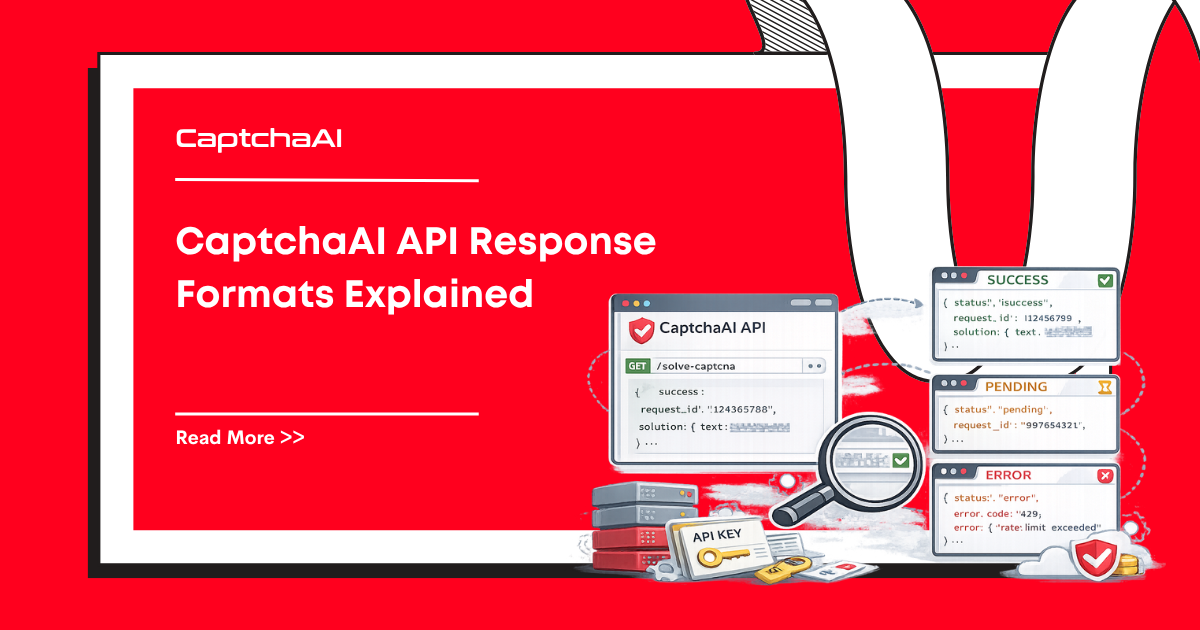
CaptchaAI uses simple text-based responses. This reference covers every response format you'll encounter, with parsing examples.
How to read every response
Every in.php / res.php response falls into one of four shapes. A single decision tree handles them all:
flowchart TD
    R[Response body] --> Q{Equals<br/>CAPCHA_NOT_READY?}
    Q -- yes --> P[Wait 5s<br/>poll again]
    Q -- no --> S{Starts with OK pipe?}
    S -- yes --> T{json=1 requested?}
    T -- no --> U[Plain-text payload<br/>after OK pipe]
    T -- yes --> V[JSON object:<br/>status, request, ...]
    S -- no --> E[ERROR_* code<br/>look up in error reference]
    U --> W[Use as token<br/>or split on comma for<br/>GeeTest / Cloudflare]
    V --> W
The same tree applies whether you're solving reCAPTCHA, image OCR, GeeTest, or Cloudflare — only the payload after OK| differs.
Plain text vs json=1
Every endpoint accepts an optional json=1 flag that switches the response from pipe-delimited text to a JSON object. The two modes carry the same data; pick whichever is easier to parse in your stack.
| Mode | When to use | Example success | Example error |
|---|---|---|---|
| Plain (default) | Shell scripts, smallest payload, regex-friendly | OK|73548291 |
ERROR_ZERO_BALANCE |
json=1 |
Typed parsers, structured logging, libraries | {"status": 1, "request": "73548291"} |
{"status": 0, "request": "ERROR_ZERO_BALANCE"} |
In JSON mode, status is 1 for success and 0 for any failure (including CAPCHA_NOT_READY). The request field always carries the meaningful payload — task ID, token, OCR text, or error code. Treat status as a fast branch and request as the data.
Submit Endpoint (in.php)
Success Response
OK|TASK_ID
Example: OK|73548291
Error Response
ERROR_CODE
Example: ERROR_WRONG_USER_KEY
Parsing
resp = requests.get("https://ocr.captchaai.com/in.php", params={...})

if resp.text.startswith("OK|"):
    task_id = resp.text.split("|")[1]
else:
    error = resp.text
    raise Exception(f"Submit failed: {error}")
const resp = await axios.get("https://ocr.captchaai.com/in.php", { params });

if (resp.data.startsWith("OK|")) {
  const taskId = resp.data.split("|")[1];
} else {
  throw new Error(`Submit failed: ${resp.data}`);
}
Poll Endpoint (res.php)
Not Ready Response
CAPCHA_NOT_READY
The task is still being processed. Wait 5 seconds and poll again.
Success — Token-Based CAPTCHAs
For reCAPTCHA, Turnstile, hCaptcha, and similar:
OK|03AGdBq24PBCbw...long_token_string
Success — Image/OCR CAPTCHAs
OK|abc123
The text after OK| is the recognized text from the image.
Success — GeeTest
OK|challenge:abc123,validate:def456,seccode:ghi789
Parse each field:
if result.text.startswith("OK|"):
    data = result.text.split("|")[1]
    parts = dict(item.split(":") for item in data.split(","))
    challenge = parts["challenge"]
    validate = parts["validate"]
    seccode = parts["seccode"]
Success — Cloudflare Challenge
Returns cf_clearance cookie value and user agent:
OK|cf_clearance=abc123;user_agent=Mozilla/5.0...
Error Response
ERROR_CODE
Parsing Template
def parse_result(response_text):
    if response_text == "CAPCHA_NOT_READY":
        return {"status": "pending"}

    if response_text.startswith("OK|"):
        return {"status": "solved", "result": response_text.split("|", 1)[1]}

    return {"status": "error", "error": response_text}
Balance Endpoint
GET https://ocr.captchaai.com/res.php?key=API_KEY&action=getbalance
Response:
1.234
A decimal number representing your balance in USD.
balance = float(requests.get("https://ocr.captchaai.com/res.php", params={
    "key": API_KEY, "action": "getbalance"
}).text)
print(f"Balance: ${balance:.2f}")
Report Endpoints
Report Good (correct solve)
GET https://ocr.captchaai.com/res.php?key=API_KEY&action=reportgood&id=TASK_ID
Response: OK_REPORT_RECORDED
Report Bad (incorrect solve)
GET https://ocr.captchaai.com/res.php?key=API_KEY&action=reportbad&id=TASK_ID
Response: OK_REPORT_RECORDED
Reporting bad solves helps improve accuracy and may credit your balance.
Common Error Codes
| Error Code | Meaning | Action |
|---|---|---|
ERROR_WRONG_USER_KEY |
Invalid API key | Verify your key |
ERROR_KEY_DOES_NOT_EXIST |
Key not registered | Check dashboard |
ERROR_ZERO_BALANCE |
Insufficient funds | Add balance |
ERROR_NO_SLOT_AVAILABLE |
Server at capacity | Retry after 5 seconds |
ERROR_CAPTCHA_UNSOLVABLE |
Challenge too difficult | Retry with fresh CAPTCHA |
ERROR_BAD_DUPLICATES |
Duplicate task rejected | Wait before resubmitting |
ERROR_WRONG_CAPTCHA_ID |
Invalid task ID | Check task ID value |
ERROR_EMPTY_ACTION |
Missing action parameter |
Add action=get |
IP_BANNED |
Too many bad requests | Fix your API key; wait |
Per-CAPTCHA-type payload cheatsheet
Use this as a quick reference for what comes back after OK| for each solver:
| CAPTCHA type | Method (method=) |
Payload after OK\| |
How to use it |
|---|---|---|---|
| reCAPTCHA v2 / v3 / Enterprise | userrecaptcha |
Single token (~500 chars) | POST as g-recaptcha-response |
| hCaptcha | hcaptcha |
Single token | POST as h-captcha-response |
| Cloudflare Turnstile | turnstile |
Single token | POST as cf-turnstile-response |
| GeeTest v3 | geetest |
challenge:..,validate:..,seccode:.. |
Split on ,, send all three fields |
| GeeTest v4 | geetest_v4 |
JSON-encoded captcha_id, lot_number, pass_token, etc. |
Forward verbatim to target API |
| Image / OCR | base64 |
Recognized text | Submit as the text answer |
| Funcaptcha (Arkose) | funcaptcha |
Single token | POST as the site's expected field |
| Cloudflare Challenge | turnstile (interactive) |
cf_clearance=..;user_agent=.. |
Set cookie + UA in HTTP client |
The token field on the target page is site-specific; check the form/JS to confirm.
Error response shape
Errors look the same on in.php and res.php — a single token in plain mode, or {"status": 0, "request": "ERROR_*"} in JSON mode. Group them by the action you take:
| Class | Examples | Reaction |
|---|---|---|
| Auth/account | ERROR_WRONG_USER_KEY, ERROR_KEY_DOES_NOT_EXIST, ERROR_ZERO_BALANCE, IP_BANNED |
Stop. Fix configuration or top up. Do not retry. |
| Parameters | ERROR_BAD_PARAMETERS, ERROR_PAGEURL, ERROR_GOOGLEKEY |
Stop. Fix the request body. |
| Transient | ERROR_NO_SLOT_AVAILABLE, ERROR_TOO_MUCH_REQUESTS, HTTP 429/5xx |
Backoff + retry. |
| Per-task | ERROR_CAPTCHA_UNSOLVABLE, ERROR_BAD_TOKEN, ERROR_PROXY_CONNECTION_FAILED |
Resubmit a new task. |
| Polling | CAPCHA_NOT_READY, ERROR_WRONG_CAPTCHA_ID |
Keep polling / verify task ID. |
See the error codes reference for the full list and per-code remediation.
Complete Polling Example
import requests
import time

API_KEY = "YOUR_API_KEY"

def solve_captcha(submit_params, timeout=300):
    """Generic solver with proper response handling."""
    submit_params["key"] = API_KEY

    # Submit
    resp = requests.get("https://ocr.captchaai.com/in.php", params=submit_params)
    if not resp.text.startswith("OK|"):
        raise Exception(f"Submit error: {resp.text}")

    task_id = resp.text.split("|")[1]

    # Poll
    deadline = time.time() + timeout
    while time.time() < deadline:
        time.sleep(5)
        result = requests.get("https://ocr.captchaai.com/res.php", params={
            "key": API_KEY,
            "action": "get",
            "id": task_id
        })

        parsed = parse_result(result.text)

        if parsed["status"] == "pending":
            continue
        elif parsed["status"] == "solved":
            return parsed["result"]
        else:
            raise Exception(f"Solve error: {parsed['error']}")

    raise TimeoutError(f"Task {task_id} timed out after {timeout}s")
FAQ
Why does the response use pipe (|) delimiters instead of JSON?
CaptchaAI's format is optimized for simplicity. Pipe-delimited responses are smaller and faster to parse than JSON. For structured data (GeeTest results), the data after OK| contains key-value pairs.
How do I handle network errors?
Wrap API calls in try/except and retry on ConnectionError or Timeout. Network issues are separate from API errors; the API is designed for high availability, so a sustained client-side failure usually points at DNS, egress, or a TLS misconfiguration.
What's the maximum token length?
reCAPTCHA tokens can be up to ~500 characters. Always use split("|", 1) (max split of 1) to avoid splitting the token itself.
Related articles in this series
Part of the API Quickstart to Production series — eight practical guides covering CaptchaAI's API end-to-end, from your first request to running it reliably in production:
- CaptchaAI Quickstart: Your First Solve in 5 Minutes
- API Key Setup and Authentication
- API Response Formats Explained — you are here
- Error Codes: Complete Reference and Fixes
- Error Handling: Complete Decision Tree
- Implementing Robust Retry Logic
- Rate Limiting: Handling 429 Responses
- Production Configuration Management