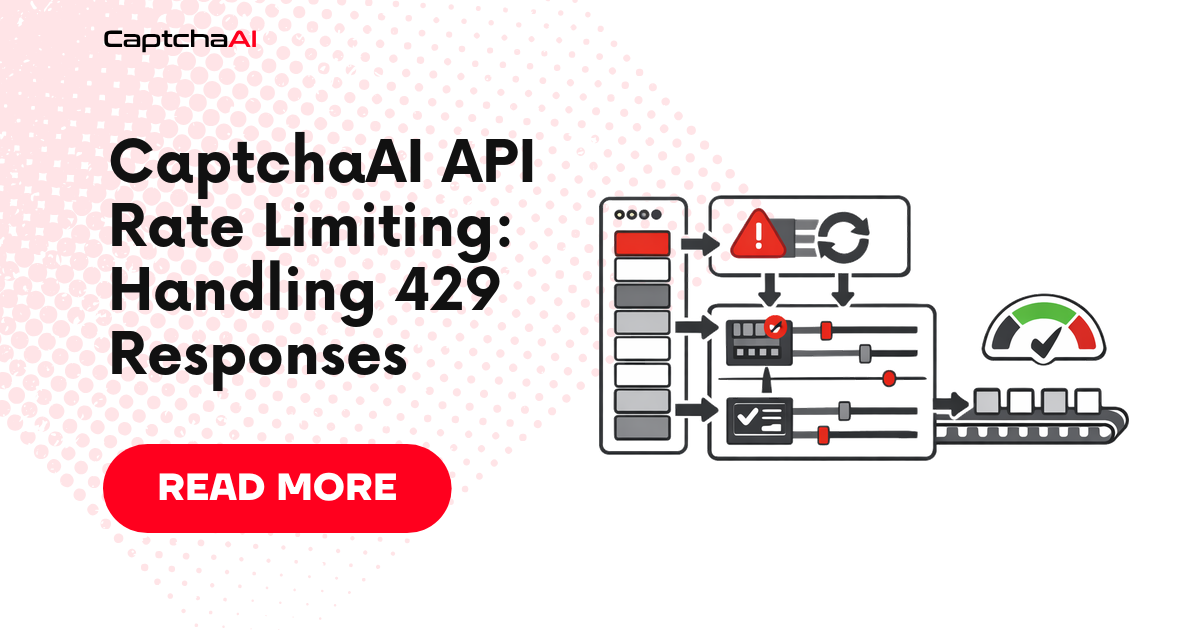
When you submit too many requests too quickly, the API returns rate limit errors. This guide explains how to handle them gracefully with backoff, throttling, and queue management.
Understanding Rate Limits
Normal request flow:
  Request ──▶ API ──▶ 200 OK (task created)

Rate-limited request:
  Request ──▶ API ──▶ 429 Too Many Requests
  (or ERROR_NO_SLOT_AVAILABLE)
Rate limits protect API stability. They apply to:
- Submit requests (
/in.php): Too many new tasks per second - Poll requests (
/res.php): Too many status checks per second
stateDiagram-v2
    [*] --> Normal
    Normal --> Throttled: 429 / ERROR_NO_SLOT_AVAILABLE
    Throttled --> Backoff: cap concurrency,<br/>sleep 2^n + jitter
    Backoff --> Normal: success
    Backoff --> Throttled: still 429
    Throttled --> Open: N consecutive 429s
    Open --> HalfOpen: cooldown elapsed
    HalfOpen --> Normal: probe succeeds
    HalfOpen --> Open: probe fails
The client moves between four states. Normal sends at full configured concurrency. Throttled halves the rate and starts exponential backoff. Open stops sending entirely and queues work. Half-open sends a single probe; one success returns to Normal, one failure drops back to Open. This pattern keeps you from hammering an already-overloaded endpoint.
Common Rate Limit Errors
| Error | Meaning | Solution |
|---|---|---|
| HTTP 429 | Too many requests per second | Reduce request rate, add backoff |
ERROR_NO_SLOT_AVAILABLE |
Solver queue is full | Wait and retry |
ERROR_TOO_MUCH_REQUESTS |
Request rate too high | Throttle submissions |
| Connection reset | Firewall-level rate limit | Reduce concurrency |
Exponential Backoff
The core pattern for handling rate limits:
import requests
import time
import random

API_KEY = "YOUR_API_KEY"
BASE_URL = "https://ocr.captchaai.com"


def submit_with_backoff(method, max_retries=5, **params):
    """Submit task with exponential backoff on rate limits."""
    data = {"key": API_KEY, "method": method, "json": 1}
    data.update(params)

    for attempt in range(max_retries):
        try:
            resp = requests.post(
                f"{BASE_URL}/in.php", data=data, timeout=30,
            )

            # HTTP-level rate limit
            if resp.status_code == 429:
                wait = (2 ** attempt) + random.uniform(0, 1)
                print(f"Rate limited (429). Waiting {wait:.1f}s...")
                time.sleep(wait)
                continue

            result = resp.json()

            # API-level rate limit
            if result.get("request") in (
                "ERROR_NO_SLOT_AVAILABLE",
                "ERROR_TOO_MUCH_REQUESTS",
            ):
                wait = (2 ** attempt) + random.uniform(0, 1)
                print(f"{result['request']}. Waiting {wait:.1f}s...")
                time.sleep(wait)
                continue

            if result.get("status") == 1:
                return result["request"]

            raise RuntimeError(f"Submit error: {result.get('request')}")

        except requests.Timeout:
            wait = 2 ** attempt
            print(f"Timeout. Waiting {wait}s...")
            time.sleep(wait)

    raise RuntimeError(f"Failed after {max_retries} retries")
Request Throttler
Prevent rate limits by controlling your request rate:
import time
import threading


class RequestThrottler:
    """Limit requests per second to avoid rate limits."""

    def __init__(self, max_per_second=5):
        self.min_interval = 1.0 / max_per_second
        self.last_request = 0
        self.lock = threading.Lock()

    def wait(self):
        """Block until it's safe to make the next request."""
        with self.lock:
            now = time.time()
            elapsed = now - self.last_request
            if elapsed < self.min_interval:
                time.sleep(self.min_interval - elapsed)
            self.last_request = time.time()


# Usage
throttle = RequestThrottler(max_per_second=5)


def submit_throttled(method, **params):
    """Submit with rate limiting."""
    throttle.wait()
    data = {"key": API_KEY, "method": method, "json": 1}
    data.update(params)
    resp = requests.post(f"{BASE_URL}/in.php", data=data)
    return resp.json()
Adaptive Rate Limiter
Automatically adjust your request rate based on API responses:
import time
import threading


class AdaptiveThrottler:
    """Adjusts request rate based on rate limit signals."""

    def __init__(self, initial_rate=10, min_rate=1, max_rate=50):
        self.rate = initial_rate
        self.min_rate = min_rate
        self.max_rate = max_rate
        self.lock = threading.Lock()
        self.last_request = 0
        self.consecutive_success = 0

    @property
    def interval(self):
        return 1.0 / self.rate

    def wait(self):
        with self.lock:
            now = time.time()
            elapsed = now - self.last_request
            if elapsed < self.interval:
                time.sleep(self.interval - elapsed)
            self.last_request = time.time()

    def record_success(self):
        with self.lock:
            self.consecutive_success += 1
            # Increase rate after 10 consecutive successes
            if self.consecutive_success >= 10:
                self.rate = min(self.rate * 1.2, self.max_rate)
                self.consecutive_success = 0

    def record_rate_limit(self):
        with self.lock:
            # Cut rate in half on rate limit
            self.rate = max(self.rate * 0.5, self.min_rate)
            self.consecutive_success = 0
            print(f"Rate reduced to {self.rate:.1f} req/s")


# Usage
throttle = AdaptiveThrottler(initial_rate=10)


def submit_adaptive(method, **params):
    throttle.wait()
    data = {"key": API_KEY, "method": method, "json": 1}
    data.update(params)
    resp = requests.post(f"{BASE_URL}/in.php", data=data)
    result = resp.json()

    if resp.status_code == 429 or result.get("request") == "ERROR_NO_SLOT_AVAILABLE":
        throttle.record_rate_limit()
        return None  # Caller should retry

    throttle.record_success()
    return result
Poll Rate Management
Don't poll too frequently either:
def poll_with_backoff(task_id, timeout=120):
    """Poll with increasing intervals."""
    start = time.time()
    poll_interval = 5  # Start at 5 seconds

    while time.time() - start < timeout:
        time.sleep(poll_interval)
        resp = requests.get(f"{BASE_URL}/res.php", params={
            "key": API_KEY, "action": "get",
            "id": task_id, "json": 1,
        }, timeout=15)

        if resp.status_code == 429:
            poll_interval = min(poll_interval * 1.5, 15)
            continue

        data = resp.json()
        if data["request"] != "CAPCHA_NOT_READY":
            return data["request"]

        # Gradually increase poll interval (max 10s)
        poll_interval = min(poll_interval + 1, 10)

    raise TimeoutError("Poll timeout")
Recommended Poll Intervals
| CAPTCHA Type | Initial Wait | Poll Interval |
|---|---|---|
| Image/OCR | 3s | 3s |
| reCAPTCHA v2 | 10s | 5s |
| reCAPTCHA v3 | 5s | 5s |
| Turnstile | 3s | 3s |
| GeeTest | 5s | 5s |
| BLS | 3s | 5s |
Queue-Based Architecture
For high-volume systems, use a task queue to smooth out request bursts:
import queue
import threading
import time

API_KEY = "YOUR_API_KEY"
BASE_URL = "https://ocr.captchaai.com"


class CaptchaQueue:
    """Queue-based CAPTCHA solver with controlled submission rate."""

    def __init__(self, api_key, submit_rate=5, workers=3):
        self.api_key = api_key
        self.task_queue = queue.Queue()
        self.result_map = {}
        self.submit_rate = submit_rate
        self.running = True

        # Start worker threads
        for _ in range(workers):
            t = threading.Thread(target=self._worker, daemon=True)
            t.start()

    def submit(self, method, callback=None, **params):
        """Add task to queue. Returns task reference."""
        ref = id(params)
        self.task_queue.put({
            "method": method,
            "params": params,
            "ref": ref,
            "callback": callback,
        })
        return ref

    def _worker(self):
        while self.running:
            try:
                task = self.task_queue.get(timeout=1)
            except queue.Empty:
                continue

            time.sleep(1.0 / self.submit_rate)

            try:
                data = {
                    "key": self.api_key,
                    "method": task["method"],
                    "json": 1,
                }
                data.update(task["params"])

                resp = requests.post(f"{BASE_URL}/in.php", data=data)
                result = resp.json()

                if result.get("request") == "ERROR_NO_SLOT_AVAILABLE":
                    time.sleep(3)
                    self.task_queue.put(task)  # Re-queue
                    continue

                task_id = result["request"]
                token = poll_result(task_id)

                self.result_map[task["ref"]] = token
                if task["callback"]:
                    task["callback"](token)

            except Exception as e:
                self.result_map[task["ref"]] = None
                print(f"Worker error: {e}")

    def shutdown(self):
        self.running = False


# Usage
cq = CaptchaQueue("YOUR_API_KEY", submit_rate=5)

for i in range(50):
    cq.submit(
        "userrecaptcha",
        googlekey="SITE_KEY",
        pageurl=f"https://example.com/page{i}",
        callback=lambda t: print(f"Solved: {t[:30]}..."),
    )

# Wait for completion
time.sleep(120)
cq.shutdown()
Troubleshooting
| Issue | Cause | Fix |
|---|---|---|
| Constant 429 errors | Request rate too high | Start at 5 req/s, use adaptive throttler |
ERROR_NO_SLOT_AVAILABLE |
API queue full | Wait 3-5s and retry |
| Timeouts after rate limit | Backoff too short | Use exponential backoff with jitter |
| Connection resets | Aggressive concurrency | Reduce concurrent connections |
FAQ
What's the maximum request rate?
CaptchaAI doesn't publish a fixed rate limit. Start at 5-10 requests/second and increase until you see 429 responses. Use the adaptive throttler to find your optimal rate.
Do poll requests count toward rate limits?
Yes, but poll requests are lightweight. Keep poll intervals at 5+ seconds to avoid issues.
Should I use callbacks instead of polling for high volume?
Yes. For 100+ concurrent tasks, callbacks (pingback) eliminate poll traffic and reduce rate limit risk.
Related articles in this series
Part of the API Quickstart to Production series — eight practical guides covering CaptchaAI's API end-to-end, from your first request to running it reliably in production:
- CaptchaAI Quickstart: Your First Solve in 5 Minutes
- API Key Setup and Authentication
- API Response Formats Explained
- Error Codes: Complete Reference and Fixes
- Error Handling: Complete Decision Tree
- Implementing Robust Retry Logic
- Rate Limiting: Handling 429 Responses — you are here
- Production Configuration Management