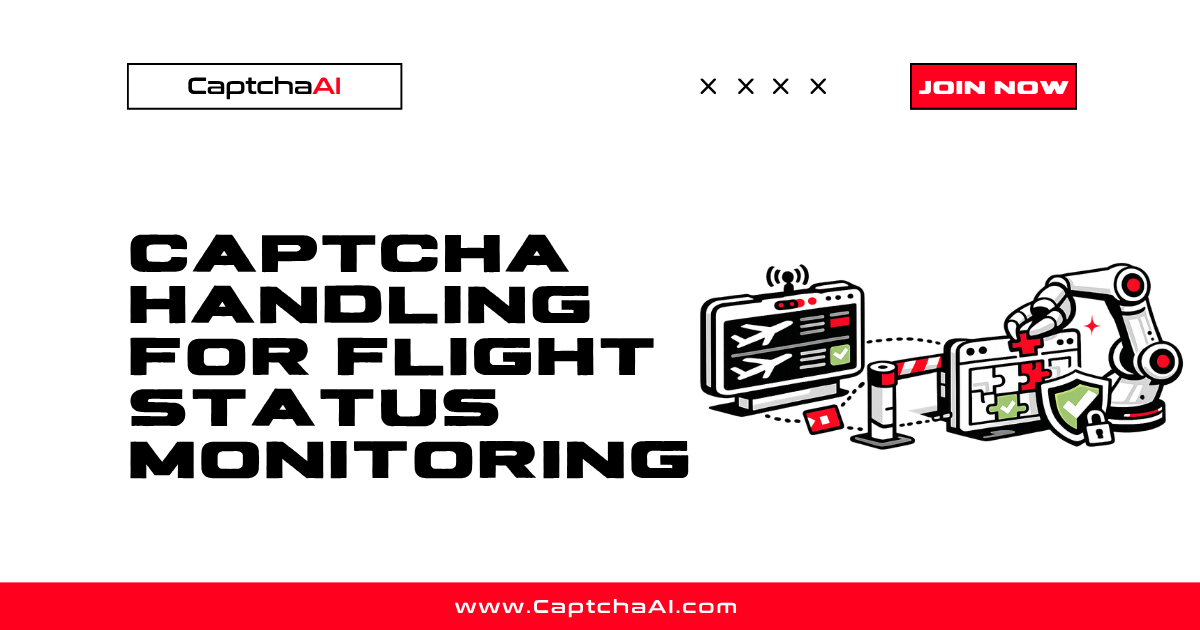
Flight status monitoring requires frequent checks across multiple airline and airport portals. These portals protect their real-time data with Cloudflare Turnstile, reCAPTCHA, and custom CAPTCHAs — especially when they detect repeated automated queries. Here's how to handle CAPTCHAs while building reliable flight tracking tools.
Where CAPTCHAs Appear
| Portal type | CAPTCHA | Trigger |
|---|---|---|
| Airline flight status page | Cloudflare Turnstile | Frequent requests from same IP |
| Airport arrival/departure boards | Cloudflare Challenge | Bot detection |
| Flight search engines | reCAPTCHA v2/v3 | Search form submission |
| Booking status check | reCAPTCHA v2 | Before showing itinerary |
| API rate-limit pages | Custom CAPTCHA | After exceeding request limits |
Flight Monitoring Architecture
import requests
import time
from datetime import datetime

def text_of(node, selector, default=""):
    """Text of the first match, or `default` when the selector misses."""
    found = node.select_one(selector)
    return found.get_text(strip=True) if found else default


def attr_of(node, selector, attribute, default=""):
    """Attribute of the first match, or `default` when the selector misses."""
    found = node.select_one(selector)
    return found.get(attribute, default) if found else default

class FlightMonitor:
    def __init__(self, api_key):
        self.api_key = api_key
        self.session = requests.Session()
        self.session.headers.update({
            "User-Agent": "Mozilla/5.0 (Windows NT 10.0; Win64; x64) AppleWebKit/537.36"
        })

    def check_flight(self, airline_url, flight_number):
        """Check flight status, handling CAPTCHAs if encountered."""
        response = self.session.get(
            f"{airline_url}/flight-status/{flight_number}"
        )

        if self._is_captcha_page(response):
            response = self._solve_and_retry(response, airline_url)

        return self._parse_flight_data(response.text)

    def _is_captcha_page(self, response):
        return (
            response.status_code == 403 or
            "cf-turnstile" in response.text or
            "g-recaptcha" in response.text
        )

    def _solve_and_retry(self, response, url):
        import re

        # Detect CAPTCHA type
        if "cf-turnstile" in response.text:
            match = re.search(r'data-sitekey="(0x[^"]+)"', response.text)
            token = self._solve_turnstile(match.group(1), url)
            field = "cf-turnstile-response"
        else:
            match = re.search(r'data-sitekey="([^"]+)"', response.text)
            token = self._solve_recaptcha(match.group(1), url)
            field = "g-recaptcha-response"

        return self.session.post(url, data={field: token})

    def _solve_turnstile(self, site_key, page_url):
        resp = requests.post("https://ocr.captchaai.com/in.php", data={
            "key": self.api_key,
            "method": "turnstile",
            "sitekey": site_key,
            "pageurl": page_url,
            "json": 1
        })
        task_id = resp.json()["request"]
        return self._poll_result(task_id)

    def _solve_recaptcha(self, site_key, page_url):
        resp = requests.post("https://ocr.captchaai.com/in.php", data={
            "key": self.api_key,
            "method": "userrecaptcha",
            "googlekey": site_key,
            "pageurl": page_url,
            "json": 1
        })
        task_id = resp.json()["request"]
        return self._poll_result(task_id)

    def _poll_result(self, task_id):
        for _ in range(60):
            time.sleep(3)
            result = requests.get("https://ocr.captchaai.com/res.php", params={
                "key": self.api_key,
                "action": "get",
                "id": task_id,
                "json": 1
            })
            data = result.json()
            if data["status"] == 1:
                return data["request"]
        raise TimeoutError("CAPTCHA solve timed out")

    def _parse_flight_data(self, html):
        # Parse flight status from HTML
        from bs4 import BeautifulSoup
        soup = BeautifulSoup(html, "html.parser")
        return {
            "status": text_of(soup, ".flight-status"),
            "departure": text_of(soup, ".departure-time"),
            "arrival": text_of(soup, ".arrival-time"),
            "gate": text_of(soup, ".gate-info"),
            "checked_at": datetime.now().isoformat()
        }
Periodic Monitoring with CAPTCHA Handling
def monitor_flight(monitor, airline_url, flight_number,
                   interval_seconds=300, max_checks=48):
    """Monitor a flight every N seconds, handling CAPTCHAs as needed."""
    history = []

    for check_num in range(max_checks):
        try:
            status = monitor.check_flight(airline_url, flight_number)
            history.append(status)

            # Alert on changes
            if len(history) > 1 and status["status"] != history[-2]["status"]:
                print(f"Status changed: {history[-2]['status']} → {status['status']}")

            print(f"Check {check_num + 1}: {status['status']} "
                  f"(Gate: {status.get('gate', 'Coming soon')})")

        except Exception as e:
            print(f"Check {check_num + 1} failed: {e}")

        time.sleep(interval_seconds)

    return history

# Usage
monitor = FlightMonitor("YOUR_API_KEY")
monitor_flight(monitor, "https://airline.example.com", "AA1234")
Multi-Airline Monitoring (JavaScript)
class FlightTracker {
  constructor(apiKey) {
    this.apiKey = apiKey;
    this.flights = new Map();
  }

  async addFlight(airline, flightNumber, checkUrl) {
    this.flights.set(flightNumber, {
      airline,
      url: checkUrl,
      history: [],
      lastCheck: null
    });
  }

  async checkAll() {
    const results = [];

    for (const [flightNum, flight] of this.flights) {
      try {
        const status = await this.checkFlight(flight.url, flightNum);
        flight.history.push(status);
        flight.lastCheck = new Date();
        results.push({ flight: flightNum, ...status });
      } catch (error) {
        results.push({ flight: flightNum, error: error.message });
      }
    }

    return results;
  }

  async checkFlight(url, flightNumber) {
    const response = await fetch(`${url}/status/${flightNumber}`);
    const html = await response.text();

    // Check for CAPTCHA
    if (html.includes('cf-turnstile') || response.status === 403) {
      return this.solveAndRetry(url, flightNumber, html);
    }

    return this.parseStatus(html);
  }

  async solveAndRetry(url, flightNumber, html) {
    const siteKeyMatch = html.match(/data-sitekey="(0x[^"]+)"/);
    if (!siteKeyMatch) throw new Error('No sitekey found');

    const token = await this.solveTurnstile(siteKeyMatch[1], url);

    const response = await fetch(`${url}/status/${flightNumber}`, {
      method: 'POST',
      body: new URLSearchParams({ 'cf-turnstile-response': token })
    });

    return this.parseStatus(await response.text());
  }
}
Monitoring Frequency and CAPTCHA Rates
| Check frequency | Typical CAPTCHA rate | Recommendation |
|---|---|---|
| Every 1 minute | High (50–80%) | Too aggressive — increase interval |
| Every 5 minutes | Moderate (10–30%) | Acceptable for critical flights |
| Every 15 minutes | Low (5–10%) | Good balance for routine monitoring |
| Every 30 minutes | Very low (<5%) | Best for long-term tracking |
| Every hour | Minimal (<1%) | CAPTCHAs rarely trigger |
Session Optimization
Reduce CAPTCHA encounters by maintaining session state:
| Technique | Effect |
|---|---|
| Persist cookies between checks | Cloudflare cf_clearance valid for 15–30 min |
| Use consistent User-Agent | Changing UA triggers new challenges |
| Maintain proxy consistency | Same IP reduces suspicion |
| Space requests evenly | Burst patterns trigger rate limits |
Troubleshooting
| Issue | Cause | Fix |
|---|---|---|
| CAPTCHA every check | Session not persisted | Reuse requests.Session() across checks |
| Cloudflare block (Error 1020) | Too many requests | Increase check interval |
| Flight data outdated after CAPTCHA | Token expired during solve | Use just-in-time solving |
| Different data than browser shows | Missing JavaScript rendering | Use browser automation for JS-heavy sites |
FAQ
How often should I check flight status?
Every 5–15 minutes is typical. More frequent checks trigger more CAPTCHAs and may result in IP blocks. CaptchaAI handles Turnstile with a high success rate, so the limiting factor is the portal's rate limits, not CAPTCHA solving.
Can I monitor flights from multiple airlines at once?
Yes. Use separate sessions per airline and solve CAPTCHAs independently for each. CaptchaAI handles concurrent requests across different sites.
Do airline mobile APIs have CAPTCHAs?
Mobile APIs typically use different authentication (API keys, OAuth) rather than CAPTCHAs. However, the web endpoints they serve may still have Cloudflare protection.
Related Articles
- Geetest Vs Cloudflare Turnstile Comparison
- Cloudflare Turnstile 403 After Token Fix
- Cloudflare Turnstile Widget Modes Explained
Next Steps
Build reliable flight monitoring — get your CaptchaAI API key and handle airline CAPTCHAs automatically.