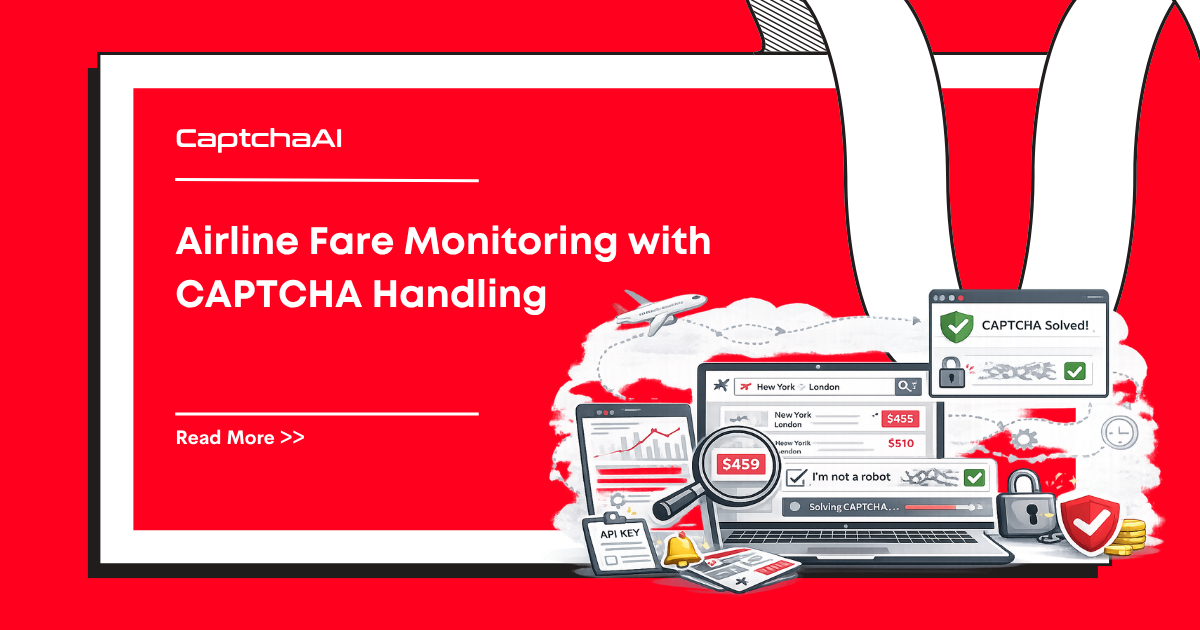
Travel and airline sites frequently use CAPTCHAs to limit automated fare checking. A price monitoring system that checks fares across multiple routes will encounter reCAPTCHA challenges, Cloudflare interstitials, and rate-limiting mechanisms. CaptchaAI handles the CAPTCHA-solving step so your monitoring pipeline can continue collecting fare data.
This guide shows how to build a fare monitoring workflow that detects and solves CAPTCHAs during price checks.
The monitoring workflow
Schedule check → Request fare page → CAPTCHA detected?
                                         ↓ Yes
                                    Solve via CaptchaAI → Inject token → Retry request
                                         ↓ No
                                    Parse fare data → Store → Alert on price change
What you need
| Requirement | Details |
|---|---|
| CaptchaAI API key | captchaai.com |
| Python 3.8+ | With requests |
| Proxy | Residential proxy for travel sites |
pip install requests
CaptchaAI solver helper
import requests
import time

API_KEY = "YOUR_API_KEY"


def solve_recaptcha_v2(sitekey, pageurl):
    """Solve reCAPTCHA v2 and return the token."""
    submit = requests.post("https://ocr.captchaai.com/in.php", data={
        "key": API_KEY, "method": "userrecaptcha",
        "googlekey": sitekey, "pageurl": pageurl, "json": 1
    }).json()

    if submit.get("status") != 1:
        raise RuntimeError(f"Submit error: {submit.get('request')}")

    task_id = submit["request"]
    time.sleep(20)

    for _ in range(30):
        result = requests.get("https://ocr.captchaai.com/res.php", params={
            "key": API_KEY, "action": "get", "id": task_id, "json": 1
        }).json()
        if result.get("status") == 1:
            return result["request"]
        if result.get("request") != "CAPCHA_NOT_READY":
            raise RuntimeError(f"Solve error: {result['request']}")
        time.sleep(5)
    raise TimeoutError("Solve timed out")


def solve_turnstile(sitekey, pageurl):
    """Solve Cloudflare Turnstile and return the token."""
    submit = requests.post("https://ocr.captchaai.com/in.php", data={
        "key": API_KEY, "method": "turnstile",
        "sitekey": sitekey, "pageurl": pageurl, "json": 1
    }).json()

    if submit.get("status") != 1:
        raise RuntimeError(f"Submit error: {submit.get('request')}")

    task_id = submit["request"]
    time.sleep(10)

    for _ in range(30):
        result = requests.get("https://ocr.captchaai.com/res.php", params={
            "key": API_KEY, "action": "get", "id": task_id, "json": 1
        }).json()
        if result.get("status") == 1:
            return result["request"]
        if result.get("request") != "CAPCHA_NOT_READY":
            raise RuntimeError(f"Solve error: {result['request']}")
        time.sleep(5)
    raise TimeoutError("Solve timed out")
Fare monitoring with CAPTCHA handling
import json
from datetime import datetime


class FareMonitor:
    def __init__(self, proxy=None):
        self.session = requests.Session()
        if proxy:
            self.session.proxies = {
                "http": f"http://{proxy}",
                "https": f"http://{proxy}"
            }
        self.fare_history = {}

    def check_fare(self, route):
        """Check fare for a route, solving CAPTCHAs if needed."""
        url = route["url"]

        response = self.session.get(url)

        # Detect CAPTCHA in response
        if self._has_recaptcha(response.text):
            sitekey = self._extract_sitekey(response.text)
            token = solve_recaptcha_v2(sitekey, url)
            response = self.session.post(url, data={
                "g-recaptcha-response": token,
                **route.get("params", {})
            })

        elif self._has_turnstile(response.text):
            sitekey = self._extract_turnstile_key(response.text)
            token = solve_turnstile(sitekey, url)
            response = self.session.post(url, data={
                "cf-turnstile-response": token,
                **route.get("params", {})
            })

        return self._parse_fare(response.text, route)

    def _has_recaptcha(self, html):
        return "g-recaptcha" in html or "recaptcha/api" in html

    def _has_turnstile(self, html):
        return "cf-turnstile" in html or "turnstile" in html

    def _extract_sitekey(self, html):
        # Extract data-sitekey from reCAPTCHA div
        if 'data-sitekey="' in html:
            start = html.index('data-sitekey="') + 14
            end = html.index('"', start)
            return html[start:end]
        return None

    def _extract_turnstile_key(self, html):
        if 'data-sitekey="' in html:
            idx = html.index("cf-turnstile")
            start = html.index('data-sitekey="', idx) + 14
            end = html.index('"', start)
            return html[start:end]
        return None

    def _parse_fare(self, html, route):
        """Parse fare data from the response. Customize per target site."""
        # Placeholder — implement per site
        return {
            "route": route["name"],
            "timestamp": datetime.now().isoformat(),
            "raw_length": len(html)
        }

    def monitor_routes(self, routes):
        """Check all routes and report price changes."""
        results = []
        for route in routes:
            try:
                fare = self.check_fare(route)
                results.append(fare)
                print(f"[OK] {route['name']}: checked")
            except Exception as e:
                print(f"[ERROR] {route['name']}: {e}")
        return results


# Usage
routes = [
    {
        "name": "NYC-LAX",
        "url": "https://example-airline.com/search?from=JFK&to=LAX&date=2025-08-15",
        "params": {"adults": 1}
    },
    {
        "name": "SFO-ORD",
        "url": "https://example-airline.com/search?from=SFO&to=ORD&date=2025-08-20",
        "params": {"adults": 1}
    }
]

monitor = FareMonitor(proxy="user:[email protected]:8080")
results = monitor.monitor_routes(routes)

for r in results:
    print(json.dumps(r, indent=2))
Scheduling checks
Run the monitor on a schedule using cron or a task scheduler:
# Check fares every 6 hours
0 */6 * * * cd /path/to/project && python fare_monitor.py >> /var/log/fares.log 2>&1
Troubleshooting
| Issue | Cause | Fix |
|---|---|---|
| Frequent CAPTCHAs | Too many requests from same IP | Use rotating residential proxies |
| Stale prices | Cached pages | Add cache-busting headers or randomize request parameters |
| IP blocked | Rate limiting | Increase delays between checks, rotate proxies |
| CAPTCHA solve fails | Wrong sitekey extraction | Verify the sitekey matches the CAPTCHA on the page |
FAQ
How often should I check fares?
Every 4–8 hours is typical. More frequent checks increase CAPTCHA encounters and proxy costs.
Which CAPTCHA types do airline sites use?
Most commonly reCAPTCHA v2, Cloudflare Turnstile or Challenge pages, and occasionally image CAPTCHAs.
Do I need residential proxies?
Yes. Travel sites actively block datacenter IPs. Residential or mobile proxies have significantly higher success rates.
Can I monitor multiple airlines?
Yes. Customize the _parse_fare method for each airline's response format and add routes for each site.
How do I handle Cloudflare Challenge pages?
Use method=cloudflare_challenge with a proxy. The returned cf_clearance cookie grants access to the site. See the Cloudflare Challenge guide.
Get your CaptchaAI API key
Start monitoring airline fares at captchaai.com. Handle CAPTCHAs automatically in your price tracking workflow.
Related guides
- How to Solve reCAPTCHA v2 Using API
- How to Solve Cloudflare Turnstile Using API
- Financial Data Scraping with CAPTCHA Handling
- Proxy Setup Best Practices
Full Working Code
Complete runnable examples for this article in Python, Node.js, PHP, Go, Java, C#, Ruby, Rust, Kotlin & Bash.
View on GitHub →




Discussions (0)
Join the conversation
Sign in to share your opinion.
Sign InNo comments yet.