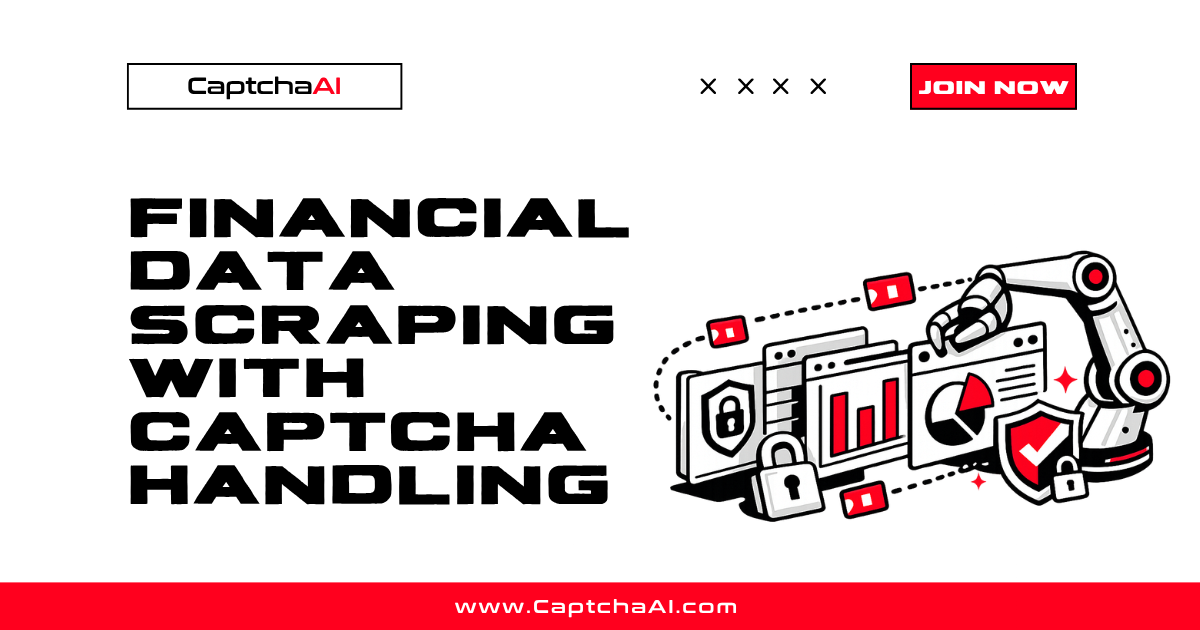
Financial platforms like stock screeners, SEC EDGAR, and trading platforms protect data with CAPTCHAs to prevent automated extraction. CaptchaAI handles these challenges programmatically so you can collect market data at scale.
Where CAPTCHAs Appear in Finance
| Source | CAPTCHA Type | Trigger | Data Value |
|---|---|---|---|
| SEC EDGAR | reCAPTCHA v2 | High volume requests | Company filings |
| Yahoo Finance | reCAPTCHA v2 | Scraping detection | Stock quotes, history |
| Bloomberg | Cloudflare Turnstile | All automated access | Market data |
| Finviz | reCAPTCHA v2 | Stock screener access | Screening results |
| TradingView | Cloudflare Challenge | Rate limiting | Charts, indicators |
| Morningstar | reCAPTCHA v3 | Data export pages | Fund analytics |
Stock Screener Scraping
import requests
import time
from bs4 import BeautifulSoup
import re

CAPTCHAAI_KEY = "YOUR_API_KEY"
CAPTCHAAI_URL = "https://ocr.captchaai.com"


def solve_captcha(method, sitekey, pageurl, **kwargs):
    data = {
        "key": CAPTCHAAI_KEY,
        "method": method,
        "googlekey": sitekey,
        "pageurl": pageurl,
        "json": 1,
    }
    data.update(kwargs)

    resp = requests.post(f"{CAPTCHAAI_URL}/in.php", data=data)
    task_id = resp.json()["request"]

    for _ in range(60):
        time.sleep(5)
        result = requests.get(f"{CAPTCHAAI_URL}/res.php", params={
            "key": CAPTCHAAI_KEY, "action": "get",
            "id": task_id, "json": 1,
        })
        r = result.json()
        if r["request"] != "CAPCHA_NOT_READY":
            return r["request"]

    raise TimeoutError("Solve timeout")


class FinancialScraper:
    def __init__(self, proxy=None):
        self.session = requests.Session()
        if proxy:
            self.session.proxies = {"http": proxy, "https": proxy}
        self.session.headers.update({
            "User-Agent": "Mozilla/5.0 (Windows NT 10.0; Win64; x64) "
            "AppleWebKit/537.36 Chrome/126.0.0.0 Safari/537.36",
            "Accept-Language": "en-US,en;q=0.9",
        })

    def scrape_screener(self, url):
        """Scrape stock screener, handling CAPTCHA if triggered."""
        resp = self.session.get(url, timeout=30)

        # Check for CAPTCHA
        sitekey_match = re.search(r'data-sitekey="([^"]+)"', resp.text)
        if sitekey_match:
            sitekey = sitekey_match.group(1)
            token = solve_captcha("userrecaptcha", sitekey, url)

            # Resubmit with token
            resp = self.session.post(url, data={
                "g-recaptcha-response": token,
            })

        return self._parse_stocks(resp.text)

    def _parse_stocks(self, html):
        soup = BeautifulSoup(html, "html.parser")
        stocks = []
        for row in soup.select("table.screener-table tr")[1:]:
            cols = row.select("td")
            if len(cols) >= 8:
                stocks.append({
                    "ticker": cols[1].get_text(strip=True),
                    "company": cols[2].get_text(strip=True),
                    "sector": cols[3].get_text(strip=True),
                    "price": cols[6].get_text(strip=True),
                    "change": cols[7].get_text(strip=True),
                })
        return stocks


# Usage
scraper = FinancialScraper(
    proxy="http://user:[email protected]:5000"
)
stocks = scraper.scrape_screener("https://screener.example.com/screener.ashx?v=111")
for stock in stocks[:5]:
    print(f"{stock['ticker']}: {stock['price']} ({stock['change']})")
SEC EDGAR Filing Extraction
SEC EDGAR implements rate limiting and CAPTCHAs for high-volume access:
import json


class SECFilingScraper:
    BASE_URL = "https://efts.sec.gov/LATEST"

    def __init__(self, user_agent_email, proxy=None):
        self.session = requests.Session()
        if proxy:
            self.session.proxies = {"http": proxy, "https": proxy}
        # SEC requires identifying User-Agent
        self.session.headers.update({
            "User-Agent": f"CompanyName admin@{user_agent_email}",
            "Accept": "application/json",
        })

    def search_filings(self, company, filing_type="10-K"):
        """Search EDGAR for specific filing types."""
        url = f"{self.BASE_URL}/search-index"
        params = {
            "q": company,
            "dateRange": "custom",
            "forms": filing_type,
        }

        resp = self.session.get(url, params=params, timeout=30)

        # Handle CAPTCHA if triggered
        if "captcha" in resp.text.lower() or resp.status_code == 403:
            sitekey = self._extract_sitekey(resp.text)
            if sitekey:
                token = solve_captcha("userrecaptcha", sitekey, url)
                resp = self.session.post(url, data={
                    **params,
                    "g-recaptcha-response": token,
                })

        return resp.json() if resp.status_code == 200 else {}

    def download_filing(self, filing_url):
        """Download individual filing document."""
        resp = self.session.get(filing_url, timeout=60)
        if resp.status_code == 200:
            return resp.text
        return None

    def _extract_sitekey(self, html):
        match = re.search(r'data-sitekey="([^"]+)"', html)
        return match.group(1) if match else None


# Usage
sec = SECFilingScraper(
    user_agent_email="example.com",
    proxy="http://user:[email protected]:5000",
)
filings = sec.search_filings("Apple Inc", "10-K")
Turnstile-Protected Market Data
def scrape_turnstile_market_data(url, sitekey):
    """Handle Cloudflare Turnstile on financial data sites."""
    token = solve_captcha("turnstile", sitekey, url)

    session = requests.Session()
    session.headers.update({
        "User-Agent": "Mozilla/5.0 (Windows NT 10.0; Win64; x64) "
        "AppleWebKit/537.36 Chrome/126.0.0.0 Safari/537.36",
    })

    resp = session.post(url, data={
        "cf-turnstile-response": token,
    }, timeout=30)

    return resp.json() if resp.status_code == 200 else None
Scheduled Data Collection
import csv
from datetime import datetime


def daily_market_snapshot(tickers, output_dir="data"):
    """Collect daily stock data, handling CAPTCHAs automatically."""
    scraper = FinancialScraper(
        proxy="http://user:[email protected]:5000"
    )

    date_str = datetime.now().strftime("%Y-%m-%d")
    results = []

    for ticker in tickers:
        url = f"https://screener.example.com/quote.ashx?t={ticker}"
        try:
            data = scraper.scrape_screener(url)
            if data:
                results.extend(data)
            time.sleep(2)  # Rate limit
        except Exception as e:
            print(f"Error on {ticker}: {e}")

    # Save to CSV
    filepath = f"{output_dir}/market_{date_str}.csv"
    with open(filepath, "w", newline="") as f:
        writer = csv.DictWriter(f, fieldnames=["ticker", "company", "sector", "price", "change"])
        writer.writeheader()
        writer.writerows(results)

    print(f"Saved {len(results)} records to {filepath}")
    return results


# Run daily
tickers = ["AAPL", "GOOGL", "MSFT", "AMZN", "TSLA"]
daily_market_snapshot(tickers)
Rate Limiting Best Practices
Financial sites are stricter about automated access:
| Practice | Recommendation |
|---|---|
| Request delay | 2-5 seconds between pages |
| Concurrent connections | Max 3-5 per domain |
| Proxy type | Residential or ISP |
| Session length | 5-10 min sticky sessions |
| User-Agent | Realistic, consistent per session |
| SEC EDGAR | Include contact email in UA (required) |
| Market hours | Scrape during off-peak when possible |
Troubleshooting
| Issue | Cause | Fix |
|---|---|---|
| 403 on SEC EDGAR | Missing User-Agent with email | Add CompanyName email@domain header |
| CAPTCHA on every request | Rate limit exceeded | Add 3-5s delays between requests |
| Stale price data | Cached response | Add cache-bust query parameter |
| JSON parse error | CAPTCHA page returned instead | Check for CAPTCHA before parsing |
| IP blocked | Too many requests from same IP | Switch to rotating residential proxy |
FAQ
Is scraping financial data legal?
Public financial data (SEC filings, stock quotes) is generally permissible. Always respect terms of service and rate limits. SEC EDGAR explicitly provides EDGAR access for research purposes.
Why do financial sites use CAPTCHAs?
To prevent high-volume automated extraction that could enable market manipulation, competitive intelligence gathering, or excessive server load.
How often should I scrape market data?
For stock prices: once per minute during market hours maximum. For filings: once daily is typical. Over-scraping triggers CAPTCHAs faster.
Related Guides
Collect financial data without CAPTCHA interruptions — get your CaptchaAI key and automate market research.
Full Working Code
Complete runnable examples for this article in Python, Node.js, PHP, Go, Java, C#, Ruby, Rust, Kotlin & Bash.
View on GitHub →


Discussions (0)
Join the conversation
Sign in to share your opinion.
Sign InNo comments yet.