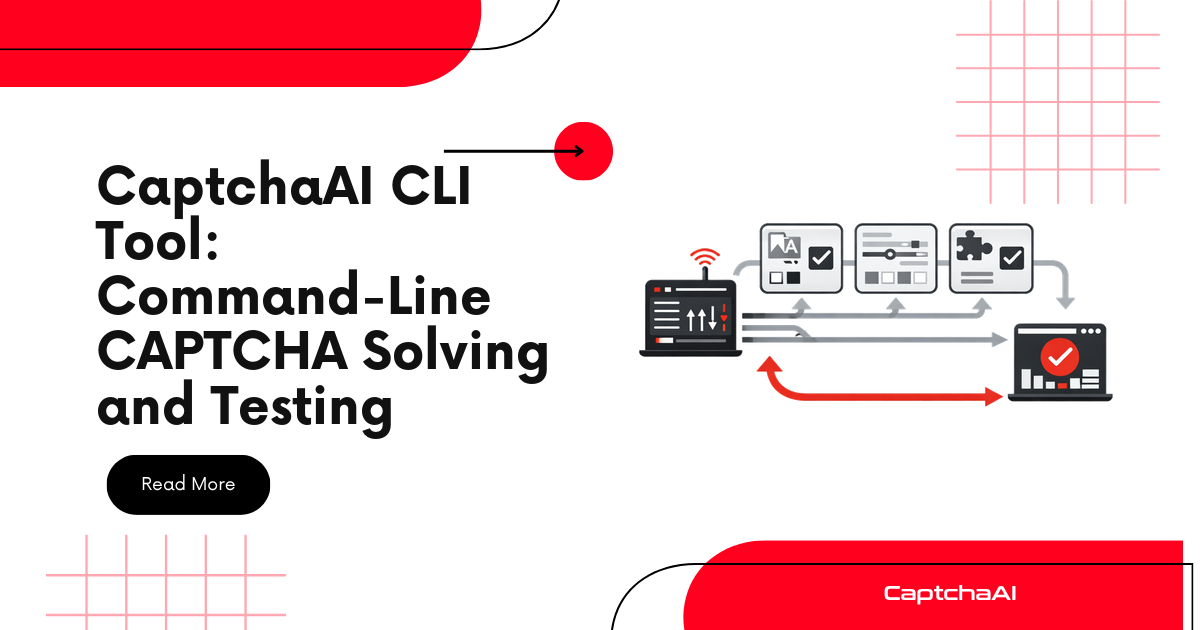
A CLI tool for CaptchaAI lets you solve CAPTCHAs, check your balance, and test API parameters directly from the terminal — without writing application code. It's useful for quick tests, shell scripting, CI/CD integration, and debugging.
Python CLI Tool
Installation
Save as captchaai_cli.py and make it executable:
#!/usr/bin/env python3
"""CaptchaAI CLI — command-line CAPTCHA solving and API testing."""

import argparse
import json
import os
import sys
import time
import requests

API_BASE = "https://ocr.captchaai.com"

def get_api_key(args):
    """Get API key from argument or environment variable."""
    key = args.key or os.environ.get("CAPTCHAAI_API_KEY")
    if not key:
        print("Error: API key required. Use --key or set CAPTCHAAI_API_KEY", file=sys.stderr)
        sys.exit(1)
    return key

def cmd_balance(args):
    """Check account balance."""
    key = get_api_key(args)
    response = requests.get(
        f"{API_BASE}/res.php",
        params={"key": key, "action": "getbalance", "json": 1},
        timeout=10,
    )
    result = response.json()
    if args.json:
        print(json.dumps(result, indent=2))
    else:
        print(f"${result.get('request', 'unknown')}")

def cmd_solve(args):
    """Submit and poll a CAPTCHA task."""
    key = get_api_key(args)

    # Build submit parameters
    params = {"key": key, "json": 1}

    if args.type == "recaptcha-v2":
        params.update({"method": "userrecaptcha", "googlekey": args.sitekey, "pageurl": args.pageurl})
    elif args.type == "recaptcha-v3":
        params.update({
            "method": "userrecaptcha", "googlekey": args.sitekey, "pageurl": args.pageurl,
            "version": "v3", "action": args.action or "verify",
        })
    elif args.type == "recaptcha-enterprise":
        params.update({
            "method": "userrecaptcha", "googlekey": args.sitekey,
            "pageurl": args.pageurl, "enterprise": 1,
        })
    elif args.type == "turnstile":
        params.update({"method": "turnstile", "sitekey": args.sitekey, "pageurl": args.pageurl})
    elif args.type == "image":
        import base64
        with open(args.image, "rb") as f:
            params.update({"method": "base64", "body": base64.b64encode(f.read()).decode()})

    if args.proxy:
        params["proxy"] = args.proxy
        params["proxytype"] = args.proxy_type or "HTTP"

    # Submit
    if args.verbose:
        safe_params = {k: v for k, v in params.items() if k != "key"}
        print(f"Submitting: {json.dumps(safe_params)}", file=sys.stderr)

    response = requests.post(f"{API_BASE}/in.php", data=params, timeout=30)
    result = response.json()

    if result.get("status") != 1:
        print(f"Error: {result.get('request', 'unknown')}", file=sys.stderr)
        sys.exit(1)

    task_id = result["request"]
    if args.verbose:
        print(f"Task ID: {task_id}", file=sys.stderr)

    # Poll
    interval = args.interval or 5
    timeout = args.timeout or 300
    start = time.monotonic()

    while time.monotonic() - start < timeout:
        time.sleep(interval)
        response = requests.get(
            f"{API_BASE}/res.php",
            params={"key": key, "action": "get", "id": task_id, "json": 1},
            timeout=15,
        )
        result = response.json()

        if result.get("request") == "CAPCHA_NOT_READY":
            elapsed = time.monotonic() - start
            if args.verbose:
                print(f"Waiting... ({elapsed:.0f}s)", file=sys.stderr)
            continue

        if result.get("status") == 1:
            elapsed = time.monotonic() - start
            if args.json:
                print(json.dumps({
                    "token": result["request"],
                    "task_id": task_id,
                    "solve_time": round(elapsed, 1),
                }, indent=2))
            else:
                print(result["request"])

            if args.verbose:
                print(f"Solved in {elapsed:.1f}s", file=sys.stderr)
            sys.exit(0)

        print(f"Error: {result.get('request', 'unknown')}", file=sys.stderr)
        sys.exit(1)

    print(f"Timeout after {timeout}s", file=sys.stderr)
    sys.exit(1)

def main():
    parser = argparse.ArgumentParser(description="CaptchaAI CLI Tool")
    parser.add_argument("--key", help="API key (or set CAPTCHAAI_API_KEY env var)")
    parser.add_argument("--json", action="store_true", help="Output as JSON")
    parser.add_argument("--verbose", "-v", action="store_true", help="Verbose output")

    subparsers = parser.add_subparsers(dest="command", required=True)

    # Balance command
    subparsers.add_parser("balance", help="Check account balance")

    # Solve command
    solve_parser = subparsers.add_parser("solve", help="Solve a CAPTCHA")
    solve_parser.add_argument(
        "type",
        choices=["recaptcha-v2", "recaptcha-v3", "recaptcha-enterprise", "turnstile", "image"],
        help="CAPTCHA type",
    )
    solve_parser.add_argument("--sitekey", help="Site key for the CAPTCHA")
    solve_parser.add_argument("--pageurl", help="Page URL where the CAPTCHA appears")
    solve_parser.add_argument("--image", help="Path to image file (for image type)")
    solve_parser.add_argument("--proxy", help="Proxy URL (e.g., http://user:pass@host:port)")
    solve_parser.add_argument("--proxy-type", choices=["HTTP", "HTTPS", "SOCKS4", "SOCKS5"], default="HTTP")
    solve_parser.add_argument("--action", help="reCAPTCHA v3 action parameter")
    solve_parser.add_argument("--interval", type=int, default=5, help="Poll interval in seconds")
    solve_parser.add_argument("--timeout", type=int, default=300, help="Max wait time in seconds")

    args = parser.parse_args()

    if args.command == "balance":
        cmd_balance(args)
    elif args.command == "solve":
        cmd_solve(args)

if __name__ == "__main__":
    main()
Usage Examples
# Set API key as environment variable
export CAPTCHAAI_API_KEY="YOUR_API_KEY"

# Check balance
python captchaai_cli.py balance

# Solve reCAPTCHA v2
python captchaai_cli.py solve recaptcha-v2 \
  --sitekey "6LeIxAcTAAAAAJcZVRqyHh71UMIEGNQ_MXjiZKhI" \
  --pageurl "https://www.google.com/recaptcha/api2/demo"

# Solve reCAPTCHA v3 with verbose output
python captchaai_cli.py -v solve recaptcha-v3 \
  --sitekey "SITE_KEY" \
  --pageurl "https://example.com" \
  --action "login"

# Solve Turnstile with JSON output
python captchaai_cli.py --json solve turnstile \
  --sitekey "0x4AAAAAAA..." \
  --pageurl "https://example.com"

# Solve image CAPTCHA
python captchaai_cli.py solve image --image captcha.png

# Use with proxy
python captchaai_cli.py solve recaptcha-v2 \
  --sitekey "SITE_KEY" \
  --pageurl "https://example.com" \
  --proxy "http://user:[email protected]:8080"

# Pipe token to another command
TOKEN=$(python captchaai_cli.py solve recaptcha-v2 \
  --sitekey "SITE_KEY" --pageurl "https://example.com")
echo "Got token: ${TOKEN:0:20}..."
JavaScript CLI Tool (Node.js)
#!/usr/bin/env node
/**

 * CaptchaAI CLI — command-line CAPTCHA solving and API testing.
 */

const fs = require("fs");
const { parseArgs } = require("util");

const API_BASE = "https://ocr.captchaai.com";

function getApiKey(values) {
  const key = values.key || process.env.CAPTCHAAI_API_KEY;
  if (!key) {
    console.error("Error: API key required. Use --key or set CAPTCHAAI_API_KEY");
    process.exit(1);
  }
  return key;
}

async function cmdBalance(values) {
  const key = getApiKey(values);
  const url = new URL(`${API_BASE}/res.php`);
  url.searchParams.set("key", key);
  url.searchParams.set("action", "getbalance");
  url.searchParams.set("json", "1");

  const response = await fetch(url);
  const result = await response.json();

  if (values.json) {
    console.log(JSON.stringify(result, null, 2));
  } else {
    console.log(`$${result.request}`);
  }
}

async function cmdSolve(values) {
  const key = getApiKey(values);
  const params = { key, json: 1 };
  const type = values.type;

  if (type === "recaptcha-v2") {
    Object.assign(params, { method: "userrecaptcha", googlekey: values.sitekey, pageurl: values.pageurl });
  } else if (type === "recaptcha-v3") {
    Object.assign(params, {
      method: "userrecaptcha", googlekey: values.sitekey, pageurl: values.pageurl,
      version: "v3", action: values.action || "verify",
    });
  } else if (type === "turnstile") {
    Object.assign(params, { method: "turnstile", sitekey: values.sitekey, pageurl: values.pageurl });
  } else if (type === "image") {
    const imageData = fs.readFileSync(values.image);
    Object.assign(params, { method: "base64", body: imageData.toString("base64") });
  }

  if (values.proxy) {
    params.proxy = values.proxy;
    params.proxytype = values["proxy-type"] || "HTTP";
  }

  if (values.verbose) {
    const safeParams = { ...params };
    delete safeParams.key;
    console.error(`Submitting: ${JSON.stringify(safeParams)}`);
  }

  // Submit
  const submitResponse = await fetch(`${API_BASE}/in.php`, {
    method: "POST",
    body: new URLSearchParams(params),
  });
  const submitResult = await submitResponse.json();

  if (submitResult.status !== 1) {
    console.error(`Error: ${submitResult.request || "unknown"}`);
    process.exit(1);
  }

  const taskId = submitResult.request;
  if (values.verbose) console.error(`Task ID: ${taskId}`);

  // Poll
  const interval = parseInt(values.interval) || 5;
  const timeout = parseInt(values.timeout) || 300;
  const start = Date.now();

  while ((Date.now() - start) / 1000 < timeout) {
    await new Promise((r) => setTimeout(r, interval * 1000));

    const pollUrl = new URL(`${API_BASE}/res.php`);
    pollUrl.searchParams.set("key", key);
    pollUrl.searchParams.set("action", "get");
    pollUrl.searchParams.set("id", taskId);
    pollUrl.searchParams.set("json", "1");

    const pollResponse = await fetch(pollUrl);
    const pollResult = await pollResponse.json();

    if (pollResult.request === "CAPCHA_NOT_READY") {
      if (values.verbose) {
        console.error(`Waiting... (${((Date.now() - start) / 1000).toFixed(0)}s)`);
      }
      continue;
    }

    if (pollResult.status === 1) {
      const elapsed = ((Date.now() - start) / 1000).toFixed(1);
      if (values.json) {
        console.log(JSON.stringify({ token: pollResult.request, task_id: taskId, solve_time: parseFloat(elapsed) }, null, 2));
      } else {
        console.log(pollResult.request);
      }
      if (values.verbose) console.error(`Solved in ${elapsed}s`);
      process.exit(0);
    }

    console.error(`Error: ${pollResult.request || "unknown"}`);
    process.exit(1);
  }

  console.error(`Timeout after ${timeout}s`);
  process.exit(1);
}

// Parse arguments
const { values, positionals } = parseArgs({
  allowPositionals: true,
  options: {
    key: { type: "string" },
    json: { type: "boolean", default: false },
    verbose: { type: "boolean", short: "v", default: false },
    sitekey: { type: "string" },
    pageurl: { type: "string" },
    image: { type: "string" },
    proxy: { type: "string" },
    "proxy-type": { type: "string", default: "HTTP" },
    action: { type: "string" },
    interval: { type: "string", default: "5" },
    timeout: { type: "string", default: "300" },
    type: { type: "string" },
  },
});

const command = positionals[0];
values.type = values.type || positionals[1];

if (command === "balance") {
  cmdBalance(values);
} else if (command === "solve") {
  cmdSolve(values);
} else {
  console.error("Usage: captchaai-cli <balance|solve> [options]");
  process.exit(1);
}
Command Reference
| Command | Description | Example |
|---|---|---|
balance |
Check account balance | captchaai balance |
solve recaptcha-v2 |
Solve reCAPTCHA v2 | captchaai solve recaptcha-v2 --sitekey KEY --pageurl URL |
solve recaptcha-v3 |
Solve reCAPTCHA v3 | captchaai solve recaptcha-v3 --sitekey KEY --pageurl URL --action login |
solve recaptcha-enterprise |
Solve reCAPTCHA Enterprise | captchaai solve recaptcha-enterprise --sitekey KEY --pageurl URL |
solve turnstile |
Solve Cloudflare Turnstile | captchaai solve turnstile --sitekey KEY --pageurl URL |
solve image |
Solve image CAPTCHA | captchaai solve image --image captcha.png |
Global Options
| Flag | Description | Default |
|---|---|---|
--key |
API key (or CAPTCHAAI_API_KEY env var) |
— |
--json |
Output results as JSON | false |
-v, --verbose |
Show detailed progress | false |
--interval |
Poll interval in seconds | 5 |
--timeout |
Maximum wait time in seconds | 300 |
Shell Scripting Integration
#!/bin/bash
# Solve a CAPTCHA and use the token in a curl request

TOKEN=$(python captchaai_cli.py solve recaptcha-v2 \
  --sitekey "$SITEKEY" \
  --pageurl "$TARGET_URL" 2>/dev/null)

if [ $? -eq 0 ]; then
  curl -X POST "$TARGET_URL/submit" \
    -d "g-recaptcha-response=$TOKEN" \
    -d "name=test"
else
  echo "CAPTCHA solve failed" >&2
  exit 1
fi
Troubleshooting
| Issue | Cause | Fix |
|---|---|---|
Error: API key required |
No key provided | Set CAPTCHAAI_API_KEY env var or use --key |
Error: ERROR_WRONG_USER_KEY |
Invalid API key | Verify key at captchaai.com dashboard |
Error: ERROR_ZERO_BALANCE |
No funds | Top up account balance |
Timeout after 300s |
Solve took too long or task failed | Increase --timeout; check sitekey and pageurl are correct |
| Token output includes extra text | Verbose output mixing with token | Use 2>/dev/null to suppress stderr; use --json for structured output |
FAQ
Can I use this CLI tool in CI/CD pipelines?
Yes. Set CAPTCHAAI_API_KEY as a CI/CD secret, then call the CLI in your test scripts. Use --json for machine-parsable output and check exit codes for pass/fail status.
How do I handle the API key securely?
Use environment variables — never hardcode keys in scripts. In CI/CD, store the key as an encrypted secret. The CLI reads from CAPTCHAAI_API_KEY by default.
Can I solve multiple CAPTCHAs in parallel from the CLI?
Run multiple CLI instances in background processes: captchaai solve ... &. Each instance handles its own submit/poll cycle independently. For high-volume parallel solving, use a proper queue-based solution instead.
Related Articles
- Build Automated Testing Pipeline Captchaai
- Github Actions Captchaai Cicd Captcha Testing
- Testing Captchaai Parallel Run Migration
Next Steps
Start testing CaptchaAI from your terminal — get your API key and try the CLI tool.
Related guides: