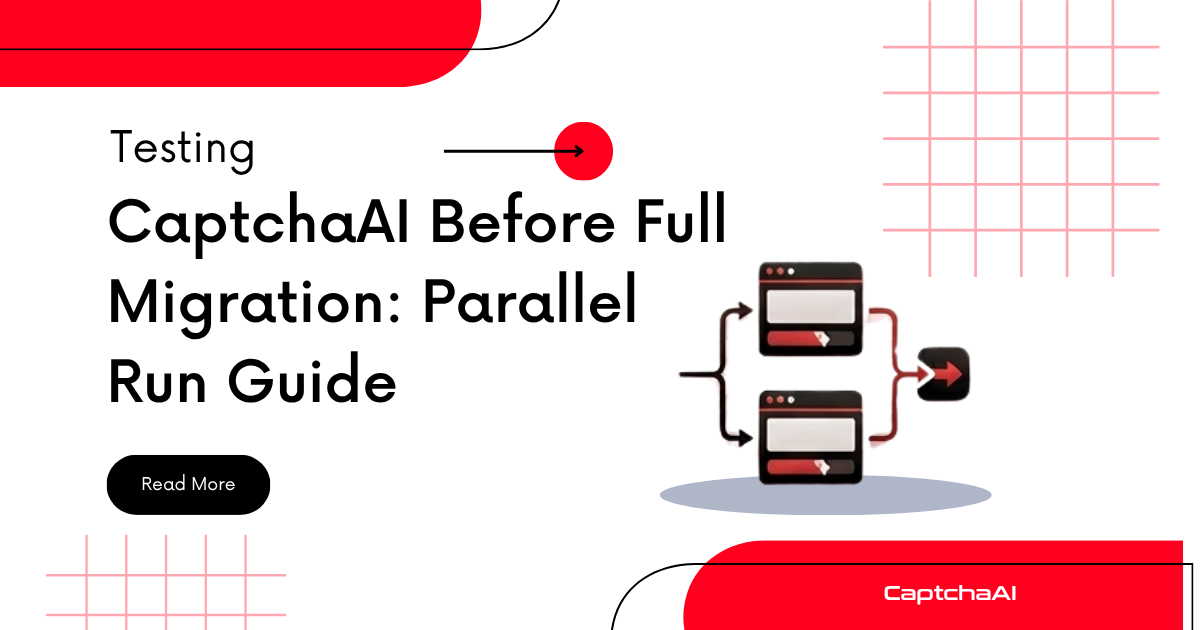
Switching CAPTCHA providers without testing is risky. A parallel run sends the same CAPTCHA challenges to both your current provider and CaptchaAI simultaneously, giving you side-by-side data on solve rate, speed, and cost.
Why Parallel Testing Matters
Benchmarks on a marketing page don't reflect your specific traffic patterns. Your CAPTCHAs have unique characteristics — site keys, proxy configurations, geographic distribution. Parallel testing reveals real performance differences with your actual workload.
Architecture
                    ┌──────────────┐
                    │ Your App     │
                    └──────┬───────┘
                           │
                    ┌──────▼───────┐
                    │ CAPTCHA      │
                    │ Router       │
                    └──┬───────┬───┘
                       │       │
              ┌────────▼──┐ ┌──▼────────┐
              │ Current   │ │ CaptchaAI │
              │ Provider  │ │           │
              └────────┬──┘ └──┬────────┘
                       │       │
                    ┌──▼───────▼──┐
                    │ Metrics     │
                    │ Collector   │
                    └─────────────┘
Python Implementation
Provider Abstraction
import os
import time
import requests
from dataclasses import dataclass, field
from typing import Optional
from concurrent.futures import ThreadPoolExecutor


@dataclass
class SolveResult:
    provider: str
    success: bool
    solution: Optional[str] = None
    error: Optional[str] = None
    elapsed: float = 0.0
    cost: float = 0.0


class CaptchaProvider:
    def __init__(self, name, submit_url, result_url, api_key):
        self.name = name
        self.submit_url = submit_url
        self.result_url = result_url
        self.api_key = api_key
        self.session = requests.Session()

    def solve_recaptcha(self, sitekey, pageurl):
        start = time.time()

        resp = self.session.post(self.submit_url, data={
            "key": self.api_key,
            "method": "userrecaptcha",
            "googlekey": sitekey,
            "pageurl": pageurl,
            "json": 1
        })
        data = resp.json()
        if data.get("status") != 1:
            return SolveResult(
                provider=self.name, success=False,
                error=data.get("request"), elapsed=time.time() - start
            )

        captcha_id = data["request"]

        for _ in range(60):
            time.sleep(5)
            result = self.session.get(self.result_url, params={
                "key": self.api_key, "action": "get",
                "id": captcha_id, "json": 1
            }).json()

            if result.get("status") == 1:
                return SolveResult(
                    provider=self.name, success=True,
                    solution=result["request"], elapsed=time.time() - start
                )
            if result.get("request") != "CAPCHA_NOT_READY":
                return SolveResult(
                    provider=self.name, success=False,
                    error=result.get("request"), elapsed=time.time() - start
                )

        return SolveResult(
            provider=self.name, success=False,
            error="TIMEOUT", elapsed=time.time() - start
        )
Parallel Runner
class ParallelTestRunner:
    def __init__(self, primary, challenger):
        self.primary = primary
        self.challenger = challenger
        self.results = {"primary": [], "challenger": []}

    def run_test(self, sitekey, pageurl, num_runs=20):
        print(f"Running {num_runs} parallel solves...")

        for i in range(num_runs):
            with ThreadPoolExecutor(max_workers=2) as executor:
                primary_future = executor.submit(
                    self.primary.solve_recaptcha, sitekey, pageurl
                )
                challenger_future = executor.submit(
                    self.challenger.solve_recaptcha, sitekey, pageurl
                )

                primary_result = primary_future.result()
                challenger_result = challenger_future.result()

            self.results["primary"].append(primary_result)
            self.results["challenger"].append(challenger_result)

            print(f"  Run {i+1}/{num_runs}: "
                  f"{self.primary.name}={'OK' if primary_result.success else 'FAIL'} "
                  f"({primary_result.elapsed:.1f}s) | "
                  f"{self.challenger.name}={'OK' if challenger_result.success else 'FAIL'} "
                  f"({challenger_result.elapsed:.1f}s)")

        return self.generate_report()

    def generate_report(self):
        report = {}
        for label, results in self.results.items():
            total = len(results)
            successes = sum(1 for r in results if r.success)
            times = [r.elapsed for r in results if r.success]
            errors = [r.error for r in results if not r.success]

            report[label] = {
                "provider": results[0].provider if results else "unknown",
                "total": total,
                "successes": successes,
                "success_rate": (successes / total * 100) if total else 0,
                "avg_time": sum(times) / len(times) if times else 0,
                "min_time": min(times) if times else 0,
                "max_time": max(times) if times else 0,
                "errors": errors
            }

        return report


# Usage
current = CaptchaProvider(
    name="CurrentProvider",
    submit_url="https://current-provider.com/in.php",
    result_url="https://current-provider.com/res.php",
    api_key="current_key"
)

captchaai = CaptchaProvider(
    name="CaptchaAI",
    submit_url="https://ocr.captchaai.com/in.php",
    result_url="https://ocr.captchaai.com/res.php",
    api_key=os.environ["CAPTCHAAI_API_KEY"]
)

runner = ParallelTestRunner(primary=current, challenger=captchaai)
report = runner.run_test(
    sitekey="6Le-wvkSAAAAAPBMRTvw0Q4Muexq9bi0DJwx_mJ-",
    pageurl="https://example.com/form",
    num_runs=20
)

for label, stats in report.items():
    print(f"\n{stats['provider']}:")
    print(f"  Success rate: {stats['success_rate']:.1f}%")
    print(f"  Avg time: {stats['avg_time']:.1f}s")
    print(f"  Min/Max: {stats['min_time']:.1f}s / {stats['max_time']:.1f}s")
    if stats['errors']:
        print(f"  Errors: {stats['errors']}")
Traffic Splitting
For production, route a percentage of traffic to CaptchaAI:
import random


class TrafficSplitter:
    def __init__(self, primary, challenger, challenger_pct=10):
        self.primary = primary
        self.challenger = challenger
        self.challenger_pct = challenger_pct

    def solve(self, sitekey, pageurl):
        if random.randint(1, 100) <= self.challenger_pct:
            result = self.challenger.solve_recaptcha(sitekey, pageurl)
            if not result.success:
                # Fall back to primary on failure
                return self.primary.solve_recaptcha(sitekey, pageurl)
            return result
        return self.primary.solve_recaptcha(sitekey, pageurl)


# Start with 10%, increase as confidence builds
splitter = TrafficSplitter(current, captchaai, challenger_pct=10)
result = splitter.solve(sitekey="...", pageurl="...")
JavaScript Implementation
const axios = require("axios");

class CaptchaProvider {
  constructor(name, submitUrl, resultUrl, apiKey) {
    this.name = name;
    this.submitUrl = submitUrl;
    this.resultUrl = resultUrl;
    this.apiKey = apiKey;
  }

  async solveRecaptcha(sitekey, pageurl) {
    const start = Date.now();
    try {
      const submit = await axios.post(this.submitUrl, null, {
        params: { key: this.apiKey, method: "userrecaptcha", googlekey: sitekey, pageurl, json: 1 },
      });
      if (submit.data.status !== 1) {
        return { provider: this.name, success: false, error: submit.data.request, elapsed: (Date.now() - start) / 1000 };
      }

      const captchaId = submit.data.request;
      for (let i = 0; i < 60; i++) {
        await new Promise((r) => setTimeout(r, 5000));
        const poll = await axios.get(this.resultUrl, {
          params: { key: this.apiKey, action: "get", id: captchaId, json: 1 },
        });
        if (poll.data.status === 1) {
          return { provider: this.name, success: true, solution: poll.data.request, elapsed: (Date.now() - start) / 1000 };
        }
        if (poll.data.request !== "CAPCHA_NOT_READY") {
          return { provider: this.name, success: false, error: poll.data.request, elapsed: (Date.now() - start) / 1000 };
        }
      }
      return { provider: this.name, success: false, error: "TIMEOUT", elapsed: (Date.now() - start) / 1000 };
    } catch (err) {
      return { provider: this.name, success: false, error: err.message, elapsed: (Date.now() - start) / 1000 };
    }
  }
}

async function parallelTest(current, captchaai, sitekey, pageurl, runs = 20) {
  const results = { current: [], captchaai: [] };

  for (let i = 0; i < runs; i++) {
    const [currentResult, captchaaiResult] = await Promise.all([
      current.solveRecaptcha(sitekey, pageurl),
      captchaai.solveRecaptcha(sitekey, pageurl),
    ]);

    results.current.push(currentResult);
    results.captchaai.push(captchaaiResult);

    console.log(`Run ${i + 1}/${runs}: ${current.name}=${currentResult.success ? "OK" : "FAIL"} ` +
      `(${currentResult.elapsed.toFixed(1)}s) | ${captchaai.name}=${captchaaiResult.success ? "OK" : "FAIL"} ` +
      `(${captchaaiResult.elapsed.toFixed(1)}s)`);
  }

  for (const [label, data] of Object.entries(results)) {
    const successes = data.filter((r) => r.success).length;
    const times = data.filter((r) => r.success).map((r) => r.elapsed);
    const avgTime = times.length ? times.reduce((a, b) => a + b, 0) / times.length : 0;
    console.log(`\n${label}: ${successes}/${runs} success (${((successes / runs) * 100).toFixed(1)}%), avg ${avgTime.toFixed(1)}s`);
  }
}

// Run
const currentProvider = new CaptchaProvider("CurrentProvider", "https://current-provider.com/in.php", "https://current-provider.com/res.php", "current_key");
const captchaai = new CaptchaProvider("CaptchaAI", "https://ocr.captchaai.com/in.php", "https://ocr.captchaai.com/res.php", process.env.CAPTCHAAI_API_KEY);

parallelTest(currentProvider, captchaai, "SITE_KEY", "https://example.com", 20);
Recommended Test Plan
| Phase | Duration | Traffic Split | Goal |
|---|---|---|---|
| 1. Validation | 1 day | 0% live, parallel only | Verify API compatibility |
| 2. Shadow test | 3 days | 5% to CaptchaAI (with fallback) | Collect baseline metrics |
| 3. Ramp up | 1 week | 25% → 50% → 75% | Monitor at each level |
| 4. Full cutover | — | 100% CaptchaAI | Decommission old provider |
Metrics to Compare
| Metric | How to Measure |
|---|---|
| Success rate | successful_solves / total_attempts × 100 |
| Average solve time | Time from submit to solution received |
| P95 solve time | 95th percentile of solve times |
| Error rate by type | Count each error code separately |
| Cost per solve | Total spend / successful solves |
| Token validity | Does the returned token actually work on the target site? |
Troubleshooting
| Issue | Cause | Fix |
|---|---|---|
| CaptchaAI slower in parallel test | Network latency differences | Test from production servers, not local machine |
| Different success rates | Provider solver pools vary | Run 50+ solves for statistical significance |
| Solutions work on one provider but not other | Token expiration timing | Use tokens immediately after receiving them |
| Parallel test doubles cost | Solving same CAPTCHA twice | Budget for test period; it's cheaper than a failed migration |
FAQ
How many test runs do I need for reliable data?
Minimum 50 solves per provider. For statistically significant results, run 100+ solves across different times of day to account for variance.
Should I test with proxies or proxyless?
Test both if you use both in production. Proxy quality affects solve rates differently across providers — test your actual proxy configuration.
What if CaptchaAI performs worse on one CAPTCHA type?
Run type-specific tests. A provider may excel at reCAPTCHA but lag on hCaptcha. If you use multiple types, weight results by your actual traffic distribution.
Related Articles
- Build Automated Testing Pipeline Captchaai
- Github Actions Captchaai Cicd Captcha Testing
- Cypress Captchaai E2E Testing Captcha
Next Steps
Start a risk-free parallel test — create your CaptchaAI account and compare performance with real data.
Related guides:
Full Working Code
Complete runnable examples for this article in Python, Node.js, PHP, Go, Java, C#, Ruby, Rust, Kotlin & Bash.
View on GitHub →




Discussions (0)
Join the conversation
Sign in to share your opinion.
Sign InNo comments yet.