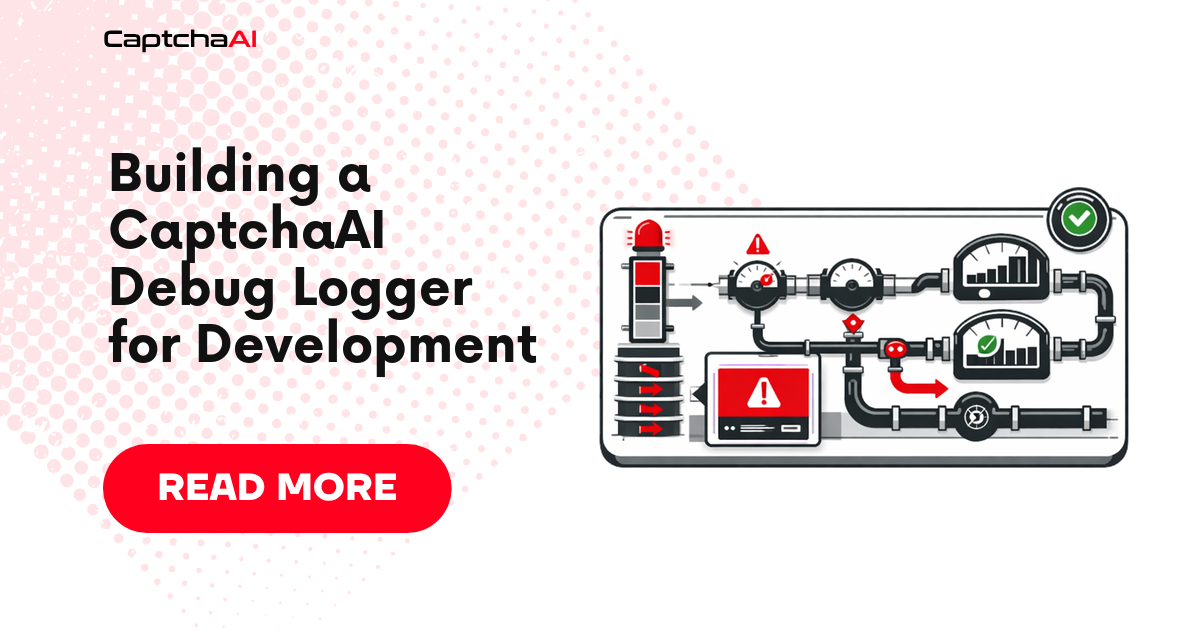
When CAPTCHA solves fail in production, generic logs like "request failed" don't help. A purpose-built debug logger captures the full context — request parameters, response data, timing, poll attempts, and error details — so you can diagnose issues without reproducing them.
What the Logger Captures
| Data Point | Why It Matters |
|---|---|
| Request parameters | Verify sitekey, pageurl, method are correct |
| Task ID | Track a specific solve through its lifecycle |
| Poll count and timing | Detect excessive polling or premature timeouts |
| Response status and body | See exact errors returned by the API |
| Total solve duration | Identify slow solves vs. network issues |
| Error classification | Distinguish API errors from network failures |
Python Debug Logger
import logging
import time
import json
import requests
from datetime import datetime, timezone

class CaptchaAIDebugLogger:
    def __init__(self, api_key, log_file="captchaai_debug.log", log_level=logging.DEBUG):
        self.api_key = api_key
        self.submit_url = "https://ocr.captchaai.com/in.php"
        self.result_url = "https://ocr.captchaai.com/res.php"

        self.logger = logging.getLogger("captchaai")
        self.logger.setLevel(log_level)

        # File handler with structured format
        file_handler = logging.FileHandler(log_file)
        file_handler.setFormatter(logging.Formatter(
            "%(asctime)s | %(levelname)-8s | %(message)s",
            datefmt="%Y-%m-%d %H:%M:%S"
        ))
        self.logger.addHandler(file_handler)

        # Console handler for development
        console_handler = logging.StreamHandler()
        console_handler.setFormatter(logging.Formatter(
            "%(asctime)s | %(levelname)-8s | %(message)s",
            datefmt="%H:%M:%S"
        ))
        self.logger.addHandler(console_handler)

    def solve_recaptcha(self, sitekey, pageurl, **kwargs):
        solve_id = datetime.now(timezone.utc).strftime("%Y%m%d%H%M%S%f")[:18]
        self.logger.info(f"[{solve_id}] Starting reCAPTCHA solve")
        self.logger.debug(f"[{solve_id}] sitekey={sitekey}")
        self.logger.debug(f"[{solve_id}] pageurl={pageurl}")

        if kwargs:
            self.logger.debug(f"[{solve_id}] extra_params={json.dumps(kwargs)}")

        # Submit task
        submit_start = time.monotonic()
        params = {
            "key": self.api_key,
            "method": "userrecaptcha",
            "googlekey": sitekey,
            "pageurl": pageurl,
            "json": 1,
            **kwargs,
        }

        try:
            response = requests.post(self.submit_url, data=params, timeout=30)
            submit_duration = time.monotonic() - submit_start
            result = response.json()

            self.logger.debug(
                f"[{solve_id}] Submit response: status={response.status_code} "
                f"body={json.dumps(result)} duration={submit_duration:.3f}s"
            )

            if result.get("status") != 1:
                self.logger.error(
                    f"[{solve_id}] Submit failed: {result.get('request', 'unknown error')}"
                )
                return None

            task_id = result["request"]
            self.logger.info(f"[{solve_id}] Task submitted: task_id={task_id}")

        except requests.RequestException as e:
            self.logger.error(f"[{solve_id}] Submit network error: {e}")
            return None

        # Poll for result
        return self._poll_result(solve_id, task_id)

    def _poll_result(self, solve_id, task_id, max_polls=60, poll_interval=5):
        self.logger.info(f"[{solve_id}] Polling for result (task_id={task_id})")
        poll_start = time.monotonic()

        for attempt in range(1, max_polls + 1):
            time.sleep(poll_interval)

            try:
                response = requests.get(
                    self.result_url,
                    params={
                        "key": self.api_key,
                        "action": "get",
                        "id": task_id,
                        "json": 1,
                    },
                    timeout=15,
                )
                result = response.json()
                elapsed = time.monotonic() - poll_start

                if result.get("request") == "CAPCHA_NOT_READY":
                    self.logger.debug(
                        f"[{solve_id}] Poll #{attempt}: not ready "
                        f"(elapsed={elapsed:.1f}s)"
                    )
                    continue

                if result.get("status") == 1:
                    token = result["request"]
                    self.logger.info(
                        f"[{solve_id}] Solved in {elapsed:.1f}s "
                        f"(polls={attempt}, token_length={len(token)})"
                    )
                    return token

                # Error response
                self.logger.error(
                    f"[{solve_id}] Poll error: {result.get('request', 'unknown')} "
                    f"(attempt={attempt}, elapsed={elapsed:.1f}s)"
                )
                return None

            except requests.RequestException as e:
                self.logger.warning(
                    f"[{solve_id}] Poll #{attempt} network error: {e}"
                )
                continue

        total_time = time.monotonic() - poll_start
        self.logger.error(
            f"[{solve_id}] Timeout after {max_polls} polls ({total_time:.1f}s)"
        )
        return None

    def check_balance(self):
        self.logger.debug("Checking balance")
        try:
            response = requests.get(
                self.result_url,
                params={
                    "key": self.api_key,
                    "action": "getbalance",
                    "json": 1,
                },
                timeout=10,
            )
            result = response.json()
            balance = result.get("request", "unknown")
            self.logger.info(f"Balance: ${balance}")
            return float(balance) if balance != "unknown" else None
        except (requests.RequestException, ValueError) as e:
            self.logger.error(f"Balance check failed: {e}")
            return None


# Usage
solver = CaptchaAIDebugLogger("YOUR_API_KEY")
solver.check_balance()
token = solver.solve_recaptcha(
    sitekey="6LeIxAcTAAAAAJcZVRqyHh71UMIEGNQ_MXjiZKhI",
    pageurl="https://www.google.com/recaptcha/api2/demo"
)
JavaScript Debug Logger
const fs = require("fs");
const path = require("path");

class CaptchaAIDebugLogger {
  constructor(apiKey, options = {}) {
    this.apiKey = apiKey;
    this.submitUrl = "https://ocr.captchaai.com/in.php";
    this.resultUrl = "https://ocr.captchaai.com/res.php";
    this.logFile = options.logFile || "captchaai_debug.log";
    this.logLevel = options.logLevel || "debug";
    this.levels = { debug: 0, info: 1, warn: 2, error: 3 };
  }

  _log(level, message) {
    if (this.levels[level] < this.levels[this.logLevel]) return;

    const timestamp = new Date().toISOString().replace("T", " ").slice(0, 19);
    const entry = `${timestamp} | ${level.toUpperCase().padEnd(8)} | ${message}\n`;

    process.stdout.write(entry);
    fs.appendFileSync(this.logFile, entry);
  }

  async solveRecaptcha(sitekey, pageurl, extraParams = {}) {
    const solveId = Date.now().toString(36);
    this._log("info", `[${solveId}] Starting reCAPTCHA solve`);
    this._log("debug", `[${solveId}] sitekey=${sitekey}`);
    this._log("debug", `[${solveId}] pageurl=${pageurl}`);

    if (Object.keys(extraParams).length > 0) {
      this._log("debug", `[${solveId}] extra_params=${JSON.stringify(extraParams)}`);
    }

    // Submit task
    const submitStart = performance.now();
    const params = new URLSearchParams({
      key: this.apiKey,
      method: "userrecaptcha",
      googlekey: sitekey,
      pageurl,
      json: 1,
      ...extraParams,
    });

    try {
      const response = await fetch(this.submitUrl, {
        method: "POST",
        body: params,
      });
      const result = await response.json();
      const submitMs = (performance.now() - submitStart).toFixed(0);

      this._log(
        "debug",
        `[${solveId}] Submit response: status=${response.status} ` +
        `body=${JSON.stringify(result)} duration=${submitMs}ms`
      );

      if (result.status !== 1) {
        this._log("error", `[${solveId}] Submit failed: ${result.request || "unknown"}`);
        return null;
      }

      const taskId = result.request;
      this._log("info", `[${solveId}] Task submitted: task_id=${taskId}`);
      return this._pollResult(solveId, taskId);
    } catch (err) {
      this._log("error", `[${solveId}] Submit network error: ${err.message}`);
      return null;
    }
  }

  async _pollResult(solveId, taskId, maxPolls = 60, intervalMs = 5000) {
    this._log("info", `[${solveId}] Polling for result (task_id=${taskId})`);
    const pollStart = performance.now();

    for (let attempt = 1; attempt <= maxPolls; attempt++) {
      await new Promise((r) => setTimeout(r, intervalMs));

      try {
        const url = new URL(this.resultUrl);
        url.searchParams.set("key", this.apiKey);
        url.searchParams.set("action", "get");
        url.searchParams.set("id", taskId);
        url.searchParams.set("json", "1");

        const response = await fetch(url);
        const result = await response.json();
        const elapsedSec = ((performance.now() - pollStart) / 1000).toFixed(1);

        if (result.request === "CAPCHA_NOT_READY") {
          this._log("debug", `[${solveId}] Poll #${attempt}: not ready (elapsed=${elapsedSec}s)`);
          continue;
        }

        if (result.status === 1) {
          const token = result.request;
          this._log(
            "info",
            `[${solveId}] Solved in ${elapsedSec}s (polls=${attempt}, token_length=${token.length})`
          );
          return token;
        }

        this._log(
          "error",
          `[${solveId}] Poll error: ${result.request || "unknown"} (attempt=${attempt})`
        );
        return null;
      } catch (err) {
        this._log("warn", `[${solveId}] Poll #${attempt} network error: ${err.message}`);
        continue;
      }
    }

    const totalSec = ((performance.now() - pollStart) / 1000).toFixed(1);
    this._log("error", `[${solveId}] Timeout after ${maxPolls} polls (${totalSec}s)`);
    return null;
  }

  async checkBalance() {
    this._log("debug", "Checking balance");
    try {
      const url = new URL(this.resultUrl);
      url.searchParams.set("key", this.apiKey);
      url.searchParams.set("action", "getbalance");
      url.searchParams.set("json", "1");

      const response = await fetch(url);
      const result = await response.json();
      this._log("info", `Balance: $${result.request}`);
      return parseFloat(result.request);
    } catch (err) {
      this._log("error", `Balance check failed: ${err.message}`);
      return null;
    }
  }
}

// Usage
const solver = new CaptchaAIDebugLogger("YOUR_API_KEY");
(async () => {
  await solver.checkBalance();
  const token = await solver.solveRecaptcha(
    "6LeIxAcTAAAAAJcZVRqyHh71UMIEGNQ_MXjiZKhI",
    "https://www.google.com/recaptcha/api2/demo"
  );
})();
Log Output Example
14:32:01 | INFO     | [20260404143201] Starting reCAPTCHA solve
14:32:01 | DEBUG    | [20260404143201] sitekey=6LeIxAcTAAAAA...
14:32:01 | DEBUG    | [20260404143201] pageurl=https://www.google.com/recaptcha/api2/demo
14:32:01 | DEBUG    | [20260404143201] Submit response: status=200 body={"status":1,"request":"73948572"} duration=0.342s
14:32:01 | INFO     | [20260404143201] Task submitted: task_id=73948572
14:32:01 | INFO     | [20260404143201] Polling for result (task_id=73948572)
14:32:06 | DEBUG    | [20260404143201] Poll #1: not ready (elapsed=5.1s)
14:32:11 | DEBUG    | [20260404143201] Poll #2: not ready (elapsed=10.2s)
14:32:16 | INFO     | [20260404143201] Solved in 15.3s (polls=3, token_length=574)
Log Levels and When to Use Them
| Level | What to Log | When to Enable |
|---|---|---|
DEBUG |
All parameters, raw responses, poll details | Development and debugging |
INFO |
Task lifecycle events (submit, solved, timeout) | Staging and early production |
WARN |
Retryable errors (network timeouts, temporary failures) | Production |
ERROR |
Non-retryable failures (bad key, zero balance, unsolvable) | Always |
Set log_level=logging.INFO (Python) or logLevel: "info" (JavaScript) in production to reduce log volume while keeping important events.
Extending the Logger
Add Structured JSON Logging
For log aggregation systems (ELK, Datadog, CloudWatch):
import json

def _structured_log(self, level, solve_id, event, **data):
    entry = {
        "timestamp": datetime.now(timezone.utc).isoformat(),
        "level": level,
        "solve_id": solve_id,
        "event": event,
        **data,
    }
    self.logger.log(
        getattr(logging, level.upper()),
        json.dumps(entry)
    )
Add Metrics Collection
Track solve statistics for dashboards:
class SolveMetrics:
    def __init__(self):
        self.total_solves = 0
        self.successful = 0
        self.failed = 0
        self.total_duration = 0.0

    def record(self, success, duration):
        self.total_solves += 1
        if success:
            self.successful += 1
        else:
            self.failed += 1
        self.total_duration += duration

    def summary(self):
        avg = self.total_duration / max(self.total_solves, 1)
        rate = self.successful / max(self.total_solves, 1) * 100
        return f"solves={self.total_solves} success={rate:.1f}% avg_time={avg:.1f}s"
Troubleshooting
| Issue | Cause | Fix |
|---|---|---|
| Log file not created | Permission issue or invalid path | Use absolute path; check write permissions |
| Duplicate log lines | Multiple handlers attached to same logger | Check for duplicate addHandler calls; use logger.handlers to verify |
| Logs missing for failed requests | Exception caught before logging | Add logging in the except block |
| Log file grows too large | Long-running process with DEBUG level | Use RotatingFileHandler (Python) or rotate logs with logrotate |
| Timestamps in wrong timezone | System timezone vs UTC | Use datetime.now(timezone.utc) (Python) or new Date().toISOString() (JS) |
FAQ
Should I log the API key?
Never log the full API key. If you need to identify which key is being used, log the last 4 characters: key=...{api_key[-4:]}.
How much logging overhead does this add?
Negligible compared to CAPTCHA solve times. File I/O for a log entry takes microseconds; CAPTCHA solves take 10–60 seconds. The overhead is unmeasurable in practice.
Can I use this logger in production?
Yes, but set the log level to INFO or WARN. DEBUG logging in production generates high volume and may capture sensitive data. Use structured JSON logging for production log aggregation.
Related Articles
- Building Client Captcha Pipelines Captchaai
- Vscode Extension Captchaai Api Development
- Building Responsible Automation Captchaai
Next Steps
Build debug logging into your CaptchaAI integration from the start — get your API key and add the logger to your first integration.
Related guides:
- Using Fiddler to Inspect CaptchaAI API Traffic
- HTTP Replay for CAPTCHA API Debugging
- CaptchaAI Error Codes Reference
Full Working Code
Complete runnable examples for this article in Python, Node.js, PHP, Go, Java, C#, Ruby, Rust, Kotlin & Bash.
View on GitHub →

Discussions (0)
Join the conversation
Sign in to share your opinion.
Sign InNo comments yet.