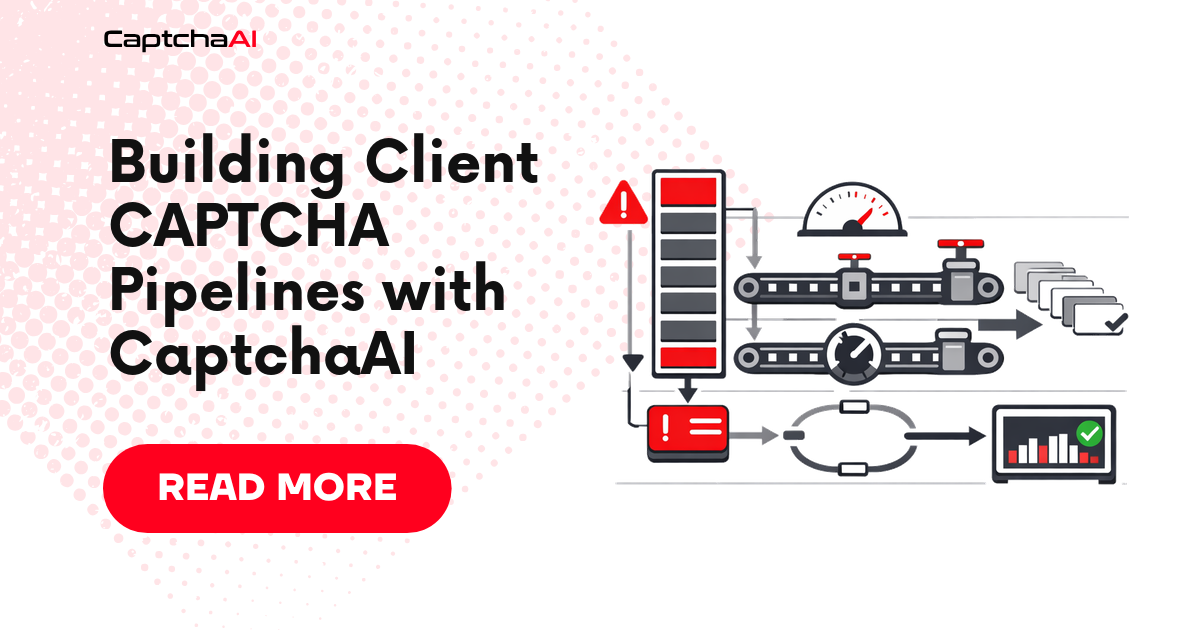
When you manage scraping or automation for multiple clients, every project eventually hits CAPTCHAs. Instead of writing one-off solving code per project, build a reusable pipeline. This guide walks through the architecture.
Pipeline architecture
┌──────────────┐    ┌───────────────┐    ┌──────────────┐
│  Client A    │──▶ │               │    │              │
│  Client B    │──▶ │  Task Queue   │──▶ │  CaptchaAI   │
│  Client C    │──▶ │               │    │  API         │
└──────────────┘    └───────────────┘    └──────────────┘
                           │                    │
                           ▼                    ▼
                    ┌───────────────┐    ┌──────────────┐
                    │  Result Store │◀── │  Polling      │
                    │  (Redis/DB)   │    │  Workers      │
                    └───────────────┘    └──────────────┘
Components:
- Task intake — receives solve requests from client scrapers
- Queue — buffers tasks, enforces concurrency limits per client
- Solver workers — submit to CaptchaAI and poll for results
- Result store — holds solved tokens for consumer retrieval
Python pipeline
Core solver class
import requests
import time
from dataclasses import dataclass
from typing import Optional
from collections import deque
from threading import Lock

SUBMIT_URL = "https://ocr.captchaai.com/in.php"
RESULT_URL = "https://ocr.captchaai.com/res.php"

@dataclass
class SolveRequest:
    client_id: str
    method: str
    params: dict
    callback: Optional[callable] = None

@dataclass
class SolveResult:
    client_id: str
    task_id: str
    token: Optional[str] = None
    error: Optional[str] = None


class CaptchaPipeline:
    def __init__(self, api_key: str, max_concurrent: int = 10):
        self.api_key = api_key
        self.max_concurrent = max_concurrent
        self.queue = deque()
        self.active = {}
        self.lock = Lock()

    def enqueue(self, request: SolveRequest):
        with self.lock:
            self.queue.append(request)

    def submit_task(self, request: SolveRequest) -> Optional[str]:
        data = {
            "key": self.api_key,
            "method": request.method,
            "json": 1,
            **request.params
        }

        try:
            resp = requests.post(SUBMIT_URL, data=data, timeout=15)
            result = resp.json()

            if result.get("status") == 1:
                return result["request"]
            else:
                print(f"[{request.client_id}] Submit error: {result.get('error_text', result.get('request'))}")
                return None
        except requests.RequestException as e:
            print(f"[{request.client_id}] Network error: {e}")
            return None

    def poll_result(self, task_id: str, max_wait: int = 120) -> Optional[str]:
        elapsed = 0
        interval = 5
        while elapsed < max_wait:
            time.sleep(interval)
            elapsed += interval

            try:
                resp = requests.get(RESULT_URL, params={
                    "key": self.api_key,
                    "action": "get",
                    "id": task_id,
                    "json": 1
                }, timeout=10)
                result = resp.json()

                if result.get("status") == 1:
                    return result["request"]
                elif result.get("request") == "CAPCHA_NOT_READY":
                    continue
                else:
                    print(f"Poll error for {task_id}: {result.get('error_text', result.get('request'))}")
                    return None
            except requests.RequestException:
                continue

        return None

    def process_queue(self):
        while self.queue or self.active:
            # Fill active slots
            with self.lock:
                while self.queue and len(self.active) < self.max_concurrent:
                    request = self.queue.popleft()
                    task_id = self.submit_task(request)
                    if task_id:
                        self.active[task_id] = request

            # Poll active tasks
            completed = []
            for task_id, request in list(self.active.items()):
                token = self.poll_result(task_id, max_wait=10)
                if token:
                    result = SolveResult(
                        client_id=request.client_id,
                        task_id=task_id,
                        token=token
                    )
                    if request.callback:
                        request.callback(result)
                    completed.append(task_id)

            with self.lock:
                for task_id in completed:
                    del self.active[task_id]
Multi-client usage
pipeline = CaptchaPipeline(api_key="YOUR_API_KEY", max_concurrent=15)

# Client A — reCAPTCHA v2
pipeline.enqueue(SolveRequest(
    client_id="client_a",
    method="userrecaptcha",
    params={
        "googlekey": "6Le-SITEKEY-A",
        "pageurl": "https://client-a-target.com/form"
    },
    callback=lambda r: print(f"[{r.client_id}] Solved: {r.token[:40]}...")
))

# Client B — Turnstile
pipeline.enqueue(SolveRequest(
    client_id="client_b",
    method="turnstile",
    params={
        "sitekey": "0x4AAAA-SITEKEY-B",
        "pageurl": "https://client-b-target.com/login"
    },
    callback=lambda r: print(f"[{r.client_id}] Solved: {r.token[:40]}...")
))

pipeline.process_queue()
Node.js pipeline
const axios = require("axios");

const SUBMIT_URL = "https://ocr.captchaai.com/in.php";
const RESULT_URL = "https://ocr.captchaai.com/res.php";

class CaptchaPipeline {
  constructor(apiKey, maxConcurrent = 10) {
    this.apiKey = apiKey;
    this.maxConcurrent = maxConcurrent;
    this.queue = [];
    this.activeCount = 0;
  }

  enqueue(clientId, method, params) {
    return new Promise((resolve, reject) => {
      this.queue.push({ clientId, method, params, resolve, reject });
      this._processNext();
    });
  }

  async _processNext() {
    if (this.activeCount >= this.maxConcurrent || this.queue.length === 0) return;

    this.activeCount++;
    const task = this.queue.shift();

    try {
      const token = await this._solve(task);
      task.resolve({ clientId: task.clientId, token });
    } catch (err) {
      task.reject(err);
    } finally {
      this.activeCount--;
      this._processNext();
    }
  }

  async _solve(task) {
    const submitResp = await axios.post(SUBMIT_URL, null, {
      params: {
        key: this.apiKey,
        method: task.method,
        json: 1,
        ...task.params,
      },
      timeout: 15000,
    });

    if (submitResp.data.status !== 1) {
      throw new Error(submitResp.data.error_text || submitResp.data.request);
    }

    const taskId = submitResp.data.request;
    return this._poll(taskId);
  }

  async _poll(taskId, maxWait = 120000) {
    const interval = 5000;
    let elapsed = 0;

    while (elapsed < maxWait) {
      await new Promise((r) => setTimeout(r, interval));
      elapsed += interval;

      try {
        const resp = await axios.get(RESULT_URL, {
          params: {
            key: this.apiKey,
            action: "get",
            id: taskId,
            json: 1,
          },
          timeout: 10000,
        });

        if (resp.data.status === 1) return resp.data.request;
        if (resp.data.request !== "CAPCHA_NOT_READY") {
          throw new Error(resp.data.error_text || resp.data.request);
        }
      } catch (err) {
        if (err.response) throw err;
      }
    }

    throw new Error(`Timeout waiting for task ${taskId}`);
  }
}

// Usage
(async () => {
  const pipeline = new CaptchaPipeline("YOUR_API_KEY", 15);

  const results = await Promise.allSettled([
    pipeline.enqueue("client_a", "userrecaptcha", {
      googlekey: "6Le-SITEKEY-A",
      pageurl: "https://client-a-target.com/form",
    }),
    pipeline.enqueue("client_b", "turnstile", {
      sitekey: "0x4AAAA-SITEKEY-B",
      pageurl: "https://client-b-target.com/login",
    }),
  ]);

  results.forEach((r) => {
    if (r.status === "fulfilled") {
      console.log(`[${r.value.clientId}] Token: ${r.value.token.slice(0, 40)}...`);
    } else {
      console.error(`Failed: ${r.reason.message}`);
    }
  });
})();
Per-client configuration
Track per-client settings like proxy, solver preference, and rate limits:
CLIENT_CONFIG = {
    "client_a": {
        "proxy": "host:port:user:pass",
        "proxytype": "HTTP",
        "max_concurrent": 5,
        "default_method": "userrecaptcha"
    },
    "client_b": {
        "proxy": None,
        "proxytype": None,
        "max_concurrent": 10,
        "default_method": "turnstile"
    }
}

def build_params(client_id, params):
    config = CLIENT_CONFIG.get(client_id, {})
    if config.get("proxy"):
        params["proxy"] = config["proxy"]
        params["proxytype"] = config["proxytype"]
    return params
Error handling strategy
| Error | Response |
|---|---|
ERROR_ZERO_BALANCE |
Stop queue, alert all clients |
ERROR_NO_SLOT_AVAILABLE |
Re-queue the task with delay |
ERROR_WRONG_CAPTCHA_ID |
Discard, log error |
ERROR_CAPTCHA_UNSOLVABLE |
Retry once, then fail |
| Network timeout | Retry with backoff (max 3 retries) |
Troubleshooting
| Problem | Cause | Fix |
|---|---|---|
| Queue grows unbounded | Active slots full | Increase max_concurrent or add workers |
| Callback not firing | Task failed silently | Check error return in poll loop |
| Mixed tokens between clients | Shared result store | Key results by client_id + task_id |
| Rate limit errors (429) | Too many concurrent submits | Lower concurrency, add submit delay |
FAQ
How many concurrent tasks should I run per client?
Start with 5–10. Monitor solve times and error rates, then adjust. CaptchaAI supports high concurrency but your proxy pool may be the bottleneck.
Should I use a separate API key per client?
It simplifies billing. Use the CaptchaAI soft_id parameter if you need tracking under one key.
How do I handle overnight queues?
Persist the queue (Redis or database). On restart, reload pending tasks and resume processing.
Build your CAPTCHA pipeline with CaptchaAI
Start building client pipelines at captchaai.com.
Related guides
- Parallel CAPTCHA Solving
- Implementing Retry Logic
- Redis Queue Distributed Processing
- Health Check Monitoring Script
Full Working Code
Complete runnable examples for this article in Python, Node.js, PHP, Go, Java, C#, Ruby, Rust, Kotlin & Bash.
View on GitHub →

Discussions (0)
Join the conversation
Sign in to share your opinion.
Sign InNo comments yet.