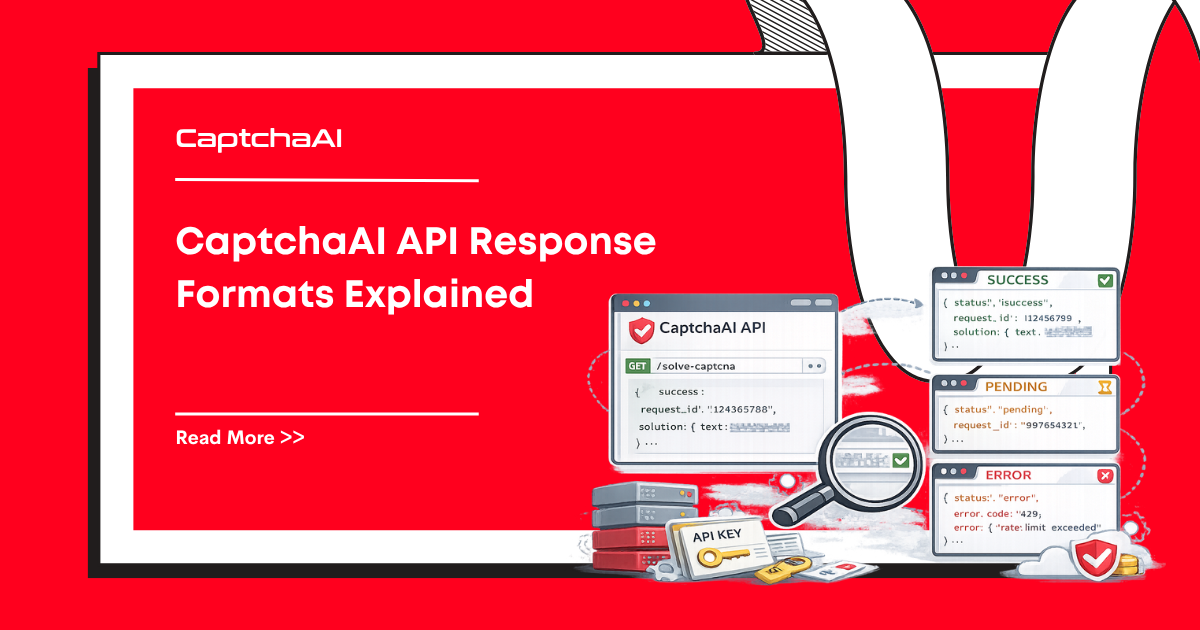
CaptchaAI uses simple text-based responses. This reference covers every response format you'll encounter, with parsing examples.
Submit Endpoint (in.php)
Success Response
OK|TASK_ID
Example: OK|73548291
Error Response
ERROR_CODE
Example: ERROR_WRONG_USER_KEY
Parsing
resp = requests.get("https://ocr.captchaai.com/in.php", params={...})

if resp.text.startswith("OK|"):
    task_id = resp.text.split("|")[1]
else:
    error = resp.text
    raise Exception(f"Submit failed: {error}")
const resp = await axios.get("https://ocr.captchaai.com/in.php", { params });

if (resp.data.startsWith("OK|")) {
  const taskId = resp.data.split("|")[1];
} else {
  throw new Error(`Submit failed: ${resp.data}`);
}
Poll Endpoint (res.php)
Not Ready Response
CAPCHA_NOT_READY
The task is still being processed. Wait 5 seconds and poll again.
Success — Token-Based CAPTCHAs
For reCAPTCHA, Turnstile, hCaptcha, and similar:
OK|03AGdBq24PBCbw...long_token_string
Success — Image/OCR CAPTCHAs
OK|abc123
The text after OK| is the recognized text from the image.
Success — GeeTest
OK|challenge:abc123,validate:def456,seccode:ghi789
Parse each field:
if result.text.startswith("OK|"):
    data = result.text.split("|")[1]
    parts = dict(item.split(":") for item in data.split(","))
    challenge = parts["challenge"]
    validate = parts["validate"]
    seccode = parts["seccode"]
Success — Cloudflare Challenge
Returns cf_clearance cookie value and user agent:
OK|cf_clearance=abc123;user_agent=Mozilla/5.0...
Error Response
ERROR_CODE
Parsing Template
def parse_result(response_text):
    if response_text == "CAPCHA_NOT_READY":
        return {"status": "pending"}

    if response_text.startswith("OK|"):
        return {"status": "solved", "result": response_text.split("|", 1)[1]}

    return {"status": "error", "error": response_text}
Balance Endpoint
GET https://ocr.captchaai.com/res.php?key=API_KEY&action=getbalance
Response:
1.234
A decimal number representing your balance in USD.
balance = float(requests.get("https://ocr.captchaai.com/res.php", params={
    "key": API_KEY, "action": "getbalance"
}).text)
print(f"Balance: ${balance:.2f}")
Report Endpoints
Report Good (correct solve)
GET https://ocr.captchaai.com/res.php?key=API_KEY&action=reportgood&id=TASK_ID
Response: OK_REPORT_RECORDED
Report Bad (incorrect solve)
GET https://ocr.captchaai.com/res.php?key=API_KEY&action=reportbad&id=TASK_ID
Response: OK_REPORT_RECORDED
Reporting bad solves helps improve accuracy and may credit your balance.
Common Error Codes
| Error Code | Meaning | Action |
|---|---|---|
ERROR_WRONG_USER_KEY |
Invalid API key | Verify your key |
ERROR_KEY_DOES_NOT_EXIST |
Key not registered | Check dashboard |
ERROR_ZERO_BALANCE |
Insufficient funds | Add balance |
ERROR_NO_SLOT_AVAILABLE |
Server at capacity | Retry after 5 seconds |
ERROR_CAPTCHA_UNSOLVABLE |
Challenge too difficult | Retry with fresh CAPTCHA |
ERROR_BAD_DUPLICATES |
Duplicate task rejected | Wait before resubmitting |
ERROR_WRONG_CAPTCHA_ID |
Invalid task ID | Check task ID value |
ERROR_EMPTY_ACTION |
Missing action parameter |
Add action=get |
IP_BANNED |
Too many bad requests | Fix your API key; wait |
Complete Polling Example
import requests
import time

API_KEY = "YOUR_API_KEY"

def solve_captcha(submit_params, timeout=300):
    """Generic solver with proper response handling."""
    submit_params["key"] = API_KEY

    # Submit
    resp = requests.get("https://ocr.captchaai.com/in.php", params=submit_params)
    if not resp.text.startswith("OK|"):
        raise Exception(f"Submit error: {resp.text}")

    task_id = resp.text.split("|")[1]

    # Poll
    deadline = time.time() + timeout
    while time.time() < deadline:
        time.sleep(5)
        result = requests.get("https://ocr.captchaai.com/res.php", params={
            "key": API_KEY,
            "action": "get",
            "id": task_id
        })

        parsed = parse_result(result.text)

        if parsed["status"] == "pending":
            continue
        elif parsed["status"] == "solved":
            return parsed["result"]
        else:
            raise Exception(f"Solve error: {parsed['error']}")

    raise TimeoutError(f"Task {task_id} timed out after {timeout}s")
FAQ
Why does the response use pipe (|) delimiters instead of JSON?
CaptchaAI's format is optimized for simplicity. Pipe-delimited responses are smaller and faster to parse than JSON. For structured data (GeeTest results), the data after OK| contains key-value pairs.
How do I handle network errors?
Wrap API calls in try/except and retry on ConnectionError or Timeout. Network issues are separate from API errors; the API itself maintains 99.9%+ uptime.
What's the maximum token length?
reCAPTCHA tokens can be up to ~500 characters. Always use split("|", 1) (max split of 1) to avoid splitting the token itself.








Discussions (0)
Join the conversation
Sign in to share your opinion.
Sign InNo comments yet.