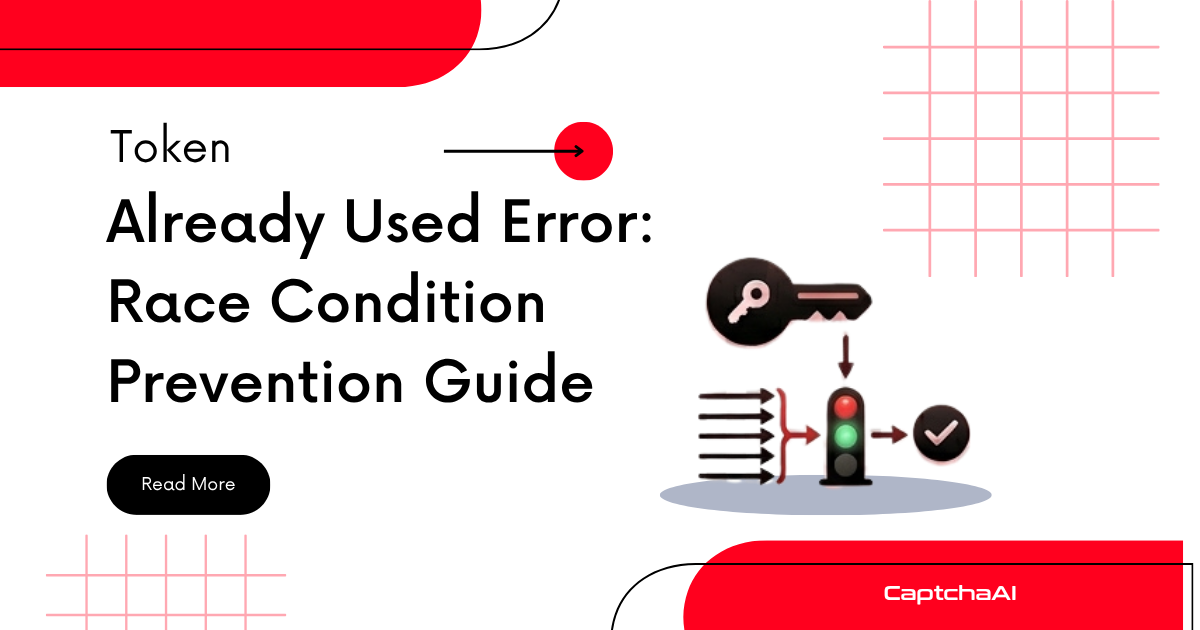
CAPTCHA tokens are single-use. If your automation submits the same token twice — or a token that was already consumed — the target site rejects it. This guide prevents those race conditions.
Why Tokens Get Reused
| Cause | Scenario |
|---|---|
| Retry on network error | Form submission fails, code retries with same token |
| Multiple threads share token | Thread pool uses one token for multiple requests |
| Token cached/stored | Token saved to variable and used again later |
| Double form submission | Browser automation clicks submit twice |
| Pre-solved token pool | Pool doesn't track which tokens are consumed |
Single-Use Token Manager
import threading
import time


class TokenManager:
    """Ensure each CAPTCHA token is used exactly once."""

    def __init__(self):
        self.tokens = {}  # task_id -> {token, used, timestamp}
        self.lock = threading.Lock()

    def store(self, task_id, token):
        """Store a solved token."""
        with self.lock:
            self.tokens[task_id] = {
                "token": token,
                "used": False,
                "timestamp": time.time(),
            }

    def consume(self, task_id):
        """Get and mark a token as used. Returns None if already used."""
        with self.lock:
            entry = self.tokens.get(task_id)
            if not entry:
                return None
            if entry["used"]:
                return None  # Already consumed
            entry["used"] = True
            return entry["token"]

    def get_fresh(self):
        """Get any unused token (FIFO order)."""
        with self.lock:
            for task_id, entry in self.tokens.items():
                if not entry["used"]:
                    # Check token age (120s expiry for reCAPTCHA)
                    if time.time() - entry["timestamp"] < 110:
                        entry["used"] = True
                        return entry["token"]
            return None

    def cleanup(self, max_age=300):
        """Remove old tokens."""
        with self.lock:
            cutoff = time.time() - max_age
            expired = [
                k for k, v in self.tokens.items()
                if v["timestamp"] < cutoff
            ]
            for k in expired:
                del self.tokens[k]


# Usage
manager = TokenManager()

# Store after solving
manager.store("task123", "03AGdBq24PBCb...")

# Consume for form submission — guaranteed single use
token = manager.consume("task123")
if token:
    submit_form(token)
else:
    print("Token already used or expired — solve a new one")
Safe Form Submission with Retry
import requests
import time


def submit_form_safely(form_url, form_data, solver, max_attempts=3):
    """Submit form with fresh token on each attempt."""
    for attempt in range(max_attempts):
        # Get a FRESH token for each attempt
        token = solver.solve(
            "userrecaptcha",
            googlekey="SITE_KEY",
            pageurl=form_url,
        )

        form_data["g-recaptcha-response"] = token

        try:
            resp = requests.post(form_url, data=form_data, timeout=30)

            if resp.status_code == 200 and "success" in resp.text.lower():
                return resp
            elif "already used" in resp.text.lower():
                print(f"Token reused (attempt {attempt + 1}). Getting fresh token...")
                continue
            else:
                return resp  # Other error, return response

        except requests.exceptions.RequestException:
            # Network error — do NOT reuse the token
            print("Network error — will get fresh token")
            continue

    raise RuntimeError("Max form submission attempts exceeded")
Thread-Safe Concurrent Submissions
import threading
from concurrent.futures import ThreadPoolExecutor


def process_url(url, solver):
    """Process a single URL with its own fresh token."""
    # Each thread gets its OWN token — no sharing
    token = solver.solve(
        "userrecaptcha",
        googlekey="SITE_KEY",
        pageurl=url,
    )

    resp = requests.post(url, data={
        "g-recaptcha-response": token,
        # other form fields...
    }, timeout=30)

    return resp.status_code


# Each URL gets a separate token — no race conditions
urls = ["https://site.com/page1", "https://site.com/page2"]

with ThreadPoolExecutor(max_workers=4) as pool:
    results = list(pool.map(lambda u: process_url(u, solver), urls))
Browser Automation: Prevent Double Submit
from selenium import webdriver
from selenium.webdriver.common.by import By


def safe_submit(driver, token, form_selector="#myForm"):
    """Submit form exactly once with token."""
    # Inject token
    driver.execute_script(
        "document.getElementById('g-recaptcha-response').value = arguments[0]",
        token,
    )

    # Disable submit button to prevent double-click
    driver.execute_script("""
        var btn = document.querySelector('button[type="submit"]');
        if (btn && !btn.disabled) {
            btn.disabled = true;
            btn.form.submit();
        }
    """)
Pre-Solved Token Pool (Safe Implementation)
import threading
import time
import queue


class TokenPool:
    """Thread-safe pool of pre-solved tokens."""

    def __init__(self, solver, method, params, pool_size=3):
        self.solver = solver
        self.method = method
        self.params = params
        self.pool_size = pool_size
        self.tokens = queue.Queue()
        self.running = True

        # Start refill thread
        self.refiller = threading.Thread(target=self._refill_loop, daemon=True)
        self.refiller.start()

    def get(self, timeout=120):
        """Get a token from the pool. Blocks until available."""
        while True:
            try:
                token, created_at = self.tokens.get(timeout=timeout)

                # Check expiry (use 100s to leave buffer)
                if time.time() - created_at > 100:
                    continue  # Expired, get another

                return token  # Fresh, single-use token

            except queue.Empty:
                raise TimeoutError("No tokens available")

    def _refill_loop(self):
        """Keep pool stocked with fresh tokens."""
        while self.running:
            if self.tokens.qsize() < self.pool_size:
                try:
                    token = self.solver.solve(self.method, **self.params)
                    self.tokens.put((token, time.time()))
                except Exception as e:
                    print(f"Pool refill error: {e}")
                    time.sleep(5)
            else:
                time.sleep(2)
Troubleshooting
| Issue | Cause | Fix |
|---|---|---|
| Token rejected as "already used" | Same token submitted twice | Use TokenManager, solve fresh per attempt |
| Concurrent threads fail | Shared token variable | Each thread must solve independently |
| Pool tokens always expired | Pool too large for usage rate | Reduce pool size to 2-3 |
| Intermittent reuse errors | Retry logic reuses token | Get fresh token on each retry |
FAQ
Can I reuse a CAPTCHA token?
Never. All CAPTCHA tokens are single-use. Once submitted (even if the form fails), the token is consumed.
How long do tokens last before expiring?
reCAPTCHA: 120 seconds. Turnstile: 300 seconds. GeeTest: varies. Use tokens as quickly as possible.
Should I pre-solve tokens?
Only if you have consistent, predictable demand. Pre-solved tokens expire, so you waste money if they're not used within 60-90 seconds.
Related Guides
One token, one use — solve on demand with CaptchaAI.



Discussions (0)
Join the conversation
Sign in to share your opinion.
Sign InNo comments yet.