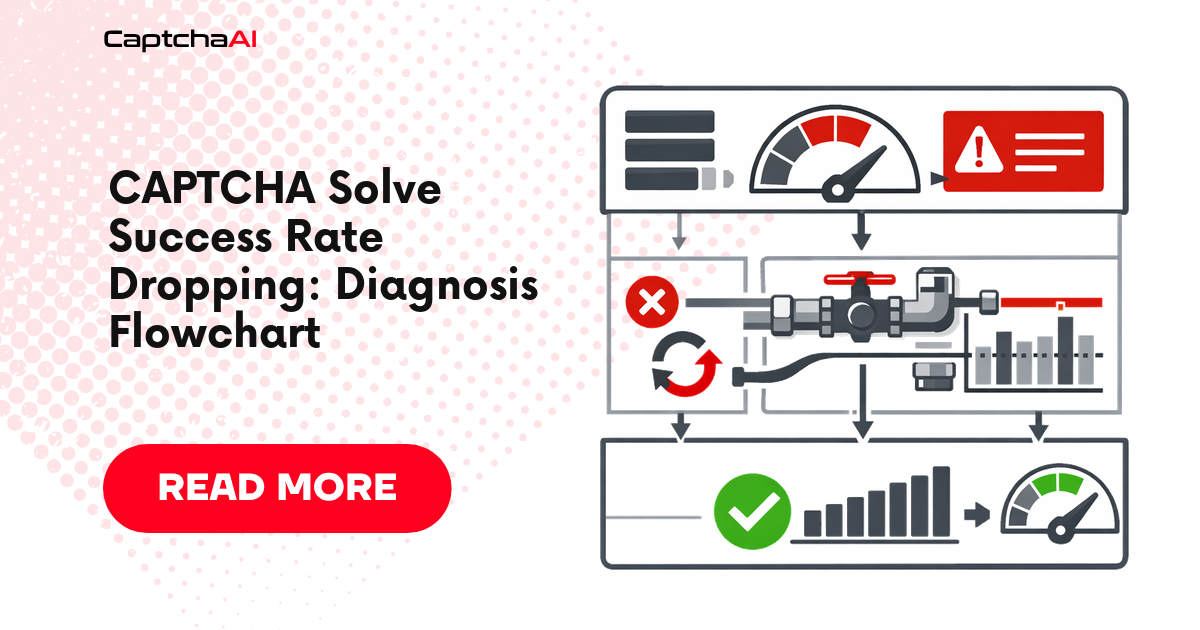
When your solve rate drops, don't guess — follow this systematic diagnosis to find and fix the root cause.
Diagnosis Flowchart
Success rate dropped
│
├── Are tokens being generated?
│   ├── NO → Check API errors
│   │   ├── ERROR_WRONG_GOOGLEKEY → Sitekey changed. Re-extract.
│   │   ├── ERROR_BAD_PARAMETERS → Check required params
│   │   ├── ERROR_NO_SLOT → Retry with backoff
│   │   └── Other errors → See error decision tree
│   │
│   └── YES → Tokens generated but rejected by target site
│       │
│       ├── Token expired before use?
│       │   └── YES → Submit token faster (< 60-120s)
│       │
│       ├── Token used for wrong domain?
│       │   └── YES → Check pageurl matches submission domain
│       │
│       ├── reCAPTCHA v3 score too low?
│       │   └── YES → Check action parameter, attach cookies/UA/proxy
│       │
│       ├── Site changed CAPTCHA type?
│       │   └── YES → Re-detect CAPTCHA type
│       │
│       └── Site added additional checks?
│           └── YES → Check for fingerprinting, cookies, headers
Step 1: Measure Your Current Rate
import requests
import time
from collections import defaultdict

class SuccessTracker:
    """Track solve success rates over time."""

    def __init__(self):
        self.stats = defaultdict(lambda: {"attempts": 0, "success": 0, "errors": defaultdict(int)})

    def record(self, method, success, error_code=None):
        self.stats[method]["attempts"] += 1
        if success:
            self.stats[method]["success"] += 1
        elif error_code:
            self.stats[method]["errors"][error_code] += 1

    def report(self):
        for method, data in self.stats.items():
            rate = data["success"] / data["attempts"] * 100 if data["attempts"] > 0 else 0
            print(f"\n{method}:")
            print(f"  Attempts: {data['attempts']}")
            print(f"  Success: {data['success']} ({rate:.1f}%)")
            if data["errors"]:
                print("  Errors:")
                for err, count in sorted(data["errors"].items(), key=lambda x: -x[1]):
                    print(f"    {err}: {count}")

tracker = SuccessTracker()
Step 2: Identify the Problem Category
Category A: API-Level Failures
The CaptchaAI API returns an error instead of a token.
def diagnose_api_failures(api_key, method, params, attempts=10):
    """Run test solves and collect error patterns."""
    errors = defaultdict(int)
    successes = 0

    for i in range(attempts):
        try:
            resp = requests.post("https://ocr.captchaai.com/in.php", data={
                "key": api_key, "method": method, "json": 1, **params,
            }, timeout=30)
            result = resp.json()

            if result.get("status") != 1:
                errors[result.get("request", "UNKNOWN")] += 1
                continue

            task_id = result["request"]
            # Quick poll
            time.sleep(15)
            resp = requests.get("https://ocr.captchaai.com/res.php", params={
                "key": api_key, "action": "get",
                "id": task_id, "json": 1,
            }, timeout=15)
            data = resp.json()

            if data.get("status") == 1:
                successes += 1
            else:
                errors[data.get("request", "POLL_ERROR")] += 1

        except Exception as e:
            errors[f"EXCEPTION:{type(e).__name__}"] += 1

        time.sleep(2)

    print(f"\nResults: {successes}/{attempts} success")
    for err, count in sorted(errors.items(), key=lambda x: -x[1]):
        print(f"  {err}: {count}")
Category B: Token Rejection
CaptchaAI returns a valid token, but the target site rejects it.
Common causes:
| Cause | Check |
|---|---|
| Token expired | Using token > 120s after generation |
| Domain mismatch | pageurl doesn't match submission domain |
| v3 score too low | Site requires 0.7+ but solver gets 0.3 |
| Missing action | v3 requires matching action parameter |
| Site changed params | Sitekey or page structure changed |
Step 3: Fix Common Issues
Fix: Token Expiry
def solve_and_use_immediately(api_key, sitekey, pageurl):
    """Solve and use token as fast as possible."""
    # Submit
    resp = requests.post("https://ocr.captchaai.com/in.php", data={
        "key": api_key,
        "method": "userrecaptcha",
        "googlekey": sitekey,
        "pageurl": pageurl,
        "json": 1,
    }, timeout=30)
    task_id = resp.json()["request"]

    # Poll aggressively
    for _ in range(24):
        time.sleep(5)
        resp = requests.get("https://ocr.captchaai.com/res.php", params={
            "key": api_key, "action": "get",
            "id": task_id, "json": 1,
        }, timeout=15)
        data = resp.json()
        if data.get("status") == 1:
            token = data["request"]
            # USE IMMEDIATELY — don't store for later
            submit_form(token)
            return True

    return False
Fix: Stale Sitekey
def solve_with_fresh_params(api_key, pageurl):
    """Re-extract sitekey before each solve."""
    import re

    resp = requests.get(pageurl, timeout=15)
    match = re.search(r'data-sitekey="([^"]+)"', resp.text)
    if not match:
        raise RuntimeError("Could not find sitekey")

    sitekey = match.group(1)
    # Now solve with fresh sitekey
    # ...
Fix: v3 Action Parameter
# Check what action the site uses
# Look for: grecaptcha.execute('sitekey', {action: 'submit'})

data = {
    "key": api_key,
    "method": "userrecaptcha",
    "googlekey": sitekey,
    "pageurl": pageurl,
    "version": "v3",
    "action": "submit",  # Must match site's action
    "enterprise": 1,
    "json": 1,
}
Expected Success Rates
| CAPTCHA Type | Normal Rate | Alert Threshold |
|---|---|---|
| reCAPTCHA v2 | 95-99% | Below 90% |
| reCAPTCHA v3 | 90-98% | Below 85% |
| Cloudflare Turnstile | 99-100% | Below 95% |
| GeeTest v3 | 99-100% | Below 95% |
| BLS | 99-100% | Below 95% |
| Image/OCR | 90-98% | Below 85% |
Troubleshooting
| Issue | Cause | Fix |
|---|---|---|
| Rate dropped from 98% to 70% | Sitekey or page changed | Re-extract all parameters |
| v3 tokens all rejected | Wrong action parameter | Match action from page source |
| Tokens work but expire | Too slow to use | Submit token within 60 seconds |
| Rate varies by time of day | Server-side rate limiting | Add delays between submissions |
FAQ
What's a normal success rate?
95%+ for most CAPTCHA types. If you're consistently below 90%, there's likely a parameter or timing issue.
How fast do I need to use tokens?
reCAPTCHA tokens expire in 120 seconds. Turnstile tokens in 300 seconds. Use tokens within 60 seconds for best results.
Should I report incorrect solves?
Yes. Use the reportbad endpoint to report incorrect solutions. CaptchaAI uses this feedback to improve accuracy.
Related Guides
Diagnose fast, solve better — use CaptchaAI.