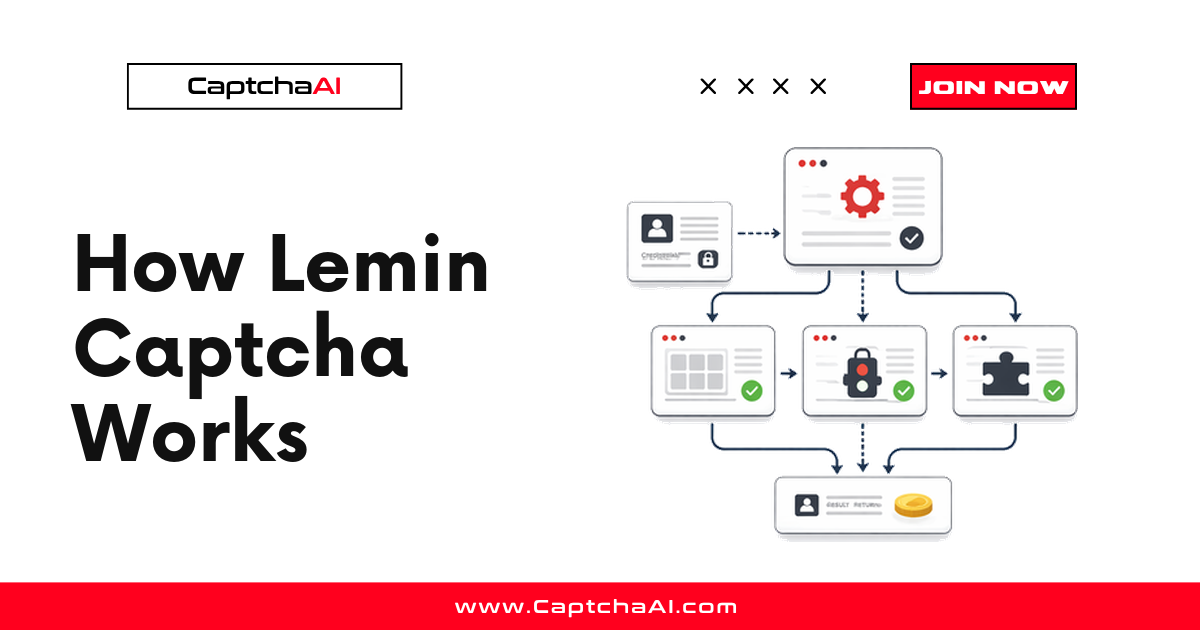
Takeaway up front: Lemin (marketed as Lemin Cropped Captcha) is a puzzle-style challenge where a cropped piece of an image has to be aligned back into a larger picture. The site loads it with a captcha_id, the user (or an automated solver) produces a solution, and a solution token is posted back with the form. CaptchaAI supports Lemin in beta — you submit the captcha_id and page URL to the API and receive a token to inject into the target request. If you just need the working call, jump to How automated workflows solve Lemin, or follow the full walkthrough in How to Solve Lemin CAPTCHA Using API.
Lemin sits in the same family as other "prove you can see the picture" challenges, but its mechanics and its token flow have a few specifics worth understanding before you wire it into an automated pipeline. This explainer walks through what Lemin is, how the puzzle and the token work, where you will run into it, and how a solving workflow handles it through CaptchaAI.
What Lemin Cropped Captcha is
Lemin is a commercial CAPTCHA product built around a visual crop-and-align puzzle rather than the "select all traffic lights" grid you know from reCAPTCHA. Instead of asking you to classify objects, it shows a background image with a piece missing and a separate cropped fragment that belongs somewhere in that image. The task is to move or rotate the fragment until it lines up with the gap.
The design goal is the same as any modern CAPTCHA: separate humans from unattended scripts using a task that is easy for a person and awkward for naive automation. Lemin leans on continuous positioning (how precisely you drop the piece, and the motion path you take to get there) rather than a discrete multiple-choice answer. That makes the raw challenge harder to brute-force, and it is why the solution is represented as an opaque token rather than a simple "tiles 2, 5, 8" answer.
Two properties matter for anyone building around it:
- It is instance-scoped. Every render is tied to a
captcha_idthat the page hands out. The token you produce is only valid for that specific challenge instance and page. - It is verified server-side. The site does not trust the browser's word that the puzzle was solved. It sends the token to Lemin's backend for verification before it accepts the form. This is the same trust model as reCAPTCHA and Turnstile tokens.
The puzzle mechanics
At the interaction level, a Lemin challenge has three visible parts:
- A base image — the full picture with a notch or gap where a piece is missing.
- A cropped fragment — the piece that belongs in the gap, shown on a slider or as a draggable element.
- A control — usually a slider or drag handle that moves the fragment horizontally, and in some variants adjusts its rotation or vertical offset.
The user slides the fragment until it visually snaps into the missing region. Lemin evaluates two things: the final position (did the piece land in the correct place, within tolerance) and the behavioral trace (the timing and shape of the motion that got it there). A dead-straight, instantaneous jump to the exact pixel reads very differently from a human drag, so the challenge scores the how as well as the where.
This is why Lemin is harder to defeat with a fixed offset than a plain slider CAPTCHA: solving it reliably means understanding the image well enough to find the correct alignment across many different puzzle instances, not memorizing one answer. It is closest in spirit to GeeTest's slider puzzles, and it belongs to the broader "puzzle/slider" branch of the CAPTCHA family tree. If you are trying to work out which challenge you are actually looking at on a page, the CAPTCHA type identification visual guide breaks down how to tell puzzle sliders apart from grids and token-only challenges.
The token flow
Understanding the token flow is the part that actually matters for automation, because it tells you what to extract, what to produce, and where to put it.
Here is the lifecycle of a single Lemin challenge:
1. Page load
   Site injects the Lemin widget and assigns a captcha_id
   (exposed in page HTML, inline scripts, or network requests)

2. Challenge render
   Base image + cropped fragment shown to the user
   Optionally wrapped in a known container div (div_id)

3. Solve
   Piece is aligned; Lemin evaluates position + behavior

4. Token issued
   A solution token is generated for this captcha_id

5. Form submission
   Token is posted back with the form fields
   (e.g. answer / challenge alongside username, password)

6. Server verification
   Site backend verifies the token with Lemin
   Accept -> continue | Reject -> re-challenge
The two identifiers that anchor the whole flow are:
captcha_id— the per-instance challenge identifier the page exposes. This is your primary input. It is typically a UUID-style string and it changes on every fresh render, so it must be read from the current page session, not cached.div_id— an optional identifier for the container element the captcha lives in. When the target page uses a stable container id (Lemin's default is oftenlemin-cropped-captcha), passing it along helps the solver bind to the right widget.
The output is a single solution token string. Your automation does not care what is inside it — it treats it as opaque and posts it back wherever the site expects the challenge answer.
Where Lemin appears
Lemin shows up in the same places any modern CAPTCHA guards a state-changing action. In practice you tend to meet it at:
- Registration and signup flows — the most common placement; the challenge gates account creation.
- Login pages — especially after failed attempts or on higher-risk sessions.
- Form submissions — contact forms, lead-capture, and checkout steps where the operator wants to filter automated submissions.
- Password reset and other sensitive actions — anywhere an operator wants a human-in-the-loop check.
Because it is a drop-in commercial product, you will typically recognize it by the crop-and-align slider UI and the presence of a captcha_id in the page's requests. If you own the site or run authorized QA against it, the fastest way to confirm is to open DevTools, watch the network tab as the widget loads, and look for the captcha identifier being fetched.
How automated workflows solve Lemin
For legitimate automation — QA of your own signup flow, an authorized data-collection agreement, or an integration test that has to traverse a CAPTCHA-protected step — the workflow does not try to visually solve the puzzle in your own code. It hands the challenge to a solving service and gets a token back. CaptchaAI supports Lemin in beta, and the flow follows the same submit-then-poll pattern as every other CaptchaAI type.
At a high level:
- Extract the
captcha_id(anddiv_idif the page uses a stable container) from the live page — HTML, inline scripts, or network requests. - Submit the task to
https://ocr.captchaai.com/in.phpwithmethod=lemin, thepageurl, and thecaptcha_id. You get back a task ID. - Poll for the result at
https://ocr.captchaai.com/res.phpuntil the solution token is ready. - Inject the token into the same form submission that the challenge protects, in the session that triggered it.
The submit call looks like this:
import requests

params = {
    "key": "YOUR_API_KEY",
    "method": "lemin",
    "pageurl": "https://example.com/register",
    "captcha_id": "12345678-1234-1234-1234-123456789abc",
    "div_id": "lemin-cropped-captcha",  # optional, include when the page uses a stable container
    "json": 1,
}

response = requests.get("https://ocr.captchaai.com/in.php", params=params, timeout=30)
data = response.json()

if data.get("status") != 1:
    raise RuntimeError("Submit error: " + str(data.get("request")))

task_id = data["request"]
print("Task submitted:", task_id)
Then poll for the token:
import time
import requests

time.sleep(15)  # give the solver a head start before the first poll

token = None
for _ in range(21):  # ~120s hard cap after the initial wait
    result = requests.get("https://ocr.captchaai.com/res.php", params={
        "key": "YOUR_API_KEY",
        "action": "get",
        "id": task_id,
        "json": 1,
    }, timeout=30).json()

    if result.get("status") == 1:
        token = result["request"]
        print("Lemin token:", token)
        break

    if result.get("request") != "CAPCHA_NOT_READY":
        raise RuntimeError("Solve error: " + str(result.get("request")))

    time.sleep(5)  # not ready yet, poll again

if token is None:
    raise TimeoutError("Lemin solution not ready within the time budget")
The same flow in Node.js, with the same timeout discipline:
const axios = require('axios');

async function solveLemin(pageurl, captchaId, divId) {
  const base = { key: 'YOUR_API_KEY', json: 1 };

  const submit = await axios.get('https://ocr.captchaai.com/in.php', {
    params: { ...base, method: 'lemin', pageurl, captcha_id: captchaId, div_id: divId },
    timeout: 30000,
  });
  if (submit.data.status !== 1) throw new Error(`Submit error: ${submit.data.request}`);

  await new Promise(r => setTimeout(r, 15000)); // head start before the first poll
  for (let i = 0; i < 21; i++) {                // ~120s hard cap
    const { data } = await axios.get('https://ocr.captchaai.com/res.php', {
      params: { ...base, action: 'get', id: submit.data.request },
      timeout: 30000,
    });
    if (data.status === 1) return data.request; // the Lemin solution token
    if (data.request !== 'CAPCHA_NOT_READY') throw new Error(`Solve error: ${data.request}`);
    await new Promise(r => setTimeout(r, 5000));
  }
  throw new Error('Lemin solution not ready within the time budget');
}
A ready response is simply:
{
  "status": 1,
  "request": "lemin-solution-token"
}
The request value is the token. Post it back with the field names the target site expects for its challenge answer, in the same session that rendered the puzzle. The submit-wait-poll rhythm is deliberate — if you want the reasoning behind polling versus a callback, see callback vs polling. Only three parameters are load-bearing here (method, pageurl, captcha_id); div_id is optional; do not invent others.
Beta expectations
Lemin support is in beta at CaptchaAI. Treat that honestly when you plan a rollout:
- The core submit/poll flow above is stable and uses the same endpoints as every other type.
- CaptchaAI does not publish a solve-speed SLA or a success-rate figure for beta types, so do not size capacity or write copy around a number you cannot cite. Measure it against your own traffic before you depend on it.
- Because it is beta, build the integration behind the same guardrails you would use for any external dependency: a retry budget, a per-task timeout, and monitoring on the gap between "token issued" and "form accepted."
CaptchaAI's thread-based plans start at BASIC ($15/month, 5 threads) with unlimited solves per thread, and Lemin solves in beta run under the same thread-based billing — no per-solve fees. Lemin belongs to CaptchaAI's beta set alongside CaptchaFox and Friendly Captcha — the Friendly Captcha explainer walks the same handle-it-in-production mindset for a sibling beta type.
FAQ
Is Lemin the same as a slider CAPTCHA?
It is a member of the slider/puzzle family, but it is a specific commercial product ("Lemin Cropped Captcha") rather than a generic slider. The distinguishing mechanic is aligning a cropped fragment back into a larger image, and it scores both the final position and the motion that got there — not just where the piece lands.
What is the captcha_id and where do I find it?
The captcha_id is a per-instance identifier the page assigns when it renders the Lemin widget. Find it in the page HTML, inline scripts, or the network requests the widget makes on load. It changes on every fresh render, so always read it from the current session rather than reusing an old value.
Does CaptchaAI fully support Lemin?
Lemin is supported in beta. The submit/poll API flow works using method=lemin, but CaptchaAI does not publish solve-speed or success-rate figures for beta types. Validate it against your own workload before you build a production dependency on it.
What do I do with the token after solving?
Post it back with your form submission using the field names the target site expects for its challenge answer, and do it in the same session that rendered the challenge. The token is instance-scoped and verified server-side, so a mismatched session or a stale token will be rejected.
Can I solve Lemin without running a browser?
Yes. You extract the captcha_id and page URL, submit them to the API, and inject the returned token into your HTTP request. You do not need to drive the puzzle UI yourself — that is the point of handing it to the solver. You do need to read the captcha_id from the live page, which sometimes means loading the page once to capture it.
Related guides
- How to Solve Lemin CAPTCHA Using API
- How Friendly Captcha Works and How to Handle It
- CAPTCHA Type Identification Visual Guide
- Callback vs Polling
Next step: Solve Lemin with CaptchaAI (beta)
You have the mental model — the crop-and-align puzzle, the captcha_id, and the token that has to be verified server-side. The next step is a working call: grab an API key, submit a real captcha_id with method=lemin, and inject the returned token into your flow. The step-by-step tutorial covers extraction, polling discipline, and token application.