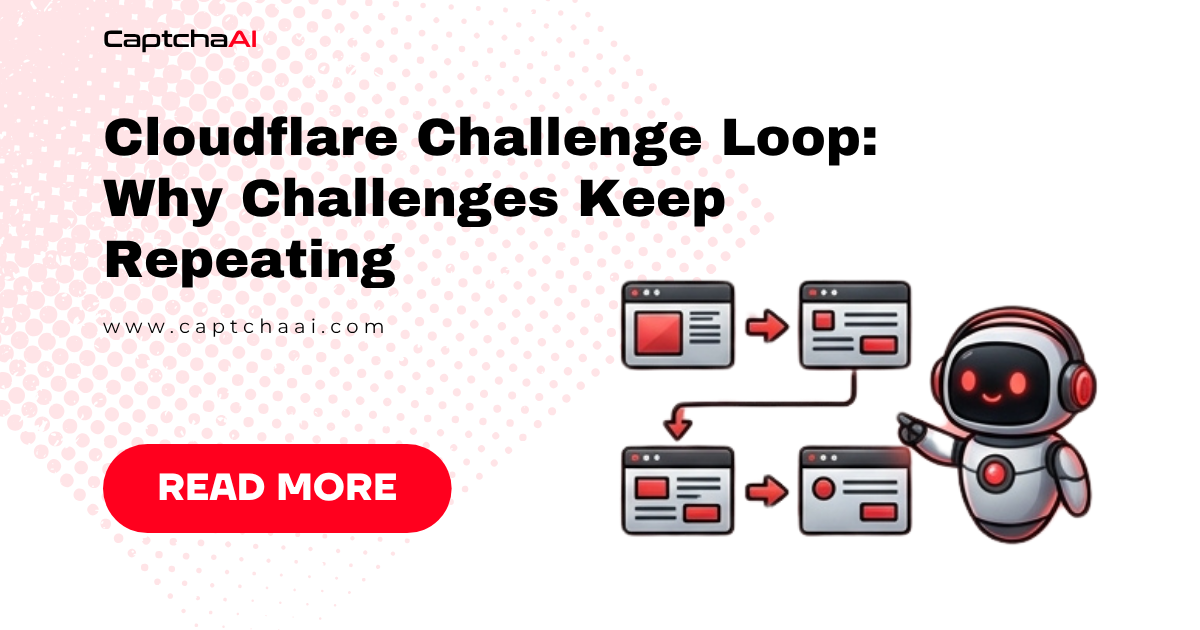
You solved the Cloudflare Challenge via CaptchaAI, got the cf_clearance cookie, set it in your session — and the challenge page appears again. This loop happens when the cookie does not match the session context. Here is every cause and how to fix it.
How cf_clearance works
When CaptchaAI solves a Cloudflare Challenge, it returns a cf_clearance cookie. This cookie is bound to:
- The proxy IP used during solving
- The User-Agent used during solving
- The domain of the target site
If any of these differ between solving and your subsequent request, Cloudflare rejects the cookie and shows the challenge again.
Cause 1: User-Agent mismatch
The most common cause. The User-Agent you send to CaptchaAI must exactly match the User-Agent in your requests.
import requests

USER_AGENT = "Mozilla/5.0 (Windows NT 10.0; Win64; x64) AppleWebKit/537.36 (KHTML, like Gecko) Chrome/120.0.0.0 Safari/537.36"

# Step 1: Solve with the SAME User-Agent
solve_data = {
    "key": "YOUR_API_KEY",
    "method": "cloudflare_challenge",
    "pageurl": "https://example.com",
    "proxy": "host:port:user:pass",
    "proxytype": "HTTP",
    "userAgent": USER_AGENT,  # Must match step 2
    "json": 1
}
submit = requests.post("https://ocr.captchaai.com/in.php", data=solve_data).json()

# ... poll for result ...

# Step 2: Use the SAME User-Agent in subsequent requests
session = requests.Session()
session.headers["User-Agent"] = USER_AGENT  # Must match step 1
session.cookies.set("cf_clearance", cf_clearance_value, domain=".example.com")
resp = session.get("https://example.com")
Cause 2: Proxy IP mismatch
The cf_clearance cookie is bound to the IP that solved the challenge. If you request the site from a different IP, the cookie is rejected.
PROXY = "host:port:user:pass"

# Solve with this proxy
solve_data = {
    "key": "YOUR_API_KEY",
    "method": "cloudflare_challenge",
    "pageurl": "https://example.com",
    "proxy": PROXY,
    "proxytype": "HTTP",
    "userAgent": USER_AGENT,
    "json": 1
}

# Use the SAME proxy for subsequent requests
session.proxies = {
    "http": f"http://user:pass@host:port",
    "https": f"http://user:pass@host:port"
}
Important: If you use rotating proxies, pin to a sticky session. The IP must remain the same between solving and browsing.
Cause 3: Cookie not set correctly
The cf_clearance cookie must be set on the correct domain with the right attributes.
# WRONG — setting on wrong domain
session.cookies.set("cf_clearance", value, domain="example.com")

# CORRECT — include the dot prefix for subdomain coverage
session.cookies.set("cf_clearance", value, domain=".example.com")

# Or set all cookies returned by CaptchaAI
for cookie_str in result.get("cookies", "").split(";"):
    if "cf_clearance" in cookie_str:
        name, val = cookie_str.strip().split("=", 1)
        session.cookies.set(name.strip(), val.strip(), domain=".example.com")
Cause 4: Cookie expired
cf_clearance cookies have a limited lifetime — typically 15–30 minutes. After expiry, Cloudflare shows the challenge again.
Fix: Track cookie age and re-solve before expiry.
import time

last_solve_time = None
COOKIE_TTL = 900  # 15 minutes

def get_cf_clearance():
    global last_solve_time
    if last_solve_time and (time.time() - last_solve_time) < COOKIE_TTL:
        return  # Cookie still valid

    # Solve again
    cf_clearance = solve_cloudflare_challenge()
    session.cookies.set("cf_clearance", cf_clearance, domain=".example.com")
    last_solve_time = time.time()
Cause 5: TLS fingerprint mismatch
Cloudflare checks TLS fingerprints. Python's requests library has a different TLS fingerprint than Chrome. Some sites reject requests even with valid cf_clearance if the TLS fingerprint does not match.
Fix: Use curl_cffi or tls-client for browser-like TLS fingerprints.
pip install curl_cffi
from curl_cffi import requests as curl_requests

session = curl_requests.Session(impersonate="chrome120")
session.cookies.set("cf_clearance", value, domain=".example.com")
resp = session.get("https://example.com")
Debugging checklist
Challenge keeps repeating
    ↓
User-Agent in solve request matches browsing request? → No → Sync User-Agent
    ↓ Yes
Same proxy IP for solve and browse? → No → Pin proxy IP (sticky session)
    ↓ Yes
Cookie set on correct domain (.example.com)? → No → Fix domain
    ↓ Yes
Cookie less than 15 minutes old? → No → Re-solve the challenge
    ↓ Yes
TLS fingerprint matches a browser? → No → Use curl_cffi or tls-client
    ↓ Yes
Site may have additional bot detection → Use headless browser instead
FAQ
How long does a cf_clearance cookie last?
Typically 15–30 minutes. Some sites set shorter durations. Re-solve proactively before expiry.
Do I need a specific Chrome version in the User-Agent?
Use a current, realistic User-Agent. Outdated User-Agents trigger Cloudflare checks more aggressively.
Can I reuse a cf_clearance cookie across different pages?
Yes, as long as they are on the same domain and you use the same IP and User-Agent.
Solve Cloudflare Challenges with CaptchaAI
Break the challenge loop at captchaai.com.



Discussions (0)
Join the conversation
Sign in to share your opinion.
Sign InNo comments yet.