CaptchaAI supports two ways to get solve results: polling (you ask for the result repeatedly) and webhooks/pingback (CaptchaAI sends the result to your server). Each approach has trade-offs in latency, complexity, and infrastructure requirements.
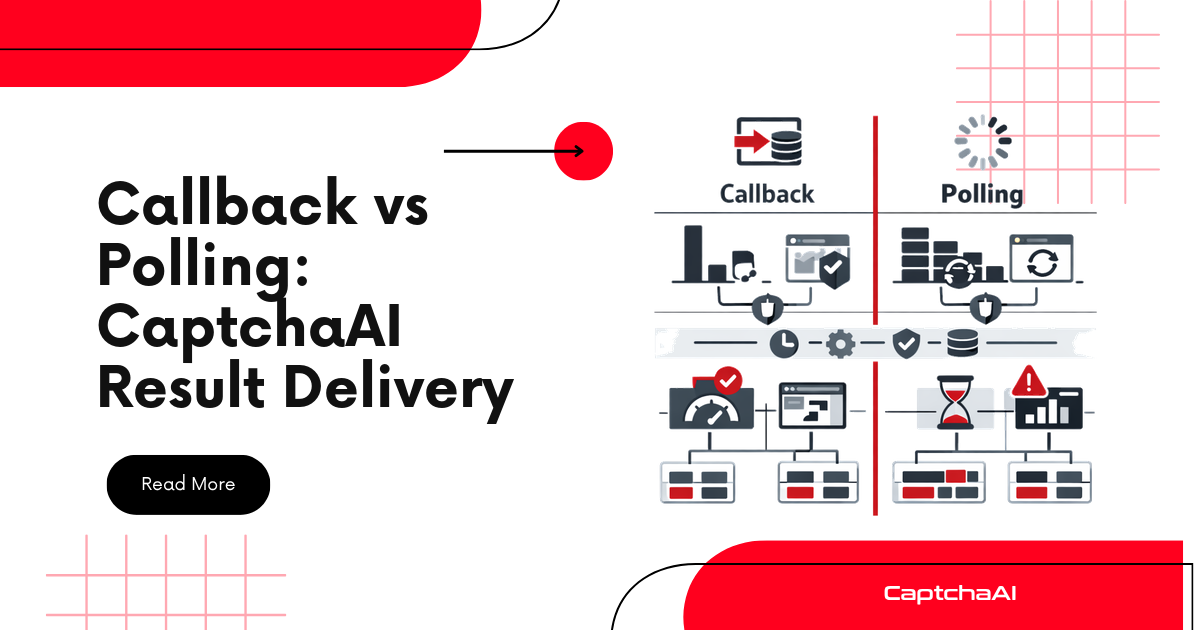
Side-by-side comparison
| Factor | Polling | Webhook (Pingback) |
|---|---|---|
| Latency | 0-5s delay (depends on poll interval) | Near-instant delivery |
| Infrastructure | No server needed | Requires a public HTTP endpoint |
| Complexity | Simple loop | Webhook handler + task mapping |
| Network usage | Multiple requests per solve | Single inbound request |
| Error handling | Built into poll loop | Need retry/delivery guarantees |
| Works locally | Yes | Requires tunneling (ngrok) or deployment |
| Best for | Scripts, CLI tools, simple bots | High-volume services, event-driven architectures |
Polling implementation
Submit a task, then poll res.php until the result is ready:
Python
import time
import requests

API_KEY = "YOUR_API_KEY"

# Submit
resp = requests.post("https://ocr.captchaai.com/in.php", data={
    "key": API_KEY,
    "method": "userrecaptcha",
    "googlekey": "6Le-SITEKEY",
    "pageurl": "https://example.com",
    "json": "1",
}).json()
task_id = resp["request"]

# Poll
for _ in range(24):
    time.sleep(5)
    result = requests.get("https://ocr.captchaai.com/res.php", params={
        "key": API_KEY, "action": "get", "id": task_id, "json": "1"
    }).json()

    if result["status"] == 1:
        print(f"Token: {result['request'][:50]}...")
        break
    if result["request"] != "CAPCHA_NOT_READY":
        print(f"Error: {result['request']}")
        break
Pros: No infrastructure needed. Works from any environment. Cons: Wastes requests when the solve takes longer. Adds 0-5 seconds of latency.
Webhook (pingback) implementation
Add pingback to your submit request. CaptchaAI sends the result to your URL:
Step 1: Submit with pingback
resp = requests.post("https://ocr.captchaai.com/in.php", data={
    "key": API_KEY,
    "method": "userrecaptcha",
    "googlekey": "6Le-SITEKEY",
    "pageurl": "https://example.com",
    "json": "1",
    "pingback": "https://your-server.com/captcha-result",
}).json()
task_id = resp["request"]
print(f"Submitted task {task_id} — waiting for webhook")
Step 2: Handle the webhook
CaptchaAI sends a GET request to your pingback URL with the result in query parameters.
Python (Flask)
from flask import Flask, request
import threading

app = Flask(__name__)
results = {}
events = {}

@app.route("/captcha-result")
def captcha_result():
    task_id = request.args.get("id")
    code = request.args.get("code")

    if task_id and code:
        results[task_id] = code
        event = events.get(task_id)
        if event:
            event.set()
        print(f"Received result for {task_id}: {code[:40]}...")

    return "OK", 200


def wait_for_result(task_id, timeout=120):
    event = threading.Event()
    events[task_id] = event
    event.wait(timeout=timeout)
    return results.get(task_id)
JavaScript (Express)
const express = require('express');
const app = express();
const results = new Map();
const waiters = new Map();

app.get('/captcha-result', (req, res) => {
  const { id, code } = req.query;

  if (id && code) {
    results.set(id, code);
    const resolve = waiters.get(id);
    if (resolve) {
      resolve(code);
      waiters.delete(id);
    }
    console.log(`Received result for ${id}: ${code.substring(0, 40)}...`);
  }

  res.send('OK');
});

function waitForResult(taskId, timeout = 120000) {
  return new Promise((resolve, reject) => {
    const existing = results.get(taskId);
    if (existing) {
      resolve(existing);
      return;
    }

    waiters.set(taskId, resolve);
    setTimeout(() => {
      waiters.delete(taskId);
      reject(new Error(`Timeout waiting for task ${taskId}`));
    }, timeout);
  });
}

app.listen(3000, () => console.log('Webhook server on :3000'));
When to use polling
- Scripts and CLI tools — No server to receive webhooks
- Local development — No public URL available
- Low volume — < 100 solves/day, polling overhead is negligible
- Simple architecture — No need for webhook infrastructure
When to use webhooks
- High volume — 1,000+ solves/day, fewer network requests
- Event-driven architecture — Fits naturally with message queues and pub/sub
- Latency-sensitive — Get results instantly instead of waiting for next poll
- Existing web server — Already have a server that can accept inbound requests
Hybrid approach
Use polling as a fallback for missed webhooks:
def solve_hybrid(sitekey, page_url, pingback_url):
    resp = requests.post("https://ocr.captchaai.com/in.php", data={
        "key": API_KEY,
        "method": "userrecaptcha",
        "googlekey": sitekey,
        "pageurl": page_url,
        "json": "1",
        "pingback": pingback_url,
    }).json()
    task_id = resp["request"]

    # Wait for webhook (fast path)
    token = wait_for_result(task_id, timeout=30)
    if token:
        return token

    # Fallback to polling if webhook didn't arrive
    print(f"Webhook timeout — falling back to polling for {task_id}")
    for _ in range(18):
        time.sleep(5)
        result = requests.get("https://ocr.captchaai.com/res.php", params={
            "key": API_KEY, "action": "get", "id": task_id, "json": "1"
        }).json()
        if result["status"] == 1:
            return result["request"]
        if result["request"] != "CAPCHA_NOT_READY":
            raise Exception(result["request"])

    raise TimeoutError(f"Task {task_id} timed out")
Troubleshooting
| Problem | Cause | Fix |
|---|---|---|
| Webhook never received | Server not publicly accessible | Use ngrok for local dev, or deploy to a cloud server |
| Webhook received but result lost | No task-to-result mapping | Store results in a dict/map keyed by task ID |
| Polling works but webhook doesn't | Firewall blocking inbound requests | Allow inbound HTTP on your webhook port |
| Duplicate webhook deliveries | CaptchaAI retries on non-200 response | Make your handler idempotent (store by task ID) |
FAQ
Can I use both methods simultaneously?
Yes. Submit with pingback, and also poll as a fallback. Use whichever returns first.
Does the webhook URL need HTTPS?
HTTPS is recommended for security, but HTTP works for testing.
What happens if my webhook server is down?
CaptchaAI may retry the delivery, but it's not guaranteed. Use polling as a fallback for reliability.
Choose the right retrieval method for your CaptchaAI integration
Get your API key at captchaai.com.


Discussions (0)
Join the conversation
Sign in to share your opinion.
Sign InNo comments yet.