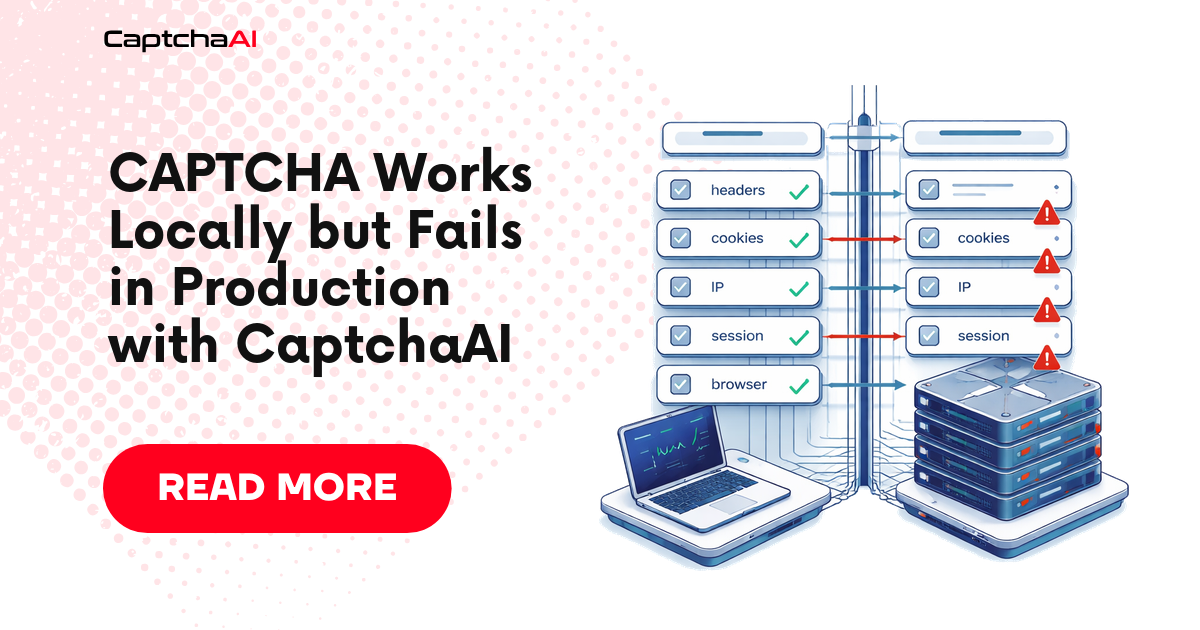
A CAPTCHA workflow that works locally but fails in production is almost never “the same code behaving differently for no reason.”
Something changed.
Usually it is one of these:
- the API key is missing or loaded from the wrong secret
- the deployed worker sends a different page URL
- the production page renders a different sitekey
- the proxy, IP, country, or user agent changed
- the browser runs headless and triggers a different page path
- cookies are not shared between solve and submit
- the token is applied correctly, but the backend rejects the submission
- concurrency causes stale task IDs, reused tokens, or mismatched sessions
- the local timeout is long enough, but the production queue kills the job early
This article gives you a production-first debugging workflow for CaptchaAI integrations.
It is written for the moment when the local demo works, the deployed system fails, and you need to stop guessing.
The core mistake: comparing code instead of comparing context
When local and production behavior differ, developers often compare code commits.
That helps, but it is incomplete.
CAPTCHA solving depends on runtime context:
| Context | Why it matters |
|---|---|
| API secret | A missing or wrong key fails before solving. |
| Page URL | The solver task must match the page where the challenge appears. |
| Sitekey | Production pages may use a different key than staging or local. |
| Session | Token handoff must happen in the same browser or HTTP session. |
| Proxy/IP | Target pages may render different challenges by region or network. |
| User agent | Headless or server-side user agents can receive different markup. |
| Cookies | Missing cookies can change the challenge or invalidate the token. |
| Timeout | Production queues often kill long-running solve jobs. |
| Concurrency | Shared state can apply one token to another user’s session. |
| Acceptance signal | A returned token is not proof that the workflow succeeded. |
The right comparison is not:
local code vs production code
The right comparison is:
local solve context vs production solve context
The four-phase debugging model
Every production-only failure belongs to one of four phases.
| Phase | Question |
|---|---|
| Before solving | Did production capture the same inputs as local? |
| During solving | Did CaptchaAI receive and complete a valid task? |
| After solving | Was the returned token applied into the correct session and field/callback? |
| After submission | Did the protected application accept the token and complete the workflow? |
Do not skip phases.
If you start by increasing retries, you may hide the real issue and burn balance.
Safe scope
This guide is for authorized automation, QA, testing, monitoring, and integration workflows where you own the application, operate a client-approved workflow, or have permission to test the system.
It is not a guide for unauthorized access, spam, account farming, or bypassing systems you do not have permission to automate.
Phase 1: Compare local and production solve context
Before solving, log the context that affects CAPTCHA behavior.
Use a structured object like this:
{
  "environment": "production",
  "captcha_type": "recaptcha_v2",
  "method": "userrecaptcha",
  "pageurl": "https://app.example.com/login",
  "sitekey_present": true,
  "sitekey_source": "rendered_dom",
  "api_key_present": true,
  "api_key_fingerprint": "sha256:ab12...",
  "proxy_country": "US",
  "user_agent_family": "Chromium",
  "headless": true,
  "cookie_count": 7,
  "session_id": "worker-17-session-abc",
  "timeout_seconds": 120
}
The goal is not to log secrets. The goal is to log proof.
Use fingerprints for sensitive values. Never print the full API key, token, cookies, or proxy password.
Python: environment drift diagnostic
Add this check before every production solve request.
import hashlib
import os
import platform
import time
from urllib.parse import urlparse


def fingerprint(value: str | None) -> str | None:
    if not value:
        return None
    return "sha256:" + hashlib.sha256(value.encode("utf-8")).hexdigest()[:12]


def validate_production_context(
    *,
    captcha_type: str,
    method: str,
    pageurl: str,
    sitekey: str | None,
    timeout_seconds: int,
    proxy_url: str | None = None,
) -> dict:
    api_key = os.getenv("CAPTCHAAI_API_KEY")

    parsed = urlparse(pageurl)

    report = {
        "timestamp": int(time.time()),
        "python_version": platform.python_version(),
        "environment": os.getenv("APP_ENV", "unknown"),
        "captcha_type": captcha_type,
        "method": method,
        "pageurl": pageurl,
        "pageurl_host": parsed.netloc,
        "pageurl_valid": parsed.scheme in {"http", "https"} and bool(parsed.netloc),
        "sitekey_present": bool(sitekey),
        "sitekey_fingerprint": fingerprint(sitekey),
        "api_key_present": bool(api_key),
        "api_key_fingerprint": fingerprint(api_key),
        "proxy_present": bool(proxy_url),
        "proxy_fingerprint": fingerprint(proxy_url),
        "timeout_seconds": timeout_seconds,
        "warnings": [],
    }

    if not report["api_key_present"]:
        report["warnings"].append("CAPTCHAAI_API_KEY is missing in this environment.")

    if not report["pageurl_valid"]:
        report["warnings"].append("pageurl is not a full http/https URL.")

    if not report["sitekey_present"]:
        report["warnings"].append("sitekey/googlekey is missing before solve.")

    if timeout_seconds < 120:
        report["warnings"].append("Production timeout is below the recommended 120 seconds.")

    if parsed.netloc in {"localhost", "127.0.0.1"}:
        report["warnings"].append("Production solve is using a local page URL.")

    return report


if __name__ == "__main__":
    report = validate_production_context(
        captcha_type="recaptcha_v2",
        method="userrecaptcha",
        pageurl="https://app.example.com/login",
        sitekey="6Le-wvkSAAAAAPBMRTvw0Q4Muexq9bi0DJwx_mJ-",
        timeout_seconds=120,
        proxy_url=os.getenv("OUTBOUND_PROXY_URL"),
    )

    print(report)
Expected healthy output:
{
  'environment': 'production',
  'captcha_type': 'recaptcha_v2',
  'method': 'userrecaptcha',
  'pageurl': 'https://app.example.com/login',
  'pageurl_valid': True,
  'sitekey_present': True,
  'api_key_present': True,
  'proxy_present': True,
  'timeout_seconds': 120,
  'warnings': []
}
If warnings appear here, fix them before sending the CaptchaAI request.
Common Phase 1 failures
| Local works because... | Production fails because... | Fix |
|---|---|---|
.env contains the correct API key |
Secret is missing in the deployed environment | Add a boot-time secret check and fail fast |
| Local uses the final page URL | Production submits a pre-redirect URL | Log window.location.href after redirects |
| Local extracts rendered DOM | Production parses raw HTML before JS render | Use browser-based detection in production |
| Local uses the visible widget | Production sees a different iframe or widget | Log sitekey source and frame URL |
| Local has full browser cookies | Production starts with an empty cookie jar | Persist or intentionally recreate session state |
| Local uses headed browser | Production uses headless browser | Compare DOM, scripts, and widget after render |
Phase 2: Confirm CaptchaAI task behavior
After context validation, submit the task and log CaptchaAI state separately.
Do not mark the workflow complete when CaptchaAI returns a token.
A good solver log looks like this:
{
  "phase": "solver",
  "environment": "production",
  "captcha_type": "cloudflare_turnstile",
  "method": "turnstile",
  "submit_status": "ok",
  "task_id": "123456789",
  "poll_count": 3,
  "solver_status": "token_returned",
  "solve_ms": 23550
}
A bad solver log should make the next action obvious:
{
  "phase": "solver",
  "environment": "production",
  "captcha_type": "recaptcha_v2",
  "method": "userrecaptcha",
  "submit_status": "failed",
  "error": "ERROR_WRONG_USER_KEY",
  "next_action": "check production CAPTCHAAI_API_KEY secret"
}
Phase 3: Check token handoff in the deployed browser/session
A token returned by CaptchaAI still has to be applied in the same page context that triggered the challenge.
Use the correct response field:
| CAPTCHA type | Common response field |
|---|---|
| reCAPTCHA v2 | g-recaptcha-response |
| Cloudflare Turnstile | cf-turnstile-response |
| hCaptcha | h-captcha-response |
For callback-based implementations, the field alone may not be enough. The production page may require a callback even if your local test page did not.
Node.js: production browser handoff diagnostic
Use this in Playwright-based workers to prove whether the response field exists and whether token handoff changed page state.
async function diagnoseAndApplyToken(page, captchaType, token, callbackName = null) {
  if (!token) {
    throw new Error("Missing CAPTCHA token.");
  }

  const result = await page.evaluate(({ captchaType, token, callbackName }) => {
    const selectors = {
      recaptcha_v2: '[name="g-recaptcha-response"]',
      cloudflare_turnstile: '[name="cf-turnstile-response"]',
      hcaptcha: '[name="h-captcha-response"]',
    };

    const selector = selectors[captchaType];
    const before = {
      url: window.location.href,
      selector,
      field_found: false,
      callback_found: false,
      field_length_before: null,
      field_length_after: null,
    };

    if (selector) {
      const field = document.querySelector(selector);

      if (field) {
        before.field_found = true;
        before.field_length_before = (field.value || field.innerHTML || "").length;

        field.value = token;
        field.innerHTML = token;
        field.dispatchEvent(new Event("input", { bubbles: true }));
        field.dispatchEvent(new Event("change", { bubbles: true }));

        before.field_length_after = (field.value || field.innerHTML || "").length;

        return {
          handoff_status: "applied",
          handoff_method: selector,
          diagnostics: before,
        };
      }
    }

    if (callbackName) {
      const callback = callbackName
        .split(".")
        .reduce((current, key) => current && current[key], window);

      before.callback_found = typeof callback === "function";

      if (before.callback_found) {
        callback(token);

        return {
          handoff_status: "applied",
          handoff_method: "callback",
          diagnostics: before,
        };
      }
    }

    return {
      handoff_status: "failed",
      handoff_method: null,
      diagnostics: before,
      error: "No response field or callback found in production page context.",
    };
  }, { captchaType, token, callbackName });

  return result;
}
Expected healthy output:
{
  "handoff_status": "applied",
  "handoff_method": "[name=\"g-recaptcha-response\"]",
  "diagnostics": {
    "url": "https://app.example.com/login",
    "selector": "[name=\"g-recaptcha-response\"]",
    "field_found": true,
    "callback_found": false,
    "field_length_before": 0,
    "field_length_after": 840
  }
}
If field_found is false in production but true locally, the deployed page is not rendering the same widget path.
Phase 4: Verify backend acceptance
The final check is not DOM mutation.
The final check is backend acceptance.
Use a workflow-specific success signal:
| Workflow | Strong acceptance signal |
|---|---|
| Login | Redirect to dashboard or authenticated API response |
| Signup QA | Confirmation step reached or test account created |
| Search flow | Results page loaded with expected records |
| Internal workflow | Expected entity created or updated |
| Monitoring job | Non-blocked response with expected data |
| Form submission | Success page, success API response, or known confirmation text |
A weak signal is:
token field has a value
That only proves handoff, not acceptance.
Production failure decision tree
Use this sequence before changing code.
1. Did production load the API key?
If no:
- fix secret injection
- add a boot-time secret check
- do not send tasks with a missing key
If yes:
- compare API key fingerprint between local and production
2. Did production capture the same page URL?
If no:
- resolve redirects first
- log final browser URL
- inspect iframe URLs
- do not use localhost or staging URLs in production
If yes:
- continue to sitekey comparison
3. Did production capture the same sitekey?
If no:
- use rendered DOM detection
- inspect
grecaptcha.render()orturnstile.render() - check whether production uses a different widget or Enterprise script
If yes:
- continue to solver state
4. Did CaptchaAI return a token?
If no:
- inspect the exact API error
- do not retry bad parameters
- retry only transient server or polling states
If yes:
- continue to handoff state
5. Was the token applied in the same browser/session?
If no:
- keep solve and submit inside the same browser context
- avoid passing tokens between unrelated workers
- preserve cookies and user agent
If yes:
- continue to backend acceptance
6. Did the backend accept the submit?
If no:
- compare local and production cookies
- compare user agent and proxy/IP
- verify callback path
- check whether the token was reused or stale
- inspect server-side validation response if you own the backend
Production-only causes and fixes
| Symptom | Likely production-only cause | Fix |
|---|---|---|
ERROR_WRONG_USER_KEY |
Wrong or missing deployed secret | Fingerprint the key and fail fast at startup |
ERROR_ZERO_BALANCE |
Production volume consumes balance faster | Add balance monitoring before queue start |
ERROR_PAGEURL |
Production sends an invalid or pre-redirect URL | Use final rendered URL |
ERROR_BAD_PARAMETERS |
Dynamic widget not detected before solve | Wait for rendered widget or intercept render call |
| Token returned but rejected | Session/cookie/proxy mismatch | Keep solve and submit in one browser context |
| Works headed, fails headless | Page renders different widget path | Compare rendered DOM and network calls |
| Fails only at high volume | Shared task IDs, token reuse, or race condition | Use per-session state and idempotency keys |
| Fails only in containers | Missing CA certs, network egress, DNS, or proxy env | Add startup connectivity checks |
| Fails only in serverless | Function timeout shorter than solve window | Use async worker queue or longer timeout |
| Fails only with proxy | Proxy changes page variant or breaks requests | Log proxy country, IP class, and challenge type |
Add a production pre-flight gate
Before each solve, your worker should decide whether it is safe to call CaptchaAI.
A pre-flight gate should reject the job when:
- API key is missing
- page URL is not full
httporhttps - sitekey is missing
- timeout is too short
- session ID is missing
- proxy is required but absent
- CAPTCHA type is unknown
- expected acceptance signal is missing
This prevents bad jobs from becoming paid solve attempts.
Python: pre-flight gate
def preflight_gate(context: dict) -> tuple[bool, list[str]]:
    errors = []

    if not context.get("api_key_present"):
        errors.append("Missing CaptchaAI API key.")

    pageurl = context.get("pageurl", "")

    if not pageurl.startswith(("http://", "https://")):
        errors.append("pageurl must be a full http/https URL.")

    if not context.get("sitekey_present"):
        errors.append("Missing sitekey/googlekey before solve.")

    if context.get("timeout_seconds", 0) < 120:
        errors.append("timeout_seconds should be at least 120.")

    if not context.get("session_id"):
        errors.append("Missing session_id; cannot prove same-session handoff.")

    if not context.get("expected_acceptance"):
        errors.append("Missing expected acceptance signal.")

    return len(errors) == 0, errors


context = {
    "api_key_present": True,
    "pageurl": "https://app.example.com/login",
    "sitekey_present": True,
    "timeout_seconds": 120,
    "session_id": "worker-17-session-abc",
    "expected_acceptance": {"type": "url_contains", "value": "/dashboard"},
}

ok, errors = preflight_gate(context)

if not ok:
    raise RuntimeError(f"Unsafe to solve CAPTCHA: {errors}")

print("Pre-flight passed. Safe to submit CaptchaAI task.")
Expected output:
Pre-flight passed. Safe to submit CaptchaAI task.
Add idempotency before retrying production workflows
Production retry logic needs more caution than local retry logic.
Some actions are safe:
- polling CaptchaAI while status is
CAPCHA_NOT_READY - reloading a read-only search page
- retrying a transient network request before form submit
Some actions are risky:
- creating an account
- submitting an order
- booking a slot
- sending a contact form
- creating an internal record
For risky actions, add an idempotency key before the CAPTCHA-protected submit.
{
  "workflow_id": "signup-prod-20260429-009",
  "attempt": 1,
  "idempotency_key": "signup-prod-20260429-009-submit"
}
If the backend outcome is unclear, check the workflow state before retrying.
Do not blindly submit the same protected action again.
What to compare between local and production
Use this table as your incident checklist.
| Area | Local value | Production value | Match? |
|---|---|---|---|
| CaptchaAI API key fingerprint | |||
| CAPTCHA type | |||
| API method | |||
| Sitekey fingerprint | |||
| Page URL | |||
| Final browser URL | |||
| Response field | |||
| Callback name | |||
| User agent | |||
| Headless mode | |||
| Proxy country/IP class | |||
| Cookie count | |||
| Session ID | |||
| Poll timeout | |||
| Backend acceptance signal |
If you fill this table honestly, most production-only bugs become obvious.
Metrics to track after deployment
Do not track only “CAPTCHA solved.”
Track:
| Metric | Why it matters |
|---|---|
| Pre-flight rejection count | Catches bad jobs before paid solve attempts |
| Submit error rate by error code | Reveals secret, balance, or parameter issues |
| Solve latency p50/p95 | Helps size queue and timeout settings |
| Token handoff failure rate | Reveals DOM, field, callback, or session drift |
| Backend rejection after token | Reveals acceptance and session problems |
| Retry rate by phase | Shows whether retries are useful or wasteful |
| Cost per accepted workflow | Measures business efficiency, not just token cost |
The production KPI that matters most is:
accepted workflows / paid solve attempts
A workflow with many returned tokens but low acceptance is still broken.
What not to do
Do not:
- assume local page URL and production page URL are the same
- use a cached sitekey without verifying it in production
- print API keys, cookies, tokens, or proxy credentials in logs
- treat token return as workflow success
- retry
ERROR_BAD_PARAMETERSwithout changing inputs - pass tokens between unrelated browser sessions
- run production solve jobs with a timeout below the polling window
- ignore proxy and user-agent differences
- submit non-idempotent actions repeatedly after unclear outcomes
These are the mistakes that make local demos look reliable while production systems fail.
FAQ
Why does my CaptchaAI integration work locally but fail in production?
Because CAPTCHA workflows depend on runtime context, not just code. Production may use different secrets, URLs, sitekeys, proxies, cookies, browser mode, timeouts, or session handling.
Should I retry when production fails?
Only after identifying the failure phase. Retrying missing secrets, bad parameters, wrong sitekeys, or wrong page URLs repeats the same failure. Retry only transient states and safe workflow actions.
Why does a returned token still fail in production?
The token may be applied in the wrong session, wrong field, wrong callback path, stale page state, or different backend context. You need token handoff and backend acceptance checks, not only solver logs.
How do I make serverless CAPTCHA solving reliable?
Do not run long polling inside a function with a short timeout. Use a worker queue, allow a 120-second solve window, persist task state, and resume polling safely.
What is the most important production metric?
Track accepted workflows per paid solve attempt. It measures whether CaptchaAI results are completing the business workflow, not only whether tokens are returned.
Related guides
- CAPTCHA Acceptance Checks After Solving with CaptchaAI
- reCAPTCHA v2 Sitekey and Page URL Debugging with CaptchaAI
- Cloudflare Turnstile Token Handoff with CaptchaAI
- Browser Automation CAPTCHA Fails but API Works: Debug Guide
Next step: Make your CaptchaAI production workflow reliable
Before your next production retry, compare local and production context: API key fingerprint, page URL, sitekey, proxy, browser mode, cookies, session ID, timeout, handoff method, and backend acceptance signal.
Once those match, CaptchaAI solving becomes much easier to trust at production scale.