A returned CAPTCHA token is not the finish line.
It is only one checkpoint.
For a production automation or QA workflow, the real question is not:
Did CaptchaAI return a token?
The real question is:
Did the protected workflow accept the token and complete the intended action?
Those are different outcomes.
If you do not separate them, your logs will say “CAPTCHA solved” while the form still fails, the account flow still stops, the test still times out, or the scraping job still receives a blocked response.
This guide shows how to add acceptance checks around CaptchaAI so your integration can prove what happened before solving, during solving, after token handoff, and after backend verification.
Why acceptance checks matter
Most CAPTCHA integrations start with a simple mental model:
- Find the sitekey.
- Send the task to CaptchaAI.
- Poll for the token.
- Put the token into the page.
- Submit.
That works for a demo.
It is incomplete for production.
In real workflows, a token can be returned and still fail because:
- the sitekey and page URL were captured from the wrong page state
- the token was applied in a different browser session
- the wrong hidden field was updated
- a callback was required but never called
- cookies changed between challenge and submit
- the backend rejected the submission
- the token was reused
- the automation retried an unsafe action and duplicated work
Acceptance checks prevent those failures from becoming invisible.
They tell you exactly where the workflow stopped.
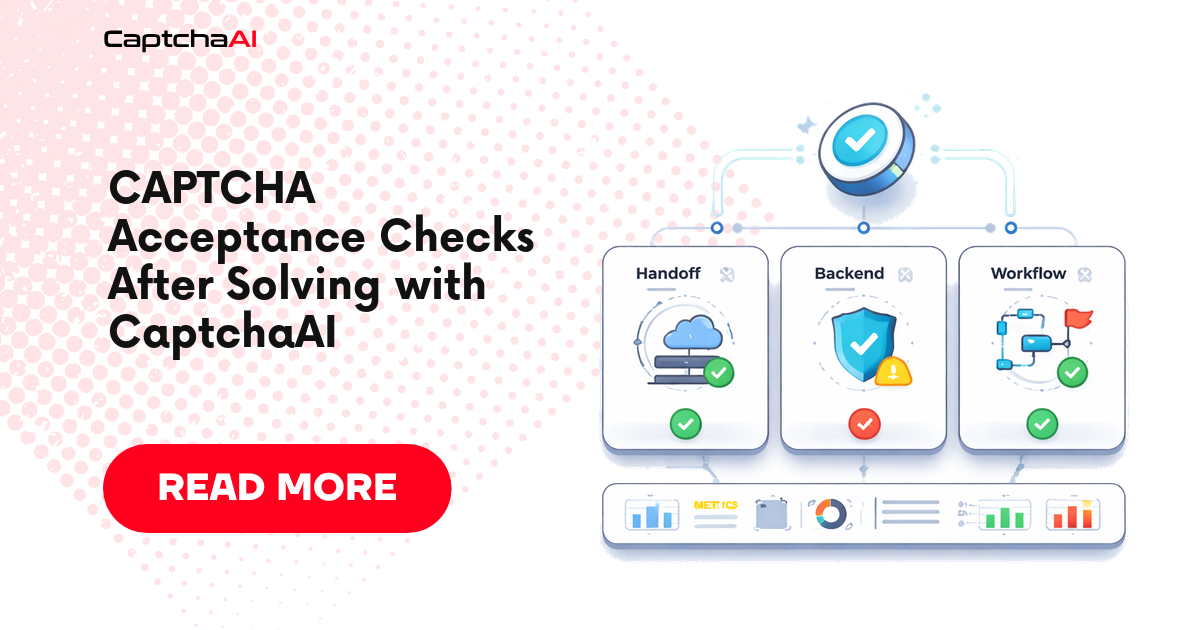
The three success states you must separate
Do not use a single captcha_solved=true flag.
Use three separate states.
| State | Meaning | Example success signal |
|---|---|---|
| Solver success | CaptchaAI returned a token or answer. | API response contains status: 1 and a token. |
| Handoff success | Your code applied the token into the correct page/session path. | g-recaptcha-response or cf-turnstile-response was updated, or callback was called. |
| Workflow acceptance | The target application accepted the token and completed the next step. | HTTP 200, redirect to success page, dashboard state changed, or expected DOM appears. |
The highest-value log line is not solver success.
The highest-value log line is workflow acceptance.
Before solving: capture the acceptance contract
Before calling CaptchaAI, record what the workflow will later need to prove.
This is the acceptance contract.
| Field | Why it matters |
|---|---|
| CAPTCHA type | Determines the method, response field, and handoff path. |
| Page URL | Must match the page context where the CAPTCHA appears. |
| Sitekey | Must belong to the active widget. |
| Session ID | Proves solve and submit happened in the same browser or HTTP session. |
| Cookie fingerprint | Detects session changes before submission. |
| User agent | Helps diagnose backend mismatch. |
| Expected handoff field | g-recaptcha-response, cf-turnstile-response, or another field. |
| Expected callback | Required when the page uses JavaScript completion logic. |
| Expected acceptance signal | Redirect, DOM change, API status, or known success message. |
Without this contract, post-failure debugging becomes guesswork.
Acceptance contract example
{
  "captcha_type": "cloudflare_turnstile",
  "pageurl": "https://example.com/protected-form",
  "sitekey_source": "turnstile.render",
  "sitekey_present": true,
  "browser_session_id": "session-20260429-001",
  "cookie_fingerprint": "sha256:7e20f4...",
  "user_agent_family": "Chromium",
  "expected_handoff": "cf-turnstile-response",
  "expected_callback": null,
  "expected_acceptance": {
    "type": "url_contains",
    "value": "/success"
  }
}
This is not just logging for debugging. It is a safety mechanism.
It lets your worker decide whether a retry is useful, dangerous, or pointless.
During solving: record solver state separately
CaptchaAI token-based flows use the same general pattern:
- Submit the task to
https://ocr.captchaai.com/in.php. - Receive a task ID.
- Wait before polling.
- Poll
https://ocr.captchaai.com/res.phpuntil a token is ready or a terminal error occurs.
For reCAPTCHA v2, the API method is userrecaptcha, with googlekey and pageurl.
For Cloudflare Turnstile, the API method is turnstile, with sitekey and pageurl.
Track those calls as solver state only.
Do not mark the workflow complete when the token arrives.
Python: solve and return structured solver state
import time
import requests
from dataclasses import dataclass


API_KEY = "YOUR_API_KEY"
IN_URL = "https://ocr.captchaai.com/in.php"
RES_URL = "https://ocr.captchaai.com/res.php"


@dataclass
class SolverResult:
    status: str
    task_id: str | None
    token: str | None
    error: str | None
    solve_seconds: float


class CaptchaAIError(Exception):
    pass


def solve_token_captcha(method: str, params: dict, timeout_seconds: int = 120) -> SolverResult:
    if not API_KEY or API_KEY == "YOUR_API_KEY":
        raise ValueError("Set your CaptchaAI API key before running this script.")

    started = time.time()

    payload = {
        "key": API_KEY,
        "method": method,
        "json": 1,
        **params,
    }

    submit = requests.post(IN_URL, data=payload, timeout=30)
    submit.raise_for_status()
    submit_data = submit.json()

    if submit_data.get("status") != 1:
        return SolverResult(
            status="submit_failed",
            task_id=None,
            token=None,
            error=submit_data.get("request"),
            solve_seconds=time.time() - started,
        )

    task_id = submit_data["request"]
    deadline = time.time() + timeout_seconds

    time.sleep(15)

    while time.time() < deadline:
        result = requests.get(
            RES_URL,
            params={
                "key": API_KEY,
                "action": "get",
                "id": task_id,
                "json": 1,
            },
            timeout=30,
        )
        result.raise_for_status()
        result_data = result.json()

        if result_data.get("status") == 1:
            return SolverResult(
                status="token_returned",
                task_id=task_id,
                token=result_data["request"],
                error=None,
                solve_seconds=time.time() - started,
            )

        message = result_data.get("request")

        if message == "CAPCHA_NOT_READY":
            time.sleep(5)
            continue

        return SolverResult(
            status="solve_failed",
            task_id=task_id,
            token=None,
            error=message,
            solve_seconds=time.time() - started,
        )

    return SolverResult(
        status="timeout",
        task_id=task_id,
        token=None,
        error="SOLVE_TIMEOUT",
        solve_seconds=time.time() - started,
    )
Example usage for reCAPTCHA v2:
result = solve_token_captcha(
    method="userrecaptcha",
    params={
        "googlekey": "6Le-wvkSAAAAAPBMRTvw0Q4Muexq9bi0DJwx_mJ-",
        "pageurl": "https://example.com/login",
    },
)

print(result)
Example usage for Turnstile:
result = solve_token_captcha(
    method="turnstile",
    params={
        "sitekey": "0x4AAAAAA_example_sitekey",
        "pageurl": "https://example.com/protected-form",
    },
)

print(result)
Expected output:
SolverResult(status='token_returned', task_id='123456789', token='TOKEN_VALUE', error=None, solve_seconds=23.4)
This output proves only one thing: CaptchaAI returned a token.
It does not prove the application accepted it.
After solving: perform the handoff check
The handoff check verifies that your code applied the token to the page path the site expects.
For reCAPTCHA v2, the common response field is:
g-recaptcha-response
For Cloudflare Turnstile, the common response field is:
cf-turnstile-response
Some pages use callbacks instead of relying only on hidden fields.
Your code should report how the token was applied.
Browser-side handoff function
function applyCaptchaToken({ captchaType, token, callbackName = null }) {
  if (!token) {
    throw new Error("Missing CAPTCHA token.");
  }

  const fieldSelectors = {
    recaptcha_v2: '[name="g-recaptcha-response"]',
    cloudflare_turnstile: '[name="cf-turnstile-response"]',
  };

  const selector = fieldSelectors[captchaType];

  if (selector) {
    const field = document.querySelector(selector);

    if (field) {
      field.value = token;
      field.innerHTML = token;
      field.dispatchEvent(new Event("input", { bubbles: true }));
      field.dispatchEvent(new Event("change", { bubbles: true }));

      return {
        handoff_status: "applied",
        handoff_method: selector,
        callback_called: false,
      };
    }
  }

  if (callbackName) {
    const callback = callbackName
      .split(".")
      .reduce((current, key) => current && current[key], window);

    if (typeof callback === "function") {
      callback(token);

      return {
        handoff_status: "applied",
        handoff_method: "callback",
        callback_called: true,
      };
    }
  }

  throw new Error("No valid CAPTCHA response field or callback was available.");
}
This function returns a handoff result instead of silently mutating the DOM.
That makes the next step measurable.
Node.js + Playwright: solve, hand off, and verify acceptance
This example shows the full pattern:
- capture the context
- solve with CaptchaAI
- apply the token
- submit the form
- verify the workflow acceptance signal
const { chromium } = require("playwright");
const axios = require("axios");

const API_KEY = "YOUR_API_KEY";
const IN_URL = "https://ocr.captchaai.com/in.php";
const RES_URL = "https://ocr.captchaai.com/res.php";

function sleep(ms) {
  return new Promise((resolve) => setTimeout(resolve, ms));
}

async function solveCaptchaAI(method, params, timeoutMs = 120000) {
  if (!API_KEY || API_KEY === "YOUR_API_KEY") {
    throw new Error("Set your CaptchaAI API key before running this script.");
  }

  const started = Date.now();

  const submit = await axios.post(
    IN_URL,
    new URLSearchParams({
      key: API_KEY,
      method,
      json: "1",
      ...params,
    }),
    { timeout: 30000 }
  );

  if (submit.data.status !== 1) {
    return {
      solver_status: "submit_failed",
      task_id: null,
      token: null,
      error: submit.data.request,
      solve_ms: Date.now() - started,
    };
  }

  const taskId = submit.data.request;
  const deadline = Date.now() + timeoutMs;

  await sleep(15000);

  while (Date.now() < deadline) {
    const result = await axios.get(RES_URL, {
      params: {
        key: API_KEY,
        action: "get",
        id: taskId,
        json: 1,
      },
      timeout: 30000,
    });

    if (result.data.status === 1) {
      return {
        solver_status: "token_returned",
        task_id: taskId,
        token: result.data.request,
        error: null,
        solve_ms: Date.now() - started,
      };
    }

    if (result.data.request === "CAPCHA_NOT_READY") {
      await sleep(5000);
      continue;
    }

    return {
      solver_status: "solve_failed",
      task_id: taskId,
      token: null,
      error: result.data.request,
      solve_ms: Date.now() - started,
    };
  }

  return {
    solver_status: "timeout",
    task_id: taskId,
    token: null,
    error: "SOLVE_TIMEOUT",
    solve_ms: Date.now() - started,
  };
}

async function run() {
  const browser = await chromium.launch({ headless: false });
  const page = await browser.newPage();

  await page.goto("https://example.com/protected-form", {
    waitUntil: "networkidle",
  });

  const contextBeforeSolve = await page.evaluate(() => {
    const recaptcha = document.querySelector(".g-recaptcha");
    const turnstile = document.querySelector(".cf-turnstile");

    if (turnstile) {
      return {
        captcha_type: "cloudflare_turnstile",
        method: "turnstile",
        sitekey: turnstile.getAttribute("data-sitekey"),
        pageurl: window.location.href,
        expected_field: "cf-turnstile-response",
        expected_acceptance: {
          type: "url_contains",
          value: "/success",
        },
      };
    }

    if (recaptcha) {
      return {
        captcha_type: "recaptcha_v2",
        method: "userrecaptcha",
        googlekey: recaptcha.getAttribute("data-sitekey"),
        pageurl: window.location.href,
        expected_field: "g-recaptcha-response",
        expected_acceptance: {
          type: "url_contains",
          value: "/success",
        },
      };
    }

    return null;
  });

  if (!contextBeforeSolve) {
    throw new Error("No supported CAPTCHA widget detected.");
  }

  const params =
    contextBeforeSolve.captcha_type === "cloudflare_turnstile"
      ? {
          sitekey: contextBeforeSolve.sitekey,
          pageurl: contextBeforeSolve.pageurl,
        }
      : {
          googlekey: contextBeforeSolve.googlekey,
          pageurl: contextBeforeSolve.pageurl,
        };

  const solverResult = await solveCaptchaAI(contextBeforeSolve.method, params);

  if (solverResult.solver_status !== "token_returned") {
    console.log({
      phase: "solver",
      context: contextBeforeSolve,
      solverResult,
      accepted: false,
    });

    await browser.close();
    return;
  }

  const handoffResult = await page.evaluate(({ captchaType, token }) => {
    const selectors = {
      recaptcha_v2: '[name="g-recaptcha-response"]',
      cloudflare_turnstile: '[name="cf-turnstile-response"]',
    };

    const selector = selectors[captchaType];
    const field = document.querySelector(selector);

    if (!field) {
      throw new Error(`Missing response field: ${selector}`);
    }

    field.value = token;
    field.innerHTML = token;
    field.dispatchEvent(new Event("input", { bubbles: true }));
    field.dispatchEvent(new Event("change", { bubbles: true }));

    return {
      handoff_status: "applied",
      handoff_method: selector,
    };
  }, {
    captchaType: contextBeforeSolve.captcha_type,
    token: solverResult.token,
  });

  await page.click('button[type="submit"]');

  const accepted = await page.waitForURL("**/success", { timeout: 15000 })
    .then(() => true)
    .catch(() => false);

  const finalLog = {
    captcha_type: contextBeforeSolve.captcha_type,
    solver_status: solverResult.solver_status,
    task_id: solverResult.task_id,
    solve_ms: solverResult.solve_ms,
    handoff_status: handoffResult.handoff_status,
    handoff_method: handoffResult.handoff_method,
    final_url: page.url(),
    accepted,
  };

  console.log(JSON.stringify(finalLog, null, 2));

  await browser.close();
}

run().catch((error) => {
  console.error(error);
  process.exit(1);
});
Expected accepted output:
{
  "captcha_type": "cloudflare_turnstile",
  "solver_status": "token_returned",
  "task_id": "123456789",
  "solve_ms": 23618,
  "handoff_status": "applied",
  "handoff_method": "[name=\"cf-turnstile-response\"]",
  "final_url": "https://example.com/success",
  "accepted": true
}
Expected rejected output:
{
  "captcha_type": "cloudflare_turnstile",
  "solver_status": "token_returned",
  "task_id": "123456789",
  "solve_ms": 24110,
  "handoff_status": "applied",
  "handoff_method": "[name=\"cf-turnstile-response\"]",
  "final_url": "https://example.com/protected-form",
  "accepted": false
}
The second result is not a CaptchaAI outage by default.
It means the solver phase succeeded and the failure happened after token return.
Acceptance signals by workflow type
Different workflows need different acceptance checks.
| Workflow | Good acceptance signal | Weak signal to avoid |
|---|---|---|
| Login | Redirect to dashboard or authenticated API response | Button click completed |
| Signup | Account created, email step reached, or expected confirmation appears | Token field has a value |
| Search form | Results page loaded with expected query | Form submit event fired |
| Checkout QA | Order review page reached in test environment | CAPTCHA token returned |
| Internal admin workflow | Expected entity was created or updated | Browser did not crash |
| Data extraction | Expected records returned with non-blocked status | HTTP request finished |
The acceptance signal should match the business or QA outcome, not the CAPTCHA step.
Retry rules after acceptance checks
Acceptance checks also tell you whether retrying is safe.
| Failure phase | Retry? | Reason |
|---|---|---|
| Submit failed with auth or balance error | No | Fix account or key first. |
| Submit failed with bad parameters | No | Retrying repeats the same invalid request. |
Polling returned CAPCHA_NOT_READY |
Yes | Continue polling within timeout. |
| Solver returned transient server error | Yes, limited | Retry with backoff. |
| Token returned but handoff field missing | No | Fix page detection or callback logic. |
| Token handed off but backend rejected | Maybe | Retry only after confirming no duplicate action risk. |
| Form action may create records, accounts, or orders | No blind retry | Use idempotency key or operator review. |
Blind retries are one of the easiest ways to waste balance and create duplicate workflow side effects.
Idempotency for post-solve actions
Some actions are safe to retry. Some are not.
Safe retry examples:
- loading a search page
- checking a public status page
- running a read-only QA assertion
- polling CaptchaAI while task is not ready
Risky retry examples:
- account creation
- checkout progression
- booking submission
- contact form submission
- record creation in an admin system
For risky actions, add an idempotency key before the protected submit step.
Example:
{
  "workflow_id": "signup-test-20260429-001",
  "attempt": 1,
  "idempotency_key": "signup-test-20260429-001-submit"
}
Store the key with your workflow state. If acceptance is unclear, do not blindly repeat the protected action. Check the backend or manual QA signal first.
Metrics that matter
Track these metrics separately:
| Metric | Why it matters |
|---|---|
| Solve success rate | Measures CaptchaAI API task completion. |
| Handoff success rate | Measures your DOM or callback application logic. |
| Acceptance rate | Measures whether the protected workflow completed. |
| Solver latency p50/p95 | Helps size timeouts and queues. |
| Post-token rejection rate | Catches session and handoff bugs. |
| Retry rate by phase | Shows whether failures are real or self-inflicted. |
| Cost per accepted workflow | Better than cost per returned token. |
The strongest business metric is:
cost per accepted workflow
Not:
cost per token returned
A low token cost is not useful if downstream acceptance is poor.
Troubleshooting matrix
| Symptom | Failure phase | Likely cause | Fix |
|---|---|---|---|
ERROR_ZERO_BALANCE |
Solver submit | Account has insufficient balance | Top up and alert before queue starts |
ERROR_WRONG_USER_KEY |
Solver submit | API key is wrong or malformed | Re-copy key and rotate secret |
ERROR_BAD_PARAMETERS |
Solver submit | Required CAPTCHA fields are missing | Validate sitekey/pageurl before calling API |
CAPCHA_NOT_READY forever |
Solver polling | Timeout too short, task slow, or polling loop bug | Poll every 5 seconds with a 120-second cap |
| Token returned, field missing | Handoff | Wrong CAPTCHA type or dynamic page state | Re-detect widget and expected response field |
| Token returned, callback missing | Handoff | Callback was not captured before render | Inject callback capture before widget loads |
| Token applied, form still disabled | Handoff | Front-end state did not update | Dispatch input/change or call callback |
| Token applied, backend rejects | Acceptance | Session, cookies, URL, or token context mismatch | Keep same browser context and verify page URL |
| Workflow duplicated after retry | Post-acceptance | Unsafe retry after unclear outcome | Add idempotency and backend state checks |
What not to do
Do not:
- mark a job complete when CaptchaAI returns a token
- retry bad parameters without changing inputs
- apply a token in a different browser session
- ignore callback-based CAPTCHA implementations
- measure only solver success rate
- hide post-token rejection under generic timeout errors
- retry account creation or booking flows without idempotency
- treat frontend field injection as proof of backend acceptance
These mistakes make the system look healthy while the real workflow is failing.
FAQ
Is a returned token proof that CaptchaAI solved the CAPTCHA?
It proves that CaptchaAI returned a result for the submitted task. It does not prove the protected application accepted the token. You still need handoff and workflow acceptance checks.
What is the best acceptance check?
The best acceptance check is the business outcome of the workflow: dashboard reached, account step completed, record created, results page loaded, or expected backend status returned.
Should I retry when a token is rejected?
Only after identifying the failure phase. If the token was applied in the wrong session or the callback was missing, retrying the same solve does not fix the problem. If the target action is not idempotent, do not retry blindly.
How do I know whether the failure is CaptchaAI or my integration?
Separate the logs. If CaptchaAI returns status: 1 and a token, the solver phase succeeded. If the page rejects the token afterward, inspect handoff path, same-session continuity, cookies, callback execution, and backend acceptance.
What should I measure in production?
Measure solve success, handoff success, workflow acceptance, post-token rejection rate, retry rate by phase, and cost per accepted workflow.
Related guides
- Browser Automation CAPTCHA Fails but API Works: Debug Guide
- Cloudflare Turnstile Token Handoff with CaptchaAI
- reCAPTCHA v2 Sitekey and Page URL Debugging with CaptchaAI
- Batch CAPTCHA Solving Error Recovery: Partial Failure Handling
Next step: Add acceptance checks to your CaptchaAI workflow
If your current integration logs only “token returned,” add one more layer: record the handoff method, submit the protected action, and verify the actual workflow acceptance signal.
That is the difference between a CAPTCHA solve demo and a production-ready CaptchaAI integration.