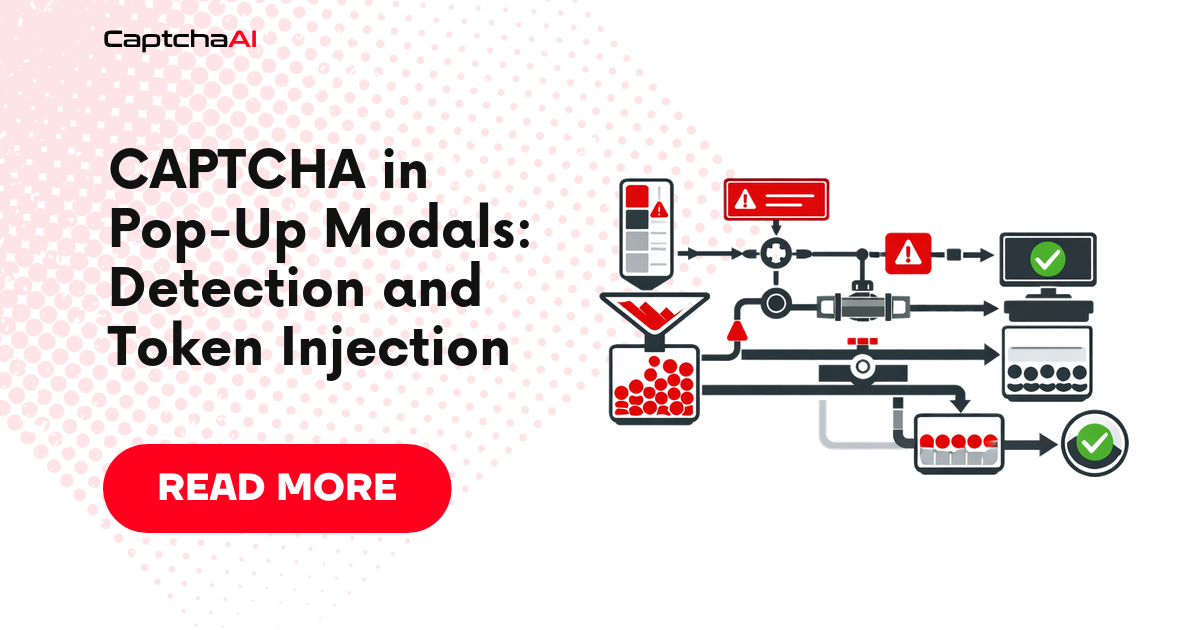
A user clicks "Submit" and a modal pops up with a CAPTCHA challenge. The sitekey isn't in the initial page source — it loads dynamically when the modal opens. Your automation script needs to trigger the modal, wait for the CAPTCHA to render, extract parameters, solve, and inject the token before the modal times out or the user session expires.
Modal CAPTCHA Patterns
| Pattern | Trigger | Challenge |
|---|---|---|
| Login modal | Click "Sign In" button | CAPTCHA loads inside overlay div |
| Anti-bot interstitial | Automatic after suspicious behavior | Full-screen modal blocks page |
| Checkout confirmation | Submit payment form | Modal appears for verification |
| Rate-limit dialog | Too many requests detected | Modal with CAPTCHA gate |
| Cookie consent + CAPTCHA | First visit | CAPTCHA embedded in consent dialog |
Python: Playwright Modal CAPTCHA Handler
import requests
import time
from playwright.sync_api import sync_playwright

API_KEY = "YOUR_API_KEY"
SUBMIT_URL = "https://ocr.captchaai.com/in.php"
RESULT_URL = "https://ocr.captchaai.com/res.php"


def solve_captcha(sitekey, pageurl, method="userrecaptcha"):
    """Submit and poll a CAPTCHA."""
    params = {
        "key": API_KEY,
        "method": method,
        "json": 1,
    }
    if method == "userrecaptcha":
        params["googlekey"] = sitekey
        params["pageurl"] = pageurl
    elif method == "turnstile":
        params["sitekey"] = sitekey
        params["pageurl"] = pageurl

    resp = requests.post(SUBMIT_URL, data=params, timeout=30).json()
    if resp.get("status") != 1:
        raise RuntimeError(f"Submit failed: {resp.get('request')}")

    task_id = resp["request"]
    for _ in range(60):
        time.sleep(5)
        poll = requests.get(RESULT_URL, params={
            "key": API_KEY, "action": "get",
            "id": task_id, "json": 1,
        }, timeout=15).json()

        if poll.get("request") == "CAPCHA_NOT_READY":
            continue
        if poll.get("status") == 1:
            return poll["request"]
        raise RuntimeError(f"Solve failed: {poll.get('request')}")

    raise RuntimeError("Timeout")


def detect_modal_captcha(page):
    """
    Detect CAPTCHA inside a visible modal/dialog.
    Returns (sitekey, method) or (None, None).
    """
    return page.evaluate("""
        () => {
            // Find visible modals
            const modalSelectors = [
                '.modal.show',
                '.modal[style*="display: block"]',
                'dialog[open]',
                '[role="dialog"]:not([aria-hidden="true"])',
                '.overlay.visible',
                '.popup.active',
                '[class*="modal"][class*="open"]',
            ];

            let modal = null;
            for (const sel of modalSelectors) {
                const el = document.querySelector(sel);
                if (el && el.offsetParent !== null) {
                    modal = el;
                    break;
                }
            }

            // If no modal found, search entire document
            const searchRoot = modal || document;

            // Check for reCAPTCHA
            const recaptcha = searchRoot.querySelector('.g-recaptcha[data-sitekey]');
            if (recaptcha) {
                return { sitekey: recaptcha.dataset.sitekey, method: 'userrecaptcha' };
            }

            // Check for Turnstile
            const turnstile = searchRoot.querySelector('.cf-turnstile[data-sitekey]');
            if (turnstile) {
                return { sitekey: turnstile.dataset.sitekey, method: 'turnstile' };
            }

            // Check for hCaptcha
            const hcaptcha = searchRoot.querySelector('.h-captcha[data-sitekey]');
            if (hcaptcha) {
                return { sitekey: hcaptcha.dataset.sitekey, method: 'hcaptcha' };
            }

            return null;
        }
    """)


def inject_token_in_modal(page, token, method="userrecaptcha"):
    """Inject token into the CAPTCHA inside the modal."""
    if method == "userrecaptcha":
        page.evaluate("""
            (token) => {
                // Find response textarea (may be inside modal)
                const textareas = document.querySelectorAll('#g-recaptcha-response, [name="g-recaptcha-response"]');
                textareas.forEach(ta => {
                    ta.value = token;
                    ta.style.display = 'block';
                });

                // Trigger callback
                if (typeof ___grecaptcha_cfg !== 'undefined') {
                    Object.values(___grecaptcha_cfg.clients).forEach(client => {
                        Object.values(client).forEach(val => {
                            if (val && typeof val === 'object') {
                                Object.values(val).forEach(v => {
                                    if (v && typeof v.callback === 'function') v.callback(token);
                                });
                            }
                        });
                    });
                }
            }
        """, token)
    elif method == "turnstile":
        page.evaluate("""
            (token) => {
                const inputs = document.querySelectorAll('[name="cf-turnstile-response"]');
                inputs.forEach(inp => { inp.value = token; });

                if (typeof window.turnstileCallback === 'function') {
                    window.turnstileCallback(token);
                }
            }
        """, token)


def handle_modal_captcha(page, trigger_selector=None, timeout=10000):
    """
    Full workflow: trigger modal, detect CAPTCHA, solve, inject.
    """
    # Step 1: Trigger the modal if needed
    if trigger_selector:
        print(f"Clicking trigger: {trigger_selector}")
        page.click(trigger_selector)

    # Step 2: Wait for modal to become visible
    print("Waiting for modal...")
    modal_selectors = [
        ".modal.show",
        "dialog[open]",
        '[role="dialog"]:not([aria-hidden="true"])',
        ".popup.active",
    ]

    modal_visible = False
    for selector in modal_selectors:
        try:
            page.wait_for_selector(selector, timeout=timeout)
            modal_visible = True
            print(f"  Modal detected: {selector}")
            break
        except Exception:
            continue

    if not modal_visible:
        print("  No modal detected")
        return None

    # Step 3: Wait for CAPTCHA to render inside modal
    time.sleep(2)  # Brief pause for dynamic CAPTCHA loading

    captcha_info = detect_modal_captcha(page)
    if not captcha_info:
        print("  No CAPTCHA found in modal")
        return None

    sitekey = captcha_info["sitekey"]
    method = captcha_info["method"]
    print(f"  Found {method} CAPTCHA: {sitekey[:20]}...")

    # Step 4: Solve via CaptchaAI
    token = solve_captcha(sitekey, page.url, method)
    print(f"  Solved: {token[:30]}...")

    # Step 5: Inject token
    inject_token_in_modal(page, token, method)
    print("  Token injected")

    return token


def main():
    with sync_playwright() as p:
        browser = p.chromium.launch(headless=False)
        page = browser.new_page()
        page.goto("https://example.com")
        page.wait_for_load_state("networkidle")

        # Handle CAPTCHA that appears in login modal
        token = handle_modal_captcha(
            page,
            trigger_selector="button#login-btn",
            timeout=10000,
        )

        if token:
            # Fill form fields inside modal
            page.fill('dialog input[name="email"]', "[email protected]")
            page.fill('dialog input[name="password"]', "password123")

            # Submit modal form
            page.click('dialog button[type="submit"]')
            page.wait_for_load_state("networkidle")

        browser.close()


main()
JavaScript: Puppeteer Modal Handler
const puppeteer = require("puppeteer");

const API_KEY = "YOUR_API_KEY";
const SUBMIT_URL = "https://ocr.captchaai.com/in.php";
const RESULT_URL = "https://ocr.captchaai.com/res.php";

async function solveCaptcha(sitekey, pageurl, method = "userrecaptcha") {
  const body = new URLSearchParams({ key: API_KEY, method, json: "1" });
  if (method === "userrecaptcha") { body.set("googlekey", sitekey); body.set("pageurl", pageurl); }
  else if (method === "turnstile") { body.set("sitekey", sitekey); body.set("pageurl", pageurl); }

  const resp = await (await fetch(SUBMIT_URL, { method: "POST", body })).json();
  if (resp.status !== 1) throw new Error(`Submit: ${resp.request}`);

  const taskId = resp.request;
  for (let i = 0; i < 60; i++) {
    await new Promise((r) => setTimeout(r, 5000));
    const url = `${RESULT_URL}?key=${API_KEY}&action=get&id=${taskId}&json=1`;
    const poll = await (await fetch(url)).json();
    if (poll.request === "CAPCHA_NOT_READY") continue;
    if (poll.status === 1) return poll.request;
    throw new Error(`Solve: ${poll.request}`);
  }
  throw new Error("Timeout");
}

async function waitForModal(page, timeout = 10000) {
  const selectors = [".modal.show", "dialog[open]", '[role="dialog"]', ".popup.active"];
  for (const sel of selectors) {
    try {
      await page.waitForSelector(sel, { visible: true, timeout });
      return sel;
    } catch {}
  }
  return null;
}

async function detectModalCaptcha(page) {
  return page.evaluate(() => {
    const checks = [
      { sel: ".g-recaptcha[data-sitekey]", method: "userrecaptcha" },
      { sel: ".cf-turnstile[data-sitekey]", method: "turnstile" },
    ];
    for (const { sel, method } of checks) {
      const el = document.querySelector(sel);
      if (el && el.dataset.sitekey) return { sitekey: el.dataset.sitekey, method };
    }
    return null;
  });
}

async function handleModalCaptcha(page, triggerSelector) {
  // Trigger modal
  if (triggerSelector) await page.click(triggerSelector);

  // Wait for modal
  const modalSel = await waitForModal(page);
  if (!modalSel) { console.log("No modal found"); return null; }
  console.log(`Modal visible: ${modalSel}`);

  // Wait for CAPTCHA render
  await new Promise((r) => setTimeout(r, 2000));

  const info = await detectModalCaptcha(page);
  if (!info) { console.log("No CAPTCHA in modal"); return null; }

  console.log(`Found ${info.method}: ${info.sitekey.substring(0, 20)}...`);
  const token = await solveCaptcha(info.sitekey, page.url(), info.method);
  console.log(`Solved: ${token.substring(0, 30)}...`);

  // Inject token
  await page.evaluate((t, method) => {
    if (method === "userrecaptcha") {
      document.querySelectorAll("#g-recaptcha-response").forEach((el) => { el.value = t; });
    } else if (method === "turnstile") {
      document.querySelectorAll('[name="cf-turnstile-response"]').forEach((el) => { el.value = t; });
    }
  }, token, info.method);

  return token;
}

(async () => {
  const browser = await puppeteer.launch({ headless: false });
  const page = await browser.newPage();
  await page.goto("https://example.com", { waitUntil: "networkidle2" });

  const token = await handleModalCaptcha(page, "button#login-btn");
  if (token) {
    await page.type('dialog input[name="email"]', "[email protected]");
    await page.click('dialog button[type="submit"]');
    await page.waitForNavigation();
  }

  await browser.close();
})();
Modal Timing Considerations
| Factor | Impact | Mitigation |
|---|---|---|
| Modal auto-close timeout | Modal may close before solve completes | Start solving immediately on detection |
| Session expiry during solve | Server session expires in modal wait | Keep session alive with background heartbeat |
| CAPTCHA render delay in modal | Widget takes 1–3s to load in modal | Wait 2s after modal visible before extracting sitekey |
| Token expiry during form fill | Token expires while filling modal form | Solve CAPTCHA last, after filling other fields |
Troubleshooting
| Issue | Cause | Fix |
|---|---|---|
| Modal detected but no CAPTCHA found | CAPTCHA loads asynchronously after modal opens | Increase wait time; use MutationObserver to detect widget insertion |
| Token injected but modal doesn't close | Callback function not triggered | Find and invoke the CAPTCHA callback explicitly |
| Modal closes during solving | Auto-dismiss timeout | Disable modal timeout via JS: clearTimeout() on modal timer |
| CAPTCHA sitekey different each time | Modal generates dynamic CAPTCHA instances | Always extract sitekey fresh from the modal DOM, never cache |
| Click trigger doesn't open modal | Element not interactive or behind overlay | Use page.dispatchEvent or wait for element to be clickable |
FAQ
How do I detect a modal that opens automatically without a click trigger?
Use a MutationObserver to watch for new elements appearing in the DOM. Set it up before navigating to the page. When a modal element is added and becomes visible, your observer fires and you can start the CAPTCHA detection flow.
What if the CAPTCHA is inside a modal iframe?
If the modal contains an iframe with the CAPTCHA, combine this approach with iframe handling. After detecting the modal, switch to the iframe context inside the modal to extract the sitekey.
Should I fill form fields before or after solving the CAPTCHA?
Before. Fill all other form fields first, then solve the CAPTCHA last. This minimizes the time between getting the token and submitting the form, reducing expiration risk.
Related Articles
- How To Solve Recaptcha V2 Callback Using Api
- Geetest Vs Cloudflare Turnstile Comparison
- Recaptcha V2 Turnstile Same Site Handling
Next Steps
Handle CAPTCHAs in pop-up modals seamlessly — get your CaptchaAI API key and implement modal detection.
Related guides:
- Handling Multiple CAPTCHAs on a Single Page
- Shadow DOM CAPTCHA Handling
- Iframe CAPTCHA Extraction: Nested Frames
Full Working Code
Complete runnable examples for this article in Python, Node.js, PHP, Go, Java, C#, Ruby, Rust, Kotlin & Bash.
View on GitHub →

Discussions (0)
Join the conversation
Sign in to share your opinion.
Sign InNo comments yet.