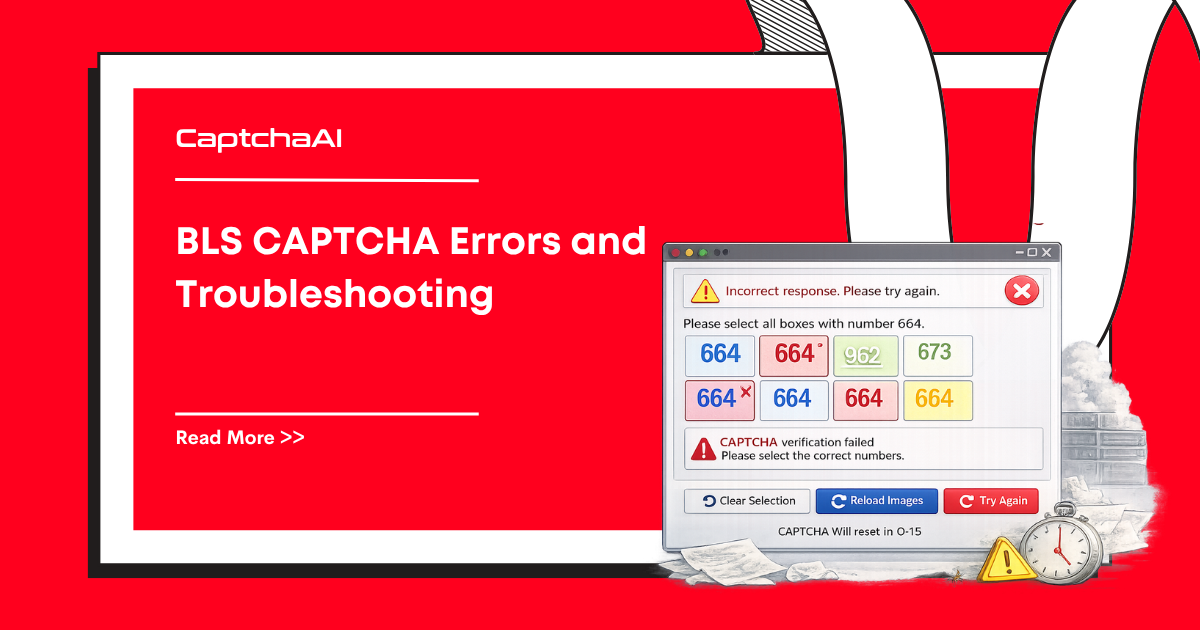
BLS CAPTCHA solving has unique challenges because it uses a custom implementation. Here are the most common errors and their solutions.
API submission errors
ERROR_BAD_PARAMETERS
Cause: Missing required parameters — either instructions or images.
Fix:
# WRONG — missing instructions
response = requests.post("https://ocr.captchaai.com/in.php", data={
    "key": API_KEY, "method": "bls",
    "image_base64_1": img1, "json": 1
})

# CORRECT — include instructions
response = requests.post("https://ocr.captchaai.com/in.php", data={
    "key": API_KEY, "method": "bls",
    "instructions": "Select all images with a car",
    "image_base64_1": img1, "json": 1
})
ERROR_WRONG_FILE_EXTENSION
Cause: Image data is not valid base64 or is an unsupported format.
Fix:
- Ensure images are base64-encoded PNG or JPEG
- Remove the
data:image/...;base64,prefix - Verify the base64 string is not truncated
import base64

# Strip the data URI prefix
src = img_element.get_attribute("src")
if src.startswith("data:image"):
    b64 = src.split(",")[1]
else:
    # Download and encode
    img_data = requests.get(src).content
    b64 = base64.b64encode(img_data).decode()
ERROR_CAPTCHA_UNSOLVABLE
Cause: The images are too low quality, blurry, or the instruction is ambiguous.
Fix:
- Capture images at full resolution
- Ensure the instruction text is extracted correctly
- Retry — some challenges are inherently more difficult
Image extraction errors
Images load dynamically
Problem: Images are not in the DOM when the page first loads.
Fix: Wait for the captcha to fully render:
from selenium.webdriver.support.ui import WebDriverWait
from selenium.webdriver.support import expected_conditions as EC

# Wait for captcha images to load
WebDriverWait(driver, 10).until(
    EC.presence_of_all_elements_located((By.CSS_SELECTOR, ".captcha-image img"))
)
Images are canvases, not img elements
Problem: Some BLS implementations render images on <canvas> elements.
Fix: Extract canvas data as base64:
canvas_elements = driver.find_elements(By.CSS_SELECTOR, ".captcha-canvas")
for i, canvas in enumerate(canvas_elements, 1):
    b64 = driver.execute_script(
        "return arguments[0].toDataURL('image/png').split(',')[1];",
        canvas
    )
    payload[f"image_base64_{i}"] = b64
Images behind anti-hotlinking
Problem: Image URLs return 403 when fetched outside the browser.
Fix: Extract images within the browser context:
# Get image data from within the browser
b64 = driver.execute_script("""
    var img = arguments[0];
    var canvas = document.createElement('canvas');
    canvas.width = img.naturalWidth;
    canvas.height = img.naturalHeight;
    canvas.getContext('2d').drawImage(img, 0, 0);
    return canvas.toDataURL('image/png').split(',')[1];
""", img_element)
Solution application errors
Wrong images selected
Cause: Image ordering mismatch between extraction and display.
Fix: Maintain consistent ordering:
# Ensure images are indexed in display order
captcha_imgs = driver.find_elements(By.CSS_SELECTOR, ".captcha-image img")
# The order of find_elements matches DOM order = display order
for i, img in enumerate(captcha_imgs, 1):
    payload[f"image_base64_{i}"] = extract_base64(img)
Solution indices don't match
Cause: CaptchaAI returns 1-based indices, but your code uses 0-based.
Fix:
solution = result["request"]  # e.g., "1,3,5"
indices = [int(i) for i in solution.split(",")]

# Convert to 0-based for array access
for idx in indices:
    captcha_imgs[idx - 1].click()  # 1-based → 0-based
Form submission fails after correct selection
Cause: Additional form fields or tokens are missing.
Fix: Check for hidden fields that must be submitted alongside the captcha:
# Look for hidden captcha tokens
hidden_fields = driver.find_elements(By.CSS_SELECTOR, "input[type='hidden']")
for field in hidden_fields:
    name = field.get_attribute("name")
    value = field.get_attribute("value")
    print(f"Hidden field: {name}={value}")
Timeout errors
Captcha expires before solve completes
Problem: BLS CAPTCHA has a short validity window.
Fix:
- Extract images and submit to CaptchaAI immediately
- Do not extract images and then wait before submitting
- If the solve takes >60 seconds, the captcha may have expired — refresh and retry
Polling takes too long
Fix: Ensure you are polling correctly:
# Standard polling pattern
for _ in range(30):  # 30 attempts × 5 seconds = 150 seconds max
    time.sleep(5)
    result = requests.get("https://ocr.captchaai.com/res.php", params={
        "key": API_KEY, "action": "get", "id": task_id, "json": 1
    }).json()

    if result.get("status") == 1:
        return result["request"]
    if result.get("request") == "ERROR_CAPTCHA_UNSOLVABLE":
        # Don't keep polling — start over
        raise Exception("Unsolvable")
Debugging checklist
| Check | Action |
|---|---|
| Instructions extracted? | Print and verify the instruction text |
| Images valid? | Save base64 to file and open to verify |
| Image count correct? | Compare number of images sent vs displayed |
| Image order correct? | Verify DOM order matches display order |
| Base64 prefix stripped? | Remove data:image/...;base64, |
| Solution format? | Parse comma-separated 1-based indices |
| Index conversion? | Subtract 1 for 0-based array access |
FAQ
How many images should I send to CaptchaAI?
Send all images displayed in the CAPTCHA, typically 3–9. Use image_base64_1 through image_base64_9.
What if the instruction is in a non-English language?
Send the instruction exactly as displayed. CaptchaAI handles multilingual instructions.
Can I preload images to speed up solving?
No. BLS generates unique images per session. You must extract them fresh for each captcha instance.
What if BLS changes their CAPTCHA format?
If the format changes, image extraction code may need updating. The CaptchaAI API parameters (method=bls, instructions, images) will remain the same.

Discussions (0)
Join the conversation
Sign in to share your opinion.
Sign InNo comments yet.