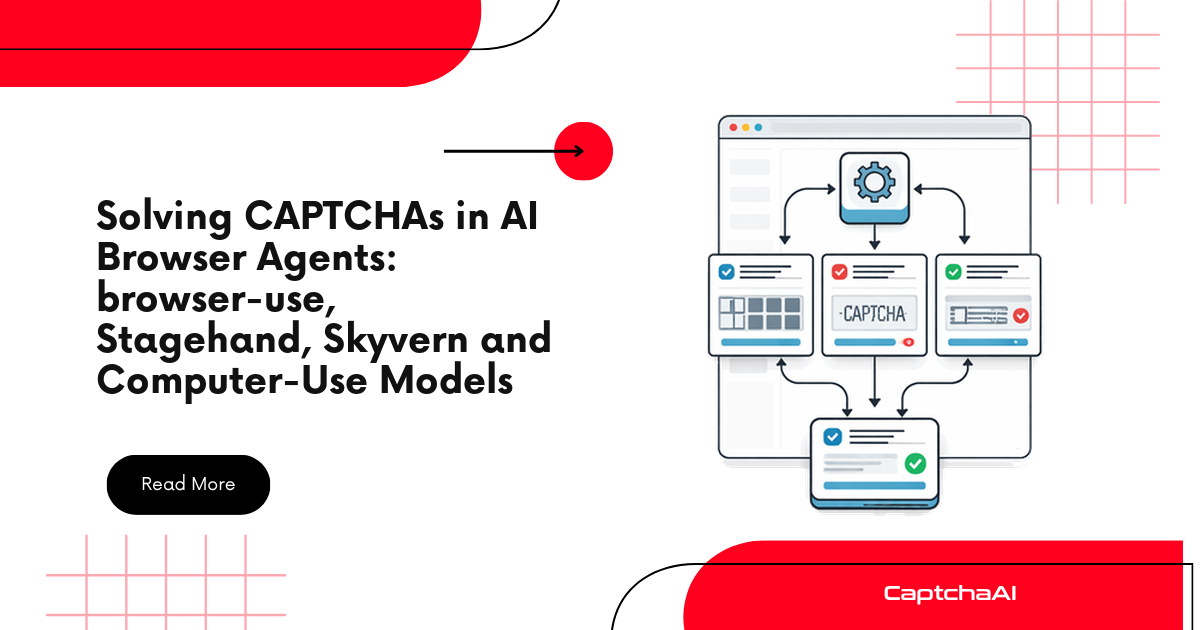
When an LLM-driven browser agent hits a reCAPTCHA or Cloudflare Turnstile, the model should not try to solve it. Detect the widget in the DOM, solve it with CaptchaAI from the code that owns the browser session, inject the token into the same page, and give the model a one-line status. This guide builds one shared detect, solve and inject core, then shows the hook point in browser-use, Stagehand, Skyvern, Claude's tools and OpenAI's computer tool, and says where no hook exists. It assumes a site you own or are authorized to automate, such as your own staging environment.
You need a CaptchaAI API key exported as CAPTCHAAI_API_KEY (see the CaptchaAI quickstart), Python for the shared core and Node.js for the Stagehand example.
Why the model should not be the CAPTCHA solver
Screenshot-driven agents fail at CAPTCHAs predictably. The model clicks the "I'm not a robot" box, reCAPTCHA answers an automated-looking session with an image grid, and the agent burns steps clicking tiles. Invisible reCAPTCHA and Turnstile give it nothing to click at all, so it loops on a form that never submits.
The vendors' guidance points the same way. OpenAI's computer use integration recipes list "Solving CAPTCHA challenges" among the actions an application should confirm with the user at action time. Anthropic's browser and computer use docs ask for a domain allowlist and human confirmation of consequential actions. Neither treats the model as a CAPTCHA solver.
The token is also a poor thing to route through a model. A reCAPTCHA response token is valid for two minutes and can be verified once; a Turnstile token lives 300 seconds and is single-use. Its only use is to be written into the page straight away, and sending it to the LLM just copies it into transcripts and logs. So the solve belongs in the layer that already owns the page: a framework action, your tool executor, a harness around the model, or a browser extension.
The pattern: detect in the DOM, solve with CaptchaAI, inject, resume
 LLM (browser-use, Stagehand, Claude, GPT)
   |  calls solve_captcha, or the harness notices a widget on its own
   v
 Hook in the layer that owns the page (action, executor, harness, watcher)
   1. page.evaluate(detect.js)   -> type, sitekey, pageurl, action, callback
   2. POST in.php -> task id; wait 15 s (10 s for Turnstile);
      GET res.php every 5 s until the token arrives or 120 s pass
   3. page.evaluate(inject.js)   -> g-recaptcha-response or cf-turnstile-response,
                                    then the page's data-callback if it has one
   v
 LLM receives "recaptcha_v2 solved and applied"   (never the token)
Detection is a small script evaluated in the page. It reads the sitekey from data-sitekey, from the k parameter of the reCAPTCHA anchor iframe or from a turnstile.render() call, plus the page URL, the invisible flag, the v3 or Turnstile action and any data-callback. It also recognises hCaptcha, FunCaptcha and GeeTest v4, which CaptchaAI does not solve, so the agent can hand off instead of retrying. Solving is two HTTP calls, in.php then res.php, and only a status string travels back to the agent.
Shared code: detection, the CaptchaAI client and injection
Save the three files below side by side. The two JavaScript files hold nothing but an arrow function, with no leading comment, because browser-use rejects evaluated code that does not start with (...) =>.
detect.js:
() => {
  // Runs inside the page and returns JSON text, so every framework's evaluate() can carry it.
  const all = (sel) => Array.from(document.querySelectorAll(sel));
  const filled = (name) => all(`[name="${name}"]`).some((el) => el.value);
  const inline = all('script:not([src])').map((s) => s.textContent).join('\n');
  const base = { pageurl: location.href, userAgent: navigator.userAgent };
  const hits = [];
  const seen = new Set();
  const add = (hit) => {
    const id = hit.sitekey || hit.name;
    if (!seen.has(id)) { seen.add(id); hits.push(hit); }
  };
  // Families the helper hands to a human instead of solving.
  if (all('.h-captcha, iframe[src*="hcaptcha.com"]').length) add({ type: 'unsupported', name: 'hCaptcha' });
  if (all('iframe[src*="arkoselabs.com"]').length) add({ type: 'unsupported', name: 'FunCaptcha' });
  if (typeof window.initGeetest4 === 'function') add({ type: 'unsupported', name: 'GeeTest v4' });
  // Enterprise shares the g-recaptcha markup but needs its own wiring, so flag it.
  const enterprise = all('script[src*="/recaptcha/enterprise.js"]').length > 0;
  if (enterprise) add({ type: 'unsupported', name: 'reCAPTCHA Enterprise' });
  if (!filled('cf-turnstile-response')) {
    for (const el of all('.cf-turnstile[data-sitekey]')) {
      add({ ...base, type: 'turnstile', sitekey: el.dataset.sitekey,
        action: el.dataset.action || null, callback: el.dataset.callback || null });
    }
    // Explicit rendering: turnstile.render('#box', { sitekey: '...' }) in an inline script.
    const rendered = inline.match(/turnstile\.render\([\s\S]{0,400}?sitekey\s*:\s*['"]([\w-]+)['"]/);
    if (rendered) add({ ...base, type: 'turnstile', sitekey: rendered[1], action: null, callback: null });
  }
  if (!enterprise && !filled('g-recaptcha-response')) {
    // v3 loads api.js?render=<key> or binds a button that carries data-action. Its badge
    // iframe looks like an invisible v2 anchor, so those keys are skipped below.
    const v3 = all('script[src*="/recaptcha/api.js?render="]')
      .map((s) => new URL(s.src).searchParams.get('render'))
      .find((key) => key && key !== 'explicit');
    const v3keys = new Set([v3, ...all('.g-recaptcha[data-action]').map((el) => el.dataset.sitekey)]);
    for (const el of all('.g-recaptcha[data-sitekey]:not([data-action])')) {
      add({ ...base, type: 'recaptcha_v2', sitekey: el.dataset.sitekey,
        invisible: el.dataset.size === 'invisible', callback: el.dataset.callback || null });
    }
    for (const frame of all('iframe[src*="/recaptcha/api2/anchor"]')) {
      const url = new URL(frame.src);
      if (v3keys.has(url.searchParams.get('k'))) continue;
      add({ ...base, type: 'recaptcha_v2', sitekey: url.searchParams.get('k'),
        invisible: url.searchParams.get('size') === 'invisible', callback: null,
        domain: url.hostname.endsWith('recaptcha.net') ? 'recaptcha.net' : null });
    }
    // v3 is only worth solving when the form has its own response field outside Google's badge.
    const field = all('[name="g-recaptcha-response"]').some((el) => !el.closest('.grecaptcha-badge'));
    if (v3 && field) {
      const found = inline.match(/execute\([^)]*?action\s*:\s*['"]([\w/]+)['"]/);
      add({ ...base, type: 'recaptcha_v3', sitekey: v3, action: found ? found[1] : null });
    }
  }
  return JSON.stringify(hits);
}
The detector skips any widget whose response field already holds a value, so a watcher or per-step guard never pays twice for one challenge. reCAPTCHA v3 has no widget and the page usually mints its own token with grecaptcha.execute(), so v3 is reported only when the form carries its own empty g-recaptcha-response field. The v3 badge also loads an api2/anchor iframe with size=invisible, which a naive scan would solve as invisible v2 with the wrong method, so v3 keys are excluded from the anchor scan. Enterprise pages are flagged rather than solved as plain v2. CaptchaAI does solve Enterprise, with enterprise=1, but its docs say to submit that token with the User-Agent the solver returns, so it needs wiring of its own. The action lookups are best-effort. When the v3 one finds nothing, the solver sends verify, the documented default.
inject.js:
(raw) => {
  // raw is JSON text: { hit, token }. The return value never contains the token.
  const { hit, token } = JSON.parse(raw);
  const name = hit.type === 'turnstile' ? 'cf-turnstile-response' : 'g-recaptcha-response';
  const fields = Array.from(document.querySelectorAll(`[name="${name}"], #${name}`));
  for (const el of fields) {
    el.value = token;
    el.dispatchEvent(new Event('input', { bubbles: true }));
    el.dispatchEvent(new Event('change', { bubbles: true }));
  }
  // Widgets wired with data-callback expect the token through that function.
  const fn = hit.callback
    ? hit.callback.split('.').reduce((obj, key) => (obj ? obj[key] : undefined), window)
    : undefined;
  if (typeof fn === 'function') fn(token);
  return JSON.stringify({ fields: fields.length, callback: typeof fn === 'function' });
}
Filling the field is the standard method; firing data-callback covers sites that never read the field. Custom field names, grecaptcha.render callbacks and pages with several widgets need the variations in the token injection methods reference.
captcha_core.py:
"""captcha_core.py: the CaptchaAI layer every agent hook in this guide calls."""
import json
import os
import time
from pathlib import Path

import requests

API_KEY = os.environ.get("CAPTCHAAI_API_KEY", "")  # 32 characters, from your dashboard
HERE = Path(__file__).parent
DETECT_JS = (HERE / "detect.js").read_text(encoding="utf-8")
INJECT_JS = (HERE / "inject.js").read_text(encoding="utf-8")
HINTS = {
    "ERROR_WRONG_USER_KEY": "the API key is malformed; it must be 32 characters",
    "ERROR_KEY_DOES_NOT_EXIST": "the API key does not exist; copy it from the dashboard",
    "ERROR_ZERO_BALANCE": "no free thread or balance; lower concurrency or retry later",
    "ERROR_BAD_TOKEN_OR_PAGEURL": "sitekey and pageurl do not match; check for an iframe",
    "ERROR_CAPTCHA_UNSOLVABLE": "not solved after several attempts; retry once",
    "ERROR_INTERNAL_SERVER_ERROR": "transient server error; retry in about 10 seconds",
}


class CaptchaError(RuntimeError):
    pass


def pick(hits: list) -> dict | None:
    """Prefer a solvable widget; fall back to an unsupported one so the agent hands off."""
    return next((h for h in hits if h["type"] != "unsupported"), hits[0] if hits else None)


def task_params(hit: dict) -> dict:
    """Map one detect.js hit to in.php parameters, as the CaptchaAI docs define them."""
    if hit["type"] == "turnstile":
        params = {"method": "turnstile", "sitekey": hit["sitekey"]}
        if hit.get("action"):
            params["action"] = hit["action"]
    else:
        params = {"method": "userrecaptcha", "googlekey": hit["sitekey"],
                  "userAgent": hit["userAgent"]}
        if hit["type"] == "recaptcha_v3":
            params.update(version="v3", action=hit.get("action") or "verify")
        elif hit.get("invisible"):
            params["invisible"] = 1
        if hit.get("domain"):
            params["domain"] = hit["domain"]
    params["pageurl"] = hit["pageurl"]
    return params


def fail(code: str) -> CaptchaError:
    return CaptchaError(f"{code}: {HINTS.get(code, 'see the CaptchaAI error reference')}")


def api(method: str, endpoint: str, **kwargs) -> dict:
    """One CaptchaAI call. Network and parse failures surface as CaptchaError too."""
    try:
        reply = requests.request(method, f"https://ocr.captchaai.com/{endpoint}", timeout=30, **kwargs)
        return reply.json()
    except (requests.RequestException, ValueError) as exc:
        raise CaptchaError(f"CaptchaAI request failed: {exc}") from exc


def solve(hit: dict, cap: float = 120.0) -> str:
    """Submit, wait, poll every 5 s. Blocking: call it from a worker thread in async code."""
    if len(API_KEY) != 32:
        raise CaptchaError("set CAPTCHAAI_API_KEY to your 32-character key")
    params = task_params(hit)
    sub = api("POST", "in.php", data={"key": API_KEY, "json": 1, **params})
    if sub.get("status") != 1:
        raise fail(sub.get("request", "UNKNOWN"))
    started = time.monotonic()
    time.sleep(10 if params["method"] == "turnstile" else 15)
    while time.monotonic() - started < cap:
        res = api("GET", "res.php", params={
            "key": API_KEY, "action": "get", "id": sub["request"], "json": 1})
        if res.get("status") == 1:
            return res["request"]
        if res.get("request") != "CAPCHA_NOT_READY":
            raise fail(res.get("request", "UNKNOWN"))
        time.sleep(5)
    raise CaptchaError(f"task {sub['request']} not ready after {cap:.0f} s")


def handle(evaluate, confirm=None) -> str:
    """Detect, solve, inject via a sync evaluate(js, *args). Returns a status, never the token."""
    hit = pick(json.loads(evaluate(DETECT_JS) or "[]"))
    if hit is None:
        return "No CAPTCHA widget found on this page."
    if hit["type"] == "unsupported":
        return f"{hit['name']} found. It is not handled automatically: stop and ask a human."
    if confirm and not confirm(hit):
        return "The operator declined to solve this CAPTCHA."
    token = solve(hit)
    applied = json.loads(evaluate(INJECT_JS, json.dumps({"hit": hit, "token": token})))
    if not applied["fields"] and not applied["callback"]:
        return f"{hit['type']} solved, but the page has no response field or callback for it."
    return f"{hit['type']} solved and applied. Continue with the form."
The parameters follow the CaptchaAI API docs. reCAPTCHA v2 is method=userrecaptcha with googlekey and pageurl, plus invisible=1 for the invisible variant; v3 adds version=v3 and action. Turnstile is method=turnstile with sitekey, pageurl and an optional action from data-action. reCAPTCHA tasks also carry the browser's userAgent, and domain=recaptcha.net when the widget loads from that host. With json=1, answers arrive as {"status": 1, "request": ...}. CAPCHA_NOT_READY means keep polling, and any other error code stops the solve with a hint. Timeouts and non-JSON replies also become CaptchaError, so each hook needs only one except for the solver.
handle() is the only function the hooks call. It takes the framework's evaluate, so Playwright's page.evaluate plugs in directly and async frameworks need a small adapter.
browser-use: a solve_captcha action and an optional pre-step guard
browser-use registers Python functions as agent actions, as its Add Tools documentation describes. Two details decide whether this works. The parameter must be named exactly browser_session and typed BrowserSession, because browser-use injects special parameters by name and a wrong name fails silently. And page.evaluate() on the page from must_get_current_page() expects an arrow function and returns a string, which is why detect.js returns JSON text.
"""agent_browser_use.py: a browser-use agent with a CaptchaAI-backed solve_captcha action."""
import asyncio

from browser_use import ActionResult, Agent, Browser, BrowserSession, ChatBrowserUse, Tools

from captcha_core import CaptchaError, handle

SITE = "https://qa.example.com"  # a host you own or are authorized to automate
tools = Tools()


async def clear_captcha(browser_session: BrowserSession) -> str:
    page = await browser_session.must_get_current_page()
    loop = asyncio.get_running_loop()

    def evaluate(js: str, *args) -> str:  # lets the sync core drive the async page
        return asyncio.run_coroutine_threadsafe(page.evaluate(js, *args), loop).result()

    return await asyncio.to_thread(handle, evaluate)  # HTTP polling stays off the event loop


@tools.action(
    description="Solve the reCAPTCHA or Cloudflare Turnstile blocking the current page. "
    "Returns a status line. Call it instead of clicking any CAPTCHA widget.",
    allowed_domains=[SITE],
)
async def solve_captcha(browser_session: BrowserSession) -> ActionResult:
    try:
        status = await clear_captcha(browser_session)
    except CaptchaError as exc:
        return ActionResult(error=f"CAPTCHA solve failed: {exc}")
    return ActionResult(extracted_content=status, long_term_memory=status)


async def main() -> None:
    agent = Agent(
        task=f"Open {SITE}/signup, register test user qa-17 and confirm the welcome page loads.",
        llm=ChatBrowserUse(),
        tools=tools,
        browser=Browser(allowed_domains=[SITE]),
        extend_system_message="When a CAPTCHA appears, call solve_captcha once, then continue. "
        "Never click CAPTCHA checkboxes or image tiles. If it says to ask a human, stop.",
    )
    await agent.run(max_steps=30)


if __name__ == "__main__":
    asyncio.run(main())
solve_captcha never returns the token. Its ActionResult puts the status in extracted_content, keeps it in long_term_memory so later steps remember the page was cleared, and reports failures through error, which browser-use always shows the model. allowed_domains on the action and the Browser keeps both on your authorized host. ChatBrowserUse reads BROWSER_USE_API_KEY, but any supported chat model works. The 120-second solve cap fits inside the default step_timeout of 180 seconds.
To stop depending on the model calling the action, run the same check before every step. Lifecycle hooks are async callables that receive the agent, and agent.browser_session is the live session. browser-use calls on_step_start outside the step's own error handling, so an exception there ends agent.run(). The guard therefore catches everything, including evaluation errors on a page that is mid-navigation. Add this to the same file:
async def captcha_guard(agent: Agent) -> None:
    """on_step_start hook: clear a CAPTCHA before the model looks at the page."""
    try:
        status = await clear_captcha(agent.browser_session)
    except Exception as exc:  # a hook exception would end agent.run()
        status = f"CAPTCHA check failed: {exc}"
    if not status.startswith("No CAPTCHA"):
        print("[captcha guard]", status)

# In main(): await agent.run(on_step_start=captcha_guard, max_steps=30)
Two other routes exist. You can load the CaptchaAI extension through the browser's args, with its API key saved in a persistent user_data_dir; branded Google Chrome ignores --load-extension from Chrome 137 onward, while Chromium and Chrome for Testing still honor it. And Browser Use Cloud browsers solve supported CAPTCHAs automatically by default; for a standalone cloud browser created with POST /api/v4/browsers, set "solveCaptchas": false so your hook is the only solver on the page.
Stagehand (TypeScript): solve between act() calls
Stagehand v4, the latest release on npm (4.1.0 at the time of writing), removed the built-in agent() loop. You get a browser from localBrowser.launch() or browserbase.launch(), pass it to Stagehand.create(), and your code owns the page between act() calls. That gap is the hook.
// stagehand-captcha.ts: Stagehand v4 with a local browser; detect.js and inject.js sit alongside.
import { readFileSync } from "node:fs";
import { localBrowser, Stagehand } from "@browserbasehq/stagehand";

type Hit = {
  type: string; name?: string; sitekey?: string; pageurl: string; userAgent?: string;
  action?: string | null; invisible?: boolean; domain?: string | null;
};
const KEY = process.env.CAPTCHAAI_API_KEY ?? "";
const DETECT = readFileSync("detect.js", "utf8");
const INJECT = readFileSync("inject.js", "utf8");
const sleep = (ms: number) => new Promise((resolve) => setTimeout(resolve, ms));

async function solve(hit: Hit): Promise<string> {
  const params: Record<string, string> = hit.type === "turnstile"
    ? { method: "turnstile", sitekey: hit.sitekey ?? "" }
    : { method: "userrecaptcha", googlekey: hit.sitekey ?? "", userAgent: hit.userAgent ?? "" };
  if (hit.type === "recaptcha_v3") Object.assign(params, { version: "v3", action: hit.action || "verify" });
  else if (hit.action) params.action = hit.action;
  if (hit.invisible) params.invisible = "1";
  if (hit.domain) params.domain = hit.domain;
  const submit = await fetch("https://ocr.captchaai.com/in.php", {
    method: "POST",
    body: new URLSearchParams({ key: KEY, json: "1", pageurl: hit.pageurl, ...params }),
  }).then((r) => r.json());
  if (submit.status !== 1) throw new Error(`in.php: ${submit.request}`);
  const started = Date.now();
  await sleep(hit.type === "turnstile" ? 10_000 : 15_000);
  while (Date.now() - started < 120_000) {
    const query = new URLSearchParams({ key: KEY, action: "get", id: submit.request, json: "1" });
    const res = await fetch(`https://ocr.captchaai.com/res.php?${query}`).then((r) => r.json());
    if (res.status === 1) return res.request;
    if (res.request !== "CAPCHA_NOT_READY") throw new Error(`res.php: ${res.request}`);
    await sleep(5_000);
  }
  throw new Error("CaptchaAI task not ready after 120 s");
}

async function main() {
  const browser = await localBrowser.launch({ headless: false });
  try {
    const stagehand = await Stagehand.create({
      browser,
      model: { modelName: "anthropic/claude-sonnet-5", apiKey: process.env.ANTHROPIC_API_KEY },
    });
    try {
      const [page] = await browser.context.pages();
      await page.goto("https://qa.example.com/signup");
      await stagehand.act("Fill in the signup form for test user qa-17");
      const hits: Hit[] = JSON.parse(String(await page.evaluate(`(${DETECT})()`)));
      const hit = hits.find((h) => h.type !== "unsupported") ?? hits[0];
      if (hit?.type === "unsupported") throw new Error(`${hit.name}: hand this run to a human`);
      if (hit) {
        const token = await solve(hit); // stays in this process; the model never sees it
        await page.evaluate(`(${INJECT})(${JSON.stringify(JSON.stringify({ hit, token }))})`);
      }
      await stagehand.act("Click the Create account button");
    } finally {
      await stagehand.close();
    }
  } finally {
    await browser.close(); // Stagehand leaves closing the browser to you
  }
}

main().catch((err) => {
  console.error(err);
  process.exit(1);
});
Each script reaches the page as an expression string, (${DETECT})(), the same shape browser-use builds internally, so both JavaScript files serve both languages unchanged. Browserbase's Model Gateway does not work with local browsers, hence the model plus provider key. In the tool-calling style that replaced agent(), add a solveCaptcha tool next to goto and click that runs the same three steps and returns only the status. On Stagehand v3 (the v3-latest tag), create new Stagehand({ env: "LOCAL" }), await stagehand.init(), take stagehand.context.pages()[0], and the rest is identical. More Node.js page patterns are in the Node.js Playwright integration.
Browserbase is the managed alternative: it enables CAPTCHA solving by default for every session, says to expect up to 30 seconds, and logs browserbase-solving-started and browserbase-solving-finished to the page console. To use CaptchaAI there instead, set solveCaptchas: false in browserSettings (on browserbase.launch() in v4, under browserbaseSessionCreateParams in v3) so two solvers never race on one widget.
Skyvern: Cloud's bundled solver versus the self-hosted pause
Skyvern Cloud solves CAPTCHAs itself, with a Take Control button on the run's browser stream as a manual fallback. Self-hosted Skyvern is different: its documentation states that automatic CAPTCHA solving is not available there, and that the agent pauses for 30 seconds on a detected CAPTCHA so someone can solve it in the browser window. With no solver hook, you work at the browser level.
The documented way in is the cdp-connect browser type. Start Chrome yourself with --remote-debugging-port=9222, --remote-debugging-address=0.0.0.0 so the Skyvern container can reach it, and a dedicated --user-data-dir (since Chrome 136 the debugging port is ignored for the default data directory). Whoever reaches that port controls the browser, so keep it on a private network. Then point Skyvern's .env at it:
BROWSER_TYPE=cdp-connect
BROWSER_REMOTE_DEBUGGING_URL=http://host.docker.internal:9222/
BROWSER_CDP_CONNECT_TIMEOUT_MS=120000
Now you have two options. Install the CaptchaAI extension in that dedicated profile once and save your key there; Skyvern reuses the running browser, so the extension is present on every run. Or attach a watcher over CDP that runs the shared core against Skyvern's tabs:
"""skyvern_watcher.py: clears CAPTCHAs in the Chrome that self-hosted Skyvern drives over CDP."""
import time

from playwright.sync_api import Error as PlaywrightError
from playwright.sync_api import sync_playwright

from captcha_core import CaptchaError, handle

ALLOWED = ("https://qa.example.com/",)  # only hosts you are authorized to automate
last: dict[str, str] = {}

with sync_playwright() as pw:
    browser = pw.chromium.connect_over_cdp("http://127.0.0.1:9222")
    while browser.is_connected():
        for page in [p for context in browser.contexts for p in context.pages]:
            if not page.url.startswith(ALLOWED):
                continue
            try:
                status = handle(page.evaluate)
            except CaptchaError as exc:
                status = f"solve failed: {exc}"
            except PlaywrightError:  # the page navigated or closed mid-check
                continue
            if not status.startswith("No CAPTCHA") and last.get(page.url) != status:
                print(page.url, "->", status)
            last[page.url] = status
        time.sleep(2)
Keep the timing honest. A Turnstile solve fits comfortably inside the 30-second pause, but a reCAPTCHA v2 challenge can take longer and the agent may resume on a page that is still blocked, so give those runs a larger step budget or a person on standby. Skyvern also reads EXTENSIONS and EXTENSIONS_BASE_PATH for browsers it launches itself, but an extension's saved key lives in the profile, so a fresh profile per run starts without it. The Chrome DevTools Protocol guide goes deeper on attaching over CDP.
Claude browser use and computer use: solving in your executor
Anthropic's browser use tool is a client toolset: one {"type": "browser_toolset_20260801"} entry gives Claude 27 member tools by default, such as navigate, read_page and left_click, and your application executes every call against its own browser. Your executor is the natural hook, and the docs allow your own tools in the same tools array.
"""claude_browser_hook.py: solve_captcha next to browser_toolset_20260801 in your agent loop."""
import anthropic

from captcha_core import CaptchaError, handle

TOOLS = [
    {"type": "browser_toolset_20260801"},
    {
        "name": "solve_captcha",
        "description": "Solve the reCAPTCHA or Cloudflare Turnstile on the active tab with the "
        "operator's CaptchaAI account. Returns a one-line status, never a token.",
        "input_schema": {"type": "object", "properties": {}},
    },
]
SYSTEM = ("You are testing our own staging site. If a CAPTCHA blocks you, call solve_captcha "
          "instead of clicking the widget. If the status says to ask a human, stop and report it.")


def answer(block, page, run_member) -> dict:
    """Build the tool_result for one tool_use block; run_member is your existing executor."""
    if getattr(block, "toolset_name", None) == "browser":
        return {**run_member(block), "toolset_name": "browser"}
    try:
        status, failed = handle(page.evaluate), False
    except CaptchaError as exc:
        status, failed = f"CAPTCHA solve failed: {exc}", True
    return {"type": "tool_result", "tool_use_id": block.id, "content": status, "is_error": failed}


def run(task: str, page, run_member) -> None:
    client = anthropic.Anthropic()
    messages = [{"role": "user", "content": task}]
    while True:
        response = client.messages.create(model="claude-opus-5", max_tokens=16000,
                                          system=SYSTEM, tools=TOOLS, messages=messages)
        messages.append({"role": "assistant", "content": response.content})
        if response.stop_reason != "tool_use":
            return
        messages.append({"role": "user", "content": [
            answer(block, page, run_member) for block in response.content
            if block.type == "tool_use"]})
Member calls arrive with "toolset_name": "browser", their results must echo it, and the custom tool's result must not; all results for a turn go back in one user message. Claude sees only the status. Leave the optional javascript_exec member disabled, as it is by default, since your executor already runs the detection script. Anthropic's security guidance still applies: an isolated container with a fresh profile, a domain allowlist enforced at the network layer, and human confirmation in your executor before consequential actions such as purchases or account changes.
The computer use tool is harder to hook. computer_toolset_20260801 (GA on the Claude API and Google Cloud, no beta header) and the earlier computer_20251124 (beta header computer-use-2025-11-24, the version Claude Opus 4.7, Opus 4.6, Sonnet 4.6 and Opus 4.5 require) work from desktop screenshots and coordinates, with no DOM access. The pattern applies only if your executor also holds an automation handle to the browser inside that desktop, such as a Playwright connection to its Chromium; call handle(page.evaluate) before each screenshot. Otherwise, use the CaptchaAI extension in that browser or hand the step to a person. To let Claude Desktop or another MCP client request solves explicitly, put the same core behind an MCP server for CAPTCHA solving.
OpenAI computer use: a gate in the Playwright harness
OpenAI's GA computer tool is {"type": "computer"} in the Responses API, replacing the preview computer_use_preview type. Each computer_call carries an ordered actions array that your harness executes before sending a computer_call_output with a computer_screenshot. OpenAI now recommends a code-execution integration for its newest model, but the hook point is the same in both styles: after the actions run, before the observation goes back.
"""openai_captcha_gate.py: the computer-use loop from OpenAI's recipes, with a CAPTCHA gate."""
import base64

from openai import OpenAI

from captcha_core import CaptchaError, handle

client = OpenAI()
INSTRUCTIONS = (
    "You are testing our own staging site. A harness handles CAPTCHAs: if one appears, take a "
    "screenshot and wait instead of clicking it. A solved reCAPTCHA checkbox can still look "
    "unticked; continue with the form."
)


def ask_operator(hit: dict) -> bool:
    # OpenAI lists solving CAPTCHA challenges among actions to confirm at action time.
    reply = input(f"{hit['type']} on {hit['pageurl']}: solve it with CaptchaAI? [y/N] ")
    return reply.strip().lower() == "y"


def computer_use_loop(page, response, handle_computer_actions):
    """page is the Playwright page that your action handler drives."""
    while True:
        call = next((item for item in response.output if item.type == "computer_call"), None)
        if call is None:
            return response
        handle_computer_actions(page, call.actions)
        try:
            status = handle(page.evaluate, confirm=ask_operator)  # gate before the screenshot
        except CaptchaError as exc:
            status = f"CAPTCHA solve failed: {exc}"
        if not status.startswith("No CAPTCHA"):
            print("[captcha gate]", status)
        shot = base64.b64encode(page.screenshot()).decode("utf-8")
        response = client.responses.create(
            model="gpt-5.6-sol",
            tools=[{"type": "computer"}],
            instructions=INSTRUCTIONS,  # not carried over by previous_response_id, so resend it
            previous_response_id=response.id,
            input=[{"type": "computer_call_output", "call_id": call.call_id, "output": {
                "type": "computer_screenshot",
                "image_url": f"data:image/png;base64,{shot}",
                "detail": "original",
            }}],
        )
Three details matter. The confirmation prompt is not decoration: OpenAI's recipes list solving CAPTCHA challenges among actions to confirm with the user at action time, so swap input() for your approval UI rather than removing it. instructions goes on every call, because instructions are not carried over when you continue with previous_response_id. And injection does not redraw Google's widget, so the next screenshot still shows an unticked checkbox; the instructions tell the model to carry on. In the code-execution style, expose handle as a runtime helper instead of letting generated code call the CaptchaAI API with your key. The Python Playwright integration guide covers driving pages from a harness like this.
Hosted agent APIs without page access (MultiOn)
A hosted agent that runs its own browser and returns only results gives you no page to evaluate code in, so there is nothing to hook. MultiOn is the usual example: its default remote mode drives MultiOn's cloud browser, and its local mode drives your installed Chrome through MultiOn's extension. When we checked on 29 September 2026, its developer release notes stopped in June 2024 and www.multion.ai redirected to another company's site, so confirm the service is still operated before you build on it. For any hosted agent, the options are the vendor's own solver, a local mode where your browser also carries the CaptchaAI extension, or a person who takes over the step.
Which CAPTCHA types the hook can clear
| Type | CaptchaAI status | API method | What the shared helper does |
|---|---|---|---|
| reCAPTCHA v2 (checkbox, invisible, callback) | ✅ GA | userrecaptcha |
Detects, solves and injects |
| Cloudflare Turnstile | ✅ GA | turnstile |
Detects, solves and injects |
| reCAPTCHA v3 | ✅ GA | userrecaptcha with version=v3 |
Solves when the page has a response field to fill |
| reCAPTCHA v2 and v3 Enterprise | ✅ GA | userrecaptcha with enterprise=1 |
Flagged for a person; the token must go out with the solver's User-Agent |
| Cloudflare Challenge | ✅ GA | cloudflare_challenge |
Not handled; see the note below |
| GeeTest v3, image/OCR, grid, BLS | ✅ GA | geetest, post, bls |
Not handled; each needs its own wiring |
| CaptchaFox (beta), Friendly Captcha (beta), Lemin (beta) | ✅ Beta | captchafox, friendly_captcha, lemin |
Not handled; each needs its own wiring |
| hCaptcha | ❌ Not supported | none | Flagged; the agent hands off |
| FunCaptcha (Arkose Labs) | ❌ Not supported | none | Flagged; the agent hands off |
| GeeTest v4 | ❌ Not yet (coming soon) | none | Flagged; the agent hands off |
The last three rows end the automated attempt: the detector marks them unsupported and every hook tells the model to stop and ask a person. Enterprise takes the same exit, but only because this helper leaves it unwired. Cloudflare Challenge pages are a special case. CaptchaAI solves them with method=cloudflare_challenge and a mandatory proxy, but the result is a cf_clearance cookie bound to the solver's User-Agent and the proxy's IP. A browser agent can only use it if its browser runs through that proxy with the returned User-Agent, so an HTTP client is usually the better home for that step.
Timeouts and threads when agents run in parallel
CaptchaAI's published solve ceilings are under 4 seconds for reCAPTCHA v3, under 10 seconds for Turnstile, under 30 seconds for invisible reCAPTCHA v2 and under 60 seconds for reCAPTCHA v2. A 120-second cap covers all of them with margin, and it has to fit inside your framework's own limits: browser-use's step_timeout defaults to 180 seconds, and self-hosted Skyvern pauses for about 30. Solve as close to the submit as you can, because the reCAPTCHA token expires after two minutes and the Turnstile token after five.
CaptchaAI bills by concurrent thread with unlimited solves per thread, and a thread is one in-flight CAPTCHA, so ten agents that hit a challenge at the same moment need ten threads. BASIC ($15/month, 5 threads) suits a handful of agents and STANDARD ($30/month, 15 threads) a small fleet; the full list is on the pricing page. When every thread is busy, in.php answers ERROR_ZERO_BALANCE (insufficient balance or threads), which in a fleet usually means back off and retry. Cap parallel solves with a semaphore sized to your plan, and check live usage with the threadsinfo action:
"""threads_check.py: how many CaptchaAI threads the plan has and how many are busy."""
import os

import requests

reply = requests.post(
    "https://ocr.captchaai.com/res.php",
    files={"key": (None, os.environ["CAPTCHAAI_API_KEY"]), "action": (None, "threadsinfo")},
    timeout=30,
).json()  # multipart/form-data, as the API reference specifies
print(f"{reply['working_threads']} of {reply['threads']} threads busy")
The thread limit guide covers diagnosing thread exhaustion in more depth.
Troubleshooting
| Symptom | Likely cause | Fix |
|---|---|---|
| The browser-use action never touches the page | Parameter not named browser_session |
Declare browser_session: BrowserSession exactly |
JavaScript code must start with (...args) => format |
Text before the arrow function in detect.js or inject.js |
Keep both files as bare arrow functions |
| The agent keeps clicking the checkbox or tiles | No solver rule in the prompt, or OpenAI instructions dropped after turn one |
Add the rule; resend instructions on every call |
| The next screenshot shows an unticked reCAPTCHA | Injection fills the hidden field; Google's iframe is not redrawn | Expected; submit the form or let the callback run |
| Token rejected after a long pause | Older than two minutes (reCAPTCHA) or five (Turnstile), or reused | Solve right before the submit |
ERROR_BAD_TOKEN_OR_PAGEURL |
Widget served from another origin in an iframe | Use the iframe's URL as pageurl |
ERROR_ZERO_BALANCE only when many agents run |
All plan threads busy | Semaphore sized to the plan, back off, or upgrade |
| Widget visible but nothing detected | Child frame, shadow root, or a sitekey passed in a variable | Evaluate detect.js in that frame, or extend it |
| Widget resets right after injection | Browserbase or a Browser Use Cloud browser solving the same widget | Set solveCaptchas to false on that session or browser |
| The CaptchaAI extension never loads | Branded Chrome 137+ ignores --load-extension |
Use Chromium or Chrome for Testing |
FAQ
Can Claude or GPT solve the CAPTCHA from a screenshot instead?
Don't build on that. Clicking a checkbox from a screenshot usually escalates to an image grid, invisible widgets offer nothing to click, and OpenAI's own guidance treats solving CAPTCHA challenges as an action to confirm with the user. Let the model notice the block and call your tool.
Does the LLM ever see the token?
Not with these hooks. The token goes from res.php into inject.js inside your process, and the model receives a status such as recaptcha_v2 solved and applied. Keep it out of your tool logs too.
What happens when the page uses hCaptcha?
CaptchaAI does not solve hCaptcha or FunCaptcha, and GeeTest v4 support is coming soon but is not available yet. The detector reports all three as unsupported, and the hooks tell the agent to stop and ask a person.
Does this work in headless mode?
The API route does: detection and injection are page scripts and the solve is plain HTTP. The extension route depends on the browser build and mode; see using the CaptchaAI extension with headless Chrome.
Next step: wire solve_captcha into your agent
Put detect.js, inject.js and captcha_core.py next to your agent, register the hook for your framework, and start on one site you control. Watch the status lines in your agent logs, then size threads to the number of agents that run in parallel.