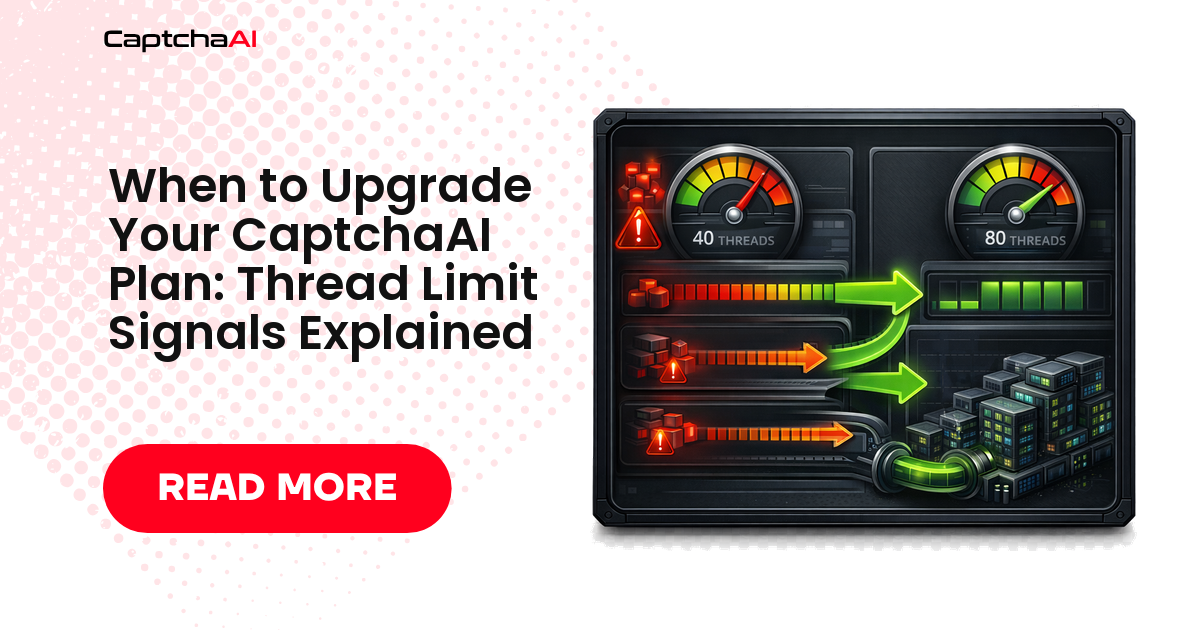
CaptchaAI pricing is based on concurrent threads. When your automation tries to solve more CAPTCHAs simultaneously than your plan allows, you hit the thread ceiling. This guide explains how to identify that situation and decide whether to upgrade, optimize, or stack.
The primary signal: ERROR_NO_SLOT_AVAILABLE
When all your threads are occupied and a new task is submitted, the API returns:
{"status": 0, "request": "ERROR_NO_SLOT_AVAILABLE"}
This means every thread is currently solving a CAPTCHA. The new task was rejected rather than queued.
Seeing this error occasionally is normal — it means you're near capacity during peaks. Seeing it frequently (every few minutes or on most submits) means your plan is too small for your workload.
How to measure thread utilization
Track the ratio of ERROR_NO_SLOT_AVAILABLE responses to successful submits over time:
import requests
import time
from collections import defaultdict

API_KEY = "YOUR_API_KEY"

class ThreadUsageMonitor:
    """Monitor thread slot usage to detect plan saturation."""

    def __init__(self):
        self.stats = defaultdict(int)

    def submit_with_tracking(self, captcha_params: dict):
        resp = requests.post("https://ocr.captchaai.com/in.php", data={
            "key": API_KEY,
            "json": 1,
            **captcha_params,
        })
        result = resp.json()

        if result["status"] == 1:
            self.stats["success"] += 1
            return result["request"]
        elif result.get("request") == "ERROR_NO_SLOT_AVAILABLE":
            self.stats["slot_unavailable"] += 1
            return None
        else:
            self.stats["other_error"] += 1
            return None

    def saturation_rate(self) -> float:
        total = self.stats["success"] + self.stats["slot_unavailable"]
        if total == 0:
            return 0.0
        return self.stats["slot_unavailable"] / total

    def report(self):
        total = sum(self.stats.values())
        print(f"Submissions: {total}")
        print(f"Successful: {self.stats['success']}")
        print(f"Slot unavailable: {self.stats['slot_unavailable']}")
        print(f"Saturation rate: {self.saturation_rate():.1%}")

        if self.saturation_rate() > 0.10:
            print("⚠️  >10% slot unavailable — consider upgrading your plan")
        elif self.saturation_rate() > 0.05:
            print("ℹ️  5–10% slot unavailable — monitor closely")
        else:
            print("✅  Thread saturation acceptable")

monitor = ThreadUsageMonitor()

# Wrap your solve calls with the monitor
def solve_captcha(site_key, page_url):
    params = {
        "method": "userrecaptcha",
        "googlekey": site_key,
        "pageurl": page_url,
    }
    task_id = monitor.submit_with_tracking(params)
    if task_id is None:
        # Handle slot unavailable: queue or retry
        time.sleep(5)
        return None
    # ... poll for result

# After a run:
monitor.report()
Saturation thresholds
| Saturation rate | Interpretation | Action |
|---|---|---|
| 0–2% | Healthy — peaks occasionally hit ceiling | No action needed |
| 2–5% | Moderate — threads often near capacity | Monitor; optimize queuing |
| 5–10% | High — frequent contention | Consider upgrading or optimizing |
| >10% | Saturated — plan is undersized | Upgrade or stack a plan |
Other signals that indicate plan limits
Pipeline throughput lower than expected
If your scraper submits tasks faster than CaptchaAI can accept them, the effective throughput of your pipeline is capped by your thread count — not by your scraper's speed or your proxies.
Measure: Is the pipeline bottleneck at the "wait for CAPTCHA solve" step? If yes, check thread utilization.
Solve latency higher than CaptchaAI's published rates
If your measured end-to-end solve time is significantly higher than CaptchaAI's benchmarks (e.g., reCAPTCHA v2 at 60+ seconds when expected is 10–20s), part of that time may be time spent waiting in your retry queue due to ERROR_NO_SLOT_AVAILABLE, not actual solve time.
import time

def timed_solve(params):
    """Measure wall-clock solve time including slot wait."""
    start = time.time()
    submitted = False

    while not submitted:
        resp = requests.post("https://ocr.captchaai.com/in.php", data={
            "key": API_KEY, "json": 1, **params
        })
        result = resp.json()

        if result["status"] == 1:
            task_id = result["request"]
            submitted = True
        elif result.get("request") == "ERROR_NO_SLOT_AVAILABLE":
            print(f"  Slot unavailable, waited {time.time() - start:.1f}s total")
            time.sleep(3)
        else:
            raise Exception(f"Submit error: {result}")

    # Poll
    for _ in range(30):
        time.sleep(5)
        res = requests.get("https://ocr.captchaai.com/res.php", params={
            "key": API_KEY, "action": "get", "id": task_id, "json": 1
        }).json()
        if res["status"] == 1:
            total = time.time() - start
            print(f"Solved in {total:.1f}s (includes any slot wait)")
            return res["request"]
    raise Exception("Timeout")
Upgrade or optimize first?
Before upgrading, check if code optimizations can reduce thread pressure:
| Optimization | Thread impact |
|---|---|
| Reduce concurrency in your script | Fewer simultaneous submits |
| Cache CAPTCHA tokens (if the site allows reuse within a window) | Fewer solves total |
| Use faster CAPTCHA types where possible (Turnstile is 7s vs reCAPTCHA v2 at 15s) | More solves per thread per hour |
| Batch and rate-limit submissions | Smooth out peaks |
Queue with backoff on ERROR_NO_SLOT_AVAILABLE |
Reduce rejection rate |
If optimizations reduce saturation below 5%, stay on your current plan. If not, upgrade.
Upgrade options
| Current plan | First upgrade option | Cost increase | New thread count |
|---|---|---|---|
| BASIC (5T, $15) | STANDARD (15T, $30) | +$15 | 3× more |
| STANDARD (15T, $30) | ADVANCE (50T, $90) | +$60 | 3.3× more |
| ADVANCE (50T, $90) | PREMIUM (100T, $170) | +$80 | 2× more |
| ENTERPRISE (200T, $300) | VIP-1 (1,000T, $1,500) | +$1,200 | 5× more |
Alternatively, stack plans for smaller increments.
FAQ
Can I downgrade after upgrading? Contact CaptchaAI support. Monthly plans can generally be adjusted at renewal.
Does CaptchaAI queue tasks when threads are full?
No. The API rejects the submission with ERROR_NO_SLOT_AVAILABLE. Your code is responsible for queuing and retrying.
How quickly do threads free up? As soon as a CAPTCHA is solved, the thread is immediately available for the next task. With fast types like image OCR (0.5s), threads cycle rapidly. With slow types like reCAPTCHA v2 (15s average), each thread is occupied for 10–60 seconds.
Upgrade when the data says to
Run the monitor code for a week, check your saturation rate, and upgrade only if the data justifies it. Most small projects never outgrow the Basic plan. Manage your plan at captchaai.com.


Discussions (0)
Join the conversation
Sign in to share your opinion.
Sign InNo comments yet.