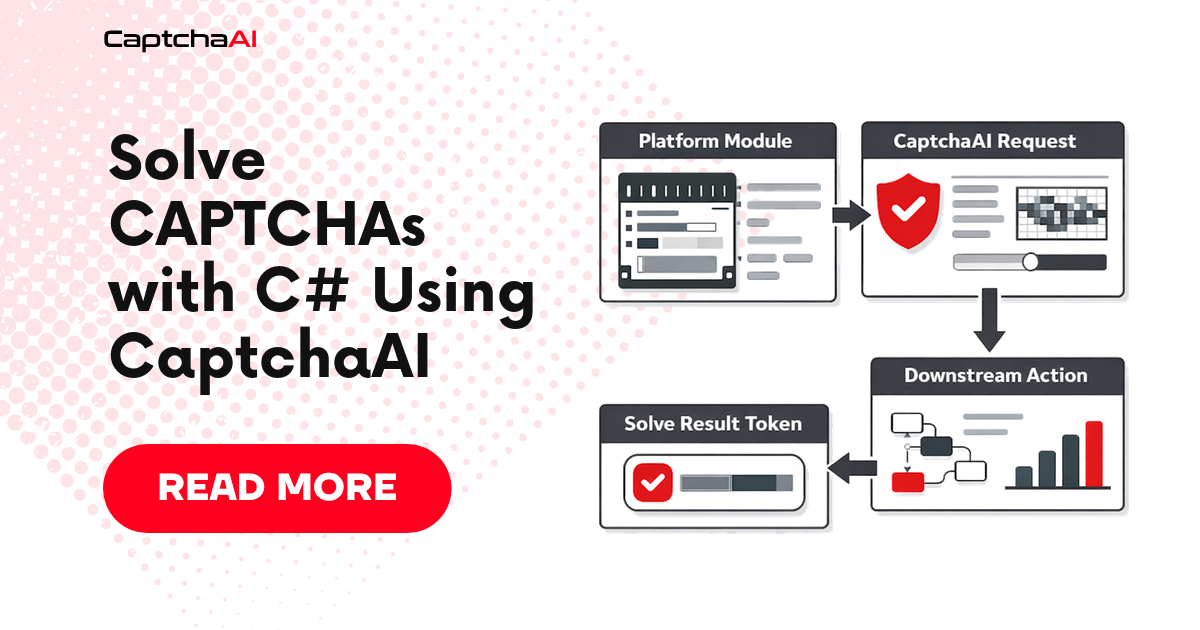
This tutorial shows how to integrate CaptchaAI into .NET applications using HttpClient. Works with .NET 6+ and .NET Framework 4.7+.
Requirements
| Requirement | Details |
|---|---|
| .NET | 6+ (or .NET Framework 4.7+) |
| Dependencies | None (standard library) |
| CaptchaAI API key | Get one here |
CaptchaAI Client
using System;
using System.Collections.Generic;
using System.Net.Http;
using System.Threading.Tasks;
using System.Web;

public class CaptchaAI
{
    private readonly string _apiKey;
    private readonly string _baseUrl = "https://ocr.captchaai.com";
    private readonly HttpClient _httpClient;

    public CaptchaAI(string apiKey)
    {
        _apiKey = apiKey;
        _httpClient = new HttpClient
        {
            Timeout = TimeSpan.FromSeconds(30)
        };
    }

    /// <summary>
    /// Submit a CAPTCHA task and return the task ID.
    /// </summary>
    public async Task<string> SubmitAsync(Dictionary<string, string> parameters)
    {
        parameters["key"] = _apiKey;
        string query = BuildQuery(parameters);
        string url = $"{_baseUrl}/in.php?{query}";

        string response = await _httpClient.GetStringAsync(url);

        if (!response.StartsWith("OK|"))
            throw new Exception($"Submit failed: {response}");

        return response.Split('|')[1];
    }

    /// <summary>
    /// Poll for the result with a timeout.
    /// </summary>
    public async Task<string> PollAsync(string taskId,
        int timeoutSeconds = 300)
    {
        var deadline = DateTime.UtcNow.AddSeconds(timeoutSeconds);
        var parameters = new Dictionary<string, string>
        {
            ["key"] = _apiKey,
            ["action"] = "get",
            ["id"] = taskId
        };
        string url = $"{_baseUrl}/res.php?{BuildQuery(parameters)}";

        while (DateTime.UtcNow < deadline)
        {
            await Task.Delay(5000);

            string response = await _httpClient.GetStringAsync(url);

            if (response == "CAPCHA_NOT_READY")
                continue;

            if (response.StartsWith("OK|"))
                return response.Split(new[] { '|' }, 2)[1];

            throw new Exception($"Solve failed: {response}");
        }

        throw new TimeoutException(
            $"Timeout after {timeoutSeconds}s for task {taskId}");
    }

    /// <summary>
    /// Submit and poll in one call.
    /// </summary>
    public async Task<string> SolveAsync(Dictionary<string, string> parameters)
    {
        string taskId = await SubmitAsync(parameters);
        return await PollAsync(taskId);
    }

    /// <summary>
    /// Check account balance.
    /// </summary>
    public async Task<decimal> GetBalanceAsync()
    {
        var parameters = new Dictionary<string, string>
        {
            ["key"] = _apiKey,
            ["action"] = "getbalance"
        };
        string url = $"{_baseUrl}/res.php?{BuildQuery(parameters)}";
        string response = await _httpClient.GetStringAsync(url);
        return decimal.Parse(response);
    }

    private static string BuildQuery(Dictionary<string, string> parameters)
    {
        var parts = new List<string>();
        foreach (var kvp in parameters)
        {
            parts.Add($"{Uri.EscapeDataString(kvp.Key)}=" +
                       $"{Uri.EscapeDataString(kvp.Value)}");
        }
        return string.Join("&", parts);
    }
}
Solve reCAPTCHA v2
var solver = new CaptchaAI(Environment.GetEnvironmentVariable("CAPTCHAAI_API_KEY"));

string token = await solver.SolveAsync(new Dictionary<string, string>
{
    ["method"] = "userrecaptcha",
    ["googlekey"] = "6Le-wvkS...",
    ["pageurl"] = "https://example.com"
});

Console.WriteLine($"Token: {token}");
Solve reCAPTCHA v3
string token = await solver.SolveAsync(new Dictionary<string, string>
{
    ["method"] = "userrecaptcha",
    ["googlekey"] = "6Le-wvkS...",
    ["pageurl"] = "https://example.com",
    ["version"] = "v3",
    ["action"] = "login"
});
Solve Cloudflare Turnstile
string token = await solver.SolveAsync(new Dictionary<string, string>
{
    ["method"] = "turnstile",
    ["sitekey"] = "0x4AAAAA...",
    ["pageurl"] = "https://example.com"
});
Solve Image CAPTCHAs
byte[] imageBytes = await File.ReadAllBytesAsync("captcha.png");
string imageB64 = Convert.ToBase64String(imageBytes);

string text = await solver.SolveAsync(new Dictionary<string, string>
{
    ["method"] = "base64",
    ["body"] = imageB64
});

Console.WriteLine($"Text: {text}");
Solve GeeTest v3
string result = await solver.SolveAsync(new Dictionary<string, string>
{
    ["method"] = "geetest",
    ["gt"] = "022c...",
    ["challenge"] = "abc...",
    ["api_server"] = "api.geetest.com",
    ["pageurl"] = "https://example.com"
});

// Parse comma-separated key:value pairs
var parts = result.Split(',')
    .Select(item => item.Split(':', 2))
    .ToDictionary(kv => kv[0], kv => kv[1]);

Console.WriteLine($"Challenge: {parts["challenge"]}");
Console.WriteLine($"Validate: {parts["validate"]}");
Console.WriteLine($"Seccode: {parts["seccode"]}");
Parallel Solving
var solver = new CaptchaAI(Environment.GetEnvironmentVariable("CAPTCHAAI_API_KEY"));

var urls = new[]
{
    "https://example.com/page1",
    "https://example.com/page2",
    "https://example.com/page3"
};

var tasks = urls.Select(url => solver.SolveAsync(new Dictionary<string, string>
{
    ["method"] = "userrecaptcha",
    ["googlekey"] = "6Le-wvkS...",
    ["pageurl"] = url
})).ToArray();

try
{
    string[] results = await Task.WhenAll(tasks);
    for (int i = 0; i < results.Length; i++)
    {
        Console.WriteLine($"Page {i}: solved ({results[i].Length} chars)");
    }
}
catch (Exception ex)
{
    Console.Error.WriteLine($"Error: {ex.Message}");
}
ASP.NET Core Integration
Register the client in Program.cs:
builder.Services.AddSingleton(
    new CaptchaAI(builder.Configuration["CaptchaAI:ApiKey"]));
Add to appsettings.json:
{
  "CaptchaAI": {
    "ApiKey": ""
  }
}
Use in a controller:
[ApiController]
[Route("api/[controller]")]
public class FormController : ControllerBase
{
    private readonly CaptchaAI _solver;

    public FormController(CaptchaAI solver)
    {
        _solver = solver;
    }

    [HttpPost("submit")]
    public async Task<IActionResult> Submit([FromBody] FormRequest request)
    {
        string token = await _solver.SolveAsync(new Dictionary<string, string>
        {
            ["method"] = "userrecaptcha",
            ["googlekey"] = request.SiteKey,
            ["pageurl"] = request.PageUrl
        });

        return Ok(new { success = true, tokenLength = token.Length });
    }
}

public record FormRequest(string SiteKey, string PageUrl);
Set the API key via environment variable or user secrets:
dotnet user-secrets set "CaptchaAI:ApiKey" "YOUR_API_KEY"
Troubleshooting
| Error | Cause | Fix |
|---|---|---|
HttpRequestException |
Network issue | Check connectivity and DNS |
Submit failed: ERROR_WRONG_USER_KEY |
Bad API key | Verify key from dashboard |
FormatException on balance |
Unexpected response | Check API key validity |
TimeoutException |
Solve took too long | Increase timeout; retry |
FAQ
Does this work with .NET Framework?
Yes. Replace HttpClient.GetStringAsync with WebClient.DownloadStringTaskAsync for .NET Framework 4.5+. The API parameters are identical.
Can I use dependency injection?
Yes. Register CaptchaAI as a singleton (shown in ASP.NET Core section). The HttpClient is thread-safe.
How do I handle rate limiting?
CaptchaAI has generous rate limits. If you get ERROR_NO_SLOT_AVAILABLE, add a Task.Delay(5000) before retrying.
Related Guides
Full Working Code
Complete runnable examples for this article in Python, Node.js, PHP, Go, Java, C#, Ruby, Rust, Kotlin & Bash.
View on GitHub →
Discussions (0)
Join the conversation
Sign in to share your opinion.
Sign InNo comments yet.