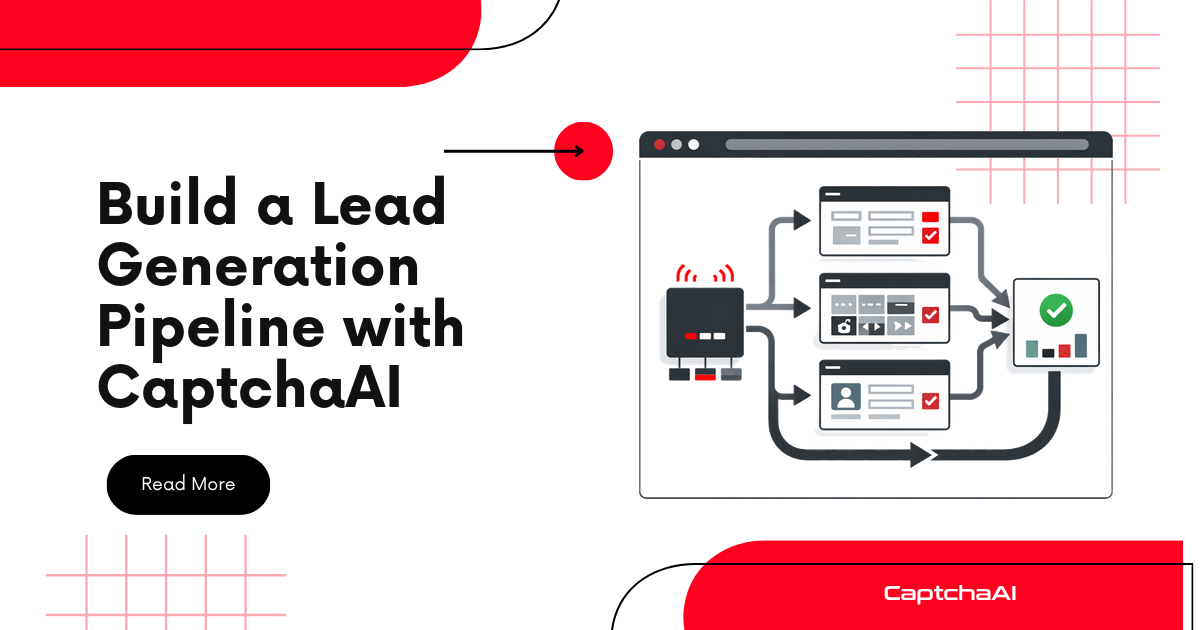
Scrape business directories, handle CAPTCHA challenges with CaptchaAI, and produce CRM-ready lead data with contact info, categories, and location.
Pipeline Overview
Search Query ──> Directory Scraper ──> CAPTCHA Solver ──> Data Normalizer ──> CSV/CRM Export
Lead Data Model
# models.py
from dataclasses import dataclass, asdict
from typing import Optional
import csv


@dataclass
class Lead:
    business_name: str
    category: str
    phone: str = ""
    email: str = ""
    website: str = ""
    address: str = ""
    city: str = ""
    state: str = ""
    source: str = ""
    url: str = ""


class LeadExporter:
    @staticmethod
    def to_csv(leads, filename="leads.csv"):
        if not leads:
            return
        with open(filename, "w", newline="", encoding="utf-8") as f:
            writer = csv.DictWriter(f, fieldnames=asdict(leads[0]).keys())
            writer.writeheader()
            for lead in leads:
                writer.writerow(asdict(lead))
        print(f"Exported {len(leads)} leads to {filename}")

    @staticmethod
    def deduplicate(leads):
        seen = set()
        unique = []
        for lead in leads:
            key = (lead.business_name.lower(), lead.phone)
            if key not in seen:
                seen.add(key)
                unique.append(lead)
        return unique
CAPTCHA Solver
# solver.py
import requests
import time
import os


class CaptchaSolver:
    def __init__(self):
        self.api_key = os.environ["CAPTCHAAI_API_KEY"]

    def solve(self, sitekey, pageurl):
        resp = requests.post("https://ocr.captchaai.com/in.php", data={
            "key": self.api_key,
            "method": "userrecaptcha",
            "googlekey": sitekey,
            "pageurl": pageurl,
            "json": 1,
        }, timeout=30)
        task_id = resp.json()["request"]

        time.sleep(15)
        for _ in range(24):
            resp = requests.get("https://ocr.captchaai.com/res.php", params={
                "key": self.api_key, "action": "get",
                "id": task_id, "json": 1,
            }, timeout=15)
            data = resp.json()
            if data.get("status") == 1:
                return data["request"]
            if data["request"] != "CAPCHA_NOT_READY":
                raise RuntimeError(data["request"])
            time.sleep(5)

        raise TimeoutError("Solve timeout")
Directory Scraper
# scraper.py
import requests
import re
from bs4 import BeautifulSoup
from solver import CaptchaSolver
from models import Lead


class DirectoryScraper:
    def __init__(self, source_name):
        self.source = source_name
        self.solver = CaptchaSolver()
        self.session = requests.Session()
        self.session.headers["User-Agent"] = (
            "Mozilla/5.0 (Windows NT 10.0; Win64; x64) "
            "AppleWebKit/537.36 Chrome/125.0.0.0 Safari/537.36"
        )

    def search(self, query, location, max_pages=5):
        leads = []

        for page in range(1, max_pages + 1):
            url = self._build_url(query, location, page)
            html = self._fetch(url)
            page_leads = self._parse_results(html, url)

            if not page_leads:
                break
            leads.extend(page_leads)

        return leads

    def _build_url(self, query, location, page):
        return (
            f"https://directory.example.com/search"
            f"?q={query.replace(' ', '+')}"
            f"&loc={location.replace(' ', '+')}"
            f"&page={page}"
        )

    def _fetch(self, url):
        resp = self.session.get(url, timeout=20)

        if "data-sitekey" in resp.text:
            match = re.search(r'data-sitekey="([^"]+)"', resp.text)
            if match:
                token = self.solver.solve(match.group(1), url)
                resp = self.session.post(url, data={
                    "g-recaptcha-response": token,
                }, timeout=30)

        return resp.text

    def _parse_results(self, html, source_url):
        soup = BeautifulSoup(html, "html.parser")
        cards = soup.select(".listing-card, .result-item, .business-card")
        leads = []

        for card in cards:
            name_el = card.select_one(".business-name, .listing-name, h3")
            if not name_el:
                continue

            lead = Lead(
                business_name=name_el.get_text(strip=True),
                category=self._extract_text(card, ".category, .business-type"),
                phone=self._extract_phone(card),
                email=self._extract_email(card),
                website=self._extract_link(card, "a.website-link, a[href*='http']"),
                address=self._extract_text(card, ".address, .street"),
                city=self._extract_text(card, ".city"),
                state=self._extract_text(card, ".state"),
                source=self.source,
                url=source_url,
            )
            leads.append(lead)

        return leads

    def _extract_text(self, card, selector):
        el = card.select_one(selector)
        return el.get_text(strip=True) if el else ""

    def _extract_phone(self, card):
        el = card.select_one(".phone, a[href^='tel:']")
        if el:
            href = el.get("href", "")
            if href.startswith("tel:"):
                return href.replace("tel:", "")
            return el.get_text(strip=True)
        # Regex fallback
        match = re.search(r'\(?\d{3}\)?[\s.-]?\d{3}[\s.-]?\d{4}', card.get_text())
        return match.group() if match else ""

    def _extract_email(self, card):
        el = card.select_one("a[href^='mailto:']")
        if el:
            return el["href"].replace("mailto:", "")
        match = re.search(r'[\w.+-]+@[\w-]+\.[\w.]+', card.get_text())
        return match.group() if match else ""

    def _extract_link(self, card, selector):
        el = card.select_one(selector)
        return el["href"] if el and el.get("href") else ""
Pipeline Runner
# main.py
import time
from scraper import DirectoryScraper
from models import LeadExporter

SEARCHES = [
    {"query": "plumber", "location": "San Francisco, CA"},
    {"query": "electrician", "location": "San Francisco, CA"},
    {"query": "dentist", "location": "San Francisco, CA"},
]


def main():
    scraper = DirectoryScraper("Business Directory Example")
    all_leads = []

    for search in SEARCHES:
        print(f"Searching: {search['query']} in {search['location']}")
        leads = scraper.search(search["query"], search["location"])
        print(f"  Found {len(leads)} leads")
        all_leads.extend(leads)
        time.sleep(5)

    # Deduplicate
    unique = LeadExporter.deduplicate(all_leads)
    print(f"\nTotal: {len(all_leads)} raw → {len(unique)} unique leads")

    # Export
    LeadExporter.to_csv(unique, "leads_output.csv")


if __name__ == "__main__":
    main()
Troubleshooting
| Issue | Cause | Fix |
|---|---|---|
| Empty phone/email | Not visible on list page | Scrape individual listing pages for full details |
| Duplicates across searches | Same business in multiple categories | Use name+phone key for dedup |
| CAPTCHA on every page load | Session expired or IP flagged | Add delays and rotate proxies |
| CSV encoding errors | Non-ASCII characters in names | Use encoding="utf-8" in CSV writer |
FAQ
How do I import leads into a CRM?
Most CRMs support CSV import. Match column names to CRM fields (Name, Phone, Email, Address). HubSpot, Salesforce, and Pipedrive all support direct CSV upload.
Can I scrape more detail per lead?
Yes. After collecting URLs from search results, scrape each listing page individually for description, hours, reviews, and social links.
How do I handle rate limiting?
Add 3-5 second delays between requests. For heavy scraping, rotate proxies and distribute requests across sessions.
Related Guides
Build your lead pipeline — start with CaptchaAI.
Full Working Code
Complete runnable examples for this article in Python, Node.js, PHP, Go, Java, C#, Ruby, Rust, Kotlin & Bash.
View on GitHub →



Discussions (0)
Join the conversation
Sign in to share your opinion.
Sign InNo comments yet.