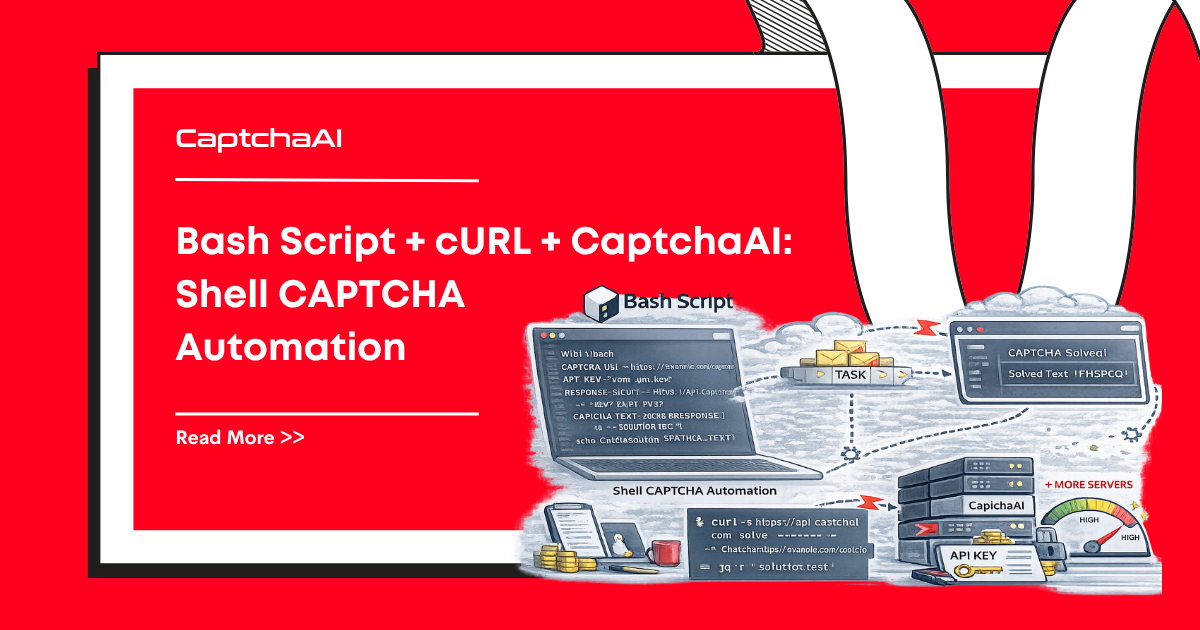
Shell scripts with cURL are the most portable, dependency-free way to interact with APIs. Every Linux/macOS system has Bash and cURL installed. When your cron jobs, CI/CD pipelines, or monitoring scripts hit CAPTCHAs, CaptchaAI's HTTP API works directly with cURL commands.
This guide covers reCAPTCHA v2/v3, Cloudflare Turnstile, and image CAPTCHA solving using pure Bash — no Python, Node.js, or other runtimes required.
Why Bash + cURL for CAPTCHA Solving
- Zero dependencies — Bash and cURL ship with every Linux/macOS system
- Lightweight — no runtime, no package manager, no install step
- Cron-friendly — schedule CAPTCHA-dependent tasks with standard cron
- CI/CD ready — works in Docker, GitHub Actions, Jenkins, GitLab CI
- Pipe-ready — chain CAPTCHA solving with
jq,grep,awk, and other tools
Prerequisites
- Bash 4.0+
- cURL (installed by default on Linux/macOS)
jqfor JSON parsing:apt install jqorbrew install jq- CaptchaAI API key (get one here)
Core Functions
Submit Task
#!/bin/bash

CAPTCHAAI_URL="https://ocr.captchaai.com"

submit_task() {
    local api_key="$1"
    shift
    local params=("$@")

    local response
    response=$(curl -s -X POST "${CAPTCHAAI_URL}/in.php" \
        -d "key=${api_key}" \
        -d "json=1" \
        "${params[@]}")

    local status
    status=$(echo "$response" | jq -r '.status')
    local request
    request=$(echo "$response" | jq -r '.request')

    if [ "$status" != "1" ]; then
        echo "ERROR: Submit failed: $request" >&2
        return 1
    fi

    echo "$request"
}
Poll Result
poll_result() {
    local api_key="$1"
    local task_id="$2"
    local max_wait="${3:-300}"
    local interval="${4:-5}"

    local elapsed=0

    while [ "$elapsed" -lt "$max_wait" ]; do
        sleep "$interval"
        elapsed=$((elapsed + interval))

        local response
        response=$(curl -s "${CAPTCHAAI_URL}/res.php?key=${api_key}&action=get&id=${task_id}&json=1")

        local status
        status=$(echo "$response" | jq -r '.status')
        local request
        request=$(echo "$response" | jq -r '.request')

        if [ "$request" = "CAPCHA_NOT_READY" ]; then
            echo "Waiting... (${elapsed}s/${max_wait}s)" >&2
            continue
        fi

        if [ "$status" != "1" ]; then
            echo "ERROR: Solve failed: $request" >&2
            return 1
        fi

        echo "$request"
        return 0
    done

    echo "ERROR: Timeout after ${max_wait}s" >&2
    return 1
}
Solving reCAPTCHA v2
solve_recaptcha_v2() {
    local api_key="$1"
    local site_url="$2"
    local sitekey="$3"

    echo "Submitting reCAPTCHA v2..." >&2
    local task_id
    task_id=$(submit_task "$api_key" \
        -d "method=userrecaptcha" \
        -d "googlekey=${sitekey}" \
        -d "pageurl=${site_url}")

    if [ $? -ne 0 ]; then return 1; fi
    echo "Task ID: $task_id" >&2

    echo "Polling for solution..." >&2
    local token
    token=$(poll_result "$api_key" "$task_id")

    if [ $? -ne 0 ]; then return 1; fi
    echo "$token"
}

# Usage
API_KEY="YOUR_API_KEY"
TOKEN=$(solve_recaptcha_v2 "$API_KEY" \
    "https://example.com/login" \
    "6Le-wvkSAAAAAPBMRTvw0Q4Muexq9bi0DJwx_mJ-")

echo "Token: ${TOKEN:0:50}..."
Solving Cloudflare Turnstile
solve_turnstile() {
    local api_key="$1"
    local site_url="$2"
    local sitekey="$3"

    local task_id
    task_id=$(submit_task "$api_key" \
        -d "method=turnstile" \
        -d "key=${sitekey}" \
        -d "pageurl=${site_url}")

    if [ $? -ne 0 ]; then return 1; fi

    poll_result "$api_key" "$task_id"
}

# Usage
TOKEN=$(solve_turnstile "$API_KEY" \
    "https://example.com/form" \
    "0x4AAAAAAAB5...")
Solving reCAPTCHA v3
solve_recaptcha_v3() {
    local api_key="$1"
    local site_url="$2"
    local sitekey="$3"
    local action="${4:-verify}"

    local task_id
    task_id=$(submit_task "$api_key" \
        -d "method=userrecaptcha" \
        -d "googlekey=${sitekey}" \
        -d "pageurl=${site_url}" \
        -d "version=v3" \
        -d "action=${action}" \

    if [ $? -ne 0 ]; then return 1; fi

    poll_result "$api_key" "$task_id"
}
Solving Image CAPTCHAs
solve_image_captcha() {
    local api_key="$1"
    local image_path="$2"

    if [ ! -f "$image_path" ]; then
        echo "ERROR: File not found: $image_path" >&2
        return 1
    fi

    local base64_data
    base64_data=$(base64 -w 0 "$image_path" 2>/dev/null || base64 "$image_path")

    local task_id
    task_id=$(submit_task "$api_key" \
        -d "method=base64" \
        --data-urlencode "body=${base64_data}")

    if [ $? -ne 0 ]; then return 1; fi

    poll_result "$api_key" "$task_id"
}

# From URL
solve_image_from_url() {
    local api_key="$1"
    local image_url="$2"
    local tmp_file
    tmp_file=$(mktemp /tmp/captcha_XXXXXX.png)

    curl -s -o "$tmp_file" "$image_url"
    local result
    result=$(solve_image_captcha "$api_key" "$tmp_file")
    rm -f "$tmp_file"

    echo "$result"
}

# Usage
TEXT=$(solve_image_captcha "$API_KEY" "captcha.png")
echo "CAPTCHA text: $TEXT"
Complete Solver Script
Save as captchaai.sh and source from other scripts:
#!/bin/bash
# CaptchaAI Solver Library
# Source this file: source ./captchaai.sh

CAPTCHAAI_URL="https://ocr.captchaai.com"
CAPTCHAAI_POLL_INTERVAL=5
CAPTCHAAI_MAX_WAIT=300

captchaai_submit() {
    local api_key="$1"; shift
    local response
    response=$(curl -s -X POST "${CAPTCHAAI_URL}/in.php" \
        -d "key=${api_key}" -d "json=1" "$@")
    local status=$(echo "$response" | jq -r '.status')
    local request=$(echo "$response" | jq -r '.request')
    [ "$status" = "1" ] && echo "$request" || { echo "Submit: $request" >&2; return 1; }
}

captchaai_poll() {
    local api_key="$1" task_id="$2" elapsed=0
    while [ "$elapsed" -lt "$CAPTCHAAI_MAX_WAIT" ]; do
        sleep "$CAPTCHAAI_POLL_INTERVAL"
        elapsed=$((elapsed + CAPTCHAAI_POLL_INTERVAL))
        local resp=$(curl -s "${CAPTCHAAI_URL}/res.php?key=${api_key}&action=get&id=${task_id}&json=1")
        local req=$(echo "$resp" | jq -r '.request')
        local st=$(echo "$resp" | jq -r '.status')
        [ "$req" = "CAPCHA_NOT_READY" ] && continue
        [ "$st" = "1" ] && { echo "$req"; return 0; }
        echo "Solve: $req" >&2; return 1
    done
    echo "Timeout" >&2; return 1
}

captchaai_balance() {
    local api_key="$1"
    curl -s "${CAPTCHAAI_URL}/res.php?key=${api_key}&action=getbalance&json=1" | jq -r '.request'
}

captchaai_recaptcha_v2() {
    local key="$1" url="$2" sk="$3"
    local tid=$(captchaai_submit "$key" -d "method=userrecaptcha" -d "googlekey=$sk" -d "pageurl=$url") || return 1
    captchaai_poll "$key" "$tid"
}

captchaai_turnstile() {
    local key="$1" url="$2" sk="$3"
    local tid=$(captchaai_submit "$key" -d "method=turnstile" -d "sitekey=$sk" -d "pageurl=$url") || return 1
    captchaai_poll "$key" "$tid"
}

captchaai_image() {
    local key="$1" path="$2"
    local b64=$(base64 -w 0 "$path" 2>/dev/null || base64 "$path")
    local tid=$(captchaai_submit "$key" -d "method=base64" --data-urlencode "body=$b64") || return 1
    captchaai_poll "$key" "$tid"
}
Using the Library
#!/bin/bash
source ./captchaai.sh

API_KEY="YOUR_API_KEY"

# Check balance
echo "Balance: $(captchaai_balance "$API_KEY")"

# Solve reCAPTCHA v2
TOKEN=$(captchaai_recaptcha_v2 "$API_KEY" \
    "https://example.com/login" \
    "6Le-wvkSAAAAAPBMRTvw0Q4Muexq9bi0DJwx_mJ-")

echo "Token: ${TOKEN:0:50}..."
Submitting Forms with Solved Tokens
submit_form_with_token() {
    local url="$1"
    local token="$2"
    shift 2

    curl -s -X POST "$url" \
        -d "g-recaptcha-response=${token}" \
        "$@"
}

# Usage: solve then submit
TOKEN=$(captchaai_recaptcha_v2 "$API_KEY" \
    "https://example.com/login" "SITEKEY")

RESPONSE=$(submit_form_with_token "https://example.com/login" \
    "$TOKEN" \
    -d "[email protected]" \
    -d "password=password")

echo "Response: $RESPONSE"
Parallel Solving with Background Jobs
#!/bin/bash
source ./captchaai.sh

API_KEY="YOUR_API_KEY"
RESULTS_DIR=$(mktemp -d)

# Define tasks
declare -A TASKS
TASKS["site-a"]="https://site-a.com|SITEKEY_A"
TASKS["site-b"]="https://site-b.com|SITEKEY_B"
TASKS["site-c"]="https://site-c.com|SITEKEY_C"

# Launch parallel solves
pids=()
for name in "${!TASKS[@]}"; do
    IFS='|' read -r url sitekey <<< "${TASKS[$name]}"
    (
        token=$(captchaai_recaptcha_v2 "$API_KEY" "$url" "$sitekey" 2>/dev/null)
        if [ $? -eq 0 ]; then
            echo "$token" > "${RESULTS_DIR}/${name}.token"
        else
            echo "FAILED" > "${RESULTS_DIR}/${name}.token"
        fi
    ) &
    pids+=($!)
done

# Wait for all
for pid in "${pids[@]}"; do
    wait "$pid"
done

# Collect results
echo "=== Results ==="
for name in "${!TASKS[@]}"; do
    token=$(cat "${RESULTS_DIR}/${name}.token")
    if [ "$token" = "FAILED" ]; then
        echo "$name: FAILED"
    else
        echo "$name: ${token:0:50}..."
    fi
done

rm -rf "$RESULTS_DIR"
Retry with Exponential Backoff
solve_with_retry() {
    local api_key="$1"
    local solve_cmd="$2"
    shift 2
    local max_retries="${1:-3}"

    local retryable_errors=("ERROR_NO_SLOT_AVAILABLE" "ERROR_CAPTCHA_UNSOLVABLE")
    local attempt=0

    while [ "$attempt" -le "$max_retries" ]; do
        if [ "$attempt" -gt 0 ]; then
            local delay=$((2 ** attempt + RANDOM % 3))
            echo "Retry $attempt/$max_retries after ${delay}s..." >&2
            sleep "$delay"
        fi

        local result
        result=$($solve_cmd "$api_key" "${@:2}")

        if [ $? -eq 0 ]; then
            echo "$result"
            return 0
        fi

        # Check if error is retryable
        local is_retryable=0
        for err in "${retryable_errors[@]}"; do
            if echo "$result" | grep -q "$err"; then
                is_retryable=1
                break
            fi
        done

        if [ "$is_retryable" -eq 0 ]; then
            echo "$result"
            return 1
        fi

        attempt=$((attempt + 1))
    done

    echo "Max retries exceeded" >&2
    return 1
}
Cron Job Integration
# Edit crontab: crontab -e
# Run daily at 8 AM
0 8 * * * /path/to/captcha-automation.sh >> /var/log/captcha.log 2>&1
Example cron script:
#!/bin/bash
source /path/to/captchaai.sh

API_KEY="YOUR_API_KEY"
LOG_FILE="/var/log/captcha-$(date +%Y%m%d).log"

log() { echo "[$(date '+%Y-%m-%d %H:%M:%S')] $*" >> "$LOG_FILE"; }

# Check balance first
BALANCE=$(captchaai_balance "$API_KEY")
log "Balance: $BALANCE"

if (( $(echo "$BALANCE < 1.0" | bc -l) )); then
    log "WARNING: Low balance!"
    exit 1
fi

# Solve and process
TOKEN=$(captchaai_recaptcha_v2 "$API_KEY" \
    "https://portal.example.com" "SITEKEY")

if [ $? -eq 0 ]; then
    log "Solved successfully"
    # Submit form, download data, etc.
    curl -s "https://portal.example.com/data" \
        -d "g-recaptcha-response=$TOKEN" \
        -o "/data/export-$(date +%Y%m%d).csv"
    log "Data exported"
else
    log "ERROR: Failed to solve CAPTCHA"
    exit 1
fi
Docker Integration
FROM alpine:3.19

RUN apk add --no-cache bash curl jq

COPY captchaai.sh /usr/local/lib/captchaai.sh
COPY automation.sh /app/automation.sh

RUN chmod +x /app/automation.sh

CMD ["/app/automation.sh"]
Troubleshooting
| Error | Cause | Fix |
|---|---|---|
ERROR_WRONG_USER_KEY |
Invalid API key | Verify key at dashboard |
ERROR_ZERO_BALANCE |
No funds | Top up account |
curl: (60) SSL certificate |
CA bundle missing | Add --cacert /path/to/ca-bundle.crt or -k for testing |
jq: command not found |
jq not installed | apt install jq or brew install jq |
base64: invalid option -- 'w' |
macOS base64 syntax | Use base64 file instead of base64 -w 0 file |
| Empty response | Network issue | Add -v flag to curl for debugging |
FAQ
Do I need jq?
For JSON parsing, yes. Alternatively, you can use grep and sed to extract values, but jq is much more reliable.
Does this work on macOS?
Yes, but note that macOS uses BSD versions of base64 and other tools. The script handles both Linux and macOS base64 syntax.
Can I use this in Docker containers?
Yes. Alpine Linux with bash, curl, and jq creates a minimal container (~10MB) for CAPTCHA automation.
How do I store the API key securely?
Use environment variables: export CAPTCHAAI_KEY="..." and reference $CAPTCHAAI_KEY in scripts. Never hardcode keys in version-controlled files.
Related Guides
Solve CAPTCHAs from the command line — get your API key and automate with Bash.