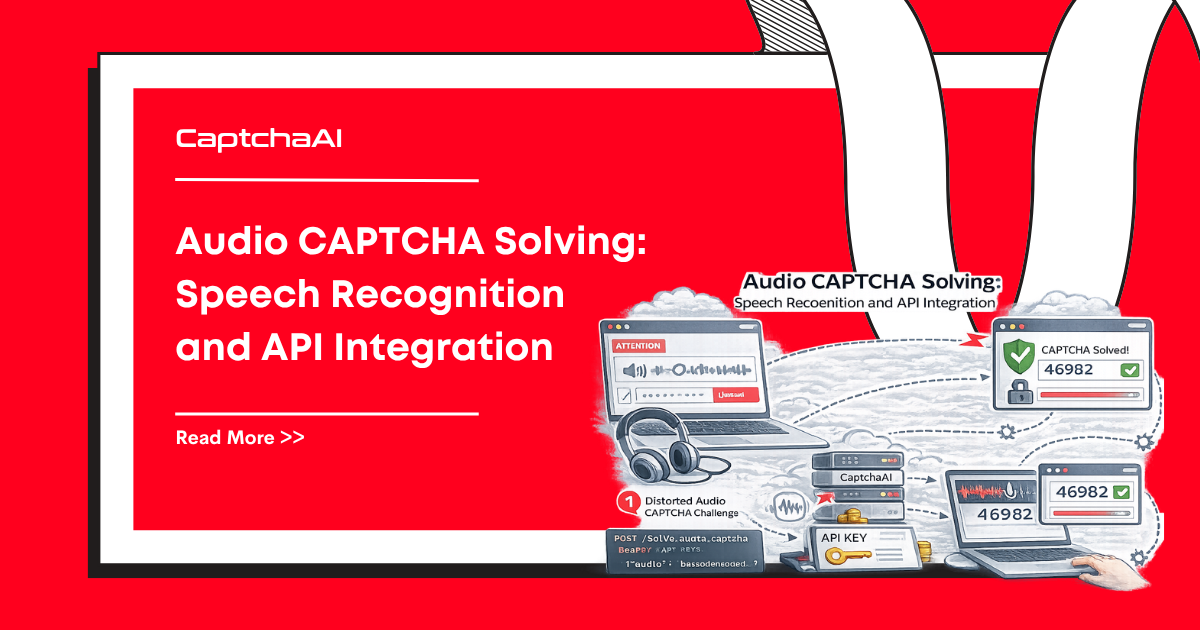
Audio CAPTCHAs exist primarily for accessibility — they provide an alternative for users who can't complete visual challenges. They play a spoken sequence of characters or words, often with background noise, and require the user to type what they hear.
Why Audio CAPTCHAs Exist
Accessibility regulations drive audio CAPTCHA adoption:
| Regulation | Requirement |
|---|---|
| ADA (Americans with Disabilities Act) | Web services must be accessible to users with disabilities |
| WCAG 2.1 AA | Provides guideline 1.1 — text alternatives for non-text content |
| Section 508 | Federal websites must provide equivalent access |
| EU Web Accessibility Directive | Public sector websites must meet EN 301 549 |
reCAPTCHA, hCaptcha, and most CAPTCHA providers include an audio option to comply with these requirements. The audio button (typically a headphones icon) triggers an alternative challenge.
How Audio CAPTCHAs Work
Standard Audio Challenge
User clicks audio button
    ↓
Server generates audio clip:

  - Spoken digits or words
  - Background noise added
  - Speed/pitch variations applied
    ↓
User listens and types the answer
    ↓
Server verifies the transcription
Audio Challenge Types
| Provider | Audio Format | Content |
|---|---|---|
| reCAPTCHA v2 | Spoken digits with heavy noise | Series of numbers (e.g., "4 9 2 7 1") |
| hCaptcha | Spoken words or phrases | Short word sequences |
| Custom CAPTCHAs | Varies widely | Letters, numbers, or words |
Adversarial Techniques in Audio CAPTCHAs
Audio CAPTCHAs use techniques similar to visual CAPTCHAs to resist automated solving:
| Technique | Purpose |
|---|---|
| Background noise | Masks the spoken content from speech-to-text engines |
| Overlapping speakers | Multiple voices speaking simultaneously |
| Speed variation | Words spoken at different rates within the same clip |
| Pitch distortion | Altered frequencies that humans handle but models struggle with |
| Reverb/echo | Simulated room acoustics that degrade recognition |
| Music overlays | Background music that interferes with speech isolation |
Speech Recognition Approaches
Traditional Speech Recognition
| Stage | Method |
|---|---|
| Preprocessing | Noise reduction, voice activity detection, bandpass filtering |
| Feature extraction | Mel-frequency cepstral coefficients (MFCCs) |
| Acoustic model | Hidden Markov Models (HMMs) |
| Language model | N-gram probability for digit/word sequences |
| Decoding | Viterbi algorithm for most likely sequence |
Traditional pipelines work well for clean audio but struggle with the adversarial noise injection used in modern audio CAPTCHAs.
Deep Learning Speech Recognition
| Architecture | How It Works |
|---|---|
| DeepSpeech | RNN-based end-to-end model trained on large speech datasets |
| Wav2Vec 2.0 | Self-supervised feature learning from raw audio waveforms |
| Whisper | Multi-task transformer trained on 680,000 hours of audio |
| Conformer | CNN + Transformer hybrid for streaming and offline recognition |
Modern deep learning models achieve significantly higher accuracy on noisy audio:
| Model | Clean Audio Accuracy | CAPTCHA Audio Accuracy |
|---|---|---|
| Traditional HMM | 95%+ | 30–50% |
| DeepSpeech 2 | 97%+ | 60–75% |
| Whisper (large) | 99%+ | 80–90% |
| Fine-tuned on CAPTCHA audio | N/A | 90–95% |
The gap between clean and CAPTCHA audio shows the effectiveness of adversarial noise. Fine-tuning on actual CAPTCHA audio samples narrows the gap significantly.
Audio vs Visual CAPTCHA Solving
| Factor | Visual CAPTCHA | Audio CAPTCHA |
|---|---|---|
| Primary user | Sighted users | Visually impaired users |
| Challenge type | Image selection or text recognition | Speech transcription |
| Solving speed (human) | 5–15 seconds | 15–30 seconds |
| Adversarial resistance | High (visual noise, distortion) | Moderate (audio noise, overlapping) |
| Accessibility | Poor for visually impaired | Good for visually impaired |
| Mobile UX | Good | Poor (requires audio playback in environment) |
| Market share | ~95% of CAPTCHA encounters | ~5% of CAPTCHA encounters |
Provider-Specific Audio Behavior
reCAPTCHA
reCAPTCHA's audio challenge has evolved:
| Version | Audio Behavior |
|---|---|
| reCAPTCHA v1 | Always available — separate audio button |
| reCAPTCHA v2 | Audio button on image challenge; may deny audio after repeated failures |
| reCAPTCHA v3 | No audio — no visual challenge either (score-based only) |
| reCAPTCHA Enterprise | Audio available when visual challenge is triggered |
Important: reCAPTCHA may block audio challenges entirely for suspicious sessions, showing "Your computer or network may be sending automated queries" instead.
hCaptcha
hCaptcha provides audio alternatives and is actively investing in accessibility:
| Feature | Detail |
|---|---|
| Audio challenge | Available via accessibility option |
| Cookie-based bypass | Accessibility cookie to skip challenges entirely |
| Visually impaired users | Can register for a bypass token |
Cloudflare Turnstile
Turnstile takes a different approach — because it's largely invisible, the accessibility question shifts:
| Scenario | Behavior |
|---|---|
| No visible challenge | No audio needed — passes silently |
| Visual fallback triggered | Standard managed challenge — no separate audio mode |
Audio CAPTCHAs in Automation Workflows
When automating workflows that may encounter audio CAPTCHAs:
When to Expect Audio Challenges
| Scenario | Audio Likelihood |
|---|---|
| reCAPTCHA v2 on accessible sites | Audio button always present |
| Sites with accessibility compliance | Audio alternative required |
| After visual challenge failures | Some providers offer audio as fallback |
| Mobile web with accessibility settings | May auto-trigger audio |
Handling Audio in Automation
For automation workflows, the practical approach is to use a CAPTCHA solving API rather than building speech recognition:
- Submit the CAPTCHA task via API (the solving service handles both visual and audio)
- Receive the solution token — same format regardless of whether visual or audio was solved
- Inject the token into the page
CaptchaAI handles the audio/visual decision internally — your integration code doesn't need to differentiate.
The Future of Audio CAPTCHAs
| Trend | Direction |
|---|---|
| Improving speech AI | Audio CAPTCHAs becoming easier for models to solve |
| Accessibility regulations tightening | Audio alternatives still legally required |
| Behavioral CAPTCHAs expanding | Less need for audio alternatives when no visible challenge exists |
| Device attestation | Hardware-based verification removes the visual/audio question entirely |
As more CAPTCHAs become invisible (reCAPTCHA v3, Turnstile), the need for audio alternatives decreases. But for sites still using challenge-based CAPTCHAs, audio remains a regulatory requirement.
Troubleshooting
| Issue | Cause | Fix |
|---|---|---|
| Audio challenge not available | Provider blocked audio for the session (suspected bot) | Use a CAPTCHA solving API instead of trying to trigger audio directly |
| Audio quality too poor to transcribe | Heavy adversarial noise injection | Request a new audio clip; fine-tuned models handle noise better |
| "Automated queries" error on audio | reCAPTCHA detected automation on the audio endpoint | Rotate IP; use a solving service that handles this internally |
| Audio CAPTCHA returns different format | Provider updated audio challenge type | Check API documentation for updated audio handling |
FAQ
Are audio CAPTCHAs easier to solve than visual ones?
Historically yes — early audio CAPTCHAs were simpler because they needed to be accessible. Modern audio CAPTCHAs have added significant noise and distortion, making them comparable in difficulty to visual challenges for automated solving.
Does CaptchaAI solve audio CAPTCHAs?
CaptchaAI handles the full CAPTCHA challenge including any audio variants. When you submit a reCAPTCHA or hCaptcha task, the solving service chooses the optimal solving path — visual or audio — internally. You receive a token either way.
Will audio CAPTCHAs disappear as CAPTCHAs become invisible?
For invisible-by-default CAPTCHAs (reCAPTCHA v3, Turnstile), audio alternatives are largely unnecessary. But challenge-based CAPTCHAs (reCAPTCHA v2, hCaptcha) will continue to require audio options as long as accessibility regulations apply.
Related Articles
Next Steps
Let CaptchaAI handle visual and audio CAPTCHAs transparently — get started with a single API that abstracts away the challenge type.
Related guides:
Discussions (0)
Join the conversation
Sign in to share your opinion.
Sign InNo comments yet.