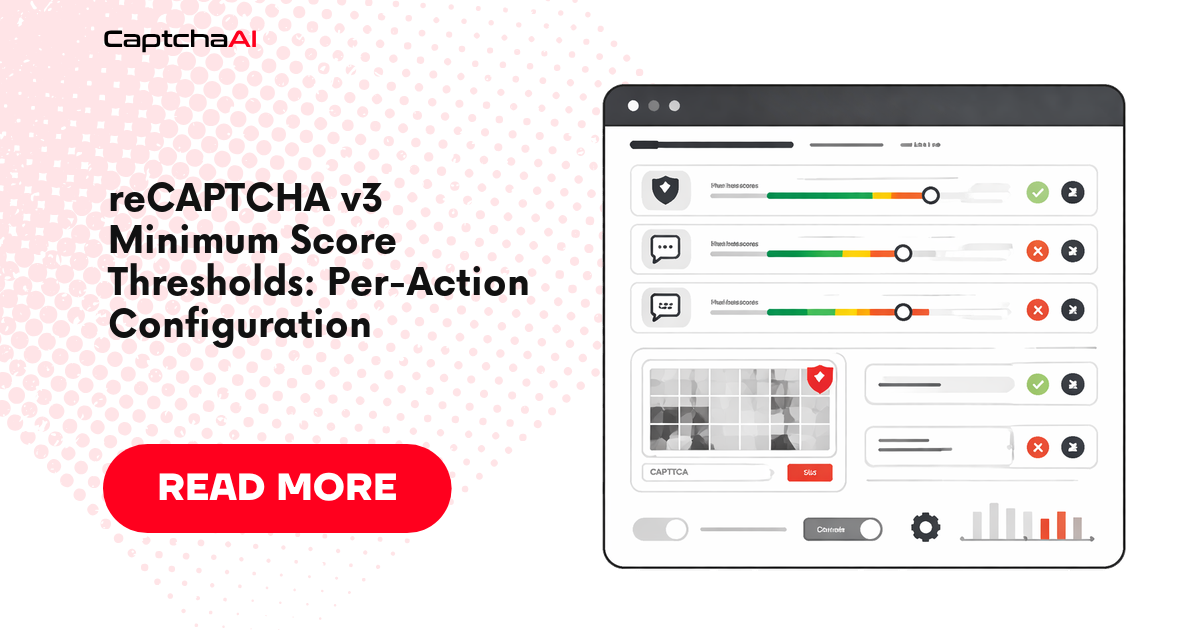
reCAPTCHA v3 returns a score between 0.0 and 1.0 with every token — no checkbox, no image grid. The score represents Google's confidence that the interaction is human. Sites decide their own threshold per action: a login page might require 0.7, while a search page accepts 0.3. Understanding these thresholds helps you configure CaptchaAI correctly.
How a token is gated against a per-action threshold
flowchart TD
A[Token returned with score 0.0–1.0] --> B{action parameter<br/>matches expected?}
B -->|no| R1[Reject:<br/>action mismatch]
B -->|yes| C[Look up threshold<br/>for this action]
C --> D{score >= threshold?}
D -->|yes| ALLOW[Allow request]
D -->|no, but score >= soft floor| STEP[Step up:<br/>2FA, v2 challenge, email]
D -->|no| R2[Block / silent fail]
STEP --> E{user passes step-up?}
E -->|yes| ALLOW
E -->|no| R2
The two failure modes at the bottom — outright rejection vs step-up — explain why two seemingly-identical sites behave very differently with the same min_score setting. The decision tree above is what your CaptchaAI integration is implicitly negotiating with on every solve.
How reCAPTCHA v3 Scoring Works
Every reCAPTCHA v3 interaction produces a score:
| Score range | Google's assessment | Typical action |
|---|---|---|
| 0.9 – 1.0 | Very likely human | Allow without friction |
| 0.7 – 0.9 | Probably human | Allow, maybe log |
| 0.5 – 0.7 | Uncertain | Add verification step |
| 0.3 – 0.5 | Suspicious | Block or challenge |
| 0.0 – 0.3 | Very likely bot | Block entirely |
The score is returned in the verification response, not to the browser. The site's backend decides what to do with it.
Actions and Per-Action Thresholds
reCAPTCHA v3 supports named "actions" — labels that identify what the user is doing. Sites configure different thresholds for each:
// Login — site may require score >= 0.7
grecaptcha.execute('SITE_KEY', { action: 'login' });

// Search — site may accept score >= 0.3
grecaptcha.execute('SITE_KEY', { action: 'search' });

// Purchase — site may require score >= 0.9
grecaptcha.execute('SITE_KEY', { action: 'purchase' });
Common Action Names and Typical Thresholds
| Action | Typical threshold | Rationale |
|---|---|---|
login |
0.7 | Protect accounts, but don't block legitimate users |
register / signup |
0.7 – 0.8 | Prevent fake account creation |
submit |
0.5 – 0.7 | Form submissions, moderate risk |
search |
0.3 – 0.5 | Low-risk, high-volume |
purchase / checkout |
0.7 – 0.9 | Financial transactions, high stakes |
contact |
0.5 | Anti-spam for contact forms |
homepage |
0.1 – 0.3 | Just tracking, rarely blocks |
These thresholds are set by the site owner in their backend code. They are not visible in the page source.
Finding a Site's Action Name
Method 1: Browser Console
// Override execute to capture action
const originalExecute = grecaptcha.execute;
grecaptcha.execute = function(siteKey, options) {
  console.log('Action:', options?.action);
  return originalExecute.apply(this, arguments);
};
Method 2: Network Tab
Filter for recaptcha in the Network tab. The action appears in the request payload when grecaptcha.execute is called.
Method 3: Search Page Source
Ctrl+F → "action:" or "action'"
Look for grecaptcha.execute calls with action parameters.
Targeting a Site's Threshold with CaptchaAI
Before the code: there are two API surfaces here, and the rules are different.
- Standard reCAPTCHA v3 (
version=v3, noenterprise): there is nomin_scoreparameter. CaptchaAI returns the best token its solver pool can produce (~0.3 by default, often higher with cookies and a good user agent). If the site's threshold is above what the solver naturally returns, your remediation is on the signal side (cookies, user agent, IP reputation) or via a v2 fallback — not via a request parameter. - reCAPTCHA v3 Enterprise (
version=v3+enterprise=1): themin_scoreparameter is honored. Default is0.3, valid range is0.1–0.9. The solver pool keeps retrying until it produces a token at or above your floor (or errors).
Standard v3 (no min_score)
POST https://ocr.captchaai.com/in.php

key=YOUR_API_KEY
&method=userrecaptcha
&googlekey=SITE_KEY
&pageurl=https://example.com/login
&version=v3
&action=login
v3 Enterprise (min_score is the score-floor knob)
POST https://ocr.captchaai.com/in.php

key=YOUR_API_KEY
&method=userrecaptcha
&googlekey=SITE_KEY
&pageurl=https://example.com/login
&version=v3
&enterprise=1
&action=login
&min_score=0.7
Practical min_score values (Enterprise only)
| Value | When to use |
|---|---|
0.3 |
Low-security pages (search, browsing) — the default |
0.7 |
Standard forms (login, submit, contact) |
0.9 |
High-security actions (purchase, registration) — significantly rarer |
If you omit min_score on Enterprise, the default 0.3 is used.
How Score Verification Works
The site's backend verifies the token and checks the score:
POST https://www.google.com/recaptcha/api/siteverify

secret=SECRET_KEY
&response=TOKEN_FROM_CAPTCHAAI
Google returns:
{
  "success": true,
  "score": 0.9,
  "action": "login",
  "challenge_ts": "2026-04-04T12:00:00Z",
  "hostname": "example.com"
}
The site then checks:
successistruescoremeets its threshold (e.g.,>= 0.7)actionmatches what was expected (e.g.,"login")hostnamematches the expected domain
If any check fails, the token is rejected.
Why Action Matching Matters
The action in the token must match what the site expects. If the site calls grecaptcha.execute with action: 'login' but your CaptchaAI request uses action: 'submit', the verification will show a mismatch — even if the score is high enough.
Always extract the exact action name from the page and pass it to CaptchaAI.
Estimating a Site's Threshold
Since thresholds aren't publicly visible, use these strategies:
- Start with 0.7 — the most common threshold for forms
- If rejected, try 0.9 — the site may have a strict threshold
- For search/browse pages, try 0.3 — low-risk pages use low thresholds
- Check for fallback behavior — some sites show a v2 checkbox when v3 scores are low instead of blocking outright
Troubleshooting
| Issue | Cause | Fix |
|---|---|---|
| Token accepted but action blocked | Action name mismatch | Extract exact action from page JS |
| Token rejected, score is high | Token expired (2 min lifetime) | Use token within 60 seconds of receiving it |
| Consistently low scores | Browser fingerprint signals weak | Add good cookies/user agent; on Enterprise, raise min_score (e.g. enterprise=1&min_score=0.9) |
| Site falls back to v2 challenge | v3 score below site threshold | Score may be fine — solve the v2 fallback separately |
| "timeout-or-duplicate" error | Token already verified or expired | Request a fresh token for each submission |
FAQ
Can I guarantee a specific score from CaptchaAI?
No — Google decides the score. For standard v3 CaptchaAI returns the best score its solver pool produces (typically ~0.3, higher with cookies/UA); there is no request parameter to demand a higher floor. For v3 Enterprise you can add enterprise=1&min_score=0.7 and the solver will retry until a token meets your floor, but a specific exact score is still not guaranteed.
Does the same site always use the same threshold?
Not necessarily. Sites can configure different thresholds per action and adjust them over time. A login action might require 0.7 while a search action on the same site accepts 0.3.
What happens if CaptchaAI can't achieve my requested min_score (Enterprise)?
On enterprise=1 requests CaptchaAI keeps retrying inside the solver pool until a token at or above your min_score floor is produced. If the floor is too aggressive (e.g. 0.9) the request may eventually error — retry, lower the floor to 0.7, or improve cookies/UA. On standard v3 this question doesn't apply: there is no min_score.
Related Articles
- How To Solve Recaptcha V3 Enterprise Using Api
- Recaptcha V3 Enterprise Vs Standard
- Recaptcha Score Factors Technical Analysis
Next Steps
Get high-score reCAPTCHA v3 tokens — sign up for CaptchaAI. For Enterprise v3 use enterprise=1 and tune min_score per action; for standard v3, focus on cookies, user agent, and IP reputation.