
reCAPTCHA validates that tokens are used on the same domain they were generated for. When there is a mismatch between the CAPTCHA's domain configuration and the actual request origin, you get domain verification errors. These failures are silent — the token appears valid but the server rejects it. This guide covers every domain-related error scenario and how to fix it.
How domain verification works
Site owner registers reCAPTCHA → adds allowed domains (example.com, www.example.com)
    ↓
reCAPTCHA widget loads on example.com → matches allowed domain ✓
    ↓
Token generated with embedded hostname
    ↓
Server validates token via siteverify API
    ↓
Google checks: Does token hostname match allowed domains?
    ├─ YES → { "success": true, "hostname": "example.com" }
    └─ NO  → { "success": false, error or hostname mismatch }
Where domain is checked
| Check point | What is verified |
|---|---|
| Client-side | Widget loads only on allowed domains (optional — can be disabled) |
| Token generation | Hostname embedded in token matches page origin |
| Server validation | siteverify returns the hostname — server should verify it matches |
Common domain verification errors
Error 1: Hostname mismatch in siteverify response
{
    "success": true,
    "hostname": "subdomain.example.com",
    "challenge_ts": "2025-01-15T10:30:00Z"
}
The token is valid, but the hostname field shows a different domain than expected. Some server implementations reject this:
# Server-side validation that checks hostname
def validate_token(token, secret_key, expected_hostname):
    result = requests.post(
        "https://www.google.com/recaptcha/api/siteverify",
        data={"secret": secret_key, "response": token},
    ).json()

    if not result.get("success"):
        return False

    # This check causes failures when hostnames don't match
    if result.get("hostname") != expected_hostname:
        return False  # Domain mismatch!

    return True
Causes:
- Token solved for
www.example.combut validated onexample.com - Token solved for
staging.example.combut validated onexample.com - Proxy or CDN changes the apparent hostname
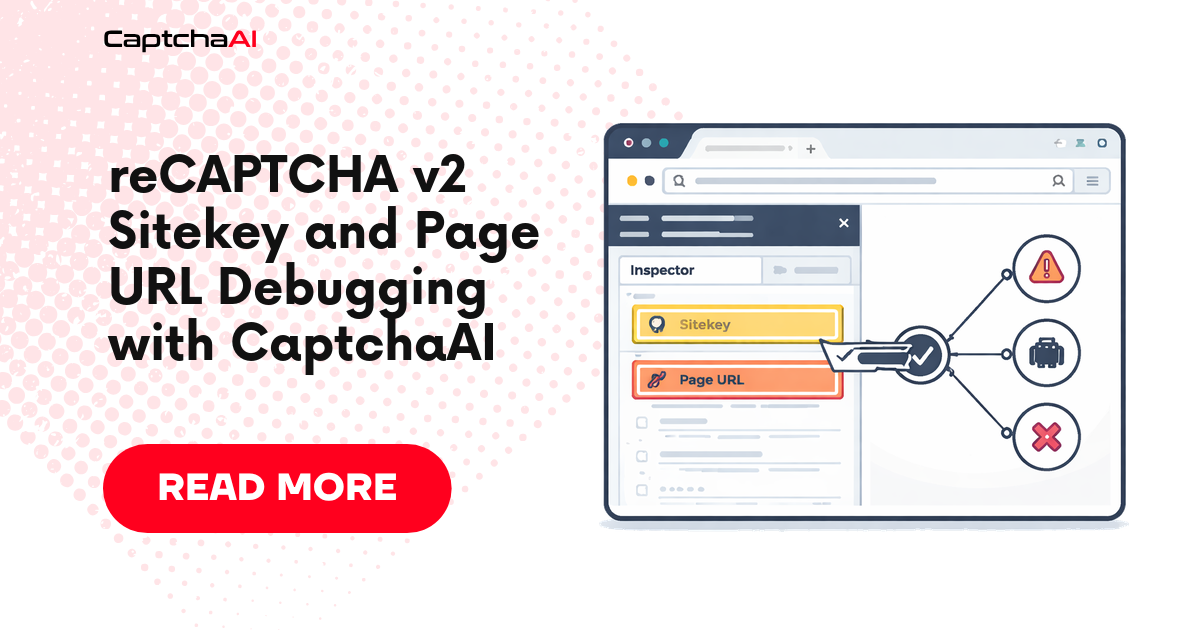
Fix: Ensure the pageurl in your solver request exactly matches the domain where the token will be submitted.
Error 2: Widget refuses to load
The reCAPTCHA widget shows an error or does not render:
ERROR: Invalid domain for site key
Causes:
- The site key's allowed domains do not include the current page's domain
- Loading the widget from localhost or file:// protocol
- Using an IP address instead of a domain name
Fix for automation: This is a site-owner configuration issue. For solving, ensure you pass the correct pageurl that matches an allowed domain.
Error 3: Token rejected despite correct solve
{
    "success": false,
    "error-codes": ["invalid-input-response"]
}
The token was generated for a different domain than where it is being validated.
Common automation cause: The pageurl sent to the solver does not match the actual target domain:
# WRONG: pageurl doesn't match actual target
submit = requests.post("https://ocr.captchaai.com/in.php", data={
    "key": API_KEY,
    "method": "userrecaptcha",
    "googlekey": sitekey,
    "pageurl": "https://example.com/login",  # ← Must match actual domain
    "json": 1,
})

# But submitting token to:
requests.post("https://app.example.com/login", ...)  # Different subdomain!
Domain matching rules
Exact match vs wildcard
reCAPTCHA's domain verification is not strict subdomain matching by default. The behavior depends on the site owner's configuration:
| Registered domain | Acceptable origins |
|---|---|
example.com |
example.com, www.example.com, sub.example.com (if wildcard enabled) |
www.example.com |
www.example.com only (if strict) |
*.example.com |
Any subdomain of example.com |
localhost |
localhost only (for development) |
Server-side hostname behavior
When validating via siteverify, the hostname in the response reflects the page where the token was generated. The site owner's server decides whether to accept it:
# Permissive validation (accepts any subdomain)
def validate_permissive(token, secret, base_domain):
    result = requests.post(
        "https://www.google.com/recaptcha/api/siteverify",
        data={"secret": secret, "response": token},
    ).json()

    if not result.get("success"):
        return False

    hostname = result.get("hostname", "")
    return hostname == base_domain or hostname.endswith(f".{base_domain}")


# Strict validation (exact match only)
def validate_strict(token, secret, expected_hostname):
    result = requests.post(
        "https://www.google.com/recaptcha/api/siteverify",
        data={"secret": secret, "response": token},
    ).json()

    return result.get("success") and result.get("hostname") == expected_hostname
Fixing domain errors in automation
Fix 1: Match pageurl exactly
The most common fix — ensure pageurl matches the actual target:
# Correct: pageurl matches where you'll submit the token
target_url = "https://www.example.com/login"

submit = requests.post("https://ocr.captchaai.com/in.php", data={
    "key": API_KEY,
    "method": "userrecaptcha",
    "googlekey": "6LcR_RsTAAAAAN_r0GEkGBfq3L7KmU5JbPHJtwNp",
    "pageurl": target_url,  # Must match the actual domain
    "json": 1,
})
Fix 2: Handle www vs non-www
from urllib.parse import urlparse

def normalize_url(url):
    """Normalize URL for consistent domain matching."""
    parsed = urlparse(url)
    # Use exactly what the target site uses
    # Check if the site redirects www → non-www or vice versa
    return f"{parsed.scheme}://{parsed.netloc}{parsed.path}"

# Test which variant the site uses
response = requests.get("https://example.com/login", allow_redirects=True)
actual_url = response.url  # May be https://www.example.com/login after redirect
Fix 3: Detect the correct domain from redirect chain
Some sites redirect through multiple domains:
def get_final_url(url):
    """Follow redirects to find the actual CAPTCHA page domain."""
    response = requests.get(url, allow_redirects=True, timeout=15)
    return response.url

# Login URL might redirect:
# https://example.com/login → https://auth.example.com/login
final_url = get_final_url("https://example.com/login")
# Use final_url as pageurl for solver
Fix 4: Extract domain from reCAPTCHA callback URL
from bs4 import BeautifulSoup
from urllib.parse import urlparse

def extract_recaptcha_domain(html, page_url):
    """Extract the domain reCAPTCHA uses for token binding."""
    soup = BeautifulSoup(html, "html.parser")

    # Check for reCAPTCHA iframe
    iframe = soup.find("iframe", src=lambda s: s and "recaptcha" in s)
    if iframe:
        src = iframe.get("src", "")
        # The iframe URL may contain the domain parameter
        if "domain=" in src:
            # Extract domain from iframe URL
            pass

    # Default: use the page URL's domain
    return urlparse(page_url).netloc
Domain verification diagnostic tool
import requests
from urllib.parse import urlparse

class DomainDiagnostic:
    """Diagnose domain verification issues for reCAPTCHA solving."""

    def __init__(self, target_url):
        self.target_url = target_url
        self.issues = []

    def check_redirects(self):
        """Check if the URL redirects to a different domain."""
        try:
            response = requests.get(
                self.target_url, allow_redirects=True, timeout=15,
                headers={"User-Agent": "Mozilla/5.0 Chrome/120.0.0.0"},
            )
            final_url = response.url
            original_domain = urlparse(self.target_url).netloc
            final_domain = urlparse(final_url).netloc

            if original_domain != final_domain:
                self.issues.append({
                    "type": "redirect",
                    "message": f"Redirects from {original_domain} to {final_domain}",
                    "fix": f"Use pageurl: {final_url}",
                })

            return final_url
        except Exception as e:
            self.issues.append({"type": "error", "message": str(e)})
            return self.target_url

    def check_www_variant(self):
        """Check if www and non-www point to the same content."""
        parsed = urlparse(self.target_url)
        domain = parsed.netloc

        if domain.startswith("www."):
            alt_domain = domain[4:]
        else:
            alt_domain = f"www.{domain}"

        alt_url = self.target_url.replace(domain, alt_domain)

        try:
            alt_response = requests.get(alt_url, allow_redirects=True, timeout=10)
            alt_final = urlparse(alt_response.url).netloc

            if alt_final != domain and alt_final != alt_domain:
                self.issues.append({
                    "type": "www_redirect",
                    "message": f"{alt_domain} redirects to {alt_final}",
                })
        except Exception:
            pass

    def report(self):
        """Generate diagnostic report."""
        final_url = self.check_redirects()
        self.check_www_variant()

        print(f"Target URL: {self.target_url}")
        print(f"Final URL:  {final_url}")
        print(f"Use as pageurl: {final_url}")

        if self.issues:
            print("\nIssues found:")
            for issue in self.issues:
                print(f"  [{issue['type']}] {issue['message']}")
                if "fix" in issue:
                    print(f"  Fix: {issue['fix']}")
        else:
            print("\nNo domain issues detected.")


# Usage
diag = DomainDiagnostic("https://example.com/login")
diag.report()
Troubleshooting table
| Symptom | Likely cause | Diagnostic | Fix |
|---|---|---|---|
| Token always rejected | pageurl doesn't match target domain | Compare solver pageurl with actual submission domain | Update pageurl to match |
| Works on www, fails on non-www | Domain variant mismatch | Check redirect behavior | Use the variant the target site uses (follow redirects) |
| Works sometimes, fails sometimes | CDN or load balancer serves different domains | Check if domain varies per request | Use a consistent URL from the redirect chain |
| Works in browser, fails in script | Script sends from different origin | Compare browser URL bar with script's pageurl | Match the browser's final URL |
| Enterprise token rejected | Wrong project or domain binding | Verify Enterprise site key matches the domain | Check Enterprise console domain settings |
Frequently asked questions
Does CaptchaAI handle domain verification automatically?
CaptchaAI generates tokens bound to the pageurl you provide. You must ensure this URL matches the domain where you will submit the token. CaptchaAI does not verify domain configuration — it uses whatever pageurl you specify.
Can I solve a CAPTCHA for one domain and use it on another?
No. reCAPTCHA tokens are bound to the domain they were generated for. A token generated for example.com cannot be used on other-site.com. Even different subdomains may fail if the site validates the hostname strictly.
Why does my token work in testing but fail in production?
Common causes: (1) Testing uses localhost which has different domain rules, (2) Production uses a CDN with a different domain, (3) Production has stricter hostname validation, (4) Different URL path or redirect chain in production.
Does the path matter, or just the domain?
Only the domain (hostname) is validated by reCAPTCHA. The path (/login, /signup) does not affect domain verification. However, you should still use the correct full URL as pageurl because some solver implementations may use it for other purposes.
Summary
reCAPTCHA domain verification ties tokens to the hostname where they were generated. The most common automation failure is a pageurl mismatch — the URL passed to CaptchaAI must match the domain where the token will be submitted. Follow redirects to find the actual domain, handle www vs non-www variants, and use the domain diagnostic tool to identify mismatches before solving.




Discussions (0)
Join the conversation
Sign in to share your opinion.
Sign InNo comments yet.