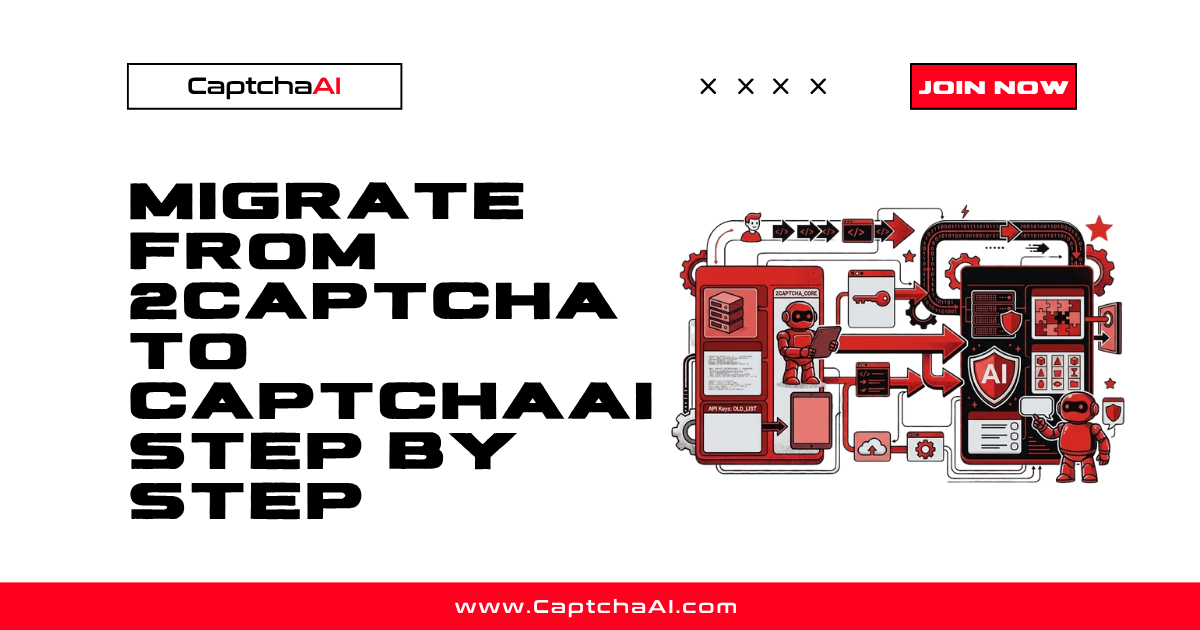
CaptchaAI uses a 2Captcha-compatible API. Migration is straightforward — change the endpoint URL and API key. Your existing request format, parameters, and error handling work unchanged.
Migration Summary
Before (2Captcha):
  URL: https://2captcha.com
  Key: YOUR_2CAPTCHA_KEY

After (CaptchaAI):
  URL: https://ocr.captchaai.com
  Key: YOUR_CAPTCHAAI_KEY

Everything else stays the same.
Step 1: Get Your CaptchaAI API Key
- Register at captchaai.com
- Add funds to your account
- Copy your API key from the dashboard
Step 2: Update Your Configuration
Python — Direct API
# BEFORE (2Captcha)
API_KEY = "your_2captcha_key"
API_URL = "https://2captcha.com"

# AFTER (CaptchaAI) — only these 2 lines change
API_KEY = "your_captchaai_key"
API_URL = "https://ocr.captchaai.com"
Python — Environment Variables
import os

# BEFORE
API_KEY = os.environ.get("TWOCAPTCHA_API_KEY")
API_URL = "https://2captcha.com"

# AFTER
API_KEY = os.environ.get("CAPTCHAAI_API_KEY")
API_URL = "https://ocr.captchaai.com"
# Update your .env or environment
# BEFORE
TWOCAPTCHA_API_KEY=old_key_here

# AFTER
CAPTCHAAI_API_KEY=new_key_here
Node.js
// BEFORE
const API_KEY = 'your_2captcha_key';
const API_URL = 'https://2captcha.com';

// AFTER
const API_KEY = 'your_captchaai_key';
const API_URL = 'https://ocr.captchaai.com';
Step 3: Verify API Compatibility
The request and response formats are identical:
Submit Task (in.php)
import requests

# This code works for BOTH 2Captcha and CaptchaAI
resp = requests.post(f"{API_URL}/in.php", data={
    "key": API_KEY,
    "method": "userrecaptcha",
    "googlekey": "SITE_KEY",
    "pageurl": "https://example.com",
    "json": 1,
})

result = resp.json()
# Response format: {"status": 1, "request": "TASK_ID"}
task_id = result["request"]
Poll Result (res.php)
import time

# This code works for BOTH 2Captcha and CaptchaAI
for _ in range(60):
    time.sleep(5)
    resp = requests.get(f"{API_URL}/res.php", params={
        "key": API_KEY,
        "action": "get",
        "id": task_id,
        "json": 1,
    })
    data = resp.json()
    if data["request"] != "CAPCHA_NOT_READY":
        token = data["request"]
        break
Error Codes (Same)
| Error | Meaning | Same in Both |
|---|---|---|
ERROR_WRONG_USER_KEY |
Invalid API key | ✅ |
ERROR_KEY_DOES_NOT_EXIST |
API key not found | ✅ |
ERROR_ZERO_BALANCE |
No funds | ✅ |
ERROR_CAPTCHA_UNSOLVABLE |
Could not solve | ✅ |
CAPCHA_NOT_READY |
Still processing | ✅ |
Step 4: Method Name Reference
All method names are the same:
| CAPTCHA Type | Method | Same Format |
|---|---|---|
| reCAPTCHA v2 | method=userrecaptcha |
✅ |
| reCAPTCHA v3 | method=userrecaptcha + version=v3 |
✅ |
| reCAPTCHA Enterprise | method=userrecaptcha + enterprise=1 |
✅ |
| Invisible reCAPTCHA | method=userrecaptcha + invisible=1 |
✅ |
| Cloudflare Turnstile | method=turnstile |
✅ |
| GeeTest v3 | method=geetest |
✅ |
| Image base64 | method=base64 |
✅ |
| Image file | method=post |
✅ |
CaptchaAI Exclusive Methods
| CAPTCHA Type | Method | 2Captcha Support |
|---|---|---|
| Cloudflare Challenge | method=cloudflare_challenge |
❌ |
| BLS | method=bls |
❌ |
These methods are only available after migration.
Step 5: Test the Migration
import requests
import time


def test_migration():
    """Verify CaptchaAI API is working with your key."""
    API_KEY = "your_captchaai_key"
    API_URL = "https://ocr.captchaai.com"

    # Test 1: Check balance
    resp = requests.get(f"{API_URL}/res.php", params={
        "key": API_KEY,
        "action": "getbalance",
        "json": 1,
    })
    balance = resp.json()
    print(f"Balance: ${balance['request']}")

    # Test 2: Solve a test CAPTCHA
    print("Submitting test solve...")
    resp = requests.post(f"{API_URL}/in.php", data={
        "key": API_KEY,
        "method": "userrecaptcha",
        "googlekey": "6Le-wvkSAAAAAPBMRTvw0Q4Muexq9bi0DJwx_mJ-",
        "pageurl": "https://www.google.com/recaptcha/api2/demo",
        "json": 1,
    })
    result = resp.json()

    if result.get("status") != 1:
        print(f"Error: {result.get('request')}")
        return False

    task_id = result["request"]
    print(f"Task ID: {task_id}")

    # Poll for result
    for i in range(40):
        time.sleep(5)
        resp = requests.get(f"{API_URL}/res.php", params={
            "key": API_KEY,
            "action": "get",
            "id": task_id,
            "json": 1,
        })
        data = resp.json()
        if data["request"] != "CAPCHA_NOT_READY":
            print(f"Solved in {(i+1)*5}s")
            print(f"Token: {data['request'][:50]}...")
            return True

    print("Timeout — check API key and balance")
    return False


test_migration()
Step 6: Update Wrapper Libraries
If using 2captcha-python
# BEFORE — 2captcha official library
from twocaptcha import TwoCaptcha
solver = TwoCaptcha("your_2captcha_key")

# AFTER — use requests directly with CaptchaAI (same API format)
import requests

API_KEY = "your_captchaai_key"
API_URL = "https://ocr.captchaai.com"

# Or create a simple wrapper:
class CaptchaAISolver:
    def __init__(self, api_key):
        self.api_key = api_key
        self.base = "https://ocr.captchaai.com"

    def recaptcha(self, sitekey, url, version="v2", **kwargs):
        data = {
            "key": self.api_key,
            "method": "userrecaptcha",
            "googlekey": sitekey,
            "pageurl": url,
            "json": 1,
        }
        if version == "v3":
            data["version"] = "v3"
            data.update(kwargs)

        resp = requests.post(f"{self.base}/in.php", data=data)
        task_id = resp.json()["request"]
        return self._poll(task_id)

    def turnstile(self, sitekey, url):
        resp = requests.post(f"{self.base}/in.php", data={
            "key": self.api_key,
            "method": "turnstile",
            "sitekey": sitekey,
            "pageurl": url,
            "json": 1,
        })
        task_id = resp.json()["request"]
        return self._poll(task_id)

    def _poll(self, task_id, timeout=120):
        import time
        for _ in range(timeout // 5):
            time.sleep(5)
            resp = requests.get(f"{self.base}/res.php", params={
                "key": self.api_key, "action": "get",
                "id": task_id, "json": 1,
            })
            data = resp.json()
            if data["request"] != "CAPCHA_NOT_READY":
                return data["request"]
        raise TimeoutError("Solve timeout")


# Usage
solver = CaptchaAISolver("your_captchaai_key")
token = solver.recaptcha("SITE_KEY", "https://example.com")
Migration Checklist
| Step | Action | Status |
|---|---|---|
| 1 | Register at CaptchaAI | ☐ |
| 2 | Get API key | ☐ |
| 3 | Add funds | ☐ |
| 4 | Update endpoint URL | ☐ |
| 5 | Update API key | ☐ |
| 6 | Test with balance check | ☐ |
| 7 | Test with demo CAPTCHA | ☐ |
| 8 | Test with production site | ☐ |
| 9 | Monitor for 24 hours | ☐ |
| 10 | Deploy to production | ☐ |
Troubleshooting
| Issue | Cause | Fix |
|---|---|---|
ERROR_WRONG_USER_KEY |
Using 2Captcha key | Use CaptchaAI API key |
ERROR_ZERO_BALANCE |
No funds in CaptchaAI | Add funds at captchaai.com |
| Old endpoint still used | Config not updated | Search codebase for 2captcha.com |
| Library conflicts | 2captcha-python installed | Use direct requests or CaptchaAI wrapper |
FAQ
How long does the migration take?
For direct API users: 5 minutes (change URL and key). For wrapper library users: 15-30 minutes to replace the library calls.
Can I run both 2Captcha and CaptchaAI simultaneously?
Yes. Route some traffic to each during a transition period. Compare performance, then fully cut over.
Will my existing error handling work?
Yes. CaptchaAI returns the same error codes and response format as 2Captcha.
Related Guides
Migration takes 5 minutes — start with CaptchaAI today.

Discussions (0)
Join the conversation
Sign in to share your opinion.
Sign InNo comments yet.