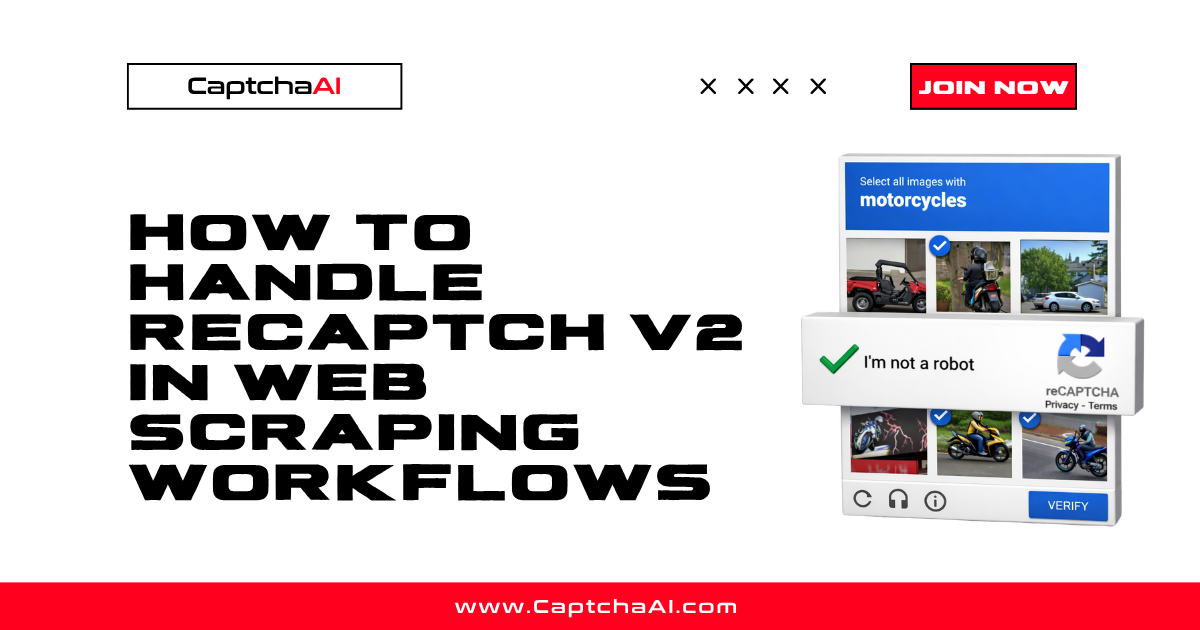
When your scraper hits a reCAPTCHA v2 challenge, the workflow stops. The page waits for a human to solve the checkbox or image grid before serving the data you need. The fastest way to resume scraping is to route the CAPTCHA to a solver API: extract the sitekey and page URL, send them to CaptchaAI, receive a valid token, and inject it back into the page.
This guide shows the complete flow with working code for Python (Selenium + requests) and Node.js (Puppeteer).
How the workflow works
Every reCAPTCHA v2 widget has two parameters your scraper needs:
googlekey— the public sitekey embedded in the page HTMLpageurl— the URL where the CAPTCHA appears
Your scraper sends these to the CaptchaAI API, waits for a solved token, and injects the token back into the page's g-recaptcha-response field (or calls the callback function). The target site's backend verifies the token against Google and lets the request through.
Python: Selenium + CaptchaAI
import requests
import time
from selenium import webdriver
from selenium.webdriver.common.by import By

# Step 1: Open the page with Selenium
driver = webdriver.Chrome()
driver.get("https://example.com/protected-page")

# Step 2: Extract the sitekey
sitekey = driver.find_element(By.CSS_SELECTOR, ".g-recaptcha").get_attribute("data-sitekey")
page_url = driver.current_url

# Step 3: Submit to CaptchaAI
response = requests.get("https://ocr.captchaai.com/in.php", params={
    "key": "YOUR_API_KEY",
    "method": "userrecaptcha",
    "googlekey": sitekey,
    "pageurl": page_url,
    "json": 1
}).json()

task_id = response["request"]

# Step 4: Poll for result
token = None
for _ in range(40):
    time.sleep(5)
    result = requests.get("https://ocr.captchaai.com/res.php", params={
        "key": "YOUR_API_KEY",
        "action": "get",
        "id": task_id,
        "json": 1
    }).json()

    if result.get("status") == 1:
        token = result["request"]
        break
    if result.get("request") != "CAPCHA_NOT_READY":
        raise RuntimeError(f"Solve failed: {result['request']}")

# Step 5: Inject the token and submit
driver.execute_script(
    f'document.getElementById("g-recaptcha-response").innerHTML = "{token}";'
)

# Check for callback
callback = driver.execute_script(
    'var el = document.querySelector(".g-recaptcha"); '
    'return el ? el.getAttribute("data-callback") : null;'
)
if callback:
    driver.execute_script(f'{callback}("{token}");')
else:
    driver.find_element(By.CSS_SELECTOR, "form").submit()

# Step 6: Scrape the data
print(driver.page_source[:500])
driver.quit()
Node.js: Puppeteer + CaptchaAI
const puppeteer = require("puppeteer");

async function scrapeWithCaptcha(url) {
  const browser = await puppeteer.launch({ headless: "new" });
  const page = await browser.newPage();
  await page.goto(url, { waitUntil: "networkidle2" });

  // Extract sitekey
  const sitekey = await page.$eval(".g-recaptcha", (el) => el.dataset.sitekey);

  // Submit to CaptchaAI
  const submitRes = await fetch(
    `https://ocr.captchaai.com/in.php?${new URLSearchParams({
      key: "YOUR_API_KEY",
      method: "userrecaptcha",
      googlekey: sitekey,
      pageurl: url,
      json: 1,
    })}`
  );
  const { request: taskId } = await submitRes.json();

  // Poll for result
  let token;
  for (let i = 0; i < 40; i++) {
    await new Promise((r) => setTimeout(r, 5000));
    const res = await fetch(
      `https://ocr.captchaai.com/res.php?${new URLSearchParams({
        key: "YOUR_API_KEY",
        action: "get",
        id: taskId,
        json: 1,
      })}`
    );
    const data = await res.json();
    if (data.status === 1) {
      token = data.request;
      break;
    }
    if (data.request !== "CAPCHA_NOT_READY")
      throw new Error(`Solve failed: ${data.request}`);
  }

  // Inject token
  await page.evaluate((t) => {
    document.getElementById("g-recaptcha-response").innerHTML = t;
    const cb = document.querySelector(".g-recaptcha")?.dataset.callback;
    if (cb && window[cb]) window[cb](t);
  }, token);

  // Wait for navigation after form submit
  await page.waitForNavigation({ waitUntil: "networkidle2" });
  const content = await page.content();
  await browser.close();
  return content;
}

scrapeWithCaptcha("https://example.com/protected-page").then(console.log);
Headless vs headed mode
Some sites detect headless browsers and block them before the CAPTCHA even appears. If you get blocked before seeing reCAPTCHA:
- Use
headless: "new"in Puppeteer (newer stealth mode) - Add
--disable-blink-features=AutomationControlledto Chromium flags - Use a real User-Agent string
- Consider using proxy rotation with your CaptchaAI solves
HTTP-only approach (no browser)
If the target site sends the CAPTCHA in a form submission flow, you can skip the browser entirely:
import requests
import time

session = requests.Session()
session.headers["User-Agent"] = "Mozilla/5.0 (Windows NT 10.0; Win64; x64) Chrome/120.0.0.0"

# Load the page to get cookies
session.get("https://example.com/protected-page")

# Solve the CAPTCHA
sitekey = "6Le-wvkSAAAAAN..."  # extracted from page HTML
solve_resp = requests.get("https://ocr.captchaai.com/in.php", params={
    "key": "YOUR_API_KEY", "method": "userrecaptcha",
    "googlekey": sitekey, "pageurl": "https://example.com/protected-page",
    "json": 1
}).json()

task_id = solve_resp["request"]
time.sleep(15)

# Poll
for _ in range(30):
    result = requests.get("https://ocr.captchaai.com/res.php", params={
        "key": "YOUR_API_KEY", "action": "get", "id": task_id, "json": 1
    }).json()
    if result.get("status") == 1:
        token = result["request"]
        break
    time.sleep(5)

# Submit with token
resp = session.post("https://example.com/protected-page", data={
    "g-recaptcha-response": token,
    "other_field": "value"
})
print(resp.text[:500])
FAQ
Does solving reCAPTCHA v2 slow down my scraper?
Each solve takes 15–60 seconds. For high-volume scraping, run multiple solves in parallel (CaptchaAI supports concurrent tasks per thread).
Can I cache reCAPTCHA tokens?
No. Each token is single-use and expires after ~2 minutes. You need a fresh solve for each protected page request.
Do I need a browser to handle reCAPTCHA v2?
Not always. If the site accepts the g-recaptcha-response as a POST field, you can use an HTTP-only approach. If the site requires JavaScript-based token injection, you need a browser.
How do I handle rotating proxies with CaptchaAI?
CaptchaAI solves CAPTCHAs on its own infrastructure — you do not need to pass your proxy for standard reCAPTCHA v2. Use your proxies for the scraping requests that follow.
What if the site uses Enterprise reCAPTCHA?
Add enterprise=1 to your CaptchaAI request. See How to Solve reCAPTCHA v2 Enterprise Using API.
Start scraping through reCAPTCHA v2
- Get your API key at captchaai.com/api.php
- Extract the sitekey from the target page
- Use the code examples above to solve and inject
- Scale with concurrent solves for high-volume workflows




Discussions (0)
Join the conversation
Sign in to share your opinion.
Sign InNo comments yet.